
1. Introduction
Thank you for choosing the Green Lion Active Pro Smart Watch. This manual provides essential information for setting up, operating, and maintaining your device. Please read this manual thoroughly before using the watch to ensure proper function and to maximize your user experience.
2. What's in the Box
Upon unboxing your Green Lion Active Pro Smart Watch, please verify that all the following items are included:
- Green Lion Active Pro Smart Watch (with Silicone Band attached)
- Charging Cable/Dock
- User Manual (this document)
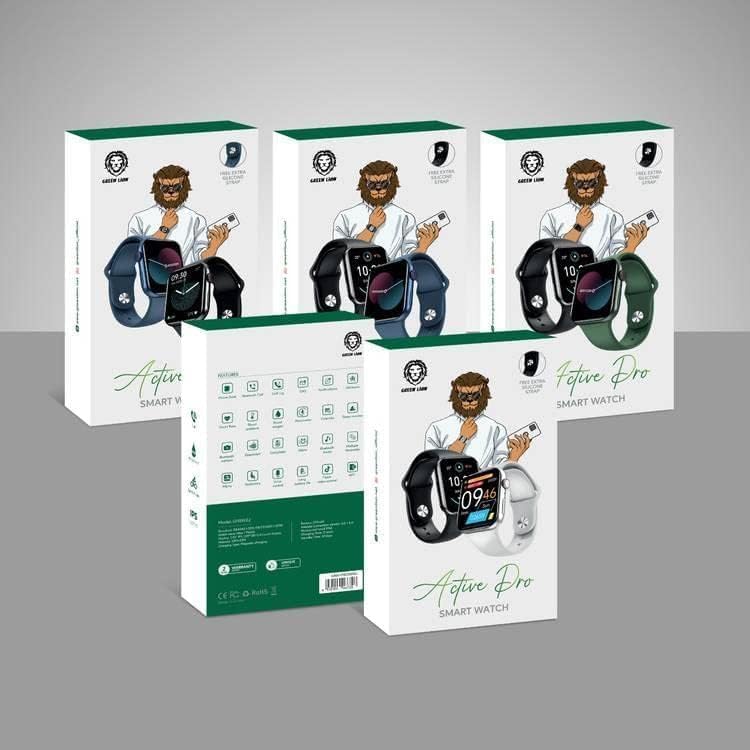
Image: Green Lion Active Pro Smart Watch packaging. The image displays several product boxes, indicating the various color options or packaging design for the smart watch.
3. Product Overview
The Green Lion Active Pro Smart Watch features a sleek design with a responsive touchscreen display and a durable silicone band. Familiarize yourself with the key components:
- Display: High-resolution LCD touchscreen for interactive use.
- Side Button/Crown: Used for navigation, power on/off, and accessing menus.
- Sensors (underside): Heart rate monitor, activity tracking sensors.
- Charging Contacts: Located on the underside for connecting the charging cable.

Image: Front view of the Green Lion Active Pro Smart Watch displaying a digital watch face with an astronaut theme. The watch has a green silicone band and a metallic grey casing.
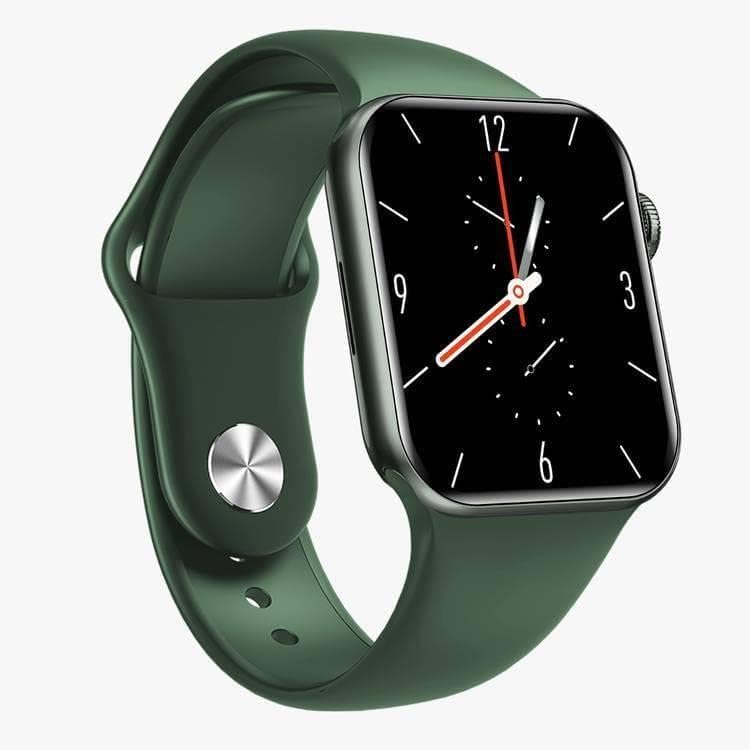
Image: Front view of the Green Lion Active Pro Smart Watch displaying an analog clock watch face. The watch features a green silicone band and a dark grey casing.
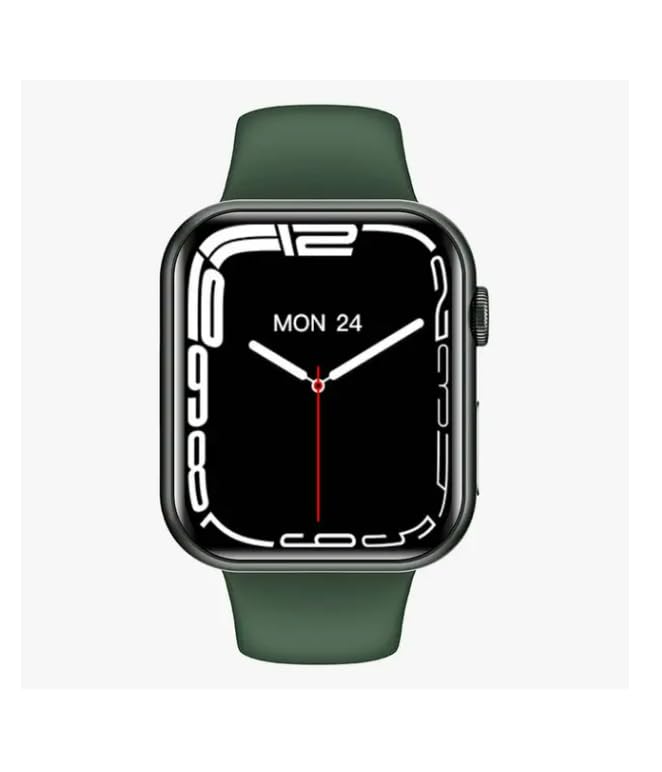
Image: Front view of the Green Lion Active Pro Smart Watch displaying a digital watch face with time and date. The watch has a green silicone band and a dark grey casing.
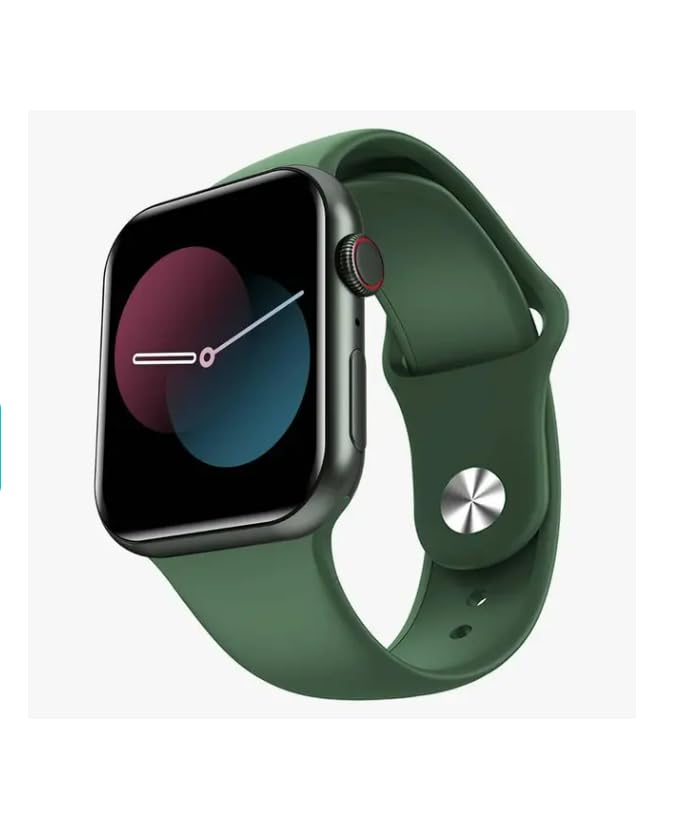
Image: Front view of the Green Lion Active Pro Smart Watch displaying an abstract watch face with colorful, overlapping circles. The watch has a green silicone band and a dark grey casing.
4. Setup
4.1. Charging the Device
Before first use, fully charge your Green Lion Active Pro Smart Watch. Connect the charging cable/dock to a USB power source (e.g., computer USB port or a 5V/1A USB wall adapter). Align the magnetic charging contacts on the dock with those on the back of the watch. The watch display will indicate charging status. A full charge typically provides up to 7 days of battery life, depending on usage.
4.2. Powering On/Off
- Power On: Press and hold the side button/crown until the Green Lion logo appears.
- Power Off: From the watch face, swipe down or access the settings menu, then locate the power off option. Alternatively, press and hold the side button/crown and select "Power Off" when prompted.
4.3. App Installation and Pairing
To unlock the full potential of your smart watch, download the companion application on your smartphone. The Green Lion Active Pro Smart Watch is compatible with both Android and iOS devices.
- Scan the QR code in the manual (if provided) or search for the official Green Lion smart watch app in your device's app store (Google Play Store for Android, Apple App Store for iOS).
- Install and open the application.
- Enable Bluetooth on your smartphone.
- Follow the in-app instructions to search for and pair with your Green Lion Active Pro Smart Watch. Ensure the watch is powered on and within Bluetooth range.
- Confirm the pairing request on both your smartphone and the watch.
5. Operating the Smart Watch
5.1. Basic Navigation
- Swipe Up/Down: Access quick settings, notifications, or scroll through menus.
- Swipe Left/Right: Navigate between different widgets or main screens (e.g., activity, heart rate, weather).
- Tap: Select an item or open an application.
- Press Side Button/Crown: Return to the watch face, open the app drawer, or confirm selections.
5.2. Key Features
- Activity Tracking: The watch automatically tracks your daily steps, distance, and calories burned. View your progress on the watch or in the companion app.
- Heart Rate Monitoring: The built-in heart rate sensor continuously monitors your heart rate. Access real-time readings on the watch and historical data in the app.
- Sleep Monitoring: Wear the watch to bed to track your sleep patterns, including deep sleep, light sleep, and awake times. Analyze your sleep quality through the app.
- GPS Capabilities: For outdoor activities like running or hiking, the watch can utilize GPS to map your routes and track your pace and distance accurately. Ensure GPS is enabled in settings if needed.
- Notifications: Receive call, SMS, and app notifications directly on your wrist. Customize which app notifications you receive through the companion app settings.
- Music Control: Control music playback on your connected smartphone (play, pause, skip tracks) directly from your watch.
- Voice Calls: Make and receive calls directly from your watch when connected to your smartphone via Bluetooth.
6. Maintenance
6.1. Cleaning
Regularly clean your smart watch to ensure optimal performance and hygiene. Use a soft, lint-free cloth to wipe the screen and watch body. For stubborn smudges, slightly dampen the cloth with water. Avoid using harsh chemicals, abrasive cleaners, or solvents, as these can damage the watch's finish and components.
6.2. Care and Storage
- Avoid exposing the watch to extreme temperatures (hot or cold) or direct sunlight for prolonged periods.
- While the watch is designed for active lifestyles, avoid submerging it in water unless explicitly stated as waterproof for swimming. Refer to specifications for water resistance ratings.
- Store the watch in a cool, dry place when not in use.
- Keep the charging contacts clean and free of debris to ensure efficient charging.
7. Troubleshooting
If you encounter any issues with your Green Lion Active Pro Smart Watch, please refer to the following common solutions:
| Problem | Possible Solution |
|---|---|
| Watch does not power on. | Ensure the watch is fully charged. Connect it to the charging dock and a power source for at least 30 minutes. |
| Cannot pair with smartphone. |
|
| Inaccurate health data. | Ensure the watch is worn snugly on your wrist, not too loose or too tight. Clean the sensor area on the back of the watch. |
| Notifications not received. |
|
8. Specifications
| Feature | Detail |
|---|---|
| Brand | Green Lion |
| Model Name | Active Pro |
| Model Number | GNATPROSWGN |
| Product Dimensions | 10 x 5 x 3 cm |
| Item Weight | 240 g |
| Memory Storage Capacity | 64 MB |
| Operating System | Android, iOS compatible |
| Resolution | 240 x 240 |
| Compatible Devices | Smartphone |
| Special Features | Lightweight, Pedometer, Notifications, High Quality, Heart Rate Monitor |
| Display Technology | LCD |
| Standing Screen Display Size | 49 Millimetres |
| Battery Average Life | 7 Days |
| Battery Capacity | 250 mAh |
| Wireless Type | Bluetooth |
| Connector Type | Wi-Fi (for connectivity, not direct internet) |
| Device Interface - Primary | Touchscreen |
9. Warranty and Support
For warranty information and customer support, please refer to the warranty card included with your product or visit the official Green Lion website. You may also contact your retailer for assistance. Please retain your proof of purchase for any warranty claims.
Online Support: Visit the Green Lion official website for FAQs, software updates, and additional support resources.

