
HCK SC-46CTA
HCK 48L Mini Fridge Instruction Manual
Model: SC-46CTA
Important Safety Information
Please read all instructions carefully before using the appliance. Retain this manual for future reference.
- Placement: Ensure the appliance is placed on a stable, level surface. Allow adequate ventilation around the unit.
- Initial Use: After receiving the product, place it upright for a minimum of 24 hours before plugging it in. This allows the refrigerant to settle.
- Power Supply: Connect to a grounded power outlet with the correct voltage (220 Volts).
- Door Opening: Due to the integrated LED lighting in the door, the opening direction of the door cannot be changed.
- Cleaning: Always unplug the appliance before cleaning. Use a soft, damp cloth and mild detergent. Avoid abrasive cleaners.
- Children: Keep children away from the appliance, especially when the door is open.
Setup and Installation
Follow these steps for proper setup of your HCK Mini Fridge.
- Unpacking: Carefully remove the refrigerator from its packaging. Inspect for any damage during transit.
- Placement: Choose a location with sufficient space for air circulation around the back and sides of the fridge. Avoid direct sunlight or heat sources. Ensure the surface is level using the adjustable feet at the bottom of the unit.
- Initial Standby: As per safety guidelines, allow the fridge to stand upright for 24 hours before plugging it into a power outlet.
- Power Connection: Plug the power cord into a dedicated 220V grounded electrical outlet.

Figure 1: Front view of the HCK 48L Mini Fridge, showcasing its cyberpunk design and illuminated interior.
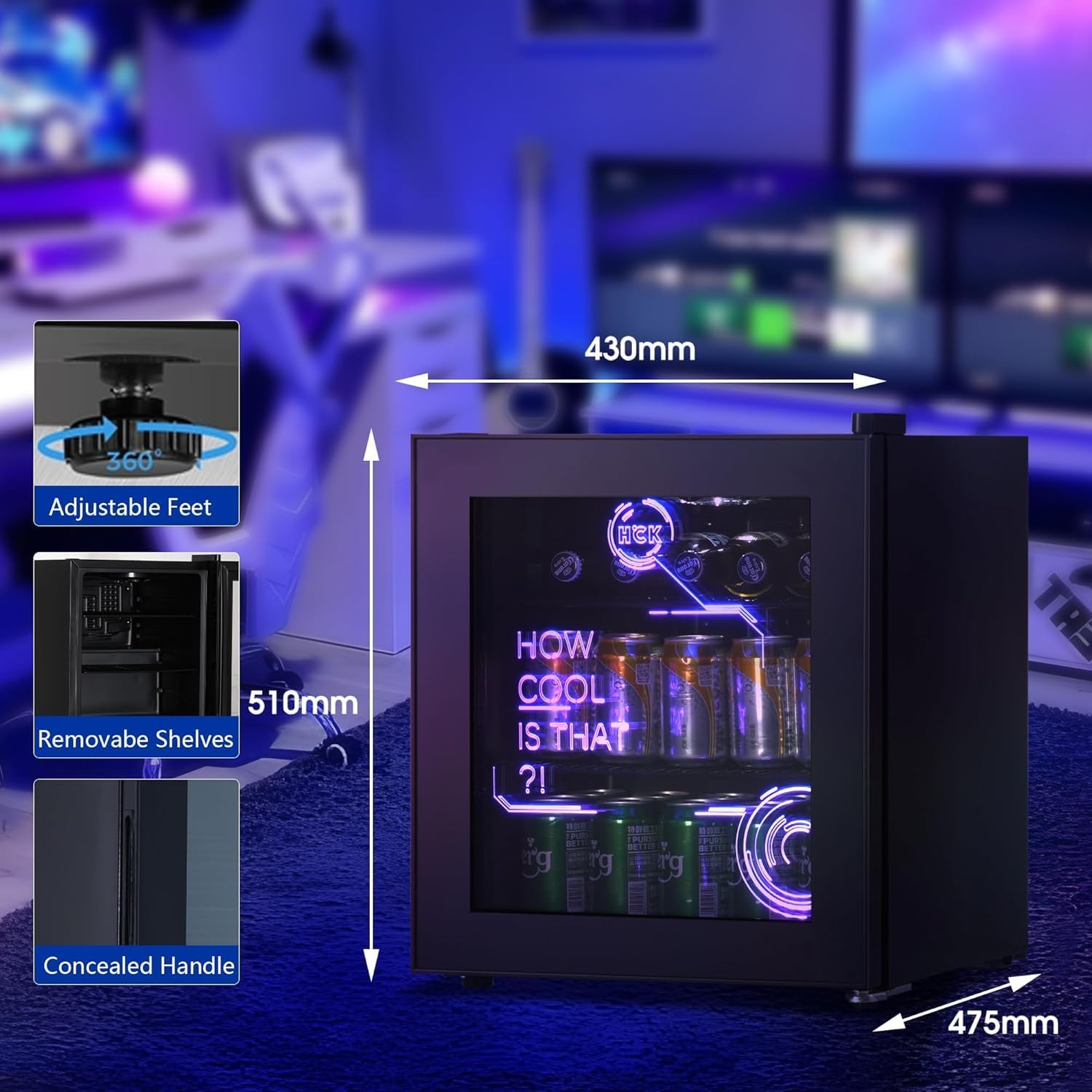
Figure 2: Dimensions of the HCK 48L Mini Fridge (475mm depth, 430mm width, 510mm height) and key features like adjustable feet, removable shelves, and concealed handle.
Operating Instructions
Learn how to operate your mini fridge for optimal performance.
Temperature Control
The fridge features an adjustable temperature control with a range of 0-15°C (32-59°F). The control dial is typically located inside the unit. Adjust the dial to your desired cooling level. A higher number usually indicates a colder setting.
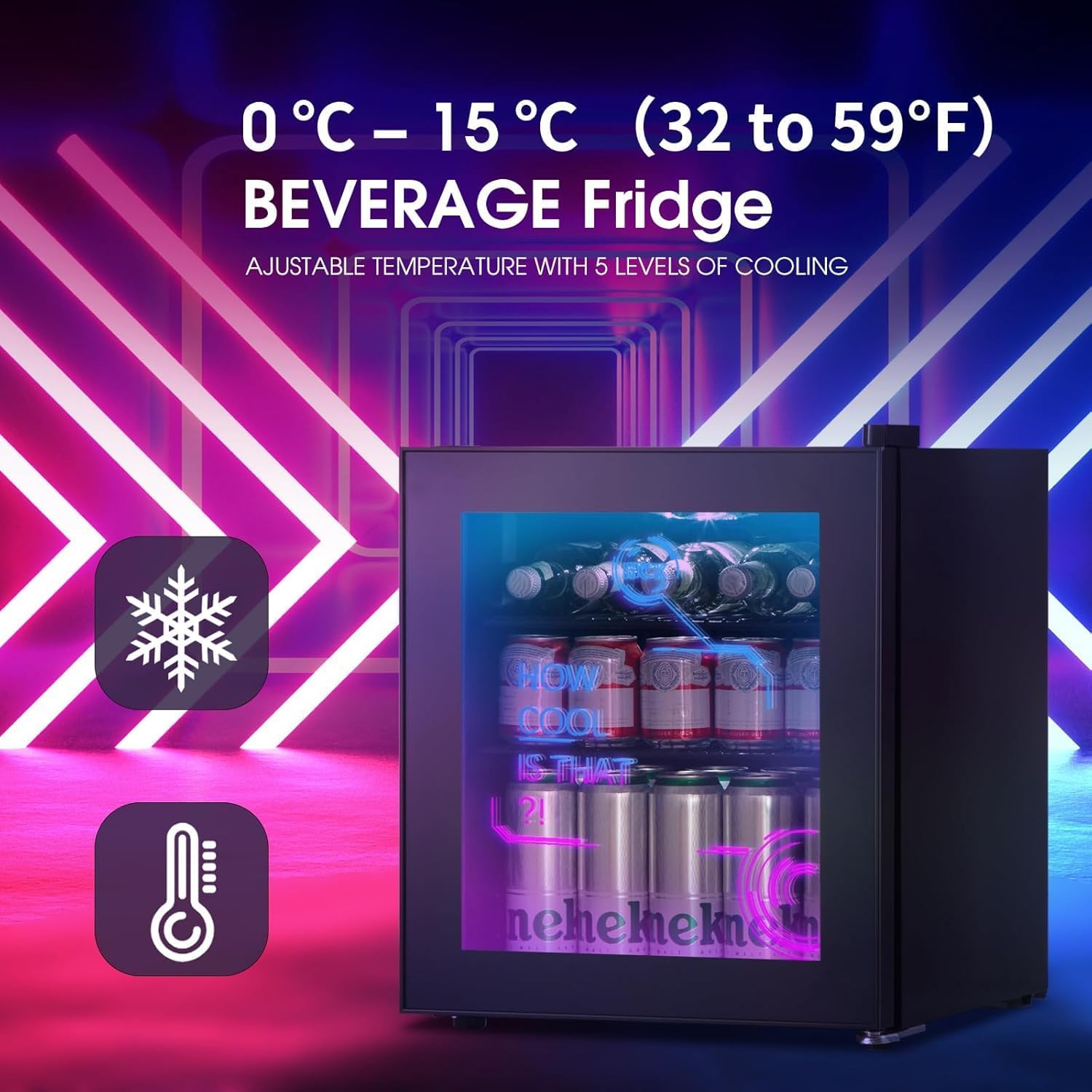
Figure 3: Illustration of the 0-15°C temperature range for the beverage fridge, indicating adjustable cooling levels.
LED Lighting
The fridge is equipped with modern LED lighting. Refer to the control panel or internal switch for options to turn the lighting on/off or adjust its settings, if applicable. This allows for customization of the aesthetic without affecting cooling.
Adjustable Shelves
The HCK 48L Mini Fridge comes with 4 removable shelves, offering 5 slot options for versatile storage. To adjust, carefully lift and slide the shelves out of their current slots and reposition them to accommodate different sizes of beverages or snacks.

Figure 4: Interior view of the 48-liter mini fridge, demonstrating the spacious design and removable shelves for organizing various items.
Maintenance and Care
Regular maintenance ensures the longevity and efficiency of your mini fridge.
Cleaning the Interior
To clean the interior, unplug the fridge and remove all contents and shelves. Wipe down surfaces with a soft cloth dampened with a solution of mild detergent and warm water. Rinse with a clean, damp cloth and dry thoroughly before plugging the unit back in.
Cleaning the Exterior
Wipe the exterior surfaces, including the glass door, with a soft, damp cloth. For stubborn marks, use a mild glass cleaner on the glass door. Avoid spraying cleaners directly onto the fridge; apply to the cloth first.
Defrosting
This model features an Electric Defrost system. While it minimizes frost buildup, occasional manual defrosting may be necessary if excessive ice accumulates. To manually defrost, unplug the unit and leave the door open until ice melts. Place towels to catch water. Do not use sharp objects to remove ice.
Troubleshooting Guide
Before contacting customer service, please refer to the following common issues and solutions.
| Problem | Possible Cause | Solution |
|---|---|---|
| Fridge does not cool | Not plugged in; Power outage; Temperature setting too high; Insufficient ventilation. | Check power connection; Verify power supply; Adjust temperature to a colder setting; Ensure adequate space around the unit. |
| Excessive noise | Unit not level; Objects touching the back of the fridge; Normal compressor operation. | Adjust leveling feet; Move objects away from the unit; Some noise from the compressor is normal. |
| Water on floor/inside | Drainage hole blocked; Door not closed properly; High humidity. | Clear drainage hole; Ensure door seals tightly; This is normal in high humidity environments. |
| LED lighting not working | Light switch off; Electrical issue. | Check the light switch/control; If issue persists, contact support. |
Specifications
Detailed technical specifications for your HCK Mini Fridge.
| Feature | Detail |
|---|---|
| Brand | HCK |
| Model | SC-46CTA |
| Product Dimensions (L x W x H) | 47.5 x 43 x 51 cm |
| Item Weight | 21.1 kg |
| Capacity | 48 litres |
| Temperature Range | 0-15°C |
| Annual Energy Consumption | 61 Kilowatt Hours Per Year |
| Energy Efficiency Class | E |
| Noise Level | 39 dB |
| Installation Type | Freestanding |
| Defrost System | Electric Defrost |
| Door Material | Glass (3-layer Low-E) |
| Number of Shelves | 4 (removable) |
| Included Components | Refrigerator Body |
For detailed energy information, please refer to the official EU EPREL database: EPREL Product Page

Figure 5: UK Energy Label for HCK Mini Fridge Model SC-46CTA, showing Energy Class E and 77 kWh/annum consumption.
Warranty and Support
Your HCK Mini Fridge comes with a manufacturer's guarantee and support resources.
Manufacturer's Guarantee
The minimum duration of the guarantee offered by the manufacturer is 12 months from the date of purchase. Please retain your proof of purchase for warranty claims.
Customer Support
If you have any questions about the product, require technical assistance, or need to make a warranty claim, please contact HCK customer service. You can find additional information and support on the supplier's official website: www.hck-cool.com
Ask a question about this manual
Ask about setup, troubleshooting, compatibility, parts, safety, or missing instructions. Manuals+ will review the question and use this page’s manual context to help answer it.