
1. Introduction
Thank you for choosing the AZUNO 2-in-1 Portable Electric Air Pump, Model TIP40A01. This versatile device combines the functionality of an electric air pump for inflatables and a tire inflator, designed for convenience and portability. It is ideal for inflating air mattresses, swimming rings, pool toys, car tires, motorcycle tires, bicycle tires, and sports balls. This manual provides essential information for safe operation, setup, maintenance, and troubleshooting to ensure optimal performance and longevity of your device.

Figure 1: AZUNO 2-in-1 Portable Electric Air Pump in use for various items.
2. Product Overview
2.1. Included Components
- AZUNO 2-in-1 Portable Electric Air Pump (Model TIP40A01)
- High Pressure Hose
- Charging Cable (USB-C)
- 7 Nozzles (various sizes for different applications)
- Carry Bag

Figure 2: All components included with the AZUNO 2-in-1 Portable Electric Air Pump.
2.2. Key Features
- 2-in-1 Functionality: Inflates both high-pressure items (tires) and high-volume items (inflatables).
- 150 PSI Max Pressure: Suitable for various tires including car, motorcycle, and bicycle.
- Fast Inflation: Inflates car tires in approximately 2 minutes and air mattresses in 1 minute.
- Battery Powered: Cordless operation with a high-capacity lithium battery.
- Auto Shutoff: Automatically stops when the preset pressure is reached, preventing over-inflation.
- Digital Display: Clear display for real-time pressure readings and preset settings.
- Power Bank Function: USB-A port allows charging of other devices.
- 3-Mode LED Light: Provides illumination for night use or emergencies.
- Compact and Portable: Easy to store and carry in the included dustproof bag.
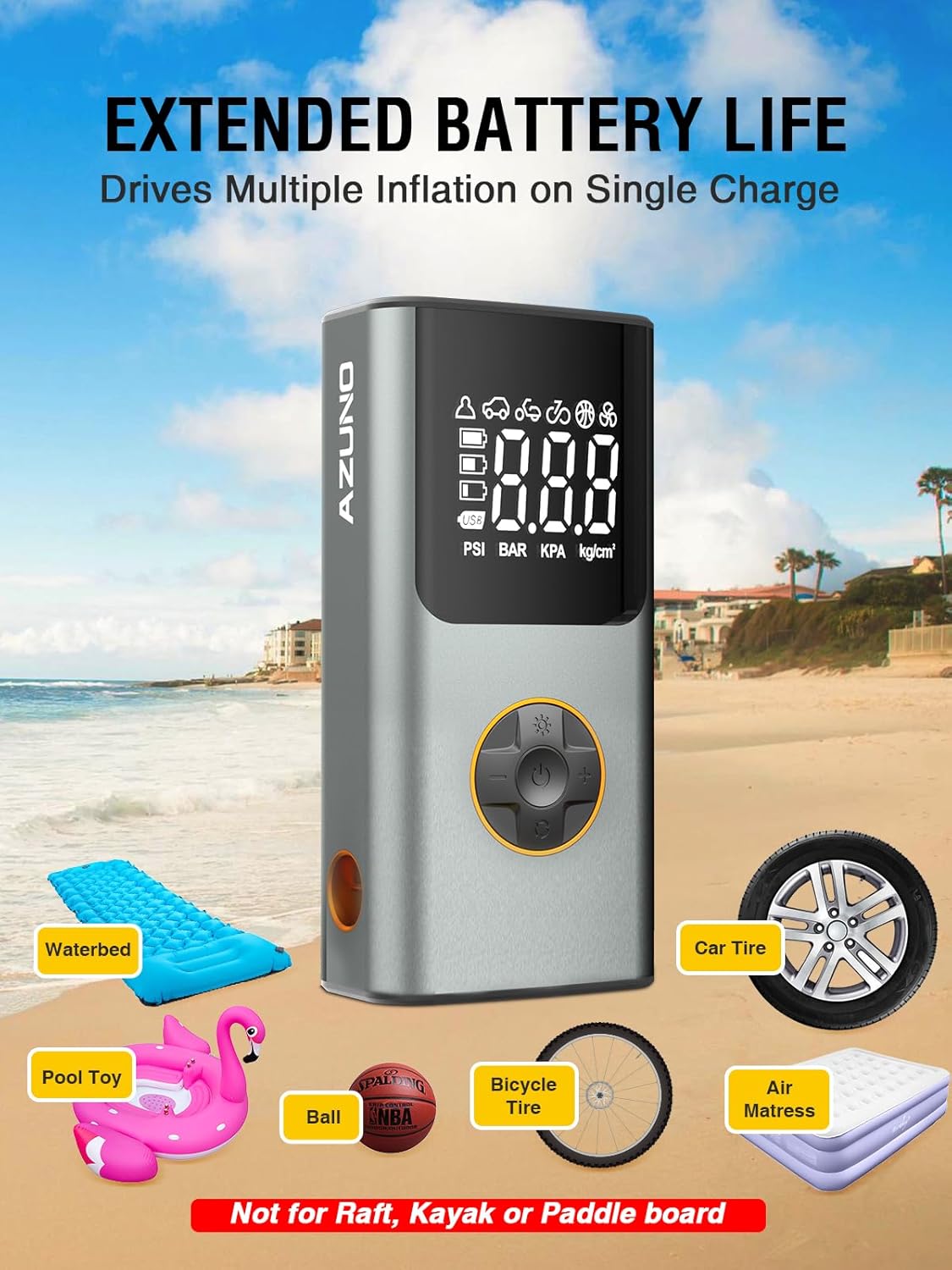
Figure 3: Front view of the AZUNO 2-in-1 Portable Electric Air Pump highlighting its digital display and mode selection.
3. Safety Information
- Read all instructions before use.
- Keep out of reach of children.
- Do not operate the pump in wet conditions or near flammable liquids/gases.
- Ensure the correct nozzle is used for the item being inflated.
- Do not over-inflate items; always refer to the manufacturer's recommended pressure.
- Monitor the inflation process to prevent damage or injury.
- The device may become warm during prolonged use. Allow it to cool down if necessary.
- Do not use for inflating rafts, kayaks, or paddleboards.
4. Setup
4.1. Charging the Device
- Connect the provided USB-C charging cable to the device's charging port.
- Plug the other end of the USB-C cable into a compatible USB power adapter (not included) with a rating of 3A or above.
- The battery indicator on the digital display will show charging progress. Ensure the device is fully charged before first use.
4.2. Attaching the Air Hose and Nozzles
- For tire inflation, screw the high-pressure hose onto the designated port on the device.
- Select the appropriate nozzle for your item (e.g., Presta/Schrader valve adapter for bicycles, ball needle for sports balls, large nozzle for air mattresses).
- Attach the selected nozzle to the end of the air hose.

Figure 4: Step-by-step guide for connecting the hose and starting inflation.
5. Operating Instructions
5.1. Power On/Off
- To power on, press and hold the power button (center button on the control panel) for 3 seconds.
- To power off, press and hold the power button for 3 seconds. The device will also automatically power off after a period of inactivity.
5.2. Selecting Inflation Mode and Adjusting Pressure
- After powering on, press the 'M' button (mode button) to cycle through the preset inflation modes: Car, Motorcycle, Bicycle, Ball, and Custom.
- Once a mode is selected, the default pressure for that mode will be displayed. Use the '+' and '-' buttons to adjust the target pressure to your desired PSI, BAR, KPA, or kg/cm².
- The device will display the real-time pressure once connected to the item.

Figure 5: Auto shutoff feature and preset modes for various inflation needs.
5.3. Starting and Stopping Inflation
- Connect the air hose with the appropriate nozzle to the item you wish to inflate.
- Press the power button (center button) to start inflation. The pump will begin to operate.
- The pump will automatically stop once the preset target pressure is reached. You can also manually stop inflation by pressing the power button again.

Figure 6: Inflating a car tire using the AZUNO air pump.
5.4. Using as a Power Bank
- Connect your electronic device (e.g., smartphone) to the USB-A output port on the pump using a compatible charging cable.
- The pump will begin charging your device.

Figure 7: Using the pump as a power bank and flashlight.
5.5. Using the LED Flashlight
- Press the flashlight button (light bulb icon) to turn on the LED light.
- Press the button again to cycle through the 3 light modes (e.g., steady, flashing, SOS).
- Press and hold the button to turn off the flashlight.
6. Maintenance
- Cleaning: Wipe the device with a soft, dry cloth. Do not use harsh chemicals or immerse in water.
- Storage: Store the pump and its accessories in the provided carry bag in a cool, dry place away from direct sunlight.
- Battery Care: Recharge the device regularly, even if not in use, to maintain battery health. Avoid completely draining the battery for extended periods.
7. Troubleshooting
| Problem | Possible Cause | Solution |
|---|---|---|
| Pump does not turn on | Low battery; Device malfunction | Charge the device fully; Contact customer support |
| Slow inflation | Low battery; Incorrect nozzle; Leak in hose/connection | Recharge; Ensure correct nozzle and secure connections |
| Inaccurate pressure reading | Loose connection; Sensor issue | Ensure tight connection; Contact customer support |
| Pump stops unexpectedly | Target pressure reached; Overheating; Low battery | Check target pressure; Allow to cool; Recharge |
8. Specifications
| Feature | Detail |
|---|---|
| Brand | AZUNO |
| Model Number | TIP40A01 |
| Material | Metal |
| Item Weight | 1.29 Pounds |
| Product Dimensions | 3.2"L x 2"W x 6.5"H |
| Power Source | Battery Powered (Lithium-ion) |
| Air Flow Capacity | 5 Cubic Feet Per Minute |
| Maximum Pressure | 150 Pound per Square Inch |
| Operation Mode | Automatic |
| Voltage | 120 Volts |
| Connector Type | USB-A (for power bank output) |
9. Warranty and Support
The AZUNO 2-in-1 Portable Electric Air Pump (Model TIP40A01) comes with a 1-year warranty from the date of purchase. Additionally, AZUNO provides 3 years of after-sales service and a 24-hour satisfactory service response for any inquiries or issues you may encounter.
For technical support, warranty claims, or any questions regarding your product, please contact AZUNO customer service through the official channels provided at the point of purchase or on the AZUNO website.