
1Mii B06T2
1Mii B06T2 Bluetooth Transmitter Receiver User Manual
Model: B06T2 | Brand: 1Mii
Introduction
The 1Mii B06T2 is a versatile 2-in-1 Bluetooth audio adapter designed to function as both a transmitter (TX) and a receiver (RX). This device allows you to add Bluetooth capabilities to non-Bluetooth audio sources or output devices, enabling wireless audio streaming with ease. It supports advanced Bluetooth 5.3 technology and various audio codecs including aptX Low Latency, aptX HD, and aptX Adaptive for high-quality, synchronized audio.

Figure 1: 1Mii B06T2 Bluetooth Transmitter Receiver
Key Features
- 2-In-1 Transmitter & Receiver: Seamlessly switch between TX (transmit) and RX (receive) modes to suit your audio needs.
- Advanced Bluetooth 5.3 Technology: Ensures a stable, efficient, and wide-range wireless connection for an optimal audio experience.
- Support for aptX Low Latency, HD, & Adaptive: Minimizes audio delay for synchronized video playback and supports high-definition audio quality. Note: Your connected Bluetooth device must also support these codecs for full functionality.
- Dual Link Capability: In TX mode, connect two wireless headphones simultaneously to share audio with another person.
- Extended Battery Life: Provides over 15 hours of use in transmitter mode and over 14 hours in receiver mode on a single charge.
- Compact and Portable Design: Ideal for use with TVs, PCs, gym equipment, airplane entertainment systems, home stereos, and car audio systems.
What's in the Box?
Verify that all items are present in the package:
- 1Mii B06T2 2-in-1 Bluetooth Transceiver
- USB Type-C Charging Cable
- 3.5mm Audio Cable

Figure 2: Package Contents including the 1Mii B06T2, USB Type-C charging cable, and 3.5mm audio cable.
Device Layout
Familiarize yourself with the buttons and indicators on your 1Mii B06T2 device:
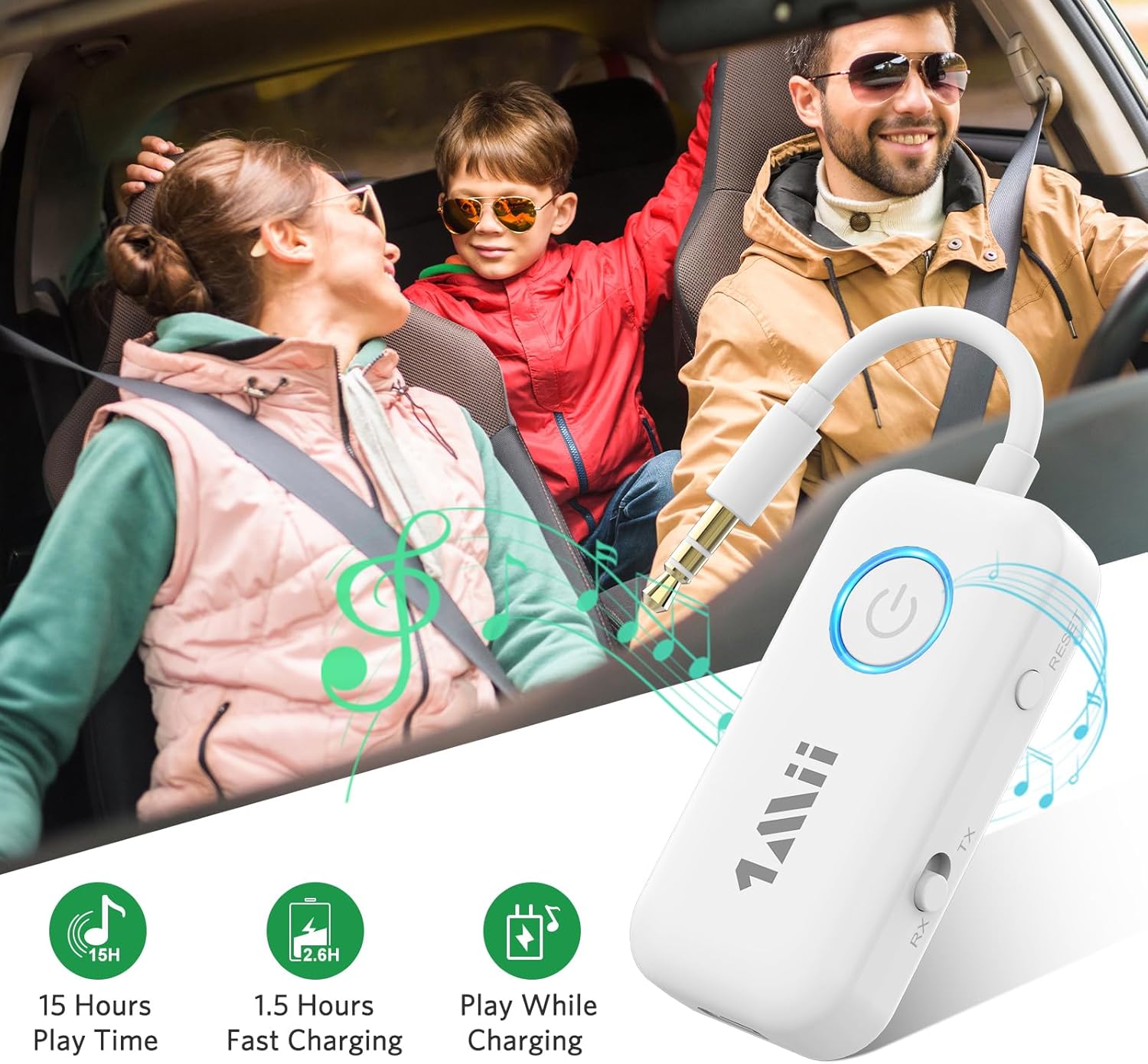
Figure 3: Device layout showing Power Button, LED Indicator, Reset Button, TX/RX Mode Switch, and Type-C Power Input.
- Power Button: Used to turn the device on/off and for Bluetooth pairing.
- LED Indicator: Displays device status (e.g., pairing mode, connected, charging).
- RESET Button: Resets the device to factory settings.
- TX/RX Mode Switch: Toggles between Transmitter (TX) and Receiver (RX) modes.
- Type-C Power Input: For charging the device. Can also be used for audio transmission in TX mode.
Setup
1. Charging the Device
Before first use, fully charge the 1Mii B06T2. Connect the provided USB Type-C charging cable to the device's Type-C port and the other end to a USB power source (e.g., computer USB port, USB wall adapter). The LED indicator will show charging status and turn off when fully charged. A full charge typically takes approximately 1.5 hours.
2. Powering On/Off
- To Power On: Press and hold the Power Button for approximately 3 seconds until the LED indicator lights up.
- To Power Off: Press and hold the Power Button for approximately 3 seconds until the LED indicator turns off.
Operating Instructions
Transmitter (TX) Mode
In TX mode, the 1Mii B06T2 transmits audio from a non-Bluetooth device (like a TV, PC, gym equipment, or airplane entertainment system) to your Bluetooth headphones or earbuds.
- Switch to TX Mode: Ensure the TX/RX mode switch on the side of the device is set to "TX".
- Connect to Audio Source: Plug the 3.5mm audio jack of the 1Mii B06T2 into the 3.5mm audio output port of your non-Bluetooth device (e.g., TV headphone jack, PC audio out).
- Enter Pairing Mode: Power on the 1Mii B06T2. The LED indicator will flash rapidly, indicating it is in pairing mode.
- Prepare Bluetooth Headphones: Put your Bluetooth headphones or earbuds into their pairing mode. Refer to your headphone's manual for specific instructions.
- Pair Devices: Place the 1Mii B06T2 close to your headphones. They should automatically connect. Once connected, the LED indicator on the B06T2 will stop flashing and remain solid.
- Dual Link (Optional): To connect a second pair of Bluetooth headphones, put the second pair into pairing mode, then double-click the Bluetooth button on the 1Mii B06T2. The LED will flash again, and once connected, it will become solid.
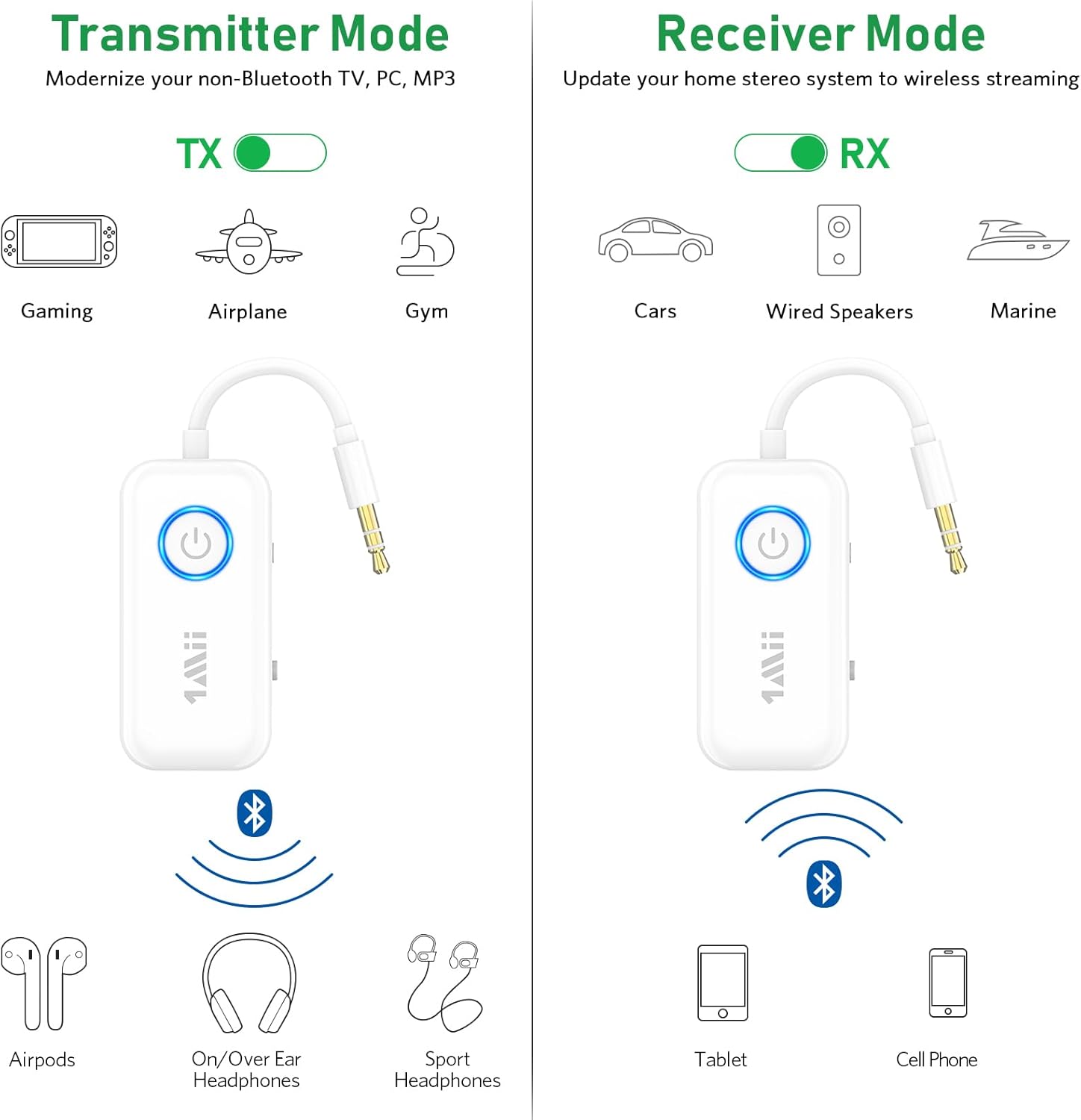
Figure 4: Illustration of Transmitter (TX) and Receiver (RX) modes.

Figure 5: Using the 1Mii B06T2 in Transmitter mode with an airplane's in-flight entertainment system.
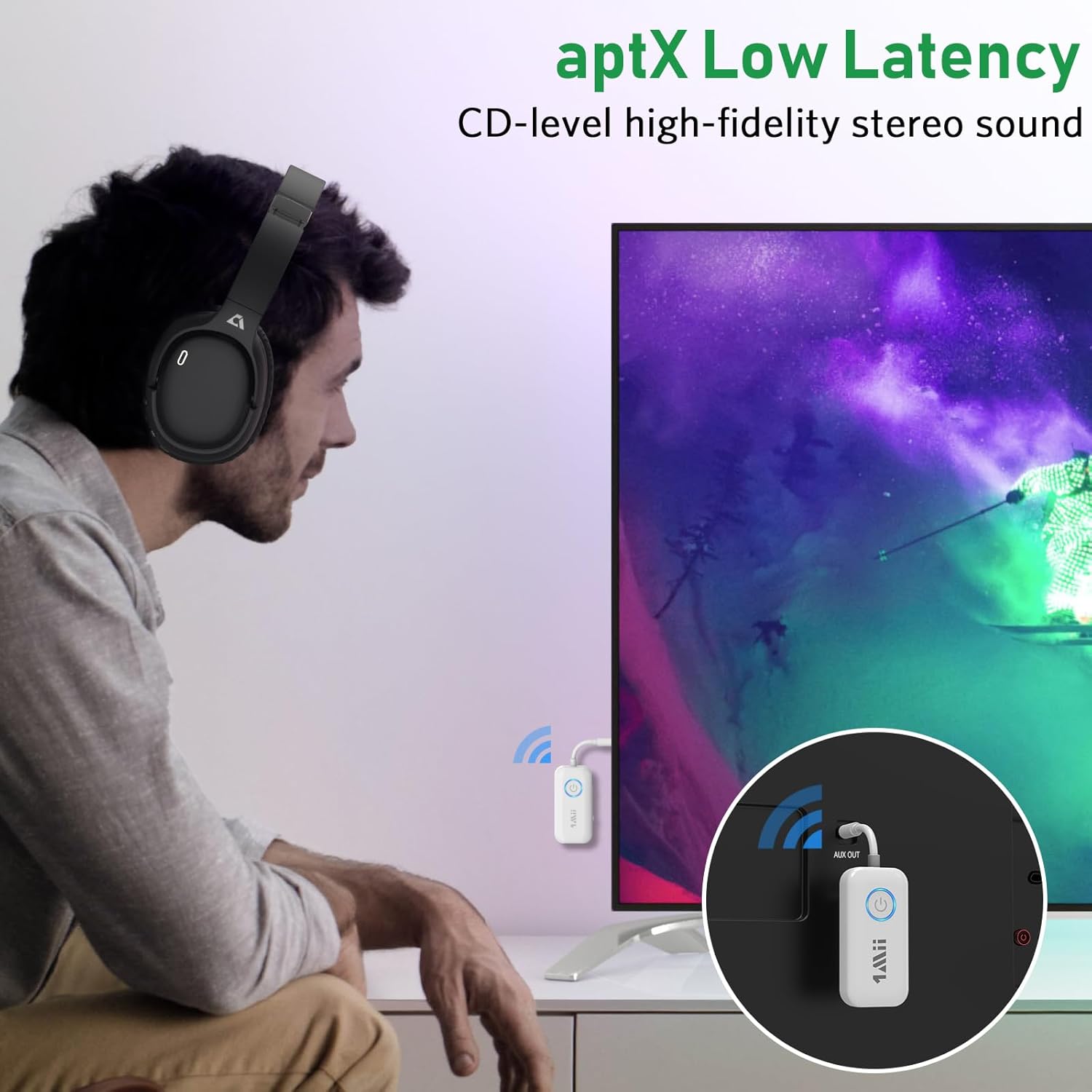
Figure 6: Demonstrating aptX Low Latency for synchronized audio when watching TV.
Receiver (RX) Mode
In RX mode, the 1Mii B06T2 receives audio from your Bluetooth-enabled device (like a smartphone or tablet) and outputs it to a non-Bluetooth audio system (like wired speakers or a car stereo).
- Switch to RX Mode: Ensure the TX/RX mode switch on the side of the device is set to "RX".
- Connect to Audio Output Device: Plug the 3.5mm audio jack of the 1Mii B06T2 into the 3.5mm AUX input port of your wired speaker, car stereo, or home stereo system.
- Enter Pairing Mode: Power on the 1Mii B06T2. The LED indicator will flash rapidly, indicating it is in pairing mode.
- Enable Bluetooth on Your Device: On your smartphone, tablet, or other Bluetooth-enabled device, go to the Bluetooth settings and turn Bluetooth on.
- Select and Pair: In the list of available Bluetooth devices, find and select "B06T2" (or similar name). Once connected, the LED indicator on the B06T2 will stop flashing and remain solid.
- Start Streaming: You can now play audio from your device, and it will stream wirelessly to your connected audio system.

Figure 7: The 1Mii B06T2 functioning in Receiver mode, connected to a wired speaker.
Maintenance
- Cleaning: Use a soft, dry cloth to clean the device. Do not use liquid cleaners or aerosols.
- Storage: Store the device in a cool, dry place away from direct sunlight and extreme temperatures.
- Battery Care: To prolong battery life, avoid fully discharging the device frequently. Charge it regularly, even if not in use for extended periods.
- Avoid Moisture: Do not expose the device to water or excessive moisture.
Troubleshooting
| Problem | Possible Cause / Solution |
|---|---|
| Device does not power on. | Battery is low or depleted. Charge the device fully. |
| Cannot pair with Bluetooth headphones/device. |
|
| No audio or poor audio quality. |
|
| Audio delay (lip-sync issues). | Ensure both the 1Mii B06T2 and your Bluetooth headphones/speaker support aptX Low Latency (aptX LL) and that aptX LL is active. Some devices may default to other codecs if aptX LL is not supported by both ends. |
| Dual link not working. | Ensure the first device is connected, then put the second device into pairing mode and double-click the Bluetooth button on the 1Mii B06T2 to initiate pairing for the second device. |
Specifications
| Feature | Detail |
|---|---|
| Brand | 1Mii |
| Model Number | B06T2 |
| Connectivity Technology | Bluetooth |
| Wireless Standard | Bluetooth 5.3 |
| Supported Audio Codecs | aptX Low Latency, aptX HD, aptX Adaptive |
| Hardware Interface | Bluetooth, USB |
| Audio Input Compatible | 3.5mm AUX, USB |
| Audio Output Mode | Stereo |
| Power Source | Battery Powered (Lithium Polymer) |
| Product Dimensions | 6 x 3 x 1.4 cm |
| Item Weight | 22 Grams |
Warranty and Support
For warranty information and technical support, please refer to the official 1Mii website or contact 1Mii customer service directly. Details are typically provided with your product packaging or on the manufacturer's official support pages.
Manufacturer: 1Mii
Seller: 1MiiDirect-CA (on Amazon.ca)
For further assistance, you may visit the 1Mii Store on Amazon.
Related documentsB06T2


Ask a question about this manual
Ask about setup, troubleshooting, compatibility, parts, safety, or missing instructions. Manuals+ will review the question and use this page’s manual context to help answer it.