
Introduction
This manual provides detailed instructions for the installation, operation, and maintenance of your Delta Faucet Tetra Handle, model H588-PR. Designed to complement the Tetra Bath Collection, this handle features a Lumicoat Chrome finish, offering both durability and a sleek aesthetic. Please read all instructions carefully before proceeding with installation or use.
Product Features
- Lumicoat Finishes: Engineered to resist water spots and mineral buildup, allowing for easy cleaning without harsh chemicals.
- Compatibility: Designed for use with the Delta Tetra Roman tub.
- Complete Set: Includes the necessary set screw for installation.
- ADA Compliant: Meets Americans with Disabilities Act standards for accessibility.
- Lifetime Limited Warranty: Backed by Delta's comprehensive Faucet and Finish Lifetime Limited Warranty.
Setup and Installation
This section outlines the general steps for installing your Delta Faucet Tetra Handle. For detailed diagrams and specific plumbing requirements, refer to the installation guide provided with your complete Roman tub faucet system.
Tools Required:
- Adjustable wrench
- Phillips head screwdriver
- Plumber's putty or silicone sealant
- Safety glasses
Installation Steps:
- Prepare the Installation Area: Ensure the water supply is turned off. Clear the area around the Roman tub deck or wall where the handle will be installed.
- Mount the Valve Body: Install the rough-in valve body (sold separately with the Roman tub faucet) according to its specific instructions. This handle connects to the valve.
- Attach the Handle Base: Secure the handle base to the installed valve body, ensuring a tight and stable connection.
- Install the Handle: Place the Tetra handle onto the handle base. Use the provided set screw to firmly attach the handle to the stem. Tighten gently to avoid damage.
- Test for Leaks: Slowly turn on the water supply and check all connections for leaks. Operate the handle to ensure smooth movement and proper water flow.
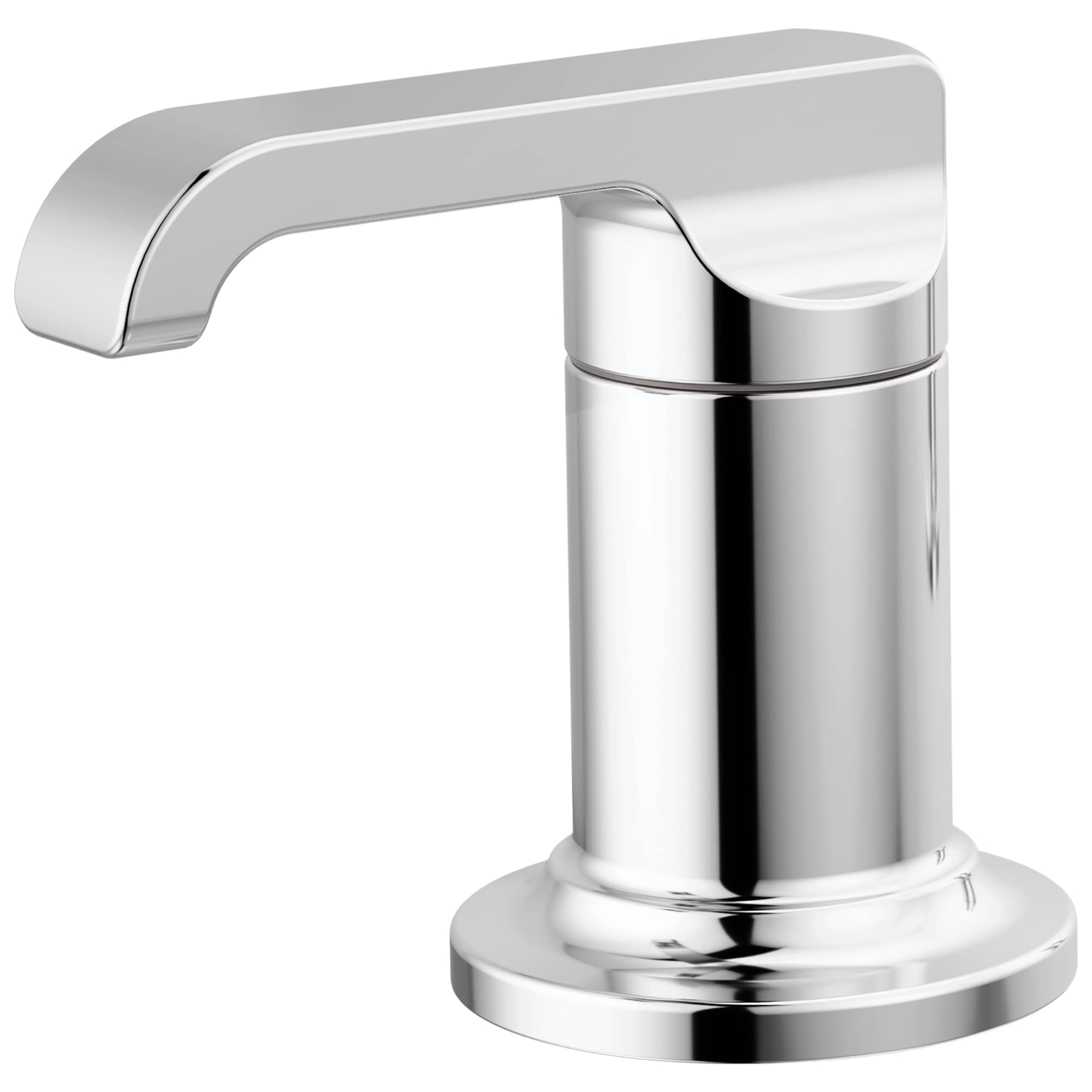
Image: Delta Faucet Tetra Handle (H588-PR) in Lumicoat Chrome. This image shows the handle's design and finish.
Operating Instructions
The Delta Faucet Tetra Handle is designed for intuitive operation. Follow these steps to control water flow and temperature:
- Turning On/Off: Rotate the handle to turn the water on or off. The direction of rotation (clockwise/counter-clockwise) depends on the specific valve configuration (hot or cold).
- Adjusting Temperature: For two-handle Roman tub faucets, one handle controls hot water and the other controls cold water. Adjust both handles simultaneously to achieve the desired water temperature.
- Adjusting Flow: The extent to which the handle is rotated typically controls the water flow rate.
Maintenance and Care
Proper care will ensure the longevity and appearance of your Delta Faucet Tetra Handle with Lumicoat Chrome finish.
- Cleaning the Finish: The Lumicoat finish is designed to resist water spots and mineral buildup. Clean regularly with a soft, damp cloth. Avoid abrasive cleaners, harsh chemicals, or polishing agents, as these can damage the finish and void the warranty.
- Regular Inspection: Periodically check the handle for any signs of wear or looseness. Tighten the set screw if necessary.
- Avoid Over-tightening: Do not over-tighten the handle when turning water on or off, as this can cause premature wear on internal components.

Image: A close-up of a Delta faucet, illustrating the smooth, easy-to-clean Lumicoat finish.
Troubleshooting
If you encounter issues with your Delta Faucet Tetra Handle, refer to the following common troubleshooting tips:
| Problem | Possible Cause | Solution |
|---|---|---|
| Handle is loose | Set screw needs tightening. | Locate the set screw (often on the underside or back of the handle) and tighten it gently with an Allen wrench. |
| Water flow is low | Partially closed supply valves or debris in the aerator (if applicable to the faucet). | Ensure supply valves are fully open. Clean the aerator if your faucet has one. |
| Leaking from handle base | Worn O-rings or improper installation. | Turn off water supply. Disassemble the handle and inspect O-rings for damage. Replace if necessary. Re-install ensuring all connections are secure. Consult a professional plumber if the issue persists. |
| Difficulty turning handle | Mineral buildup or worn cartridge. | Clean around the handle base. If the problem continues, the internal cartridge may need replacement. Refer to your main faucet's instruction manual or contact Delta support. |
Specifications
| Specification | Detail |
|---|---|
| Brand | DELTA |
| Model Name | Tetra™ |
| Part Number | H588-PR |
| Color | Lumicoat Chrome |
| Material | Zinc |
| Finish Type | Chrome |
| Mounting Type | Deck Mount (for Roman Tub) |
| Number of Handles | 2 (part of a two-handle system) |
| Included Components | Handle, Set Screw |
| Product Dimensions | 4.31 x 2.5 x 3.75 inches |
| Item Weight | 2.39 pounds |
| Special Feature | Easy to Install, Lumicoat Finish |
| ADA Compliant | Yes |
Warranty Information
The Delta Faucet Tetra Handle (H588-PR) is covered by Delta's Lifetime Limited Warranty for both the faucet and its finish. This warranty ensures that your product is free from defects in material and workmanship for as long as the original consumer purchaser owns the home in which the faucet was first installed. For full details and to register your product, please visit the official Delta Faucet website or contact customer support.

Image: Icon representing Lifetime Limited Warranty.
Customer Support
For further assistance, technical support, or warranty claims, please contact Delta Faucet customer service:
- Website: Visit the official Delta Faucet website for FAQs, product registration, and contact information.
- Phone: Refer to the contact section on the Delta Faucet website for the appropriate customer service number.
- Online Resources: Explore additional resources and product information on the Delta Store on Amazon.


