
1. Product Overview
The OTO Magbike MB-1000 is a versatile fitness equipment designed for both cycling and strength training. It features a magnetic resistance system, adjustable intensity levels, and integrated resistance bands for upper body workouts. Its foldable design and castor wheels ensure easy storage and portability.
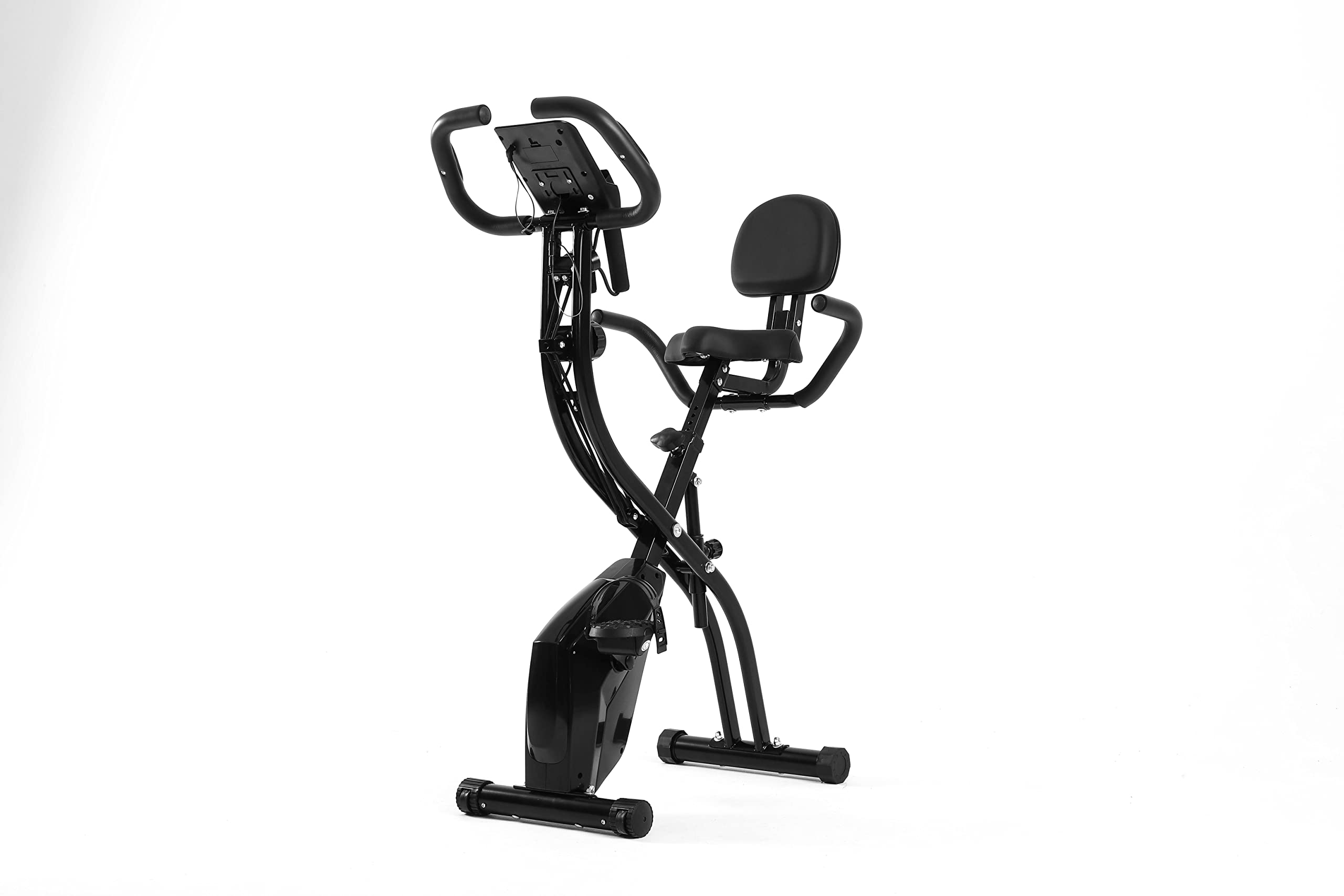
Image 1.1: The OTO Magbike MB-1000 in an active use scenario, demonstrating its dual functionality for cycling and arm exercises with resistance bands.
Key Features:
- Adjustable Cycling Intensity: 10 levels of magnetic resistance.
- Integrated Resistance Bands: For upper body and arm exercises.
- Adjustable Seat Height: 7 levels for user comfort.
- LCD Monitor: Displays time, speed, distance, calories, and pulse. Includes a mobile phone holder.
- Foldable and Portable: Space-saving design with castor wheels for easy movement.
- Pedals with Straps: Ensures a secure cycling experience.
2. Important Safety Information
Before using the OTO Magbike MB-1000, please read and understand all instructions in this manual. Keep this manual for future reference.
- Consult your physician before starting any new exercise program.
- Ensure all parts are correctly assembled and tightened before each use.
- Place the bike on a flat, stable surface. Do not use on uneven ground.
- Keep children and pets away from the equipment during operation.
- Wear appropriate exercise attire and footwear.
- Do not exceed the maximum user weight limit (if specified in product documentation).
- Stop exercising immediately if you feel faint, dizzy, or experience pain.
- Keep hands and feet clear of moving parts.
3. Setup and Assembly
The OTO Magbike MB-1000 is designed for easy setup. Minimal assembly is required, primarily unfolding and securing components.
3.1 Unfolding the Bike
- Carefully remove the bike from its packaging.
- Place the bike on a clear, flat area.
- Locate the folding pin or knob (refer to specific diagrams in your packaged manual). Release it to unfold the main frame.
- Extend the frame until it locks securely into the open position. Ensure the locking mechanism is fully engaged.

Image 3.1: The OTO Magbike MB-1000 shown in its compact, folded configuration, ready for storage or transport.
3.2 Adjusting the Seat
- Loosen the seat adjustment knob located on the seat post.
- Slide the seat up or down to your desired height. The bike offers 7 adjustable seat height levels.
- Ensure your leg has a slight bend at the knee when the pedal is at its lowest point.
- Tighten the adjustment knob firmly to secure the seat in place.

Image 3.2: A detailed view of the OTO Magbike MB-1000's adjustable seat and the mechanism for setting its height.
3.3 Securing Pedals
The pedals come with adjustable straps. Place your feet onto the pedals and adjust the straps to ensure a snug and secure fit. This prevents your feet from slipping during cycling.
4. Operating Instructions
4.1 Adjusting Cycling Resistance
The OTO Magbike MB-1000 features 10 levels of magnetic resistance. To adjust the intensity:
- Locate the tension control knob on the main frame of the bike.
- Turn the knob clockwise to increase resistance (higher intensity).
- Turn the knob counter-clockwise to decrease resistance (lower intensity).

Image 4.1: A detailed view of the tension control knob on the OTO Magbike MB-1000, used to adjust the magnetic resistance from low to high (1-10).
4.2 Using the Resistance Bands
The integrated resistance bands allow for upper body workouts while cycling or separately.
- Grasp the handles of the resistance bands firmly.
- Perform various arm exercises such as bicep curls, tricep extensions, or chest presses.
- Maintain a controlled motion and avoid sudden jerks.
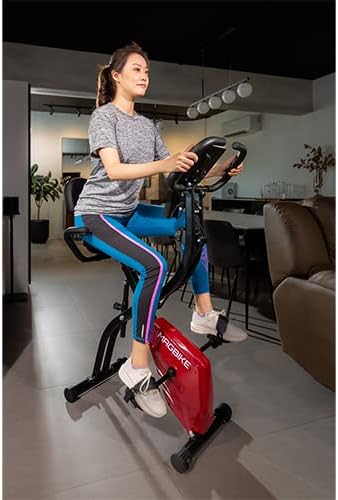
Image 4.2: A close-up of the OTO Magbike MB-1000's resistance band handles, which are integrated into the bike's frame for upper body exercises.
4.3 Understanding the LCD Monitor
The LCD monitor tracks your workout progress. It is powered by batteries (typically AA or AAA, refer to the battery compartment for specifics).

Image 4.3: A detailed view of the OTO Magbike MB-1000's LCD monitor, displaying workout metrics and control buttons for 'Reset', 'Mode', and 'Set'.
Monitor Functions:
- SCAN: Automatically cycles through all functions.
- TIME: Displays the duration of your workout.
- SPEED: Shows your current cycling speed.
- DIST (Distance): Tracks the distance covered during your workout.
- CAL (Calories): Estimates calories burned.
- PULSE: Displays your heart rate when holding the pulse sensors on the handlebars.
Buttons:
- MODE: Press to select a specific function or to activate SCAN mode.
- RESET: Press and hold to clear all current workout data.
- SET: Used for setting target values (if applicable, refer to specific monitor instructions).
4.4 Using the Mobile Phone Holder
The handlebars include a holder designed to securely place your mobile phone or small tablet, allowing you to view content during your workout.
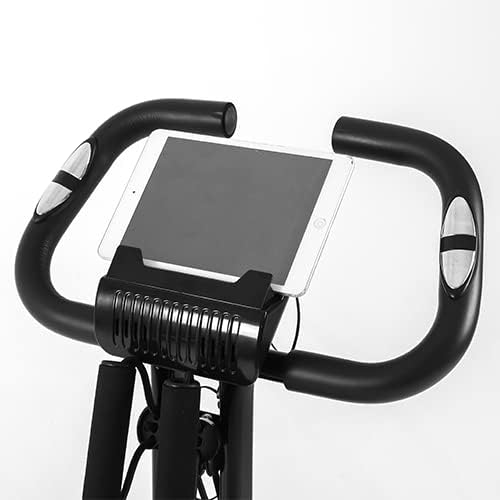
Image 4.4: A close-up of the OTO Magbike MB-1000's handlebars, featuring the integrated holder designed to secure a mobile phone or tablet during exercise.
5. Maintenance and Care
Regular maintenance ensures the longevity and safe operation of your OTO Magbike MB-1000.
- Cleaning: Wipe down the bike with a damp cloth after each use to remove sweat and dust. Avoid abrasive cleaners.
- Inspection: Periodically check all bolts, nuts, and moving parts for tightness and wear. Tighten any loose fasteners.
- Lubrication: Moving parts may require occasional lubrication. Refer to your specific product manual for recommended lubricants and frequency.
- Storage: When not in use, fold the bike and store it in a cool, dry place away from direct sunlight and moisture.
- Battery Replacement: Replace the monitor batteries when the display becomes dim or stops functioning.
6. Troubleshooting
This section addresses common issues you might encounter with your OTO Magbike MB-1000.
| Problem | Possible Cause | Solution |
|---|---|---|
| LCD monitor not displaying | Dead batteries; Loose connection | Replace batteries; Check all cable connections to the monitor. |
| No resistance or resistance too low/high | Tension control knob not adjusted; Internal mechanism issue | Adjust the tension control knob; If issue persists, contact customer support. |
| Bike feels unstable or makes noise | Loose bolts/nuts; Uneven surface | Ensure all assembly bolts are tightened; Place bike on a flat, stable surface. |
| Pulse reading inaccurate or not appearing | Hands not firmly on sensors; Dry hands | Ensure both hands are firmly gripping the pulse sensors; Lightly moisten hands if too dry. |
7. Product Specifications
| Feature | Specification |
|---|---|
| Brand | OTO |
| Model Name | MB-1000 |
| Resistance Mechanism | Magnetic |
| Number of Resistance Levels | 10 |
| Drive System | Pedals |
| Power Source | Battery Powered (for LCD monitor) |
| Special Features | Foldable, Portable, Resistance Bands, LCD Monitor, Mobile Phone Holder |
| Product Dimensions (D x W x H) | 67D x 41W x 93H centimetres (unfolded) |
| Color | Black |
8. Warranty and Support
For warranty information and customer support, please refer to the documentation included with your purchase or visit the official OTO website. Keep your proof of purchase for warranty claims.
If you encounter issues not covered in this manual, please contact OTO customer service for assistance.
