
Introduction
This manual provides comprehensive instructions for the Point PT-775 Wired USB RGB Gaming Keyboard. Designed for both gaming and typing, this keyboard features high-quality construction with customizable RGB lighting. Its sleek, modern design adheres to industry standards, ensuring a comfortable and durable user experience. Please read this manual carefully before using your new keyboard.
Package Contents
Ensure all items are present in the package:
- Point PT-775 Wired USB RGB Gaming Keyboard
- Integrated USB Cable
Setup
Follow these steps to set up your Point PT-775 keyboard:
- Unpack the Keyboard: Carefully remove the keyboard from its packaging.
- Connect to Computer: Locate an available USB port on your laptop or desktop computer. Insert the keyboard's USB cable into the port.
- Driver Installation: The keyboard is plug-and-play. Your operating system (Windows 7, 8, or 10) should automatically detect and install the necessary drivers. No additional software installation is typically required.
- Verify Functionality: Once connected, the keyboard's RGB lighting should illuminate, and you should be able to type.
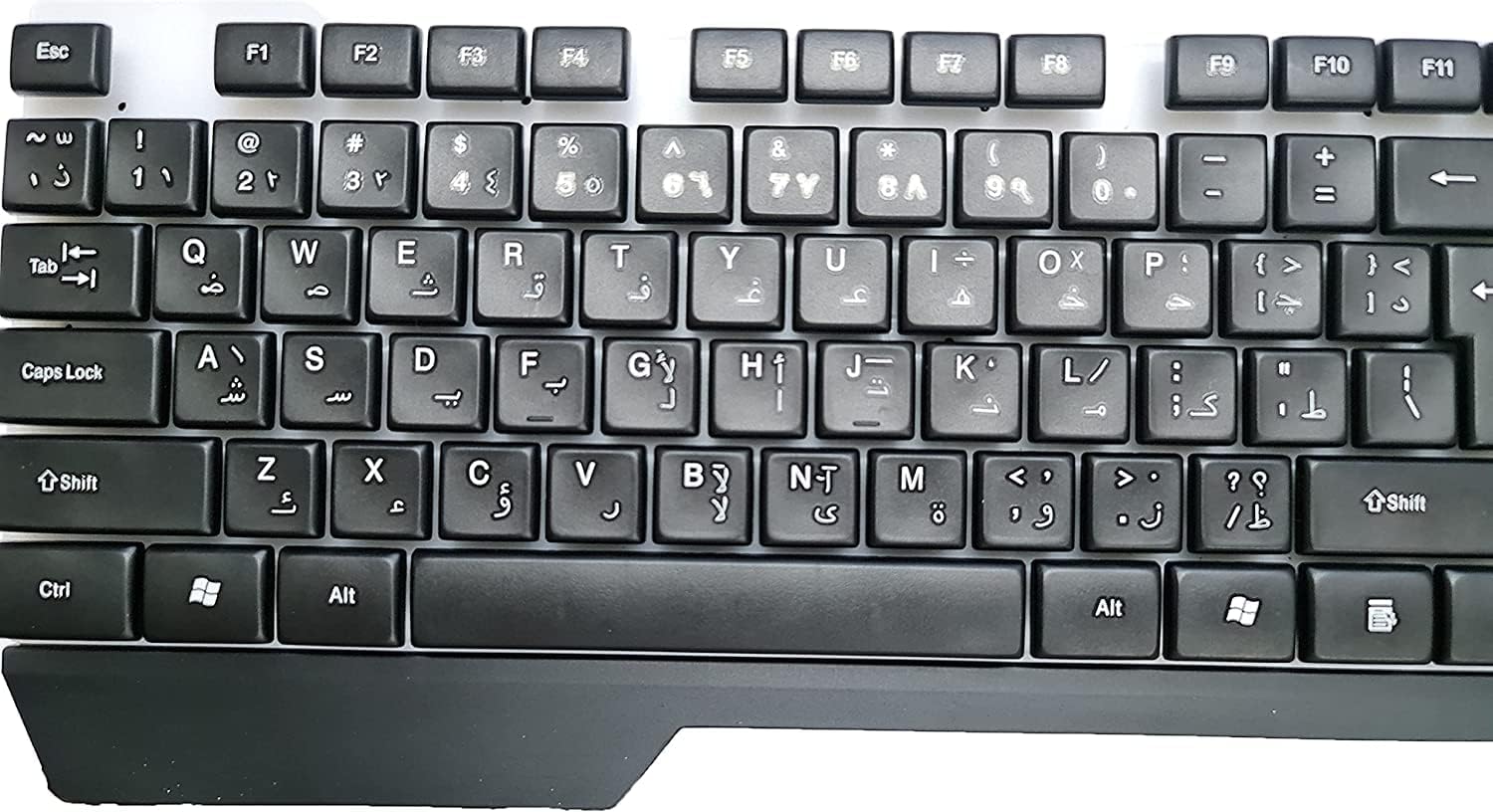
Figure 1: Top view of the keyboard, illustrating the key layout and USB cable connection point.
Operating Instructions
The Point PT-775 keyboard offers standard typing functionality along with special features:
Basic Typing
Simply connect the keyboard to your computer, and it will function as a standard 104-key input device for daily use, including word processing, browsing, and general computer tasks.
RGB Lighting Control
The keyboard features integrated RGB lighting. While specific control keys are not detailed, the lighting typically cycles through various effects automatically or can be adjusted using dedicated function keys (often combined with the 'Fn' key) if available on your specific model. Refer to the keyboard itself for any printed key combinations related to lighting.

Figure 2: The Point PT-775 keyboard illuminated with RGB backlighting.
Multimedia Shortcut Keys
The keyboard includes 10 practical multimedia shortcut keys for quick access to functions such as volume control, media playback, and more. These keys are typically located along the top row (F-keys) and activated by pressing the 'Fn' key simultaneously with the desired function key.

Figure 3: Close-up of RGB keys and multimedia function keys.
Maintenance
To ensure the longevity and optimal performance of your keyboard, follow these maintenance guidelines:
- Cleaning: Use a soft, dry cloth to wipe the surface of the keyboard. For dust between keys, use compressed air.
- Avoid Liquids: This keyboard is not water resistant. Do not expose it to liquids, as this can cause permanent damage.
- Storage: Store the keyboard in a cool, dry place away from direct sunlight and extreme temperatures when not in use.
- Cable Care: Avoid bending or twisting the USB cable excessively to prevent internal damage. The cable is designed with a protective covering and strong copper for durability.
Troubleshooting
If you encounter issues with your keyboard, try the following solutions:
| Problem | Solution |
|---|---|
| Keyboard not recognized / Not typing |
|
| RGB lighting not working |
|
| Keys are sticky or unresponsive |
|
Specifications
Key technical details for the Point PT-775 keyboard:
- Brand: Point
- Manufacturer: Generic
- Model: PT-775
- Connectivity Technology: USB (Wired)
- Compatible Devices: Laptop, Desktop PC
- Operating System Compatibility: Windows 7, Windows 8, Windows 10
- Keyboard Description: Gaming
- Recommended Uses: Daily Use, Gaming
- Special Feature: Comfortable Design, RGB Backlighting
- Color: Black
- Style: Modern
- Material: High-quality materials (Copper for cable)
- Included Components: USB Cable
- Hand Orientation: Ambidextrous
- Number of Keys: 104
- Multimedia Keys: 10 practical shortcut keys
- Water Resistance Level: Not Water Resistant
- Item Weight: 400 grams
Warranty and Support
For warranty information or technical support, please refer to the documentation provided at the time of purchase or contact the retailer/manufacturer directly. Keep your proof of purchase for any warranty claims.


