
1. Introduction
The G-MARK G4000 IEM UHF Wireless In-Ear Monitor System is designed to provide reliable and high-quality audio monitoring for stage performances, studio recording, and various live events. This system features advanced digital signal processing, a wide frequency range, and robust construction to ensure clear and consistent sound transmission.
This manual provides detailed instructions for the proper setup, operation, maintenance, and troubleshooting of your G-MARK G4000 system. Please read it thoroughly before use to ensure optimal performance and longevity of the product.
2. Product Overview
2.1 What's Included
- 1 x Transmitter Unit
- 2 x Bodypack Receivers
- 1 x In-Ear Headphones
- Power Adapter
- Antennas
2.2 Key Features
- Enhanced RF Performance: Operates up to 320 feet (160-320 ft range) with dual antenna diversity.
- Expandable System: Supports an unlimited number of bodypack receivers for team monitoring.
- 100 Selectable Channels: Offers a wide tuning range (500-590MHz) for interference-free operation.
- UHF Wireless Transmission: Provides uncompressed, low-noise, and low-latency audio.
- Wide Frequency Response: 20Hz-25KHz with 107 dB dynamic range.
- Durable Construction: Transmitter features a sturdy metal body.
2.3 Component Identification

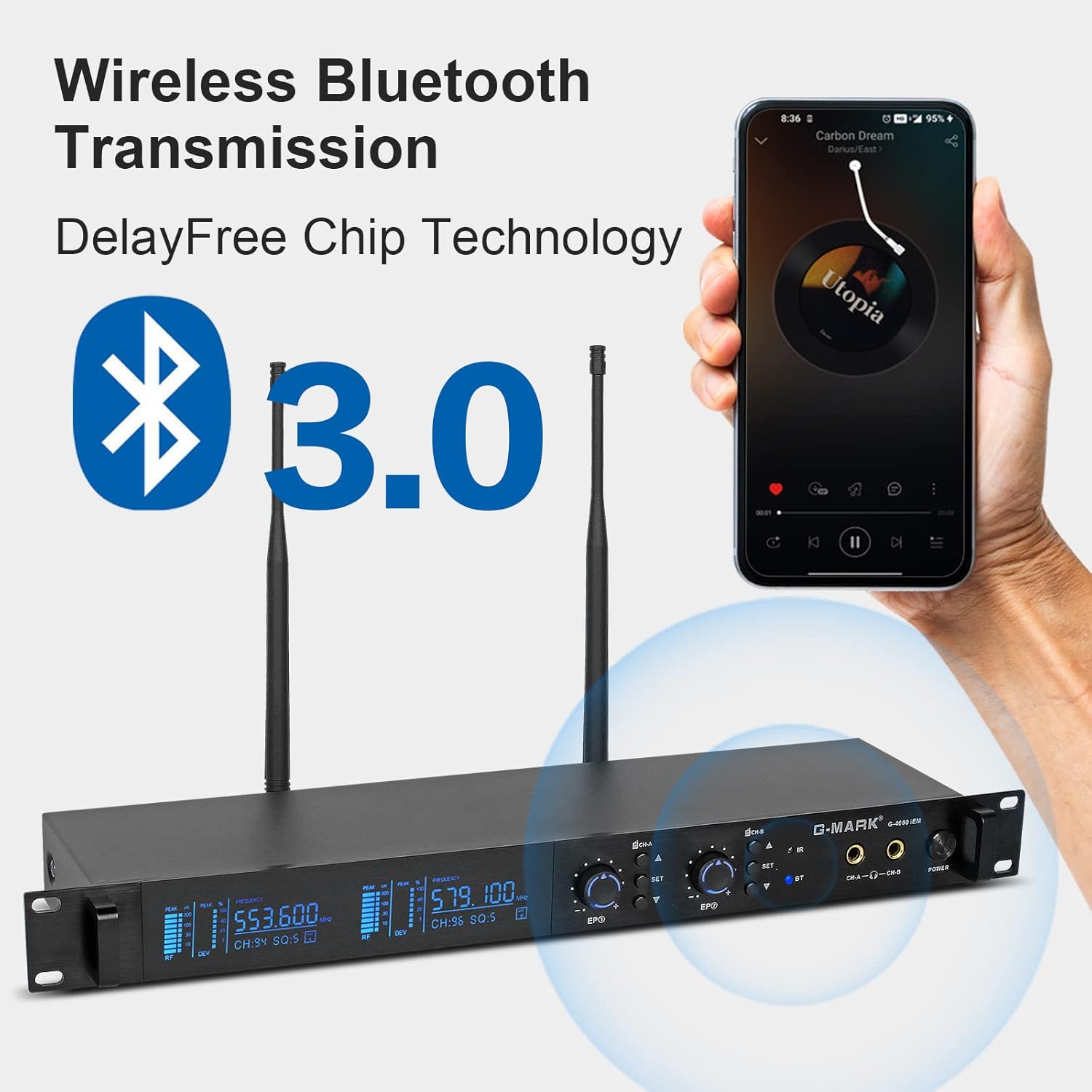
3. Setup
3.1 Unpacking and Initial Inspection
Carefully remove all components from the packaging. Inspect each item for any signs of damage. If any component is damaged or missing, contact customer support immediately.
3.2 Transmitter Unit Connection
- Connect the provided antennas to the antenna ports on the rear of the transmitter unit.
- Connect the power adapter to the transmitter unit's power input and then to a suitable power outlet.
- Connect your audio source (e.g., mixing console) to the audio input jacks on the transmitter unit.
3.3 Bodypack Receiver Battery Installation
Open the battery compartment on the back of each bodypack receiver. Insert two AA batteries, ensuring correct polarity. Close the battery compartment securely.
3.4 IR Matching (Channel Synchronization)
To synchronize the bodypack receiver with the transmitter, follow these steps:
- Press the SET button on the transmitter to enter the adjustment state.
- Use the ▲ or ▼ buttons to select the desired frequency.
- Turn on the bodypack receiver and align its IR position with the transmitter's IR position.
- Wait for a beep sound, indicating that the frequencies of the transmitter and the bodypack receiver are matched. The adjustment is complete.

3.5 Headphone Connection
Connect the provided in-ear headphones to the 3.5mm input jack on the bodypack receiver.
4. Operating Instructions
4.1 Power On/Off
- To power on the transmitter, press the power switch on the front panel.
- To power on the bodypack receiver, use the ON/OFF switch, often integrated with the volume knob.
- To power off, reverse the process.
4.2 Frequency Selection
The G4000 system offers 100 selectable channels within the 500-590MHz UHF band. Use the function buttons on the transmitter to navigate and select a clear frequency. Ensure the bodypack receivers are matched to the selected frequency via IR synchronization.
4.3 Volume Adjustment
Adjust the monitoring volume using the volume adjustment knob on the bodypack receiver. Start with a low volume and gradually increase it to a comfortable listening level to prevent hearing damage.
4.4 Monitoring Usage
Once powered on and synchronized, the system will transmit audio from your source to the bodypack receivers. The dual antenna diversity technology helps maintain a stable signal, allowing users to move freely within the operating range of 160 to 320 feet.

5. Maintenance
5.1 Cleaning
Use a soft, dry cloth to clean the exterior surfaces of the transmitter and bodypack receivers. Do not use liquid cleaners or solvents, as they may damage the finish or internal components. Regularly clean the in-ear headphones according to their specific instructions to maintain hygiene and sound quality.
5.2 Battery Care
Remove batteries from the bodypack receivers if the system will not be used for an extended period to prevent leakage and damage. Use high-quality alkaline or rechargeable AA batteries.
5.3 Storage
Store the system in a cool, dry place away from direct sunlight and extreme temperatures. Keep components in their original packaging or a protective case to prevent physical damage.
6. Troubleshooting
- No Sound:
- Ensure all units are powered on.
- Verify that the transmitter and bodypack receiver are synchronized to the same frequency.
- Check audio cable connections from the source to the transmitter.
- Confirm headphones are properly connected to the bodypack receiver and volume is not at minimum.
- Interference or Static:
- Change the operating frequency on the transmitter and re-synchronize the bodypack receivers.
- Ensure antennas are securely attached and unobstructed.
- Move away from other wireless devices or sources of electromagnetic interference.
- Short Operating Range:
- Check battery levels in the bodypack receiver.
- Ensure line-of-sight between the transmitter and receiver is maintained as much as possible.
- Avoid placing the transmitter near large metal objects or walls that can block RF signals.
- Humming or Sound Distortion:
- Reduce the volume level on the bodypack receiver or the input level on the transmitter. Excessive volume can cause distortion or humming.
- Check for ground loops in your audio setup.
- Ensure all cables are in good condition and properly connected.
7. Specifications
| Brand | G-MARK |
| Model | G4000 |
| Color | Black |
| Ear Placement | In-ear |
| Impedance | 80 Ohms |
| Frequency Range | 20Hz-25KHz |
| Dynamic Range | 107 dB |
| Wireless Technology | UHF RF |
| Operating Frequency | 500-590MHz |
| Number of Channels | 100 |
| Operating Distance | 160-320 feet (approx. 48-97 meters) |
| Transmitter Material | Metal |
| Bodypack Receiver Material | Plastic |
| Control Method | Push Button |
| Power Source (Bodypack) | 2 x AA Batteries |
| Headphone Connector | 3.5mm Jack |
| GTIN/UPC | 678324348407 |
8. Warranty and Support
8.1 Product Warranty
The G-MARK G4000 IEM UHF Wireless In-Ear Monitor System comes with a 1-year warranty from the date of purchase. This warranty covers manufacturing defects and ensures the product functions as intended under normal use. Please retain your proof of purchase for warranty claims.
8.2 Customer Support
For any questions, technical assistance, or warranty claims, please refer to your purchase platform's customer service options. Typically, you can find a "Contact Seller" option within your order details. G-MARK is committed to providing high-quality products and support.


