
Introduction
Thank you for choosing the ORSDA 4-in-1 Interactive Cat Toy, Model T65W. This device is designed to provide engaging and stimulating play for your indoor cats, featuring multiple interactive modes to keep them entertained. This manual provides detailed instructions for the safe and effective use, setup, operation, and maintenance of your new cat toy. Please read it thoroughly before use and retain it for future reference.
Product Overview
The ORSDA 4-in-1 Interactive Cat Toy combines four distinct play experiences into one device:
- Whack-A-Mole: Feathers pop out from various holes, mimicking prey.
- Hide and Seek: Utilizes a removable play blanket for unpredictable movement and hiding.
- Magic Wand: A spinning wand entices pouncing and chasing.
- Chasing Feather: A feather attachment moves around the toy's perimeter.
The toy is constructed from smooth, durable ABS material and features natural feathers for safe play. It includes smart motion and voice activation, along with a dedicated night mode for undisturbed sleep.

Figure 1: Overview of the four interactive play modes.
Setup
- Unboxing: Carefully remove all components from the packaging. Ensure all parts are present: the main toy unit, removable play blanket, spinning wand, feather attachments, and USB charging cable.
- Attaching Accessories:
- Spinning Wand: Insert the spinning wand into the designated port on the top of the main unit and twist gently to secure.
- Feather Attachments: Screw the feather attachments into the small holes around the top surface of the toy.
- Play Blanket: If using the Hide and Seek mode, place the removable play blanket over the main unit, aligning the central opening with the spinning wand.
- Initial Charging: Before first use, fully charge the toy. Connect the provided USB cable to the charging port on the toy and to a 5V 1A/2A USB power adapter (not included). The charging indicator light will show the charging status. A full charge typically takes approximately 2 hours.
Operating Instructions
The toy features multiple operating modes and smart activation functions.
Power On/Off
- To power on, press and hold the power button located on the top of the unit.
- To power off, press and hold the power button again.
Mode Selection
Once powered on, short press the power button to cycle through the available play modes. The toy typically has 4 modes, each offering a different combination of interactive features. Refer to the indicator lights or specific movements for the active mode.
Smart Activation Features

Figure 2: Smart activation features including voice, touch, and auto-play.
- Touch Activation: The toy will automatically activate when a cat touches it.
- Voice Activation: The toy can be activated by sounds, such as a cat's meow or other noises.
- Auto-Play Timer: The toy may feature an auto-play function that activates every 3 hours to re-engage your cat.
Smart Night Mode (Mode 4)

Figure 3: Smart Night Mode ensures peaceful sleep by deactivating touch/timer/voice activation.
When Mode 4 (Smart Night Mode) is selected, the toy will automatically turn off at night. This feature is designed to prevent the toy from activating and disturbing your or your cat's sleep. During this mode, touch, timer, and voice activation are deactivated.
Charging
The ORSDA cat toy is equipped with a built-in rechargeable lithium battery for extended play sessions.

Figure 4: USB quick charging for ultra-long standby power.
- Charging Port: Locate the USB charging port on the side or back of the main unit.
- Connection: Connect the provided USB cable to the toy and to a compatible 5V 1A/2A USB power adapter.
- Charging Time: A full charge typically takes approximately 2 hours.
- Battery Life: A fully charged battery can provide 3-4 days of working time, depending on usage frequency.
- Indicator: The charging indicator light will change color or turn off when charging is complete.
Important: Only use a 5V 1A/2A adapter for charging to prevent damage to the battery and toy.
Maintenance
Proper maintenance ensures the longevity and safe operation of your ORSDA cat toy.
- Cleaning: Wipe the main unit with a soft, dry cloth. For stubborn dirt, a slightly damp cloth can be used, but ensure no water enters the electronic components. The play blanket can be hand-washed with mild soap and air-dried.
- Accessory Replacement: The feather and wand attachments are designed to be replaceable. If they become worn or damaged, unscrew them and replace with new ones (replacement parts sold separately or included in some packages).
- Storage: When not in use for extended periods, ensure the toy is fully charged and stored in a cool, dry place away from direct sunlight.
- Material Safety: The toy is made from smooth ABS material and natural feathers, designed to be safe for cats.
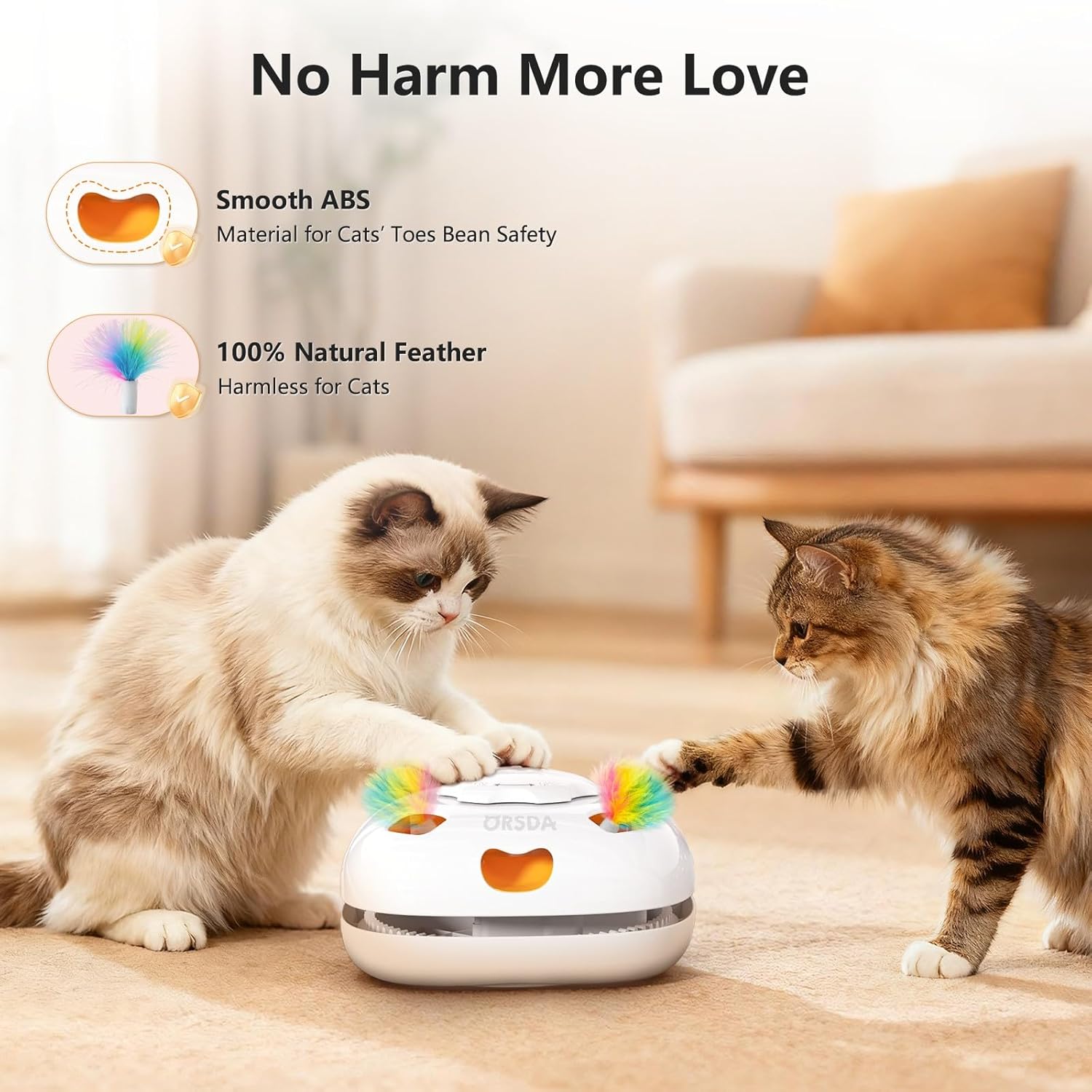
Figure 5: The toy features smooth ABS material and natural feathers for cat safety.
Troubleshooting
| Problem | Possible Cause | Solution |
|---|---|---|
| Toy does not turn on. | Battery is depleted. | Charge the toy fully using the provided USB cable and a 5V 1A/2A adapter. |
| Wand/Feather not moving. | Obstruction or damage to the mechanism. | Check for any foreign objects obstructing movement. Ensure accessories are correctly attached. If damaged, contact support. |
| Smart activation (touch/voice) not working. | Toy is in Night Mode (Mode 4) or sensor is obstructed. | Ensure the toy is not in Mode 4. Clean the sensor area. Ensure sufficient ambient sound for voice activation. |
| Battery life is shorter than expected. | Frequent activation or improper charging. | Ensure the toy is fully charged each time. Use the recommended 5V 1A/2A adapter. Reduce frequency of activation if possible. |
Specifications
- Model Number: T65W
- Brand: ORSDA
- Product Dimensions: 20 x 20 x 24.64 cm
- Weight: 640 g
- Material: Acrylonitrile Butadiene Styrene (ABS)
- Color: White
- Power Input: 5V 1A/2A (USB)
- Battery Type: Rechargeable Lithium Battery
- Charging Time: Approximately 2 hours
- Working Time: 3-4 days (depending on usage)
- Recommended Use: Indoor
Warranty and Support
ORSDA is committed to providing quality products and excellent customer service.
- Warranty: This product comes with an 18-month after-sales service period.
- Support: If you encounter any concerns or issues with your ORSDA 4-in-1 Interactive Cat Toy, please contact ORSDA customer support. We aim to provide a satisfactory solution within 16 hours.
Please refer to your purchase documentation or the ORSDA official website for specific contact details.


