
Proster TOPPST224
Proster Non Contact Voltage Tester Pen User Manual
Model: TOPPST224
1. Product Overview
The Proster Non Contact Voltage Tester Pen is a versatile and essential tool designed for safe and convenient detection of AC voltage. It features adjustable sensitivity, audible and visual alarms, and an integrated LED flashlight, making it suitable for various electrical testing applications in both professional and home environments.

Image 1: Proster Non Contact Voltage Tester Pen, showcasing its compact design and primary features.
2. Safety Information
WARNING: Always exercise extreme caution when working with electricity. This device is designed to assist in voltage detection but should not replace proper safety procedures and personal protective equipment.
- Do not use the tester if it appears damaged or is not operating correctly.
- Ensure the battery compartment is securely closed before use.
- Always test on a known live circuit before and after use to confirm proper operation.
- Keep hands and fingers away from the test tip during operation.
- This device is for AC voltage detection only.
3. Package Contents
Verify that all items are present in the package:
- 1 x Proster Non-contact Voltage Tester Pen
- 2 x 1.5V AAA Batteries
- 1 x User Manual
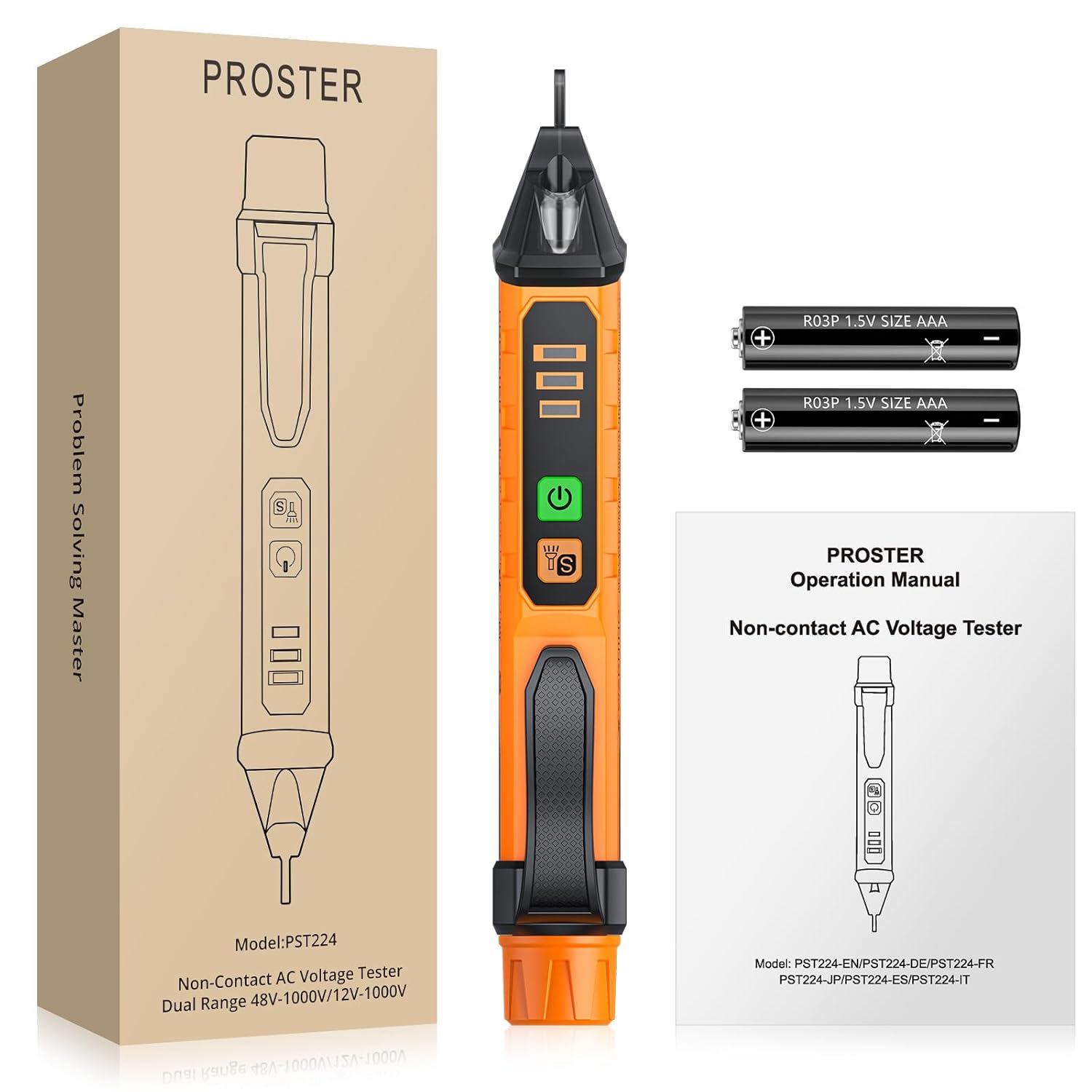
Image 2: Contents of the Proster Non Contact Voltage Tester Pen package, including the tester, batteries, and user manual.
4. Product Features and Components
Familiarize yourself with the key parts of your voltage tester:
- Test Pencil Tip: Used for non-contact voltage detection.
- LED Display: Indicates voltage level (low, medium, high) and live/null wire status.
- Power On/Off Button: Activates and deactivates the device.
- Sensitivity/Flashlight Switch ('S' Button): Short press to adjust sensitivity; press and hold to turn on/off the LED flashlight.
- Mini Flashlight: Illuminates dark work areas.
- Portable Hook: For convenient carrying in a pocket.
- Battery Compartment: Houses the AAA batteries.

Image 3: Diagram illustrating the various components and their functions on the Proster Non Contact Voltage Tester Pen.
5. Setup
5.1 Battery Installation
- Unscrew the battery compartment cap at the top of the tester.
- Insert two 1.5V AAA batteries, ensuring correct polarity (+/-).
- Securely screw the battery compartment cap back into place.
The device will emit a short beep and the green power indicator will light up, indicating it is ready for use.

Image 4: The Proster Non Contact Voltage Tester Pen with its battery compartment clearly shown for installation.
6. Operating Instructions
6.1 Power On/Off
Press the green power button to turn the tester on. The green LED will illuminate. Press the button again to turn it off.
6.2 Non-Contact AC Voltage Detection
Hold the tester with the tip near the wire, outlet, or circuit you wish to test. The tester will automatically detect AC voltage and indicate its presence through visual and audible signals.
- Live Wire: The buzzer will alarm quickly, lights will flash quickly, and the LCD will show red.
- Null Wire: The buzzer will alarm slowly, lights will flash slowly, and the LCD will show green.

Image 5: Illustration of the tester distinguishing between live and null wires in an electrical outlet.
6.3 Sensitivity Adjustment
The tester offers three levels of sensitivity: High, Medium, and Low. The default measurement range is 48-1000V. Short press the 'S' button to cycle through the sensitivity modes. In high sensitivity mode, the tester can detect voltage from 12-1000V, which is useful for detecting voltage through insulation or drywall.

Image 6: Visual representation of the three sensitivity levels (Low, Medium, High) and their corresponding voltage indications.
6.4 Breakpoint Testing
Use the high-sensitivity mode to detect breakpoints in wires. Move the tester along the wire; the alarm will stop at the point where the circuit is broken.
Image 7: The tester being used to identify a breakpoint in a cable, demonstrating its high-sensitivity capability.
6.5 LED Flashlight
Press and hold the 'S' button to turn the integrated LED flashlight on or off. This feature is useful for working in dimly lit areas.

Image 8: The tester's LED flashlight illuminating a dark electrical box, aiding in visibility during testing.
6.6 Automatic Power-Off
The tester will automatically power off after approximately 5 minutes of inactivity to conserve battery life.
6.7 Instructional Video
For a visual guide on the Proster Non Contact Voltage Tester, please watch the official product video below:
Video 1: Official product video demonstrating the features and usage of the Proster Non Contact Voltage Tester Pen.
7. Maintenance
- Clean the tester with a dry, soft cloth. Do not use abrasive cleaners or solvents.
- Store the tester in a cool, dry place away from direct sunlight and extreme temperatures.
- Remove batteries if the tester will not be used for an extended period to prevent leakage.
8. Troubleshooting
| Problem | Possible Cause | Solution |
|---|---|---|
| Tester does not turn on. | Dead or incorrectly installed batteries. | Check battery polarity or replace with new AAA batteries. |
| Inconsistent or no detection. | Low battery, incorrect sensitivity setting, or interference. | Replace batteries. Adjust sensitivity to a higher setting. Ensure no strong electromagnetic interference. |
| False positives (detects voltage when none is present). | High sensitivity setting in an environment with static electricity or strong electromagnetic fields. | Reduce sensitivity. Test in a different location or on a known live circuit to confirm functionality. |
9. Specifications
| Feature | Detail |
|---|---|
| Product Dimensions | 6.38 x 0.91 x 1.1 inches; 2.82 ounces |
| Item Model Number | TOPPST224 |
| Batteries | 2 AAA batteries required (included) |
| Power Source | Battery Powered |
| Style | Non Contact Voltage Tester |
| Color | Black and Orange |
| AC Voltage Range | Default: 48-1000V; Adjustable: 12-1000V |
| Safety Rating | CAT III 1000V / CAT IV 600V |
10. Warranty and Support
Proster products are manufactured to high-quality standards. For any questions, technical support, or warranty claims, please contact Proster customer service through the retailer's platform or the official Proster website. Please retain your proof of purchase for warranty purposes.
Ask a question about this manual
Ask about setup, troubleshooting, compatibility, parts, safety, or missing instructions. Manuals+ will review the question and use this page’s manual context to help answer it.