
miisso 10K95
miisso 10000mAh Slim Portable Charger
Model: 10K95 - User Manual
1. Introduction
This user manual provides comprehensive instructions for the miisso 10000mAh Slim Portable Charger, Model 10K95. It covers product features, setup, operation, maintenance, troubleshooting, and safety guidelines. Please read this manual thoroughly before using the device to ensure proper function and longevity.
2. Product Overview
The miisso 10000mAh Slim Portable Charger is a compact and high-capacity power bank designed for on-the-go charging of various mobile devices. It features built-in Type-C cables for direct compatibility and multiple output ports for simultaneous charging.

Figure 2.1: miisso 10000mAh Slim Portable Charger with built-in cables.
Key Features:
- Pocket Size: Compact dimensions (4.25 x 2.74 x 0.67 inches) for easy portability.
- Built-in Cables: Includes two built-in Type-C cables for direct device connection.
- High Capacity: 10000mAh battery capacity, sufficient for multiple charges of most smartphones.
- Multiple Outputs: Capable of charging up to three devices simultaneously.
- Universal Compatibility: Compatible with a wide range of devices including iPhone 15/16 series, Samsung Galaxy, AirPods, and other USB-C enabled devices.
- Safety Protections: Equipped with a 15-Layer SmartProtect System for enhanced safety.

Figure 2.2: Slim profile of the miisso portable charger.

Figure 2.3: Overview of the 3-in-1 power bank outputs.
3. Setup
Initial Charging of the Power Bank:
- Before first use, fully charge your miisso portable charger.
- Connect the provided USB charging cable to the Type-C input port on the power bank.
- Plug the other end of the USB charging cable into a compatible USB wall adapter (not included) or a computer's USB port.
- The indicator lights on the power bank will illuminate to show charging progress. Once all lights are solid, the power bank is fully charged.
4. Operating Instructions
Charging Your Devices:
- Using Built-in Type-C Cables: Extend one of the built-in Type-C cables from the power bank. Connect the Type-C connector directly into your compatible device's charging port.
- Using the USB-C Output Port: For devices requiring a different cable type or if both built-in cables are in use, connect your device's charging cable to the USB-C input/output port on the power bank.
- The power bank will automatically begin charging your device. If not, press the power button once to initiate charging.
- You can charge up to three devices simultaneously using the two built-in Type-C cables and the additional USB-C output port.

Figure 4.1: Charging multiple devices simultaneously.
Checking Battery Level:
Press the power button once to view the current battery level indicated by the LED lights on the power bank.
5. Maintenance
- Cleaning: Use a soft, dry cloth to clean the surface of the power bank. Do not use liquid cleaners or aerosols.
- Storage: Store the power bank in a cool, dry place away from direct sunlight, extreme temperatures, and humidity.
- Battery Care: To prolong battery life, fully charge the power bank at least once every three months if not in regular use. Avoid completely draining the battery frequently.
- Cable Care: Handle the built-in cables gently. Avoid sharp bends or excessive force when extending or retracting them to prevent damage.
6. Troubleshooting
| Problem | Possible Cause | Solution |
|---|---|---|
| Power bank not charging | Charging cable or adapter faulty; Power bank fully charged; Loose connection. | Try a different USB cable and adapter. Ensure connections are secure. Check indicator lights. |
| Device not charging from power bank | Power bank battery low; Device cable faulty; Power bank not activated; Incompatible device. | Recharge the power bank. Try a different cable. Press the power button on the power bank. Ensure device is compatible with Type-C output. |
| Slow charging | Using a low-power adapter; Device drawing high current; Cable resistance. | Use a higher wattage USB adapter (e.g., 5V/2A or 5V/3A). Ensure cables are in good condition. |
| Power bank turns off automatically | No device connected; Device fully charged; Overload protection activated. | This is normal behavior to save power. Reconnect device or check if device is fully charged. If an overload is suspected, disconnect all devices and restart. |
7. Specifications
| Feature | Detail |
|---|---|
| Model Number | 10K95 |
| Battery Capacity | 10000 Milliamp Hours (mAh) |
| Product Dimensions | 4.25 x 2.74 x 0.67 inches |
| Item Weight | 7 ounces |
| Connector Type | USB Type C (Built-in cables and input/output port) |
| Input (USB-C) | 5V-3.0A (MAX) |
| Output (Built-in Type-C cables) | 5V-2.0A (MAX) per cable |
| Output (USB-C Port) | 5V-3.0A (MAX) |
| Battery Type | Lithium Polymer |
| Special Features | Built-in Cable, Lightweight, Pocket Size, Short Circuit Protection, Slim |
8. Safety Information
To ensure safe operation and prevent damage to the product or injury to yourself, please observe the following safety precautions:
- Do not expose the power bank to extreme temperatures (hot or cold), direct sunlight, or high humidity.
- Avoid dropping, hitting, or disassembling the device.
- Keep away from water and other liquids.
- Do not use if the power bank is visibly damaged, swollen, or leaking.
- Keep out of reach of children.
- Dispose of the power bank responsibly according to local regulations for electronic waste.
15-Layer SmartProtect System:
The miisso power bank is equipped with advanced safety features, including:
- Charge low and high temperature protection
- Discharge low and high temperature protection
- Battery temperature protection
- Output overvoltage protection
- Charging undervoltage protection
- Overcurrent recovery protection
- Battery overdischarge protection
- Output overcurrent protection
- Charging overvoltage protection
- USB-C overcharge protection
- Charging overcurrent protection
- Discharge overcurrent protection
- Short-circuit recovery protection
- Type-C port overheat protection
- Input overvoltage protection
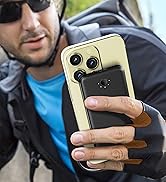
Figure 8.1: 15-Layer SmartProtect System.

Figure 8.2: Superior Tensile Strength and Durability Testing.
9. Warranty and Support
Your miisso 10000mAh Slim Portable Charger comes with a user guide and a USB charging cable. For specific warranty details and support, please refer to the documentation included with your product packaging or visit the official miisso brand store.
For further assistance, you may contact miisso customer support through their official channels, typically found on their website or the product's retail page.
Visit the miisso Store: https://www.amazon.com/stores/MIISSO/page/1839350A-9202-4C38-BD4E-1AF754E6550B
Ask a question about this manual
Ask about setup, troubleshooting, compatibility, parts, safety, or missing instructions. Manuals+ will review the question and use this page’s manual context to help answer it.