
1. Product Overview
The KXAITO Men's Sports Outdoor Waterproof Military Watch (Model 8049/2025) is a multi-functional timepiece designed for durability and versatility. It features both analog and digital displays, an LED backlight, alarm, stopwatch, and date functions, all housed in a robust, waterproof casing.
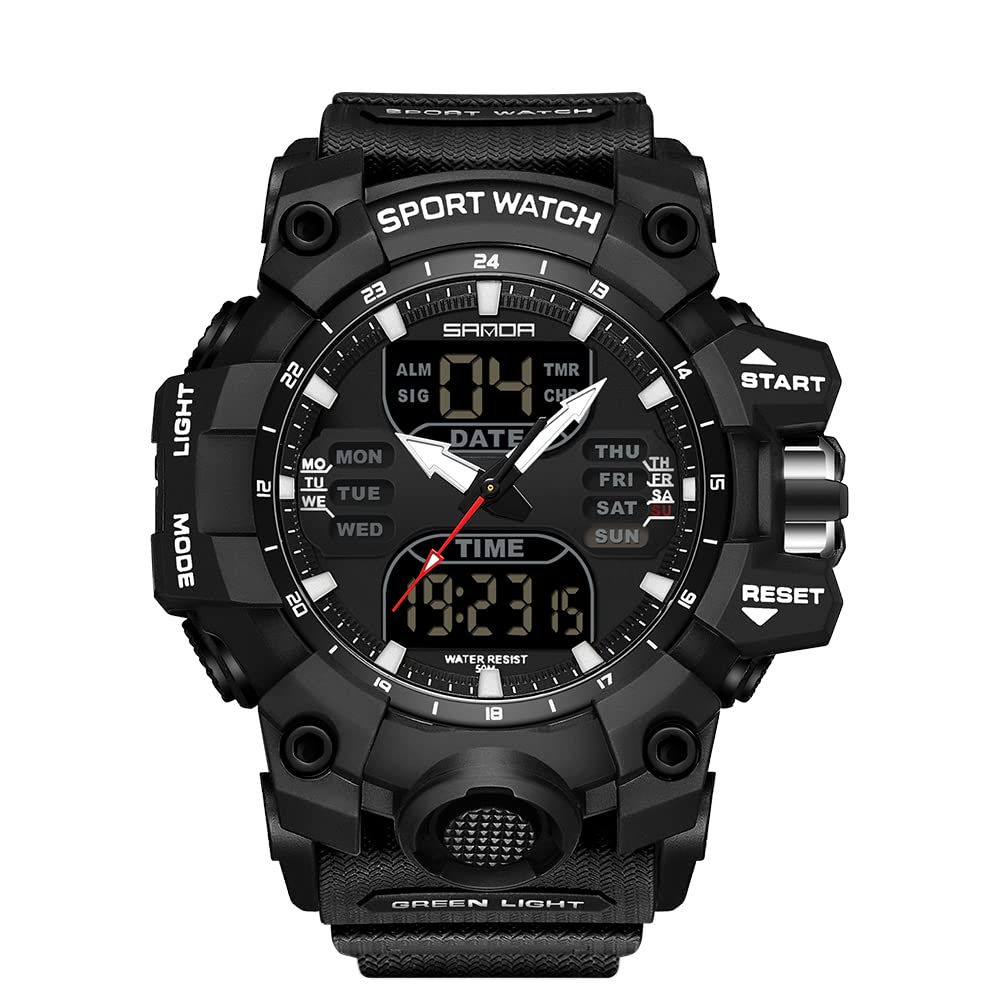
Figure 1: Front view of the KXAITO Model 8049/2025 watch, showcasing its robust design and dual display.
Watch Components
- LIGHT Button: Activates the LED backlight.
- MODE Button: Cycles through different functions (Time, Alarm, Stopwatch).
- START Button: Used to start/stop the stopwatch, adjust settings, or view specific data.
- RESET Button: Used to reset the stopwatch, clear settings, or move to the next setting option.
- Crown: Adjusts the analog time.

Figure 2: Close-up view of the watch face, highlighting the function buttons and digital display.
2. Setup and Initial Configuration
Setting Analog Time
- Pull the crown out to the first position.
- Rotate the crown to adjust the hour and minute hands to the desired time.
- Push the crown back in to secure the analog time.
Setting Digital Time and Date
- Press the MODE button repeatedly until the digital time display starts flashing, indicating it's in setting mode.
- Press the RESET button to cycle through the settings (seconds, hour, minute, month, date, day of week).
- Use the START button to adjust the flashing value.
- Once all settings are correct, press the MODE button to exit the setting mode.
Setting the Alarm
- Press the MODE button until the alarm time (ALM) is displayed.
- Press the RESET button to select the hour or minute digit you wish to set. The selected digit will flash.
- Use the START button to adjust the flashing digit.
- Press the MODE button to confirm and exit the alarm setting mode.
- To activate/deactivate the alarm, press the START button while in alarm mode. An alarm icon (ALM) will appear/disappear on the display.
3. Operating Instructions
Using the Backlight
Press the LIGHT button to illuminate the digital display for better visibility in low-light conditions. The backlight will remain active for a few seconds.

Figure 3: The watch display with its green LED backlight activated.
Using the Stopwatch
- Press the MODE button until the stopwatch (CHR) is displayed, showing '00:00:00'.
- Press the START button to begin timing.
- Press the START button again to pause the stopwatch.
- To resume, press the START button.
- To reset the stopwatch to '00:00:00', press the RESET button while the stopwatch is paused.
Switching Display Modes
Repeatedly press the MODE button to cycle through the available display modes: Time, Alarm, and Stopwatch.
4. Maintenance
Water Resistance
This watch is rated for 50 meters (5ATM) water resistance. This means it is suitable for daily use, showering, and swimming in shallow water. It is not suitable for diving, snorkeling, or high-pressure water activities. Do not operate buttons underwater.
Video 1: Demonstration of the watch's water resistance. This video shows a similar model (Smael 8053) being submerged in water, highlighting its waterproof capabilities.
Video 2: Another demonstration of water resistance for a KXAITO watch (Model 6092), showing it submerged in water.
Cleaning
Wipe the watch regularly with a soft, damp cloth to remove dirt and sweat. Avoid using harsh chemicals or abrasive materials, as these can damage the watch's finish or seals.
Battery Replacement
When the display dims or functions become erratic, the battery may need replacement. It is recommended to have the battery replaced by a qualified watch technician to ensure proper sealing and maintain water resistance.
5. Troubleshooting
- Digital Display is Blank: The battery may be depleted. Replace the battery.
- Digital Time is Incorrect: Re-set the digital time following the instructions in Section 2.
- Analog Time is Incorrect: Re-set the analog time using the crown as described in Section 2.
- Buttons are Unresponsive: Ensure the watch is not in a locked mode (if applicable, though this model does not have a specific lock function). If issues persist, a battery replacement might be needed, or contact support.
- Water Inside the Watch: Immediately stop using the watch and seek professional repair. Water damage is typically not covered under warranty if water resistance guidelines were not followed.
6. Specifications
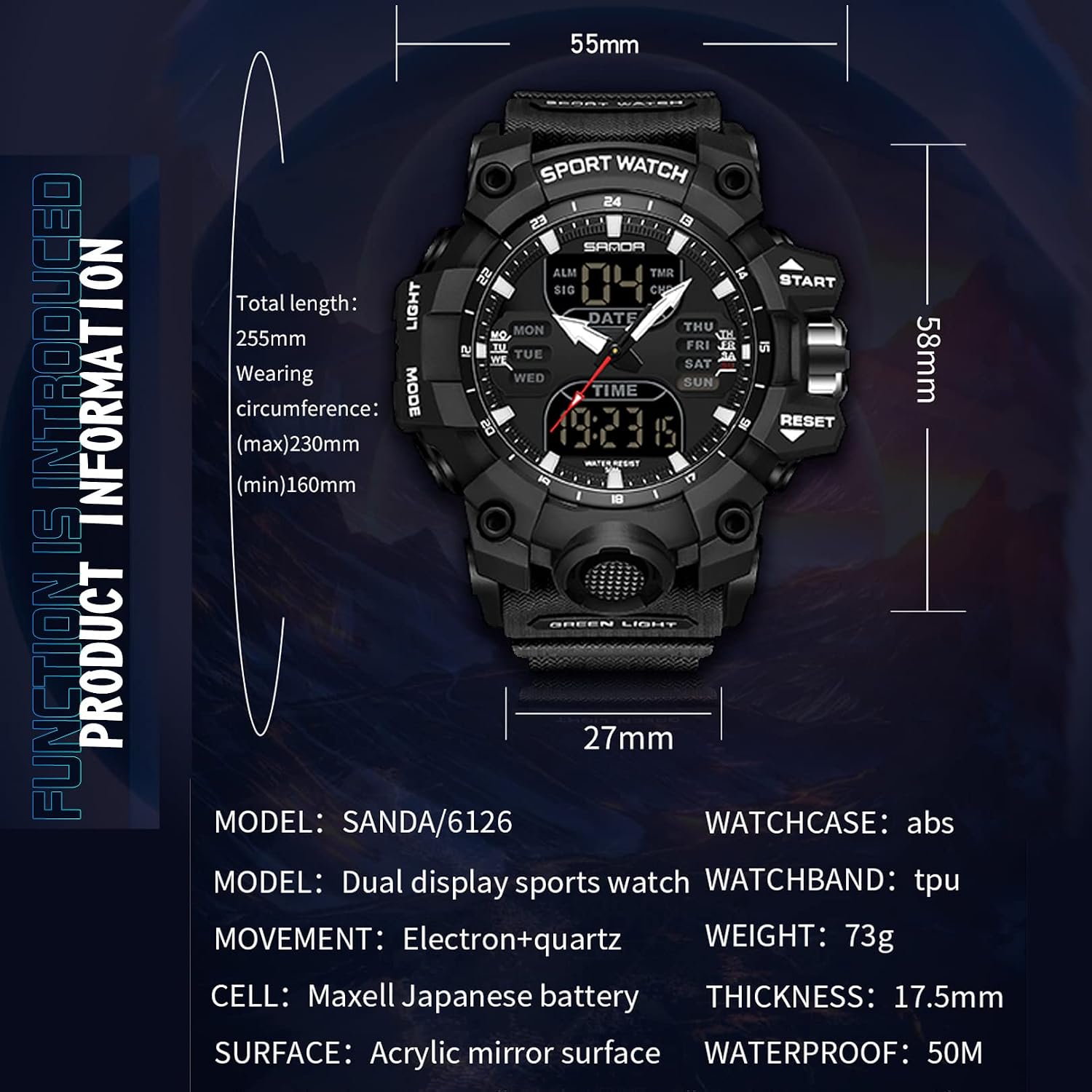
Figure 4: Detailed product information including dimensions and materials.
| Feature | Detail |
|---|---|
| Model Number | 8049 / 2025 |
| Movement | Electron + Quartz |
| Watchcase Material | ABS |
| Watchband Material | TPU |
| Surface Material | Acrylic Mirror Surface |
| Water Resistance | 50M (5ATM) |
| Weight | 73 g |
| Thickness | 17.5 mm |
| Total Length | 255 mm |
| Wearing Circumference | Max 230 mm, Min 160 mm |
| Battery Type | Maxell Japanese battery |
| Parcel Dimensions | 7.39 x 7.19 x 6.2 cm |
| Date First Available | April 3, 2023 |
7. Warranty and Support
Your KXAITO watch is covered by a standard manufacturer's warranty against defects in materials and workmanship. Please refer to the warranty card included with your purchase for specific terms and conditions.
For technical support, warranty claims, or any other inquiries, please contact KXAITO customer service through the retailer where the product was purchased or visit the official KXAITO website for contact information.
