
1. Product Overview
The Charmast Portable Charger W1148 is a versatile 10000mAh power bank designed for convenient on-the-go charging. It features built-in charging cables and multiple output ports, making it compatible with a wide range of devices.
1.1 What's in the Box
Upon unboxing, please ensure all items are present:
- 1 x Charmast Portable Charger (Model W1148)
- 1 x User Manual
- 1 x Pouch

Image: Contents of the Charmast Portable Charger package, including the power bank, user manual, and a protective pouch.
1.2 Product Features
- Built-in Cables: Includes 3 output cables (for iPhone, Android, Micro USB) and 1 input cable for recharging the power bank.
- Multiple Outputs: Total of 6 output options (3 built-in cables + 3 additional ports) to charge multiple devices simultaneously.
- Multiple Inputs: 3 input options (1 built-in recharging cord, 1 USB-C input, 1 Micro USB input) for convenient power bank recharging.
- Digital LED Display: Provides an accurate percentage of remaining battery charge.
- Compact Design: Slim and lightweight, making it easy to carry.
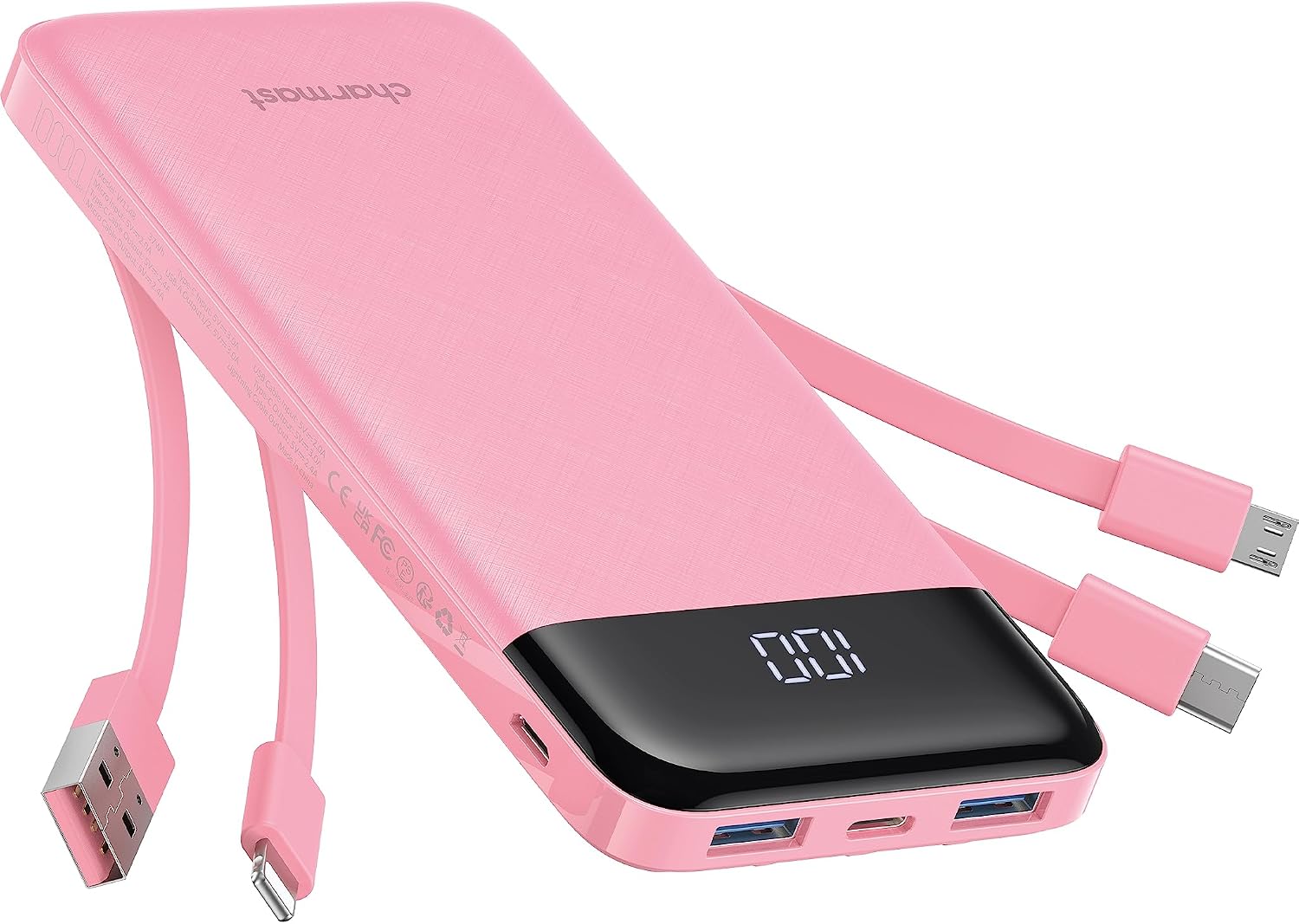
Image: The Charmast Portable Charger W1148 in pink, showcasing its built-in cables and digital LED display.

Image: A close-up view of the Charmast Portable Charger highlighting its four built-in cables: one for iPhone, one for Android (USB-C), one for Micro USB, and one for recharging the power bank itself (USB-A).
2. Setup
The Charmast Portable Charger is designed for immediate use. Before first use, it is recommended to fully charge the power bank.
2.1 Initial Charging of the Power Bank
To charge the power bank, connect it to a power source using one of the available input methods:
- Using the Built-in USB-A Cable: Extend the built-in USB-A cable and plug it into a USB wall adapter (not included) or a computer's USB port.
- Using the USB-C Input Port: Connect a USB-C cable (not included) from a wall adapter to the power bank's USB-C input port.
- Using the Micro USB Input Port: Connect a Micro USB cable (not included) from a wall adapter to the power bank's Micro USB input port.
The digital LED display will show the charging progress. A full charge typically takes approximately 6 hours with a 10W or higher wall charger.

Image: Visual guide illustrating three methods to recharge the power bank: using the built-in USB-A cable, via a 10W Micro USB input, or via a 15W USB-C input. Each method shows the approximate charging time.
3. Operating Instructions
3.1 Charging Your Devices
The Charmast Portable Charger offers multiple ways to charge your electronic devices:
- Using Built-in Cables:
- For Apple devices: Use the built-in Lightning cable.
- For USB-C devices: Use the built-in USB-C cable.
- For Micro USB devices: Use the built-in Micro USB cable.
- Using External Cables:
- Plug your device's charging cable into one of the available USB-A output ports or the USB-C input/output port on the power bank.
The power bank can charge up to 6 devices simultaneously, utilizing a combination of its built-in cables and external ports.

Image: The Charmast Portable Charger connected to and charging six different electronic devices, demonstrating its multi-device charging capability.
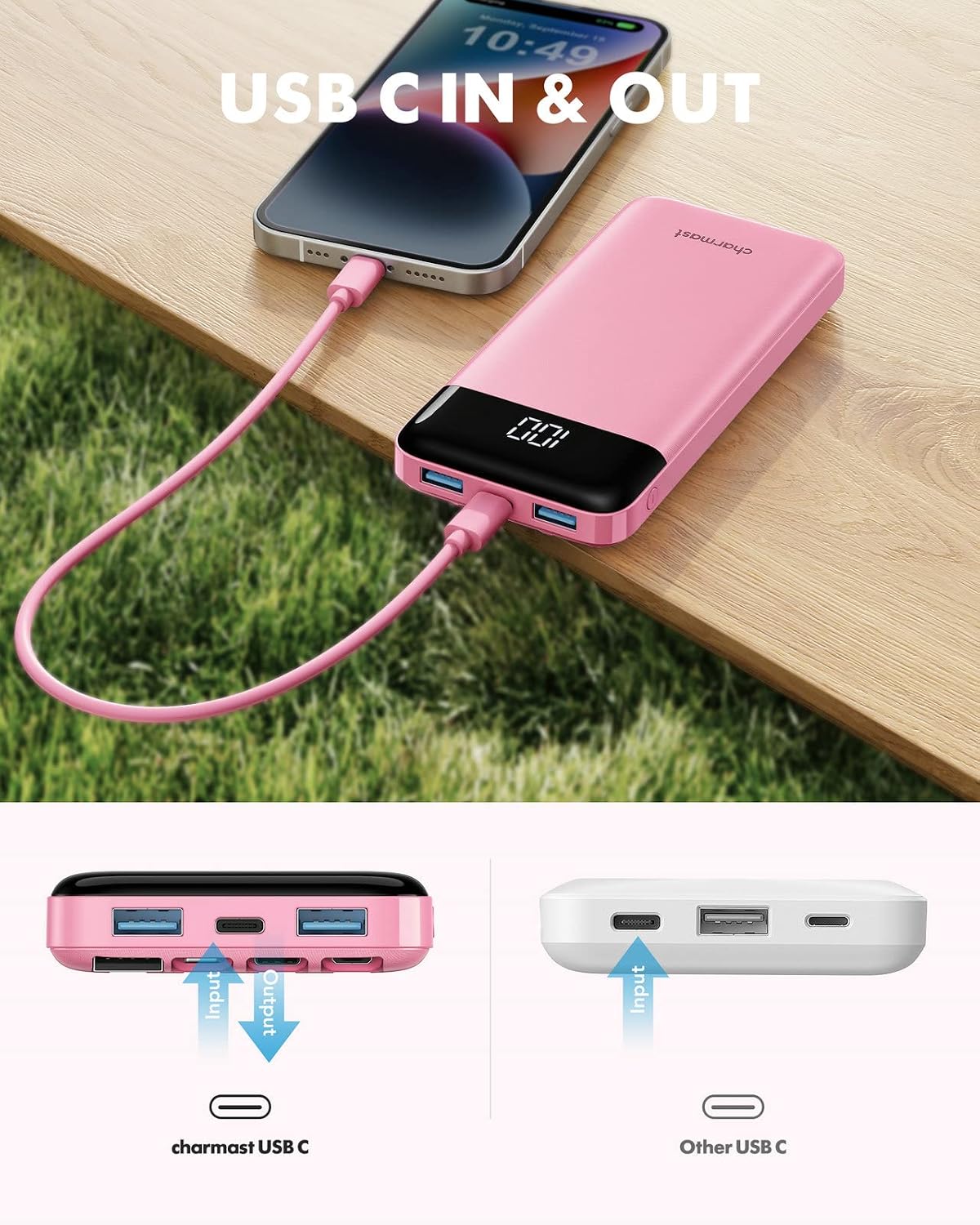
Image: A smartphone being charged via the USB-C port of the Charmast Portable Charger, illustrating its dual input/output functionality for USB-C.
3.2 Checking Battery Level
The integrated digital LED display shows the exact remaining battery percentage of the power bank. Simply turn on the power bank (if it's off) or connect a device to see the current charge level.

Image: The Charmast Portable Charger with its digital LED display clearly showing "100", indicating a full battery charge.
4. Maintenance
Proper care and maintenance will extend the lifespan of your Charmast Portable Charger.
- Cleaning: Wipe the power bank with a soft, dry cloth. Do not use liquid cleaners or abrasive materials.
- Storage: Store the power bank in a cool, dry place away from direct sunlight and extreme temperatures.
- Charging Cycles: For optimal battery health, avoid completely draining the power bank before recharging it. Recharge it regularly, even if not in frequent use.
- Avoid Drops: Protect the device from physical shocks and drops, which can damage internal components.
5. Troubleshooting
If you encounter issues with your Charmast Portable Charger, please refer to the following common solutions:
| Problem | Possible Cause | Solution |
|---|---|---|
| Power bank not charging |
|
|
| Device not charging from power bank |
|
|
| Digital display not working |
|
|
If the problem persists after trying these solutions, please contact Charmast customer support for further assistance.
6. Specifications
| Feature | Detail |
|---|---|
| Model Number | W1148 |
| Battery Capacity | 10000 Milliamp Hours (mAh) |
| Dimensions (L x W x H) | 15.6 x 7.19 x 2.29 cm |
| Weight | 240 g |
| Input Ports | Built-in USB-A cable, USB-C, Micro USB |
| Output Ports | Built-in Lightning, Built-in USB-C, Built-in Micro USB, USB-A (x2), USB-C (shared input/output) |
| Voltage | 5 Volts |
| Charging Time (Power Bank) | Approx. 6 hours (with 10W+ charger) |
| Special Features | Built-in Cables, Digital Display, Fast Charging, Lightweight, Slim |
| Compatible Devices | Smartphones (iPhone, Samsung, Google Pixel, etc.), Tablets, Drones, Speakers |

Image: The Charmast Portable Charger demonstrating its ultra-slim and lightweight design, shown being held in a pocket and a handbag.

Image: A chart illustrating the approximate number of charges the 10000mAh Charmast power bank can provide for different devices, such as iPhone 14, iPhone 8, iPad mini 6, Samsung S22, Samsung S8, and Google Pixel 6.
7. Warranty & Support
Charmast provides an 18-month warranty for the Portable Charger W1148, covering manufacturing defects and issues arising from normal use.
Additionally, lifetime technical support is available to assist you with any questions or concerns regarding the product.
For warranty claims or technical assistance, please contact Charmast customer service through the retailer where the product was purchased or visit the official Charmast website.


