
1. Introduction
Thank you for purchasing the ULTTY Bladeless Tower Fan and Air Purifier. This appliance combines efficient air circulation with advanced air purification technology to provide a comfortable and healthy indoor environment. Please read this manual thoroughly before use to ensure proper operation and maintenance.

Image 1.1: ULTTY Bladeless Tower Fan and Air Purifier with included remote control and HEPA filter.
2. Important Safety Instructions
To reduce the risk of fire, electric shock, or injury, always follow these basic safety precautions:
- Read all instructions before using this appliance.
- Do not operate any fan with a damaged cord or plug. Discard fan or return to an authorized service facility for examination and/or repair.
- Do not run cord under carpeting. Do not cover cord with throw rugs, runners, or similar coverings. Arrange cord away from traffic area and where it will not be tripped over.
- Always unplug the fan before moving, cleaning, or performing maintenance.
- Do not use outdoors. This fan is intended for indoor use only.
- Do not allow children or pets to play with the fan. The bladeless design enhances safety, but supervision is always recommended.
- Ensure the fan is placed on a stable, level surface to prevent tipping.
3. Product Overview and Components
The ULTTY Bladeless Tower Fan and Air Purifier is designed for efficient air circulation and purification. Key features include a bladeless design, multiple speed settings, various operating modes, oscillation, and a timer function.
Included Components:
- 1 × ULTTY Bladeless Tower Fan
- 1 × Remote Controller (includes 1 × CR2025 Type Lithium Battery)
- 1 × True HEPA Filter (pre-installed or separate)
- 1 × Instruction Manual (this document)
- 1 × Power Cord (typically placed in foam grooves within the packaging)

Image 3.1: Overview of the fan's features, including its bladeless design, air multiplier technology, filtration system, oscillation, LED touchscreen, and remote control.
Video 3.1: An official product video demonstrating the bladeless cooling fan with air purification features, including its quiet operation, oscillation, and various modes.
4. Setup
- Unpacking: Carefully remove all components from the packaging. Check that all listed components are present. The power cord is typically located in the foam grooves of the packaging.
- Filter Installation: The True HEPA filter may be pre-installed. If not, or if you are replacing it, ensure it is correctly inserted into the designated compartment at the base of the fan. Refer to the 'Maintenance' section for detailed filter replacement instructions.
- Placement: Place the fan on a firm, level surface. Ensure there is adequate space around the fan for optimal airflow and oscillation.
- Power Connection: Plug the power cord into a standard electrical outlet.

Image 4.1: Visual guide for installing or replacing the air purifier filter within the fan unit.
5. Operating Instructions
The fan can be operated using the LED touch-screen controls on the unit or the included remote control.
5.1 Power On/Off
- Touch Control: Press the power button on the LED touch-screen.
- Remote Control: Press the power button (U) on the remote.
5.2 Speed Settings
The fan features 9-speed settings.
- Touch Control: Use the '+' and '-' buttons on the touch-screen to adjust the speed.
- Remote Control: Use the '+' and '-' buttons on the remote.
5.3 Operating Modes
Select from three distinct operating modes:
- Normal Mode: Provides a continuous, steady airflow.
- Natural Mode: Simulates a natural breeze with varying fan speeds.
- Sleep Mode: Operates at a lower speed with reduced noise, and the LED display dims after 2 minutes for undisturbed rest.
- Touch Control: Press the mode button on the touch-screen to cycle through modes.
- Remote Control: Press the mode button on the remote.

Image 5.1: Illustration of the fan's customizable air circulation settings, including Normal, Natural, and Sleep modes, and various speed levels.
5.4 Oscillation
The fan offers 90° horizontal oscillation and 30° manual vertical adjustment.
- Horizontal Oscillation: Press the oscillation button on the touch-screen or remote to activate/deactivate 90° automatic horizontal rotation.
- Vertical Adjustment: Manually tilt the top section of the fan up or down to adjust the vertical airflow angle by up to 30°.
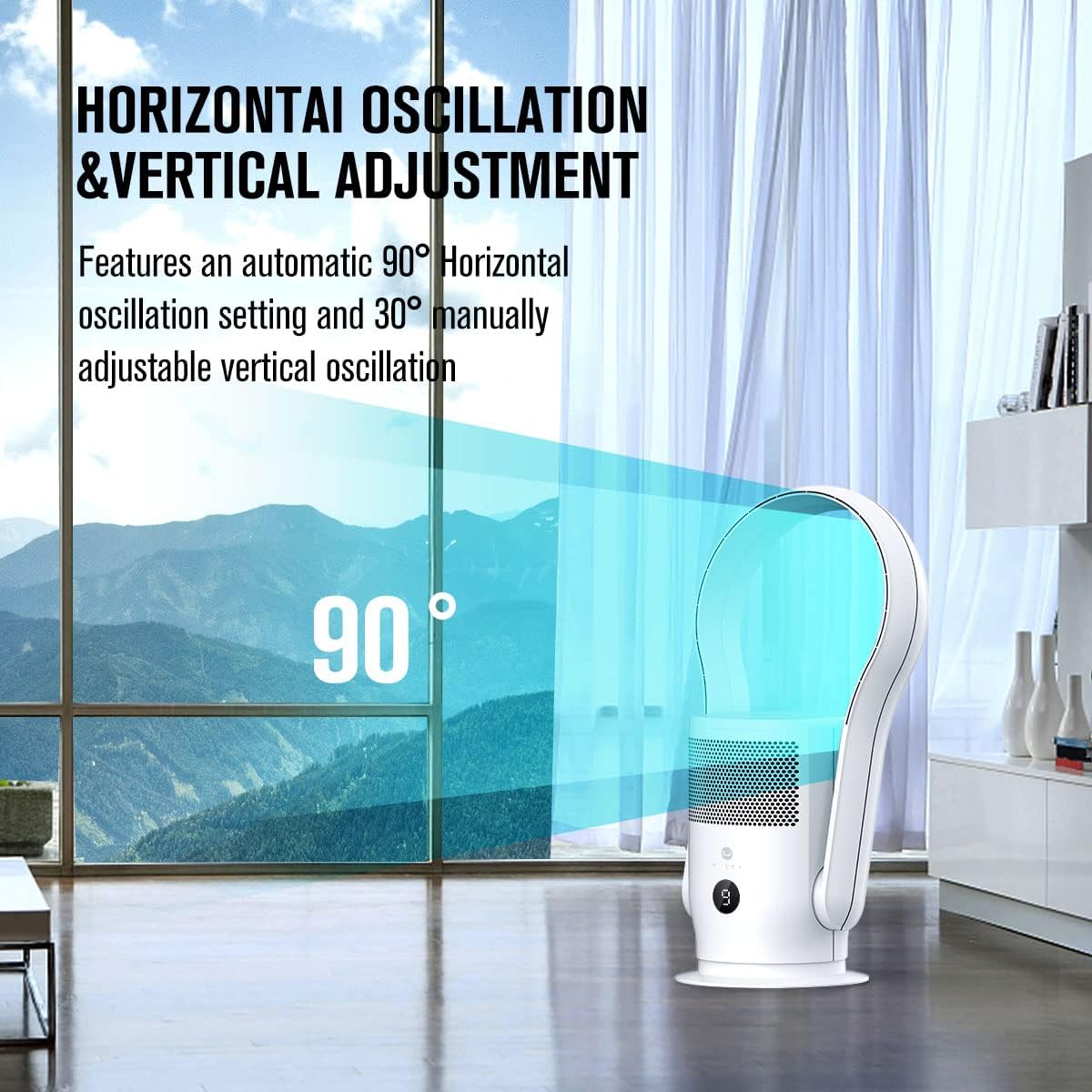
Image 5.2: Depiction of the fan's horizontal oscillation and manual vertical adjustment capabilities.
5.5 Timer Function
Set the fan to automatically turn off after a specified period (up to 8 hours).
- Touch Control: Press the timer button on the touch-screen to set the desired duration.
- Remote Control: Press the timer button on the remote.

Image 5.3: The fan operating quietly in a bedroom, illustrating its low noise level, LED display, and timer function.
6. Maintenance
Regular maintenance ensures optimal performance and longevity of your ULTTY Bladeless Tower Fan and Air Purifier.
6.1 Cleaning the Exterior
- Always unplug the fan before cleaning.
- Wipe the exterior surfaces with a soft, damp cloth. Do not use abrasive cleaners or solvents.
- The bladeless design makes cleaning easy and safe.
6.2 HEPA Filter Replacement
The True HEPA filter should be replaced every 3-6 months, depending on air quality and usage. Replacement filters can be found by searching for "B088B921NQ" on Amazon.
- Unplug the fan from the power outlet.
- Locate the filter compartment, typically at the base of the unit.
- Remove the old filter.
- Insert the new HEPA filter, ensuring it is seated correctly.
- Close the filter compartment securely.

Image 6.1: A detailed view of the HEPA filter, indicating its structure for air purification.
7. Troubleshooting
If you encounter issues with your fan, refer to the following common problems and solutions:
| Problem | Possible Cause | Solution |
|---|---|---|
| Fan does not turn on | No power, loose plug, remote battery low | Check power connection, ensure plug is secure, replace CR2025 battery in remote. |
| Weak airflow | Filter clogged, fan speed too low | Replace HEPA filter, increase fan speed. |
| Fan makes unusual noise | Obstruction, unstable surface | Check for foreign objects, ensure fan is on a stable surface. |
| Remote control not working | Battery depleted, obstruction between remote and fan | Replace CR2025 battery, ensure clear line of sight to the fan's receiver. |
8. Specifications
- Model Name: Tower Fan
- Item Model Number: SKJ-CR020
- Brand: U ULTTY
- Color: White
- Product Dimensions: 10"D x 10"W x 24.5"H
- Item Weight: 4.6 ounces
- Power Source: AC/DC
- Wattage: 35 watts
- Voltage: 120V
- Noise Level: 32 Decibels (minimum)
- Number of Power Levels: 9
- Control Method: Remote, Touch
- Special Features: Adjustable Height (implied by vertical adjustment), Bladeless, LED Light, Oscillating, Timer
- Recommended Uses: Air Circulation, Air Purifier, Cooling
- Indoor/Outdoor Usage: Indoor
- Specification Met: ETL
- Remote Battery Model: CR2025
9. Warranty and Support
For warranty information or technical support, please refer to the contact details provided with your purchase documentation or visit the official ULTTY website. Keep your purchase receipt as proof of purchase for warranty claims.
