
1. Introduction
The Creality Hyper PLA Filament is a high-performance 3D printing material designed for rapid prototyping and production. This filament is engineered to support print speeds up to 600mm/s while maintaining high dimensional accuracy and print quality. It offers enhanced toughness and excellent fluidity, making it suitable for a wide range of FDM 3D printers.

Image 1.1: Creality Hyper PLA Filament spool.
2. Setup and Loading
2.1 Unpacking the Filament
Carefully remove the filament spool from its packaging. Ensure the vacuum-sealed bag is intact upon opening to confirm the filament has been stored correctly. The spool is made from recycled materials.
2.2 Loading the Filament
- Place the filament spool onto the designated spool holder of your 3D printer. Ensure the filament unwinds smoothly without resistance.
- Preheat your printer's hotend to the recommended temperature for PLA (typically 190-220°C).
- Feed the filament into the extruder mechanism. Follow your printer's specific instructions for manual or automatic loading.
- Once the filament begins to extrude cleanly from the nozzle, the printer is ready for operation.
3. Operating Parameters
Creality Hyper PLA is optimized for high-speed printing while maintaining print quality. The following parameters are general recommendations; fine-tuning may be required based on your specific 3D printer model and desired print outcome.
3.1 Recommended Printing Settings
- Nozzle Temperature: 190-220°C
- Bed Temperature: 45-60°C (adhesion may vary)
- Printing Speed: Up to 600mm/s (optimal performance at high speeds)
- Cooling Fan: 100% (after the first few layers)
- Layer Height: 0.1mm - 0.3mm
3.2 Key Performance Characteristics
- High-Speed Printing: This filament is formulated for print speeds up to 600mm/s, significantly reducing print times without compromising detail or structural integrity.
Video 3.1: Comparison of print speed and quality between Hyper PLA and standard PLA filament.
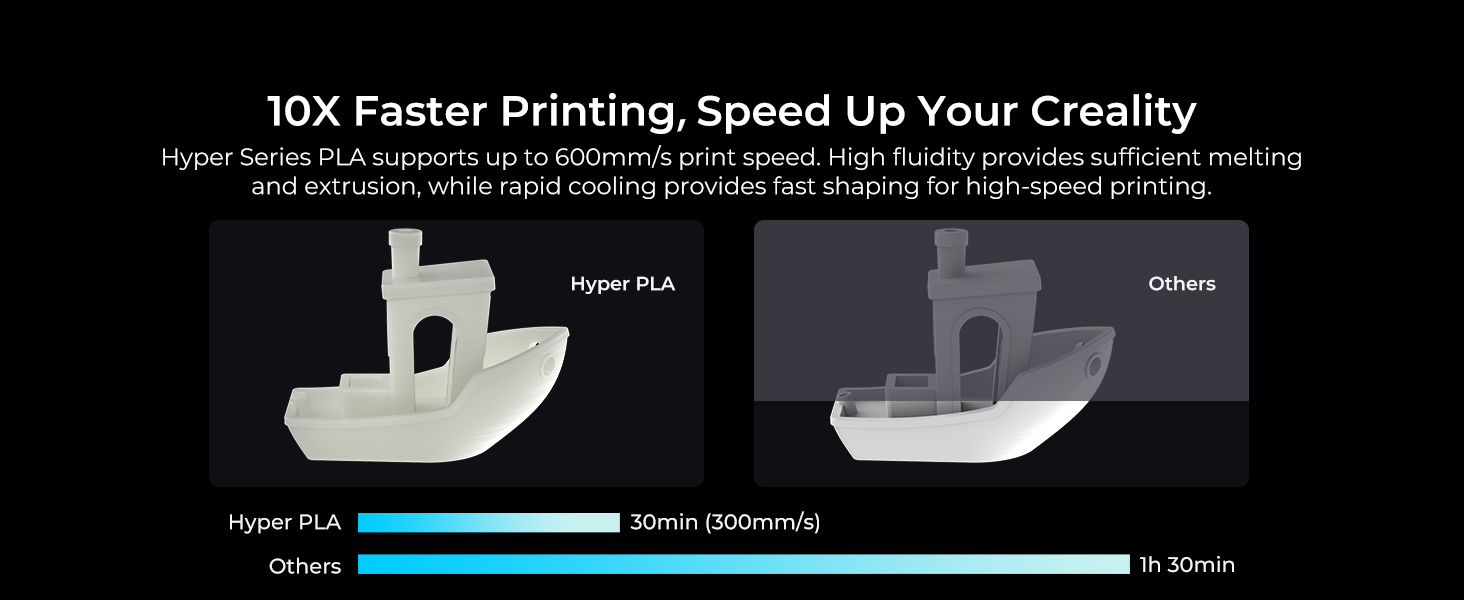
Image 3.2: Visual comparison of print speed and quality.
- High Dimensional Accuracy: The filament maintains a consistent diameter of 1.75mm with a tolerance of +/- 0.03 mm, ensuring precise and reliable extrusion for detailed models.

Image 3.3: Dimensional accuracy measurement of the filament.

Image 3.4: Illustration of high precision printing.
- Enhanced Toughness: Hyper PLA exhibits greater strength and resilience compared to traditional PLA, with higher tensile strength than ABS, contributing to more durable printed models.

Image 3.5: Comparison of material toughness.
- High Fluidity & Fast Cooling: The specialized formula ensures sufficient melting and extrusion at high speeds, while rapid cooling allows for quick solidification, crucial for maintaining print quality during fast printing.
- Wide Applicability: Compatible with most Creality 3D printers, including K1, K1 Max, and Ender-5 S1, as well as other high-speed 3D printers on the market (e.g., Anycubic Kobra 2, ELEGOO Neptune 4, Bambu Lab, Ankermake M5/M5C, Flashforge Adventurer 3 Pro2/4 Pro, Prusa, Monoprice, FLSUN V400, Artillery, Qidi MAX3).
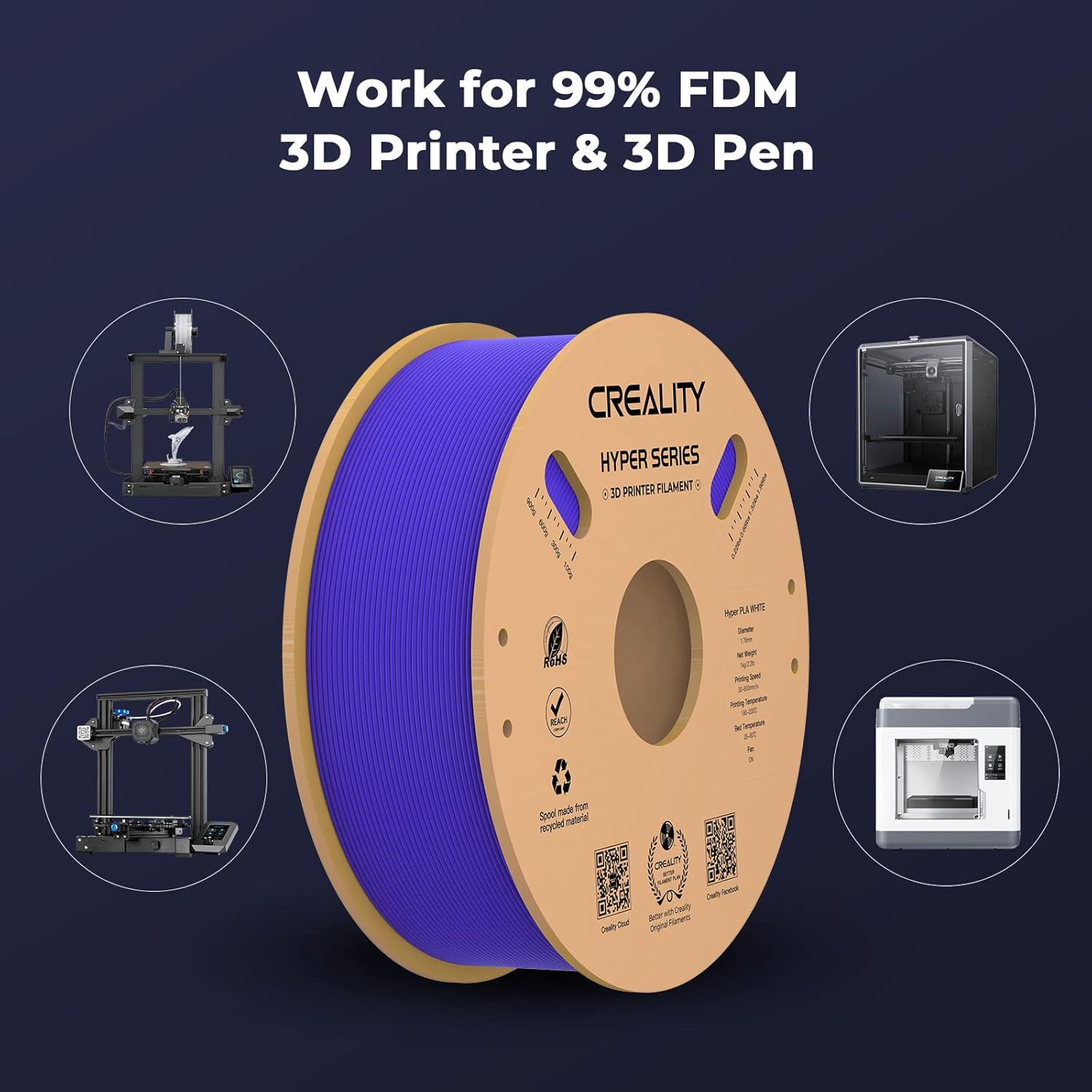
Image 3.6: Filament compatibility with various 3D printers.
- Neat Winding Process: The filament is neatly wound on the spool to prevent tangles and jamming, ensuring smooth and uninterrupted long-duration prints.

Image 3.7: Neat winding for smooth printing.
4. Maintenance and Storage
Proper storage of 3D printer filament is crucial for maintaining its quality and ensuring consistent print results. PLA filament can absorb moisture from the air, which can lead to printing issues such as bubbling, stringing, and reduced print strength.
4.1 Storage Recommendations
- Keep Dry: Store the filament in a cool, dry place, ideally in its original vacuum-sealed bag with a desiccant packet.
- Airtight Container: For opened spools, use an airtight container or a dedicated filament dry box to protect it from humidity.
- Avoid Direct Sunlight: Prolonged exposure to UV light can degrade the filament material.
5. Troubleshooting Common Issues
This section addresses common problems encountered during 3D printing with PLA filament and offers potential solutions.
5.1 Filament Tangles or Jams
- Cause: Improper winding, loose end of filament, or incorrect spool handling.
- Solution: Always secure the filament end in the spool's designated holes when not in use. Inspect the spool for tangles before and during printing. If a tangle occurs, carefully unwind and re-wind the affected section.
5.2 Poor Bed Adhesion
- Cause: Unlevel print bed, incorrect bed temperature, dirty print surface, or too large first layer gap.
- Solution: Ensure the print bed is properly leveled. Clean the print surface with isopropyl alcohol. Adjust bed temperature within the recommended range (45-60°C). Verify the first layer height and nozzle-to-bed distance.
5.3 Stringing or Oozing
- Cause: High nozzle temperature, insufficient retraction settings, or wet filament.
- Solution: Reduce nozzle temperature in 5°C increments. Increase retraction distance and speed in your slicer settings. Ensure filament is dry; consider using a filament dryer if moisture is suspected.
5.4 Clogging
- Cause: Dust on filament, heat creep, or foreign particles in the nozzle.
- Solution: Keep filament clean and stored properly. Ensure adequate cooling for the hotend. Perform a cold pull or clean the nozzle if a clog occurs.
6. Product Specifications
| Feature | Detail |
|---|---|
| Brand | Creality |
| Model Number | Hyper PLA |
| Material | Polylactic Acid (PLA) |
| Color | Hyper Pla - White |
| Item Diameter | 1.75 Millimeters |
| Dimensional Accuracy | +/- 0.03 mm |
| Item Weight | 1 Kilogram (2.2 lbs) |
| Printing Speed | Up to 600 mm/s |
7. Warranty and Support
7.1 Warranty Information
This product comes with a 1-year warranty from the date of purchase. The warranty covers manufacturing defects. Please retain your proof of purchase for any warranty claims.
7.2 Customer Support
For technical assistance, product inquiries, or warranty support, please contact Creality customer service through their official website or the retailer where the product was purchased. You can also visit the Creality Store on Amazon for more information.


