
ThruNite Catapult Mini V2 Black
ThruNite Catapult Mini V2 LED Searchlight
Model: Catapult Mini V2 Black
Brand: ThruNite
Introduction
The ThruNite Catapult Mini V2 is a high-performance, compact LED searchlight designed for various applications including law enforcement, search and rescue, emergency signaling, and everyday carry (EDC) use. It offers exceptional long-distance illumination and robust durability. With a maximum output of 1108 lumens and a beam distance of up to 515 meters, this flashlight is a powerful tool in a mini and portable form factor.

Image: ThruNite Catapult Mini V2 in use, demonstrating its powerful beam in a dark environment.
What's in the Box
Your ThruNite Catapult Mini V2 package includes the following items:
- 1 x ThruNite Battery
- 1 x USB-C Charging Cable
- 2 x Spare O-rings
- 1 x Lanyard
- 1 x USB Rubber Cover

Image: All included accessories with the ThruNite Catapult Mini V2 flashlight.
Setup
Before initial use, please ensure the flashlight is properly prepared and charged.
- Tighten the Head and Tail Cap: It is crucial to screw down both the light head and the tail cap tightly before using or charging the flashlight to ensure proper electrical contact and water resistance.

Image: Illustration of tightening the flashlight head for proper function.
- Initial Charge: The flashlight should be charged before its first use. Connect the included USB-C charging cable to the flashlight's USB-C port and a power source. The built-in battery indicator will provide charging status.

Image: Details of the USB-C charging port and rechargeable battery.
Operating Instructions
The ThruNite Catapult Mini V2 features a convenient one-switch design for easy operation.
Basic Operation
- Turn On/Off: Press the side switch once to turn the flashlight on or off.
- Change Modes: When the flashlight is on, press and hold the side switch to cycle through the brightness levels: Firefly, Low, Medium, High. Release the switch to select the desired mode.
- Turbo Mode: Double-click the side switch quickly from any mode (or off) to activate Turbo mode. Double-click again to return to the previous mode.
- Strobe Mode: Triple-click the side switch quickly from any mode (or off) to activate Strobe mode. Double-click again to return to the previous mode.
- Firefly Mode: From off, press and hold the side switch for 1 second to activate Firefly mode.

Image: Demonstrating the single-button operation of the flashlight.
Battery Indicator
The side switch also functions as a battery indicator, displaying the remaining battery power:
- Blue Light: 21% - 100% battery remaining.
- Flashing Red Light: 1% - 10% battery remaining (critical level).
- Purple Light: 11% - 20% battery remaining.
- Off: 0% battery remaining.

Image: Visual guide to the battery indicator light colors.
Maintenance
Proper maintenance ensures the longevity and optimal performance of your ThruNite Catapult Mini V2.
- Cleaning: Wipe the flashlight with a clean, soft cloth. For stubborn dirt, use a slightly damp cloth. Avoid harsh chemicals or abrasive materials.
- O-ring Lubrication: Periodically inspect and lubricate the O-rings with silicone grease to maintain the IPX8 waterproof rating. Replace worn or damaged O-rings with the provided spares.
- Battery Care: Store the flashlight with a partially charged battery if not used for extended periods. Recharge the battery every few months to prevent deep discharge.
- Waterproof Feature: The flashlight is rated IPX8 waterproof, meaning it can be submerged up to 2 meters. Ensure all caps are tightly sealed before exposing to water.
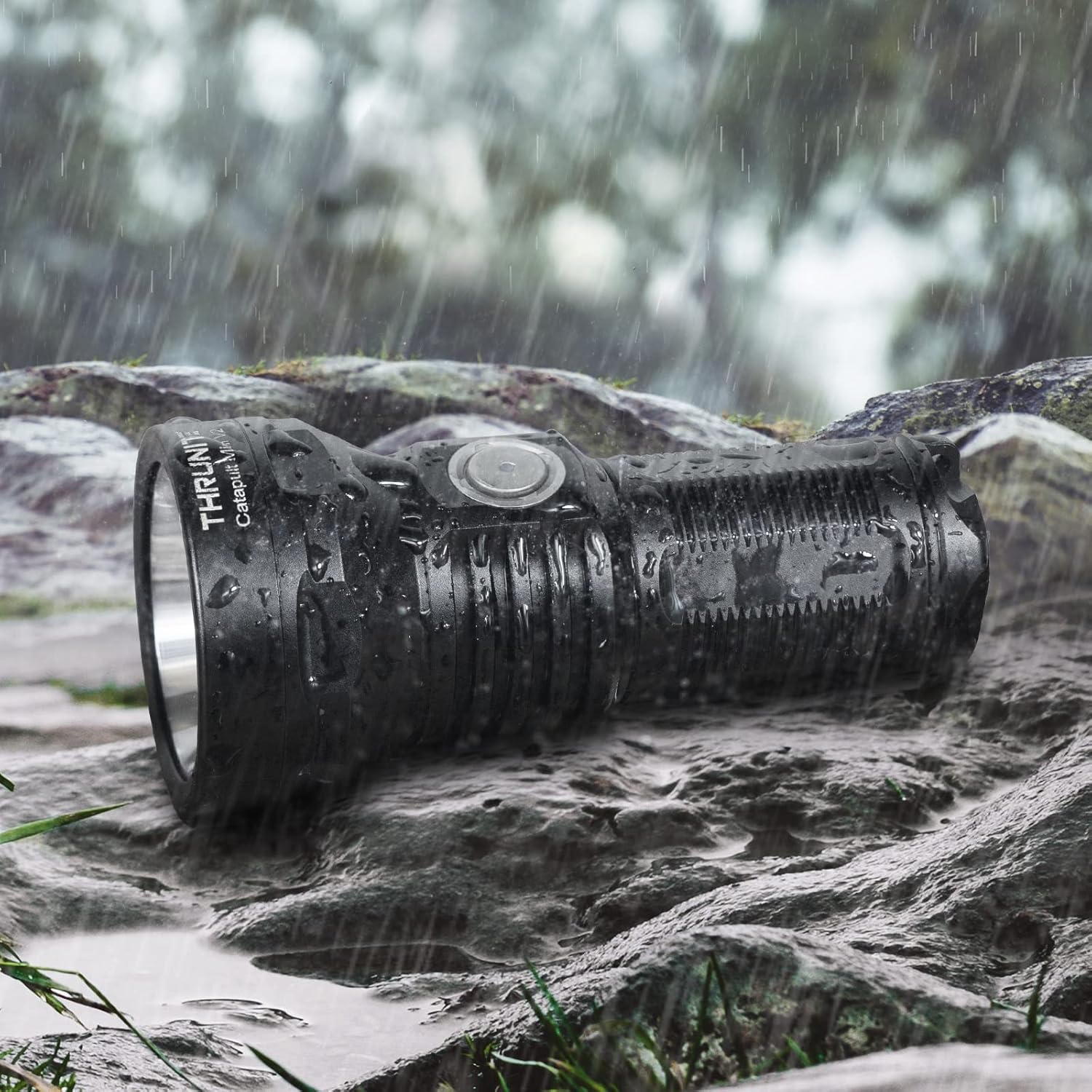
Image: The flashlight's IPX8 waterproof capability in action.
Troubleshooting
If you encounter issues with your ThruNite Catapult Mini V2, refer to the following common solutions:
- Flashlight Not Turning On:
- Ensure the light head and tail cap are screwed down tightly. A loose connection can prevent operation.
- Check the battery level. If the battery indicator is off or flashing red, recharge the flashlight.
- Verify the battery is inserted correctly with the positive (+) end towards the head.
- Light Flickers or Goes On/Off:
- This can indicate a loose battery connection. Ensure the battery is securely seated. Some users have found that gently stretching the spring in the base can help if the battery is slightly loose.
- Clean the contact points on the battery and inside the flashlight with a clean cloth to remove any dirt or corrosion.
- Flashlight Overheats:
- The Catapult Mini V2 has built-in thermal regulation. In Turbo or High modes, the flashlight will automatically step down in brightness to prevent overheating. This is normal operation.
- If the flashlight feels excessively hot during normal use, ensure it has adequate airflow and is not covered.
- Charging Issues:
- Ensure the USB-C cable is fully inserted into both the flashlight and the power source.
- Try a different USB-C cable or power adapter.
- Confirm the battery is properly installed.
Specifications
Detailed specifications for the ThruNite Catapult Mini V2 Black:
| Feature | Specification |
|---|---|
| Brand | ThruNite |
| Model Number | Catapult Mini V2 Black |
| Color | Catapult Mini V2 Black |
| Light Source Type | LED (SFT40 LED) |
| Material | Aluminum Alloy |
| White Brightness | 1108 Lumens (Max) |
| Light Path Distance | 515 Meters (Max) |
| Power Source | Battery Powered |
| Battery Cell Composition | Lithium Ion |
| Runtime | Up to 85 hours (Firefly mode) |
| Product Dimensions | 3.37"D x 1.59"W x 1.02"H |
| Item Weight | 3.17 ounces (90 Grams) |
| Water Resistance Level | IPX8 Waterproof (2M) |
| Impact Resistance | 1.5 meters |
| Special Features | Adjustable Light Modes, High Power, Impact Resistant, Long Range, Non Slip Grip |
Warranty and Support
ThruNite is committed to providing high-quality products and customer satisfaction. For specific warranty information, product registration, or technical support, please visit the official ThruNite website or contact their customer service department directly. Keep your proof of purchase for any warranty claims.
Official ThruNite Store: ThruNite Amazon Store
Related documentsCatapult Mini V2 Black


Ask a question about this manual
Ask about setup, troubleshooting, compatibility, parts, safety, or missing instructions. Manuals+ will review the question and use this page’s manual context to help answer it.