
1. Product Overview
The yuwell YHT101 is a digital infrared ear thermometer designed for accurate and rapid temperature measurement in both children and adults. It features a large display, a high-temperature alert, and memory storage for up to 7 readings, making it suitable for family use.
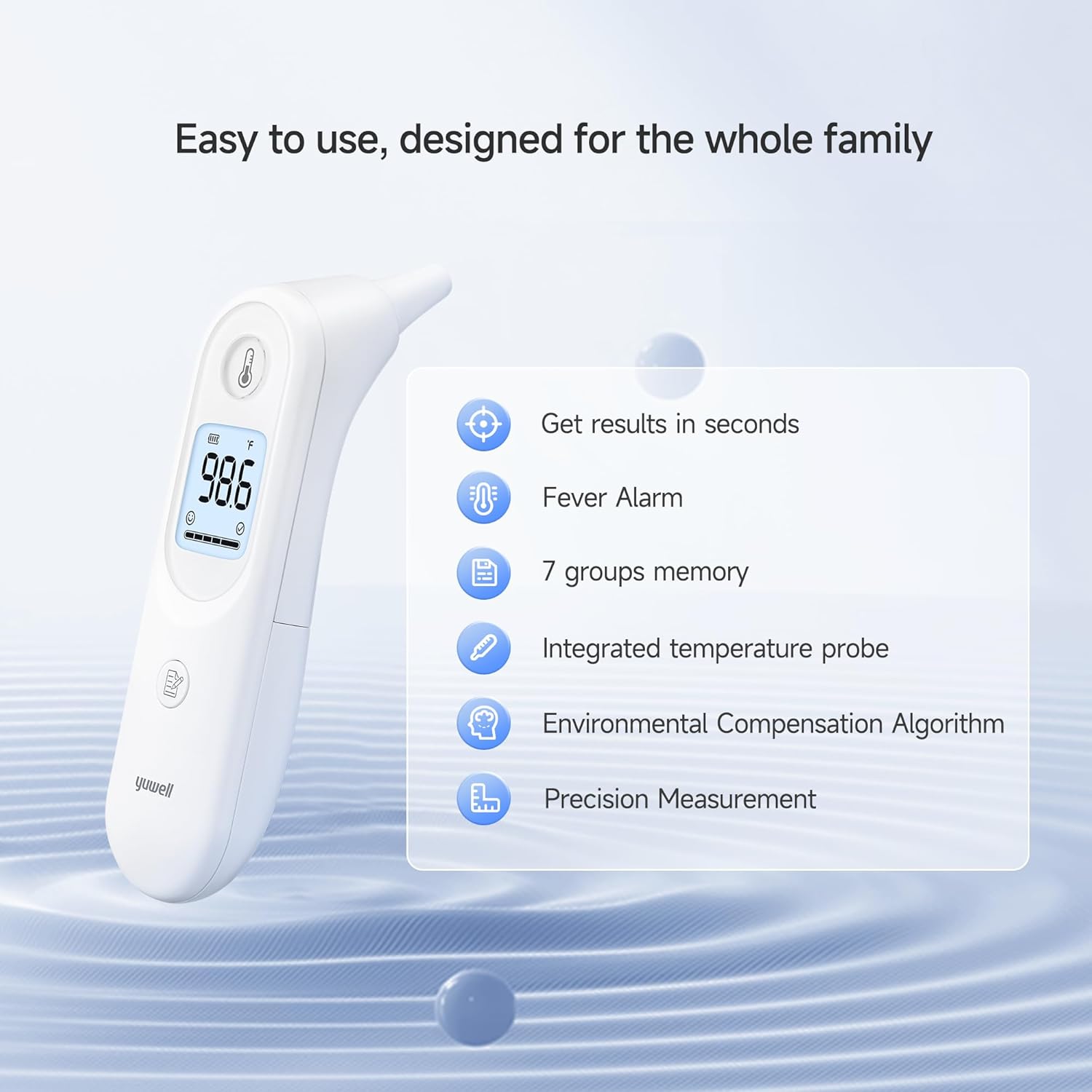
Figure 1: Key features of the yuwell YHT101 thermometer, highlighting its ease of use and precision.
Product Components
The package includes:
- 1 x yuwell YHT101 Digital Infrared Ear Thermometer
- 1 x Carrying Case
- 2 x AAA Alkaline Batteries
- 1 x User Manual
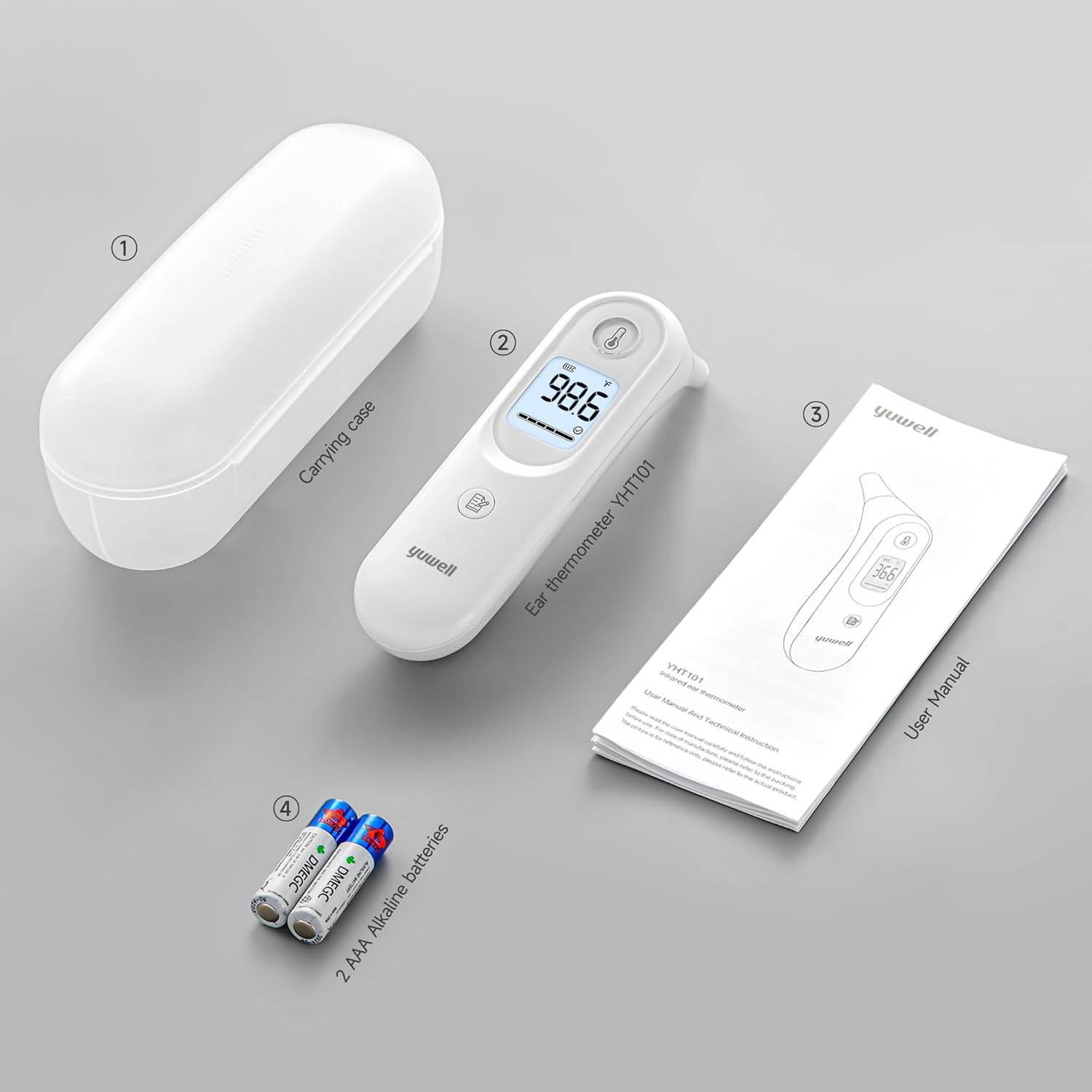
Figure 2: The complete set of items included with your yuwell YHT101 thermometer.
2. Safety Information
Please read all instructions carefully before using the device. Keep this manual for future reference.
- This thermometer is intended for household use only. It is not a substitute for professional medical advice or diagnosis.
- Do not use the thermometer if the ear canal is inflamed or infected.
- Keep the device out of reach of children and pets. Small parts, such as batteries, can be swallowed.
- Do not expose the thermometer to extreme temperatures, direct sunlight, high humidity, or dust.
- Avoid dropping the device or subjecting it to strong impacts.
- Always ensure the probe is clean before each use to prevent cross-contamination and ensure accurate readings.
- If the device malfunctions or provides inconsistent readings, consult the troubleshooting section or contact customer support.
3. Setup
3.1 Battery Installation
- Locate the battery cover on the back of the thermometer.
- Slide the cover open.
- Insert two AAA alkaline batteries, ensuring correct polarity (+/-).
- Close the battery cover securely.
3.2 Switching Temperature Units (°C / °F)
The thermometer allows you to switch between Celsius and Fahrenheit units.
- Ensure the ear thermometer is in the power-off state.
- Press and hold the measurement button (marked with a thermometer icon) for approximately 8-12 seconds.
- Press the memory button (marked with a document icon) to select either "°C" or "°F".
- Press the measurement button again to confirm your selection.

Figure 3: Steps for changing the temperature unit display.
4. Operating Instructions
4.1 Taking a Measurement
- Ensure the thermometer probe is clean.
- Press the measurement button to turn on the thermometer. The display will show the last reading or a standby indicator.
- Gently insert the probe into the ear canal. For accurate readings, ensure the probe is positioned correctly.
- Press the measurement button again. The measurement will be taken within seconds.
- The temperature reading will be displayed on the screen. The thermometer will automatically calibrate for the next measurement.

Figure 4: The integrated temperature probe ensures precise readings.
4.2 High Temperature Warning
If the measured temperature exceeds 37.5°C (99.5°F), the thermometer will activate an intelligent alert system:
- The thermometer will vibrate.
- An audible "di" sound alarm will be emitted.
- The screen will display an orange light reminder.

Figure 5: Visual representation of the high temperature warning system.
4.3 Memory Function
The thermometer stores up to 7 groups of previous temperature readings. To access these readings:
- With the thermometer powered on, press the memory button (marked with a document icon).
- Each press of the memory button will cycle through the stored readings, from the most recent to the oldest.
4.4 Device Parts Overview

Figure 6: Detailed view of the thermometer's components and their functions.
5. Maintenance
5.1 Cleaning the Thermometer
To ensure hygiene and accurate readings, clean the thermometer regularly:
- Wipe the probe tip gently with an alcohol swab or a soft cloth moistened with alcohol (70% isopropyl alcohol is recommended).
- Allow the probe to dry completely before use.
- Clean the main body of the thermometer with a soft, dry cloth. Do not immerse the device in water or any cleaning solutions.
- Do not use abrasive cleaning agents or thinners.
5.2 Storage
- Store the thermometer in its carrying case when not in use.
- Store in a cool, dry place, away from direct sunlight and extreme temperatures.
- Remove batteries if the device will not be used for an extended period to prevent battery leakage.
5.3 Battery Replacement
When the battery indicator on the display shows low power, replace the batteries as described in Section 3.1. Always use two new AAA alkaline batteries.
6. Troubleshooting
If you encounter issues with your yuwell YHT101 thermometer, refer to the following common problems and solutions:
| Problem | Possible Cause | Solution |
|---|---|---|
| Thermometer does not turn on. | Dead batteries or incorrect battery installation. | Check battery polarity or replace with new AAA batteries. |
| Inaccurate or inconsistent readings. | Improper probe placement, dirty probe, or environmental factors. | Ensure correct probe insertion. Clean the probe tip. Allow the thermometer to acclimatize to room temperature for 30 minutes. |
| High temperature warning (orange light/vibration) activates unexpectedly. | Actual high temperature or measurement error. | Re-take the measurement. If the warning persists and you suspect an error, consult a healthcare professional. |
| Display shows an error message (e.g., "Err"). | Device malfunction or measurement outside operating range. | Turn off the thermometer, wait a few minutes, and restart. If the error persists, contact customer support. |
7. Specifications
- Model: YHT101
- Measurement Type: Digital Infrared Ear Thermometer
- Power Source: 2 x AAA Alkaline Batteries (included)
- Display Type: Digital
- Memory Storage: 7 groups of readings
- Special Features: Large screen, High precision, Fast reading system, High temperature alert
- Age Range: Adult and Child
- Material: Plastic
- Dimensions (Package): 17.2 x 6.7 x 6.2 cm
- Weight (Package): 190 grams
- Manufacturer: Jiangsu Yuyue Medical Equipment & Supply Co., Ltd
- Compliance: FDA, AAMI
8. Warranty and Support
For any questions, concerns, or technical assistance regarding your yuwell YHT101 thermometer, please contact our customer service. We offer 24/7 customer support to assist you.
Please refer to the contact information provided in the product packaging or on the official yuwell website for specific support channels.


