
Introduction
The LEKATO WS-100 Wireless Guitar System provides a high-quality, cable-free solution for musicians. Featuring 24-bit/48KHz audio broadcast quality, this system ensures dynamic performance with minimal latency and signal loss. Its compact design and versatile plug options make it suitable for a wide range of electronic musical instruments.

Image: The LEKATO WS-100 Wireless Guitar System, including the transmitter, receiver, and portable charging case.
Key Features
- High-Quality Audio: 24-bit/48KHz audio broadcast quality for clear sound.
- Ultra-Low Latency: Less than 6ms delay, ensuring real-time performance without signal loss.
- Extended Range: Effective transmission range exceeding 100 meters outdoors and 30 meters indoors.
- Versatile Compatibility: 190-degree rotatable plug design with both 3.5mm and 6.35mm mono/stereo plugs, compatible with electric guitars, basses, electronic drums, keyboards, violins, and audio mixers.
- Long Battery Life: Built-in rechargeable lithium battery provides approximately 6 hours of continuous use per unit. The portable charging case offers two full charges, extending total battery life to 12 hours.
- Multi-Channel Support: Supports 4 channels for simultaneous operation of multiple devices, allowing for one-to-one or one-transmitter-to-multiple-receivers modes.
- Plug and Play: Automatic channel setup for quick and easy use.

Image: The 190-degree rotatable plug design allows for flexible connection to various instrument jack positions.

Image: Visual representation of the system's clear signal transmission, low interference, and extended range.
Package Contents
Verify that all items are present in the package:
- 1 x Transmitter Unit
- 1 x Receiver Unit
- 1 x Portable Charging Case
- 1 x Type-C USB Charging Cable
- 1 x User Manual

Image: All components included in the LEKATO WS-100 Wireless Guitar System package.
Setup Guide
1. Charging the Units
Before first use, fully charge both the transmitter and receiver units using the provided charging case and Type-C USB cable. The charging case itself has a built-in battery to provide multiple charges on the go.
- Place the transmitter and receiver into their respective slots in the charging case.
- Connect the Type-C USB cable to the charging case and a USB power adapter (not included).
- The indicator lights on the units and case will show charging status. A full charge provides approximately 6 hours of use per unit, with the case offering two full recharges.

Image: The portable charging case for the LEKATO WS-100, showing units being charged.
2. Power On and Pairing
The units are designed for automatic pairing. Simply power them on, and they should connect automatically.
- Press and hold the power button on both the transmitter and receiver units until the indicator lights turn on.
- The indicator lights will flash while searching for a connection and become solid green when successfully paired.
- If pairing fails, press and hold the channel switch button on both units for 3 seconds to re-pair.
Video: This video demonstrates the charging process and automatic pairing of the LEKATO WS-100 units.
3. Connecting to Your Instrument and Amplifier
The WS-100 features a 190-degree rotatable plug for flexible connection to various jack positions.
- Plug the transmitter unit into your instrument's output jack (e.g., guitar, bass). Ensure a secure fit.
- Plug the receiver unit into your amplifier's input jack or the input of your effects pedal chain.
- Adjust the angle of the plugs as needed for optimal positioning.
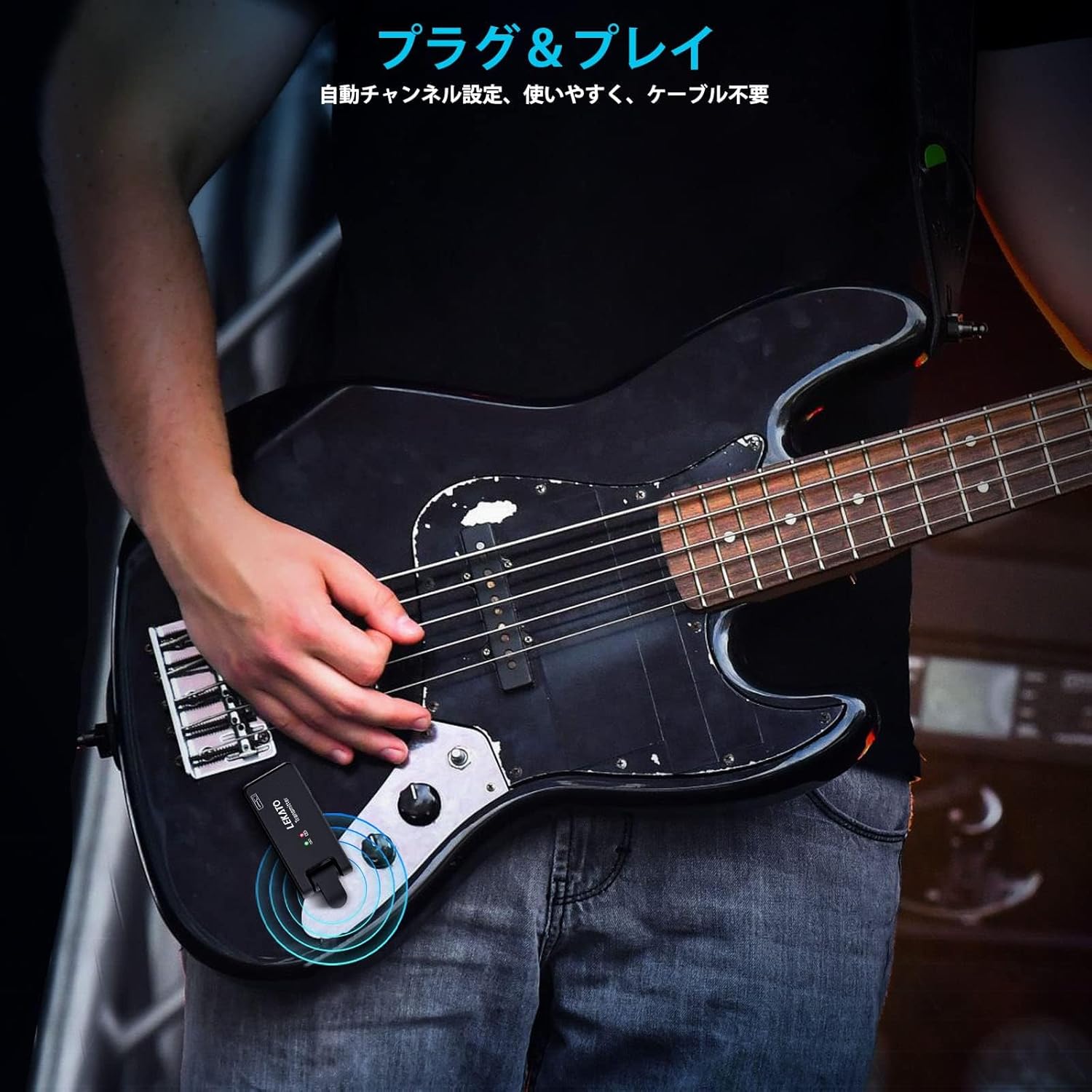
Image: The transmitter unit connected to an electric guitar's output jack.
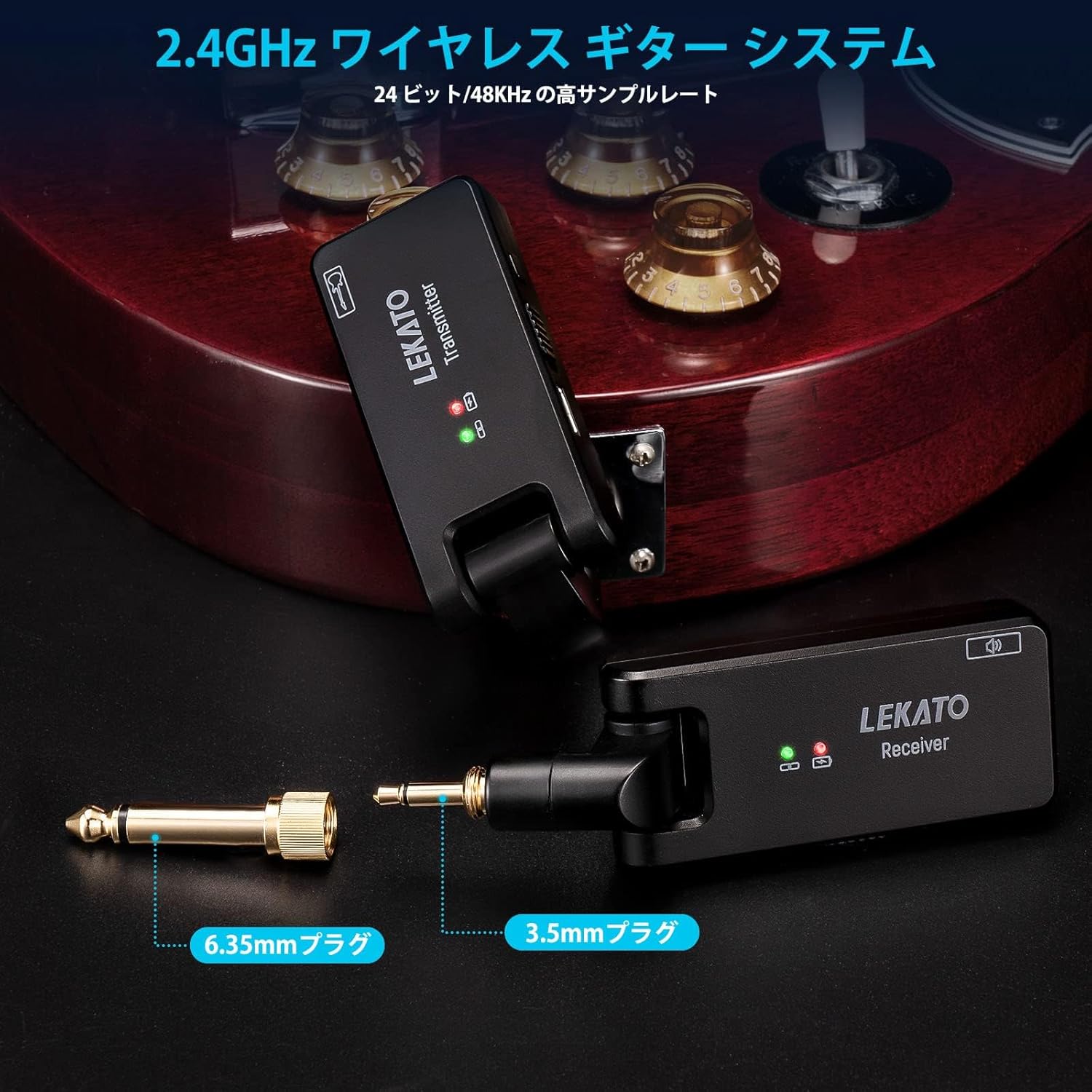
Image: The receiver unit connected to a guitar amplifier's input.
Video: This video demonstrates connecting the wireless system to a guitar and amplifier, and playing.
Operating Instructions
Power On/Off
To power on or off, press and hold the power button on each unit for approximately 2 seconds. The indicator light will illuminate when powered on.
Channel Selection
The WS-100 supports 4 channels to prevent interference when multiple wireless systems are in use. To change the channel:
- Briefly press the channel switch button on both the transmitter and receiver units.
- The indicator light will change color or flash pattern to indicate the selected channel. Ensure both units are set to the same channel.
Instrument Compatibility
The system is compatible with a wide range of instruments equipped with 3.5mm or 6.35mm (1/4 inch) output jacks. This includes, but is not limited to:
- Electric Guitars
- Bass Guitars
- Electronic Drums
- Keyboards
- Violins (with pickup)
- Audio Mixers

Image: The LEKATO WS-100 system is compatible with a variety of musical instruments, including guitars, basses, keyboards, and electronic drums.
Maintenance
Proper care ensures the longevity and optimal performance of your LEKATO WS-100 system.
- Cleaning: Use a soft, dry cloth to clean the units. Avoid using abrasive cleaners or solvents.
- Storage: Store the units in the charging case when not in use to protect them and keep them charged. Store in a cool, dry place away from direct sunlight and extreme temperatures.
- Battery Care: To maintain battery health, avoid fully discharging the units frequently. Recharge them regularly, even if not used for extended periods.
- Connector Care: Keep the 3.5mm and 6.35mm plugs clean and free of debris to ensure a good connection.
Troubleshooting
If you encounter issues with your LEKATO WS-100, refer to the following common solutions:
- No Sound:
- Ensure both transmitter and receiver are powered on and successfully paired (solid green indicator light).
- Check that the units are securely plugged into the instrument and amplifier/pedal.
- Verify the volume on your instrument and amplifier is turned up.
- Confirm both units are on the same channel.
- Interference/Poor Signal:
- Change the channel on both units to find a clearer frequency.
- Ensure there are no large metal objects or other 2.4GHz wireless devices nearby that could cause interference.
- Reduce the distance between the transmitter and receiver.
- Units Not Pairing:
- Ensure both units are fully charged.
- Press and hold the channel switch button on both units for 3 seconds to force a re-pairing.
- Short Battery Life:
- Ensure units are fully charged before use.
- The charging case provides additional charges; ensure the case itself is charged.
Specifications
| Feature | Specification |
|---|---|
| Frequency Band | 2.4GHz |
| Audio Quality | 24-bit/48KHz |
| Latency | < 6ms |
| Dynamic Range | 105dB |
| Transmission Range (Outdoor) | > 100 meters |
| Transmission Range (Indoor) | Up to 30 meters |
| Battery Life (Per Unit) | Approx. 6 hours |
| Charging Case Capacity | Provides 2 full charges (12 hours total) |
| Plug Type | 6.35mm (1/4 inch) and 3.5mm mono/stereo |
| Plug Rotation | 190 degrees |
| Channels | 4 |
Important Safety Notes
Please read and follow these safety instructions to prevent damage to the device or injury to yourself.
- Do not disassemble, repair, or modify the unit. This may cause electric shock, malfunction, or fire.
- Do not expose the unit to water, rain, or excessive moisture.
- Avoid using or storing the unit in high-temperature environments, such as near heat sources or in direct sunlight.
- Use only the provided Type-C USB cable for charging.
- Keep out of reach of children.
- Dispose of the product and its battery responsibly according to local regulations.
Warranty and Customer Support
LEKATO products are designed for reliability and performance. This product comes with a standard manufacturer's warranty. For detailed warranty information, product support, or any inquiries, please contact LEKATO customer service through the retailer where you purchased the product or visit the official LEKATO website.
Please retain your proof of purchase for warranty claims.