
1. Introduction
Thank you for purchasing the TIMEX Command TW2V35400 Men's Quartz Watch. This manual provides essential information for the proper setup, operation, and maintenance of your watch. Please read it carefully to ensure optimal performance and longevity of your timepiece.
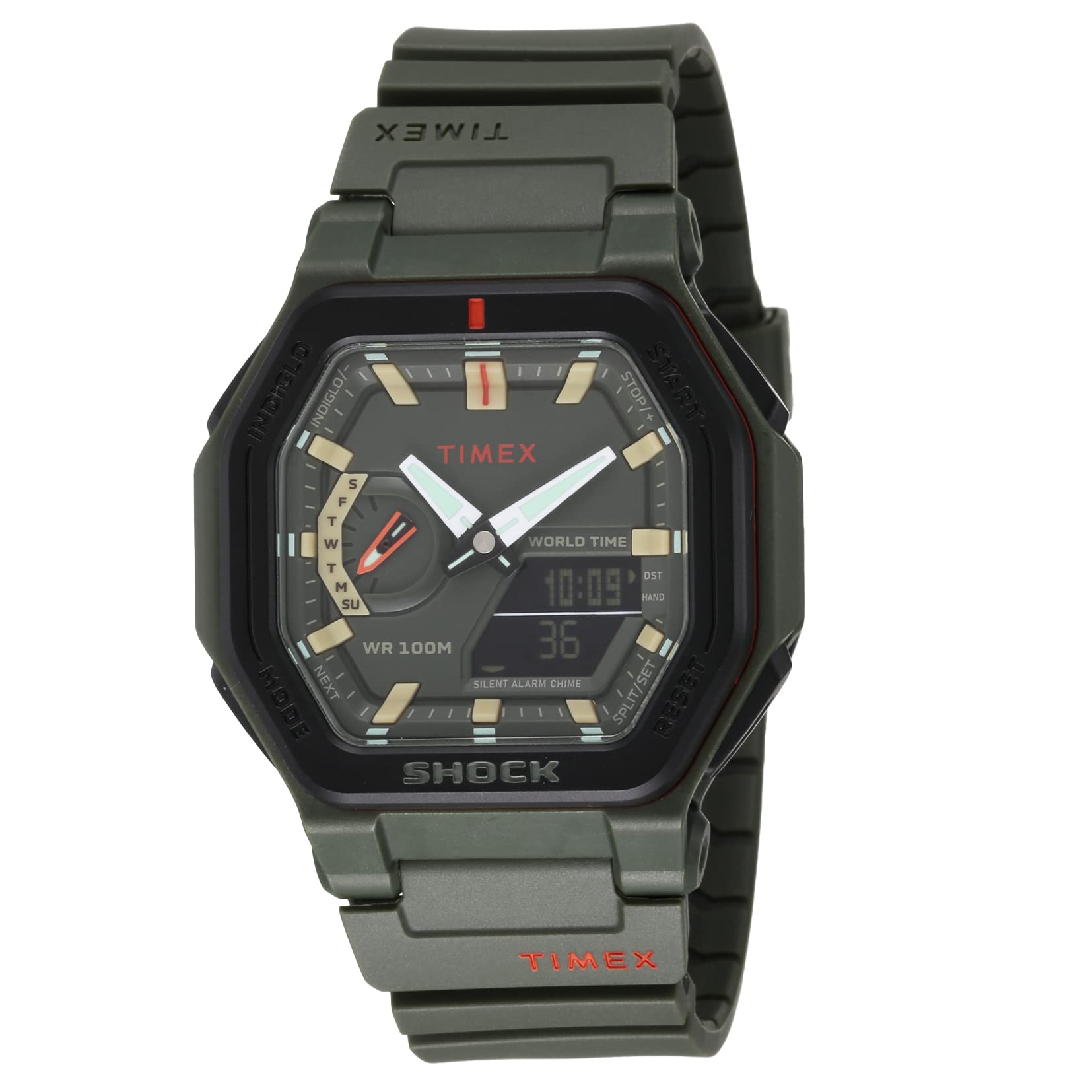
Figure 1: Front view of the TIMEX Command TW2V35400 watch, showcasing its robust design and analog-digital display.
2. Setup
2.1 Initial Time Setting (Analog Hands)
- Pull out the crown: Gently pull the crown (the knob on the side of the watch) to the outermost position.
- Set the time: Rotate the crown to move the analog hands clockwise until the desired time is displayed.
- Push in the crown: Once the time is set, push the crown back into its normal position to start the watch.
2.2 Digital Time and Date Setting
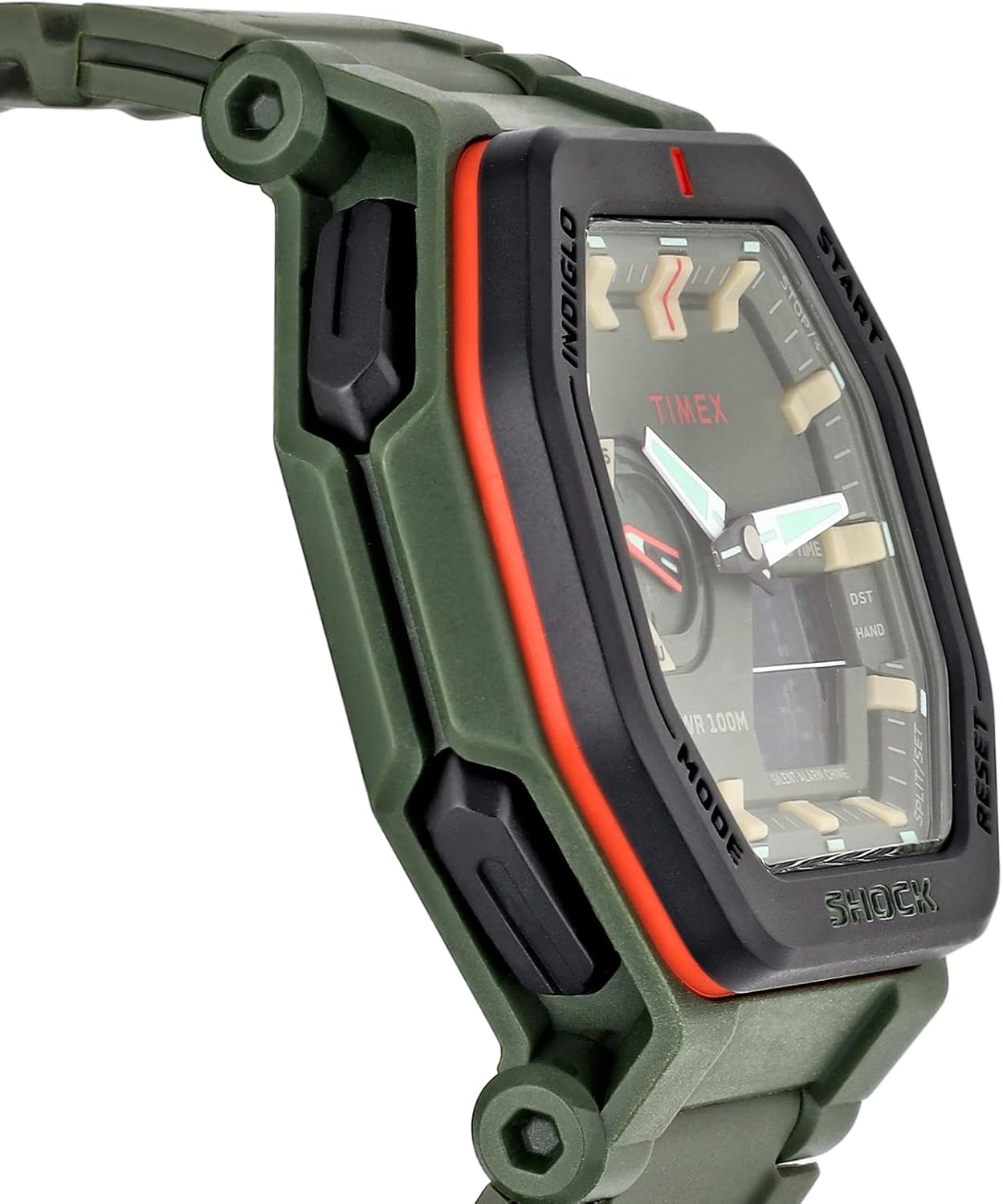
Figure 2: Side view of the watch, highlighting the function buttons for digital display control.
- Enter Time Set Mode: Press the MODE button repeatedly until the digital display shows the time setting screen (e.g., flashing hours).
- Adjust Values: Use the START or RESET buttons to increase or decrease the flashing value (hours, minutes, year, month, day).
- Advance to Next Setting: Press the MODE button to move to the next setting (e.g., from hours to minutes).
- Exit Setting Mode: Once all settings are adjusted, press the MODE button until the watch returns to the normal time display.
2.3 Hand Alignment (if analog hands do not match digital time)
- Enter Hand Set Mode: Press and hold the HAND button until the analog hands start moving or a specific indicator appears on the digital display.
- Adjust Hands: Use the START or RESET buttons to move the analog hands to the correct position, matching the digital time.
- Confirm Setting: Press the HAND button again to confirm and exit the hand alignment mode.
3. Operating Instructions
3.1 Basic Time Display
The watch displays time using both analog hands and a digital display. The digital display can show time, date, and other functions depending on the selected mode.
3.2 Indiglo Night-Light
To illuminate the watch face in low-light conditions, press the INDIGLO button (typically located on the upper left side of the watch case). The backlight will remain on for a few seconds.
3.3 Using Digital Functions (Stopwatch, Alarm, Timer)

Figure 3: Top view of the watch, showing the arrangement of the function buttons.
- Mode Selection: Press the MODE button to cycle through available digital functions such as Stopwatch, Alarm, and Timer.
- Start/Stop: In Stopwatch or Timer mode, press the START button to begin and stop the function.
- Reset: Press the RESET button to clear the stopwatch or timer.
- Split/Reset: The SPLIT/RESET button allows for recording split times in stopwatch mode or resetting functions.
- Daylight Saving Time (DST): The DST function can be activated or deactivated in time mode to adjust for daylight saving. Refer to the digital setting instructions for adjustment.
4. Maintenance
4.1 Cleaning Your Watch
To maintain the appearance of your watch, wipe it regularly with a soft, dry cloth. For resin components, a slightly damp cloth can be used, followed by drying. Avoid harsh chemicals or abrasive materials.
4.2 Water Resistance
Your TIMEX Command watch is water resistant up to 30 meters (3 ATM). This means it is suitable for daily use and can withstand splashes or brief immersion in water. It is not suitable for swimming, showering, or diving. Always ensure the crown is fully pushed in to maintain water resistance.
4.3 Battery Replacement

Figure 4: Rear view of the watch, displaying the model number (TW2V35400) and battery type (CR2025).
The watch uses a CR2025 battery. When the battery runs low, the digital display may dim or the watch may stop functioning. Battery replacement should ideally be performed by a qualified watch technician to ensure proper sealing and water resistance. Opening the watch case yourself may void the warranty.

Figure 5: Another view of the watch back and strap, showing the overall construction.
4.4 Strap Care
The resin strap is durable but can be cleaned with mild soap and water if it becomes dirty. Rinse thoroughly and dry completely before wearing. Avoid prolonged exposure to direct sunlight or extreme temperatures to prevent material degradation.

Figure 6: Detail of the watch's resin strap and buckle mechanism.
5. Troubleshooting
- Watch not running: Check if the crown is fully pushed in. If the watch is still not running, the battery may need replacement.
- Incorrect time: Follow the time setting instructions in Section 2. If analog hands and digital time do not match, use the hand alignment procedure.
- Digital display dim or blank: This usually indicates a low battery.
- Water inside the watch: Immediately take the watch to a qualified service center. Do not attempt to open it yourself.
For issues not covered here, please contact TIMEX customer support.
6. Specifications
| Feature | Specification |
|---|---|
| Model Number | TW2V35400 |
| Model Name | Command |
| Case Size | 45 mm |
| Case Material | Resin |
| Band Material | Resin |
| Movement | Quartz |
| Display Type | Analog-Digital |
| Water Resistance | 30 meters (3 ATM) |
| Battery Type | CR2025 |
| Special Features | Indiglo Night-Light, Shock Resistant, Stopwatch, Alarm, Timer, DST |
7. Warranty and Support
7.1 Warranty Information
Your TIMEX watch is covered by a manufacturer's warranty. Please refer to the warranty card included with your purchase or visit the official TIMEX website for detailed terms and conditions regarding warranty coverage and duration.
7.2 Customer Support
For further assistance, technical support, or service inquiries, please visit the official TIMEX website or contact their customer service department. Contact details can typically be found on the TIMEX website or on your warranty documentation.


