
Introduction
Thank you for choosing the cooler depot CW-67 Commercial Refrigerated Countertop Sandwich Prep Table. This manual provides essential information for the safe and efficient operation, installation, and maintenance of your unit. Please read these instructions thoroughly before use and retain them for future reference.
This unit is designed for commercial use to keep food items, such as sandwich ingredients, salad toppings, or condiments, at safe refrigerated temperatures on a countertop. It features a stainless steel construction, digital temperature control, and an automatic defrost system.
Safety Information
Always observe basic safety precautions when using electrical appliances to reduce the risk of fire, electric shock, and injury.
- Ensure the unit is connected to a properly grounded 115V AC power outlet.
- Do not operate the unit with a damaged power cord or plug.
- Keep ventilation openings clear of obstructions.
- Do not store explosive substances such as aerosol cans with a flammable propellant in this appliance.
- Only qualified personnel should perform repairs.
- Unplug the unit before cleaning or performing any maintenance.
Warning: Risk of fire or explosion. Flammable refrigerant used. Do not use mechanical devices to defrost refrigerator. Do not puncture refrigerant tubing.
Caution: Risk of fire or explosion. Flammable refrigerant used. To be repaired only by trained service personnel. Consult repair manual/owner's guide before attempting to service this product. All safety precautions must be followed.
Caution: Risk of fire or explosion. Dispose of refrigerator properly in accordance with federal or local regulations. Flammable refrigerant used.
Setup
1. Unpacking
Carefully remove the unit from its packaging. Inspect for any shipping damage. Keep the pallet and packaging material for potential returns or future transport.
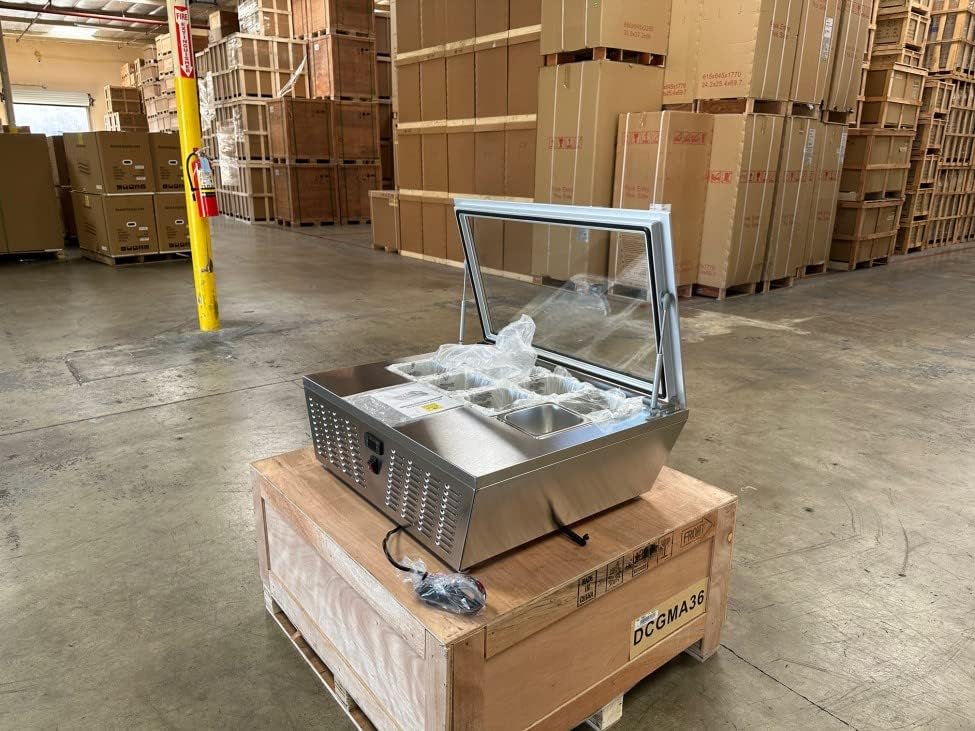
Image: The cooler depot CW-67 unit, still on its wooden shipping pallet, with the glass lid open, revealing the stainless steel food pans inside. The unit is made of stainless steel.
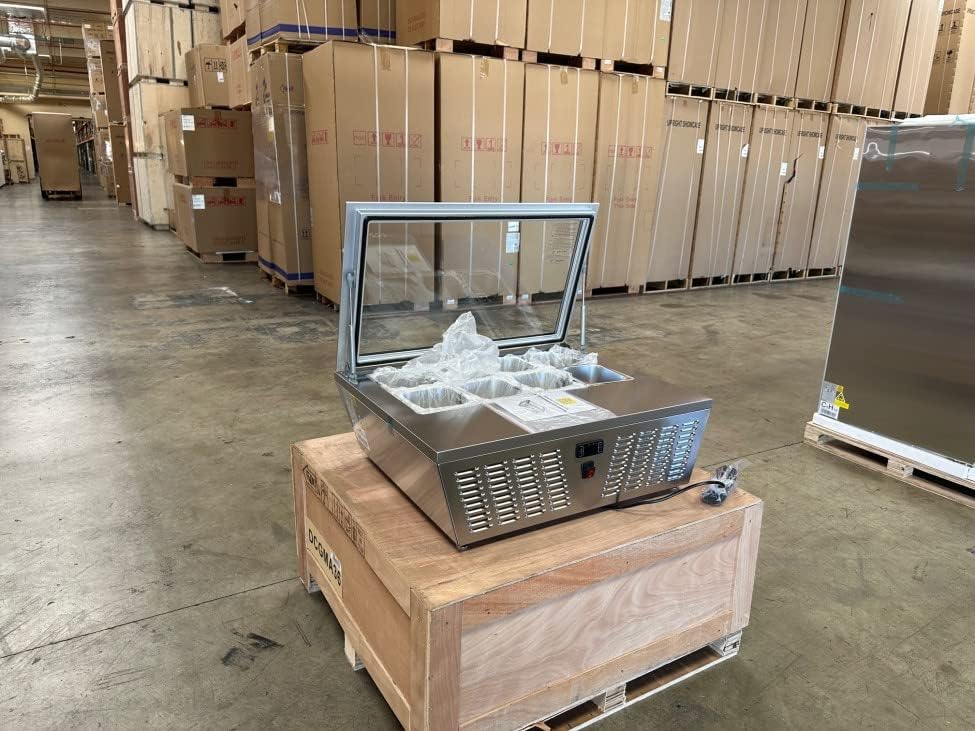
Image: A side view of the cooler depot CW-67 unit, positioned on a wooden pallet. The image highlights the side ventilation grilles and the attached power cord, with the glass lid open.
2. Placement
- Place the unit on a sturdy, level countertop capable of supporting its weight (approximately 35 lbs empty).
- Ensure adequate ventilation around the unit. Maintain at least 4 inches of clearance from walls or other obstructions on all sides to allow for proper airflow to the compressor and condenser.
- Avoid direct sunlight or proximity to heat sources (e.g., ovens, stoves) to ensure optimal cooling performance.
- Adjust the adjustable feet to ensure the unit is level.
3. Initial Cleaning
Before first use, clean the interior and exterior surfaces with a mild detergent and warm water. Rinse thoroughly and dry completely. Ensure all food pans are clean before placing them in the unit.
4. Power Connection
Plug the unit into a dedicated 115V AC, 60Hz grounded electrical outlet. Do not use extension cords or adapters.
5. Pan Installation
The unit is designed to accommodate 8 x 1/6 GN pans or 4 x 1/3 GN pans. Place the desired pans into the refrigerated well. Ensure pans are properly seated for efficient cooling.
Operating Instructions
1. Power On/Off
Locate the On/Off switch, typically on the side or front panel. Flip the switch to the 'On' position to power the unit. The digital temperature display will illuminate.
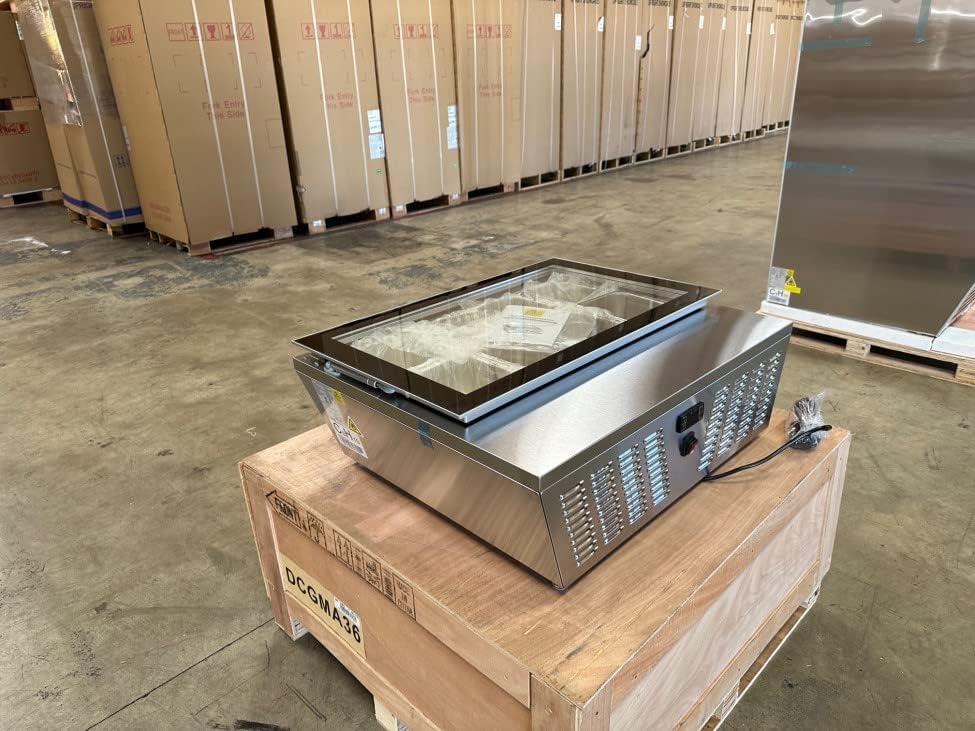
Image: A detailed view of the control panel located on the side of the cooler depot CW-67 unit. It features a digital temperature display and a power On/Off switch.
2. Digital Temperature Control
The unit features a digital temperature controller and display. The factory preset temperature range is typically 2-12°C (35.6-53.6°F). Refer to the controller's specific instructions for adjusting the set point. Generally, buttons are available to increase or decrease the temperature setting.
- Allow the unit to reach the desired temperature before loading food items.
- Monitor the display to ensure the unit maintains the set temperature.
3. Automatic Defrost
This unit is equipped with an automatic defrost system. This system periodically melts accumulated frost from the evaporator coil, eliminating the need for manual defrosting under normal operating conditions. During a defrost cycle, the internal temperature may temporarily rise slightly, which is normal.
4. Glass Cover
The folding glass cover helps maintain internal temperatures and protects food items. Keep the cover closed when not actively serving to ensure optimal performance and food safety.
Maintenance
1. Cleaning
- Daily: Clean the interior and exterior surfaces with a soft cloth and mild, non-abrasive detergent. Wipe down the glass cover.
- Weekly: Remove all food pans and clean them thoroughly. Clean the refrigerated well.
- Monthly: Inspect and clean the condenser coil. A dirty condenser coil can reduce efficiency and increase energy consumption. Use a brush or vacuum cleaner to remove dust and debris.
- Always unplug the unit before cleaning.
- Do not use harsh chemicals, abrasive cleaners, or sharp objects that could damage the stainless steel finish or internal components.
2. Adjustable Feet
Periodically check the adjustable feet to ensure the unit remains level. Adjust as necessary to prevent vibrations and ensure proper drainage.
Troubleshooting
Before contacting service, review the following common issues and solutions:
| Problem | Possible Cause | Solution |
|---|---|---|
| Unit does not power on | No power to the outlet; Power cord unplugged; On/Off switch is off. | Check power supply; Ensure cord is securely plugged in; Flip On/Off switch to 'On'. |
| Unit not cooling sufficiently | Temperature setting too high; Poor ventilation; Dirty condenser coil; Glass cover left open. | Adjust temperature setting lower; Ensure adequate clearance around unit; Clean condenser coil; Keep glass cover closed. |
| Excessive noise | Unit not level; Loose components; Fan obstruction. | Adjust feet to level unit; Inspect for loose parts; Check for fan obstructions. |
| Water on floor or inside unit | Drain line clogged; Excessive humidity. | Clear drain line; Ensure glass cover is closed to reduce humidity ingress. |
If problems persist after attempting these solutions, please contact customer support.
Specifications
| Feature | Specification |
|---|---|
| Model Name | CW-67 |
| Product Dimensions (D x W x H) | 25"D x 31"W x 12"H (635mm x 787mm x 305mm) |
| Capacity | 67 Liters (2.37 Cu. Ft.) |
| Temperature Range | 2-12°C (35.6-53.6°F) |
| Voltage | 110-120V (AC), 60Hz |
| Rated Current | 2.7A |
| Rated Input Power | 125 Watts |
| Refrigerant | R290/R55 |
| Defrost System | Automatic |
| Material | Stainless Steel |
| Net Weight | 34.5 kg (76 lbs) |
| Pan Configuration | 8 x 1/6 GN pans or 4 x 1/3 GN pans |
| Certifications | ETL Intertek, NSF |

Image: A detailed specification sheet for the cooler depot CW-67, showing technical data including dimensions, capacity, temperature range, and electrical specifications.

Image: The product rating label for the cooler depot CW-67, displaying critical information such as the model number, refrigerant type, voltage, and various safety certifications like ETL.
Warranty and Support
cooler depot offers the following warranty for this product:
- 3-Year Parts Warranty
- 6-Year Compressor Warranty
- 1-Year Labor Warranty
For functional failures within 1 month of purchase, you may be eligible for a Free Return. Please retain the original pallet and packaging material, as they are required for any returns.
For technical support, warranty claims, or service inquiries, please contact cooler depot:
- Phone: (626)417-3090
- Email: info@coolerdepotusa.com
- Website: www.coolerdepotusa.com
- Address: 14923 Proctor Ave, City of Industry, CA 91746
- Operating Hours: Monday to Friday, 9:00 AM - 5:00 PM (PST)
When contacting support, please have your model number (CW-67) and the manufacturing date/serial number (e.g., CW CJ0670010311300015) ready.