
ELLE EL261
ELLE Digital Body Analysis Scale EL261 User Manual
Introduction
Welcome to your ELLE Digital Body Analysis Scale EL261. This manual provides essential information for the proper setup, operation, and maintenance of your scale. Please read these instructions carefully before use to ensure accurate measurements and safe operation.

Image: Top view of the ELLE Digital Body Analysis Scale EL261, displaying a weight reading on its LCD screen.
Product Features
- Comprehensive Body Analysis: Utilizes Bioelectrical Impedance Analysis (BIA) to measure weight, body fat, hydration level, bone mass, muscle mass, calories, and Body Mass Index (BMI).
- Clear Display: Features an easy-to-read LCD display for real-time measurements.
- Accuracy: Equipped with four high-precision sensors for reliable readings.
- Durability: Constructed with a tempered glass platform, supporting a maximum capacity of 400 lbs (180 kg).
- Auto-Calibration: Ensures consistent readings over time.
- User-Friendly: Simple interface for quick measurements without complex setup.
- Design: Sleek, slim, and lightweight for easy storage and cleaning.

Image: Side view of the ELLE Digital Body Analysis Scale EL261, highlighting its slim profile.
Setup
1. Battery Installation
- Locate the battery compartment on the underside of the scale.
- Insert the appropriate batteries (e.g., AAA, not included) ensuring correct polarity as indicated inside the compartment.
- Close the battery compartment securely.
2. Placement
Place the scale on a hard, flat, and stable surface. Avoid carpets, rugs, or uneven flooring, as these can significantly affect measurement accuracy.
3. Unit Selection
On the underside of the scale, locate the unit switch (often labeled "UNIT" or "kg/lb"). Select your preferred unit of measurement (pounds (lb) or kilograms (kg)).
Operating Instructions
1. Taking a Measurement
- Gently step onto the scale with bare, dry feet. Ensure your feet are positioned directly on the metal electrodes for accurate body composition analysis.
- The scale will automatically turn on and display your weight.
- Remain still on the scale. The display will then cycle through various body composition measurements such as body fat, hydration, muscle mass, bone mass, calories, and BMI.
- Wait for the readings to stabilize and display all metrics before stepping off.
2. Auto-Off Function
The scale is equipped with an automatic shut-off feature. It will turn off after a few seconds of inactivity to conserve battery life.
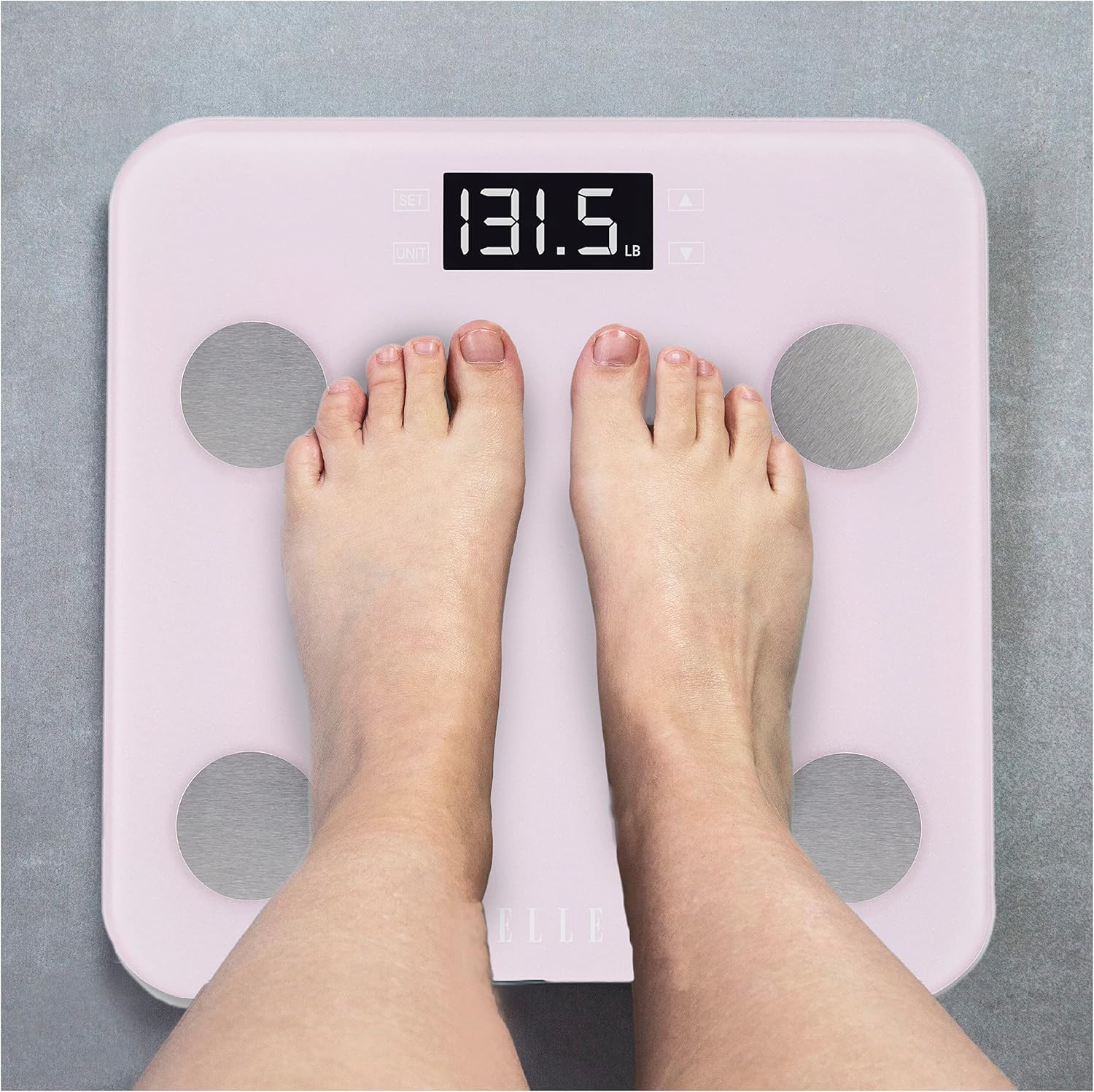
Image: A person's bare feet correctly positioned on the metal electrodes of the ELLE Digital Body Analysis Scale EL261 for a measurement.
Understanding Your Readings
Your ELLE Digital Body Analysis Scale provides the following metrics:
- Weight: Your total body mass.
- Body Fat: The estimated percentage of fat tissue in your body.
- Hydration Level: The estimated percentage of water content in your body.
- Bone Mass: The estimated weight of your bones.
- Muscle Mass: The estimated weight of your muscle tissue.
- Calories: An estimated daily caloric intake recommendation based on your body composition and activity level.
- Body Mass Index (BMI): A general indicator of body fat based on your height and weight.

Image: The ELLE Digital Body Analysis Scale EL261 alongside a list of the various body composition metrics it measures.
Maintenance and Care
- Cleaning: Wipe the scale surface with a soft, damp cloth. Do not use abrasive cleaners, chemical solvents, or immerse the scale in water.
- Storage: Store the scale in a cool, dry place. Avoid exposure to extreme temperatures or direct sunlight.
- Battery Replacement: Replace batteries promptly when the low battery indicator appears on the display to ensure continued accurate operation.
Troubleshooting
| Issue | Possible Cause | Solution |
|---|---|---|
| Scale does not turn on | Dead or incorrectly installed batteries | Check battery polarity or replace batteries with new ones. |
| Inaccurate readings | Scale on uneven surface; not calibrated; feet not properly placed | Place scale on a hard, flat surface. Step on and off to re-calibrate. Ensure bare feet are centered on electrodes. |
| "Err" message displayed | Overload or measurement error | Step off the scale. If overload, ensure weight is within the 400 lbs (180 kg) capacity. Try again. |
| No body composition data (only weight) | Feet not making proper contact with electrodes; user wearing socks/shoes | Ensure bare, dry feet are placed directly on the metal electrodes. |
Specifications
| Feature | Detail |
|---|---|
| Item Model Number | EL261 |
| Brand | ELLE |
| Color | Purple |
| Maximum Capacity | 400 lbs (180 kg) |
| Display Type | LCD |
| Special Features | Body Fat, Body Mass Index, Bodyweight, Lightweight, Muscle Mass |
| Recommended Uses | Adults |
| Manufacturer | Sakar International |
| Date First Available | March 8, 2023 |
| Package Dimensions | 16.5 x 16.5 x 2 inches; 5.3 Pounds |
Warranty and Support
For detailed warranty information, technical assistance, or customer support, please refer to the documentation included with your purchase or visit the official ELLE product support website. Please have your model number (EL261) available when contacting support.
Related documentsEL261

Ask a question about this manual
Ask about setup, troubleshooting, compatibility, parts, safety, or missing instructions. Manuals+ will review the question and use this page’s manual context to help answer it.