
Introduction
Thank you for choosing the NEO CHAIR Ergonomic Office Chair. This manual provides essential information for the assembly, operation, maintenance, and care of your new chair. Please read these instructions carefully before assembly and retain them for future reference.
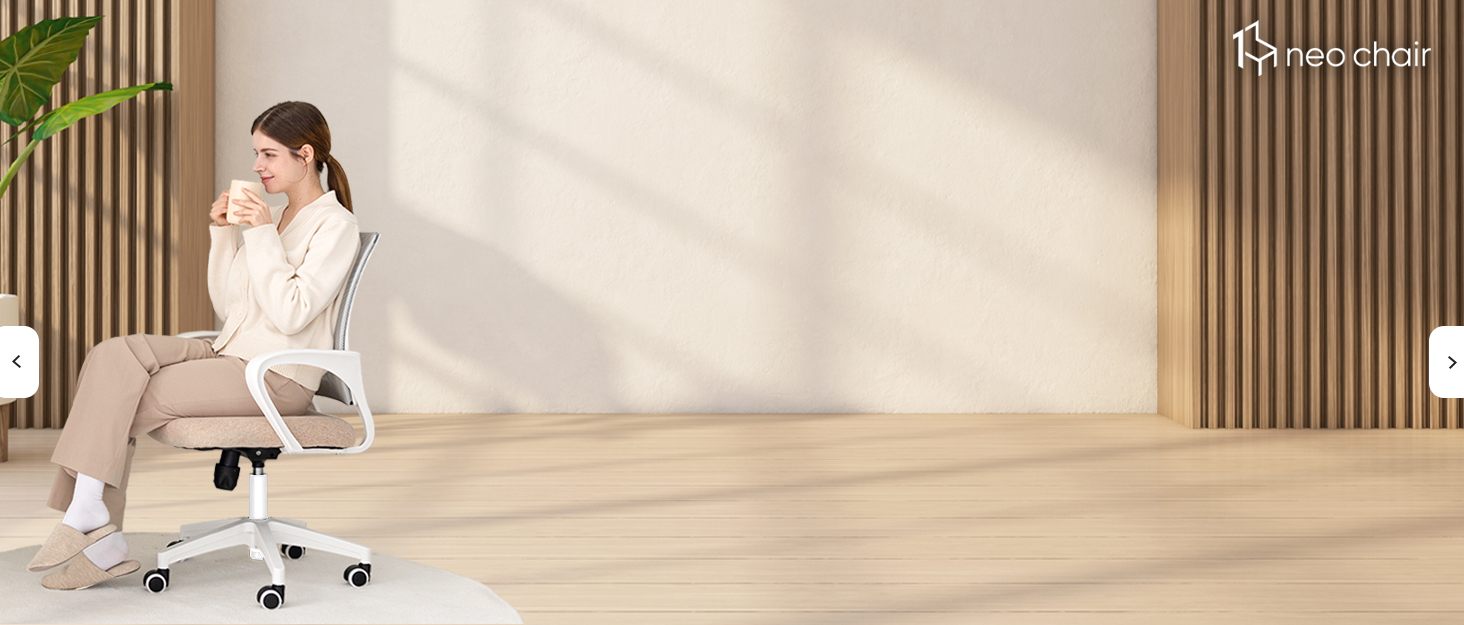
The NEO CHAIR Ergonomic Office Chair, designed for comfort and functionality.
Setup and Assembly
Assembly is required for this product. Please follow the steps outlined in the video below for a smooth setup process. Ensure all parts are present before beginning assembly. If any parts are missing, please contact customer support.
Official assembly guide for the NEO CHAIR. This video demonstrates step-by-step instructions for putting together your new office chair, including attaching the base, wheels, armrests, and control mechanism.
Important Assembly Notes:
- For each step, under-tighten all bolts in place first.
- Attach the base legs and press until you hear a "click".
- Push the wheels vertically from the base.
- Remove the gas lift cap before installation (if included). Do not remove the orange or white button on the gas lift.
- Align the armrests and under-tighten the bolts with washers attached.
- Align the backrest with the armrest and under-tighten the bolts.
- Align the control mechanism with the bolt holes on the seat, ensuring the "FRONT" indicator is correctly oriented. Under-tighten the bolts in diagonal order first.
- Fully tighten all bolts using the included allen key after all components are aligned.
- Align the hole on the control mechanism to the gas lift and mount.
Operating Instructions
Your NEO CHAIR is designed with several adjustable features to enhance your comfort and productivity.
Adjustable Features:
- Seat Height Adjustment: Use the lever located under the seat to raise or lower the chair to your desired height.
- Tilt Tension Control: Adjust the knob under the seat to control the resistance when reclining.
- Recline Function: The chair allows for a tilt range from 90° (work) to 120° (relax). Use the lever to lock or unlock the recline position.
- 360-Degree Swivel: The chair base allows for full rotation, providing flexibility and ease of movement.
- Flip-up Arms: The padded armrests can be flipped up to 90 degrees, allowing the chair to be pushed closer to your desk or to save space when not in use.
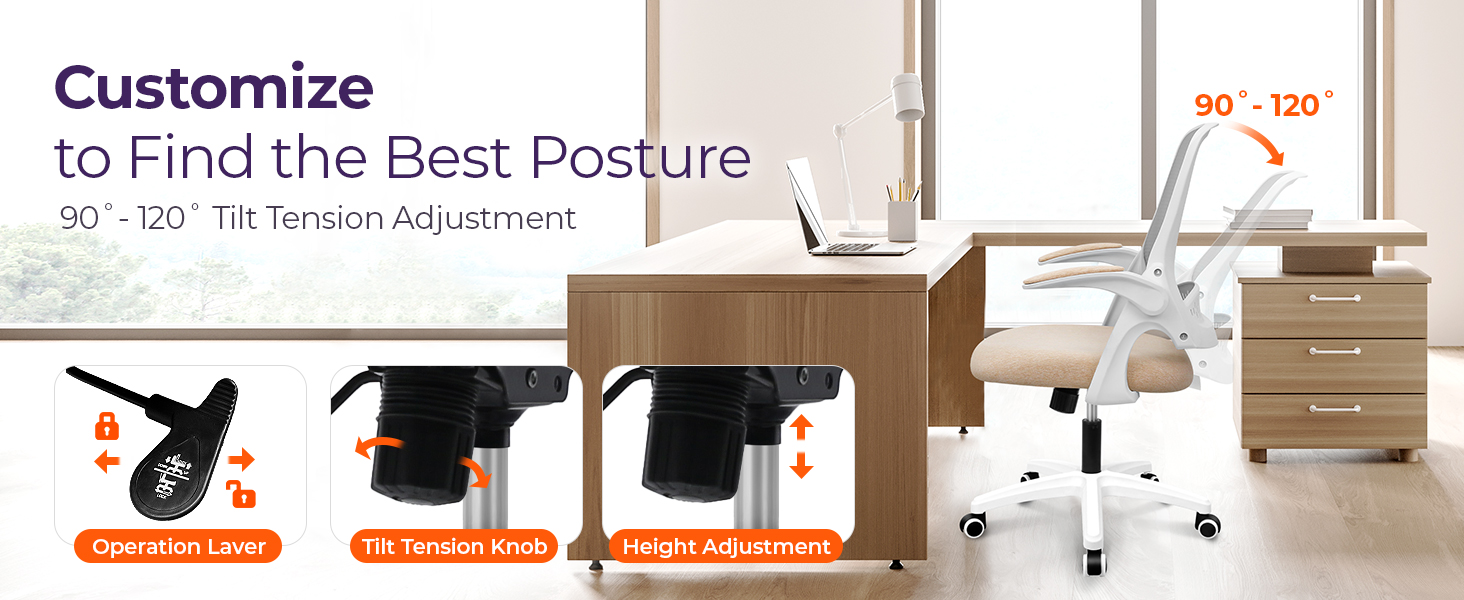
Customize your posture with the chair's adjustable height, tilt tension, and recline features.

The flip-up armrests allow for space-saving storage under desks.
Maintenance and Care
Proper maintenance will ensure the longevity and optimal performance of your NEO CHAIR.
- Cleaning: Wipe clean with a damp cloth. Avoid harsh chemicals that may damage the mesh or fabric.
- Tightening Bolts: For maintenance, we suggest checking and tightening all bolts every six months to ensure stability and safety.
- Weight Limit: Do not exceed the maximum weight recommendation of 275 pounds.
Troubleshooting
This section addresses common issues you might encounter with your NEO CHAIR. If you experience problems not listed here, please contact customer support.
- Chair feels wobbly: Ensure all assembly bolts are fully tightened. Refer to the assembly video for correct tightening procedures.
- Height adjustment not working: Check if the gas lift cap was fully removed during assembly. Ensure the lever is engaged correctly.
- Wheels not rolling smoothly: Check for any debris or hair caught in the casters. Clean them as needed.
Specifications
| Feature | Detail |
|---|---|
| Brand | NEO CHAIR |
| Model Name | Flip-up Office Chair |
| Color | Beige |
| Product Dimensions | 22"D x 23.5"W x 40"H |
| Seat Height | 40 Inches (Maximum) |
| Seat Depth | 19 Inches |
| Chair Backrest Width | 17.32 Inches |
| Material | Textile, Sponge (Fill Material) |
| Back Style | Solid Back with Breathable Mesh |
| Arm Style | Flip-up Arm |
| Special Features | Adjustable Height, Ergonomic, Rolling, Seat Lock, Swivel, Lumbar Support |
| Maximum Weight Recommendation | 275 Pounds |
| Certifications | BIFMA-approved components |

The chair is built with BIFMA-approved components for durability and safety.
Warranty Information
Specific warranty details are not provided in the product information. Please refer to your purchase documentation or contact NEO CHAIR customer support for warranty inquiries.
Customer Support
For any missing parts, assembly assistance, or other inquiries, please contact NEO CHAIR customer support:
- Email: support@eneodirect.com


