
1. Introduction
This manual provides detailed instructions for the setup, operation, maintenance, and troubleshooting of your MagiDeal K3 Russian Mechanical Keyboard. Please read this manual thoroughly before using the product to ensure proper functionality and longevity.
The MagiDeal K3 is a 98% allocation mechanical keyboard featuring a 100-key layout. It is designed to retain essential keyboard functions while offering a compact and ergonomic form factor.

Image 1.1: Top-down view of the MagiDeal K3 Russian Mechanical Keyboard, showcasing its 100-key layout with Russian and English characters.
2. Package Contents
Please verify that all items listed below are included in your package:
- MagiDeal K3 Mechanical Keyboard
- USB Type-C Data Cable (approximately 1.5m)
- Keycap Puller
- Instruction Manual (this document)
3. Setup
Follow these steps to connect your MagiDeal K3 Mechanical Keyboard to your computer:
- Locate the USB Type-C port on the back or side of the keyboard.
- Connect one end of the provided USB Type-C data cable to the keyboard's Type-C port.
- Connect the other end of the USB data cable to an available USB port on your computer.
- The keyboard is plug-and-play and should be automatically recognized by your operating system. No additional drivers are typically required.
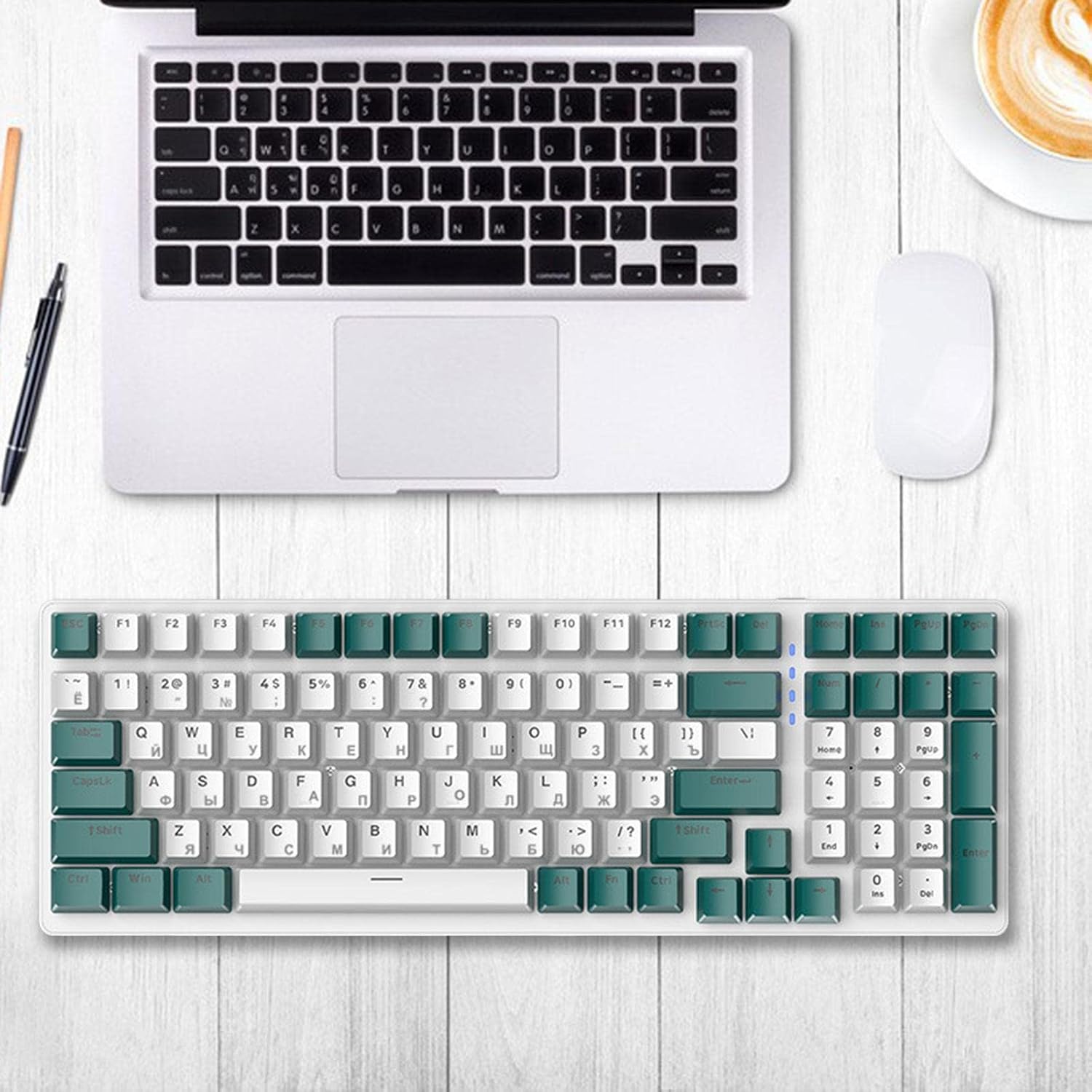
Image 3.1: The MagiDeal K3 keyboard connected to a laptop via its USB Type-C cable, ready for use.
4. Operation
4.1 Basic Typing
The MagiDeal K3 keyboard features a standard 100-key layout with both English and Russian characters. Simply begin typing after connecting the keyboard to your computer.
4.2 Lighting Effects
The keyboard is equipped with 16.8 million background lights and offers a variety of built-in light effects, including 9 distinct backlight modes and RGB dynamic music rhythm synchronization.
Specific key combinations for cycling through lighting modes or adjusting brightness may vary. Refer to the keyboard's function keys (often marked with symbols or secondary legends) for lighting control. Common combinations include:
- Fn + [Key]: To change backlight modes.
- Fn + ↑/↓: To adjust backlight brightness.
- Fn + ←/→: To adjust backlight speed or direction.
Experiment with the function keys to discover all available lighting effects.

Image 4.1: Close-up view of the keyboard keys, highlighting the dual-language keycaps and potential RGB lighting effects.
4.3 Full Key Rollover (N-Key Rollover)
The keyboard supports full key no punch (N-Key Rollover), ensuring that every key press is registered accurately, even when multiple keys are pressed simultaneously. This feature is beneficial for fast typing and gaming, preventing input lag.
5. Maintenance
Proper maintenance helps extend the lifespan of your keyboard:
- Cleaning the Keycaps: Use the provided keycap puller to carefully remove keycaps. Clean them with a soft, damp cloth and mild soap if necessary. Ensure they are completely dry before reattaching.
- Cleaning the Keyboard Base: Use compressed air to remove dust and debris from between the keys. A soft brush can also be used.
- General Care: Avoid spilling liquids on the keyboard. Do not expose it to extreme temperatures or direct sunlight.
- Material: The keyboard is constructed from durable PP material, designed for wear resistance.
6. Troubleshooting
If you encounter issues with your MagiDeal K3 keyboard, refer to the following common solutions:
- Keyboard Not Responding:
- Ensure the USB Type-C cable is securely connected to both the keyboard and the computer.
- Try connecting the keyboard to a different USB port on your computer.
- Test the keyboard on another computer to determine if the issue is with the keyboard or the computer's port/drivers.
- Keys Not Registering:
- Remove the affected keycap using the keycap puller and check for any obstructions or debris around the switch.
- If the keyboard is hot-swappable (depending on the specific style purchased), ensure the switch is properly seated.
- Lighting Not Working/Incorrect:
- Ensure the keyboard is powered on and connected.
- Cycle through the lighting modes using the function key combinations (e.g., Fn + [Key]).
- Adjust brightness settings.
7. Specifications
| Feature | Detail |
|---|---|
| Model | K3 Mechanical Keyboard |
| Layout | 98% Allocation, 100 Keys |
| Connectivity | Wired, USB Type-C Interface |
| Cable Length | Approx. 1.5m |
| Key Rollover | Full Key No Punch (N-Key Rollover) |
| Backlight | 16.8 Million RGB Colors, 9 Backlight Modes, Dynamic Music Rhythm |
| Material | PP Material (wear-resistant), Metal Panel |
| Key Type | Two-color Keycap |
| Dimensions | 38cm x 13.5cm (14.96inch x 5.31inch) |

Image 7.1: Dimensions of the MagiDeal K3 Russian Mechanical Keyboard, showing a length of 38cm and a width of 13.5cm.
8. Warranty and Support
For warranty information and technical support, please refer to the retailer or manufacturer's official website. Keep your purchase receipt as proof of purchase.
If you require further assistance, please contact MagiDeal customer service through their official channels.