
FLYLINKTECH B0BXPHJR3G
FLYLINKTECH 2-in-1 Foldable Home Treadmill User Manual
Model: B0BXPHJR3G
1. Introduction
Thank you for choosing the FLYLINKTECH 2-in-1 Foldable Home Treadmill. This versatile fitness equipment is designed for both walking and running, offering a convenient way to exercise indoors. Its foldable design ensures easy storage, making it ideal for home use. This manual provides essential information for safe operation, setup, maintenance, and troubleshooting to help you get the most out of your new treadmill.

Image: The FLYLINKTECH 2-in-1 Foldable Home Treadmill, showcasing its upright running mode and flat walking pad mode.
2. Safety Information
Before operating the treadmill, please read and understand all safety instructions.
- Safety Key: Always ensure the safety key is properly in place before starting the treadmill. This is a critical safety feature.
- Weight Capacity: The treadmill is designed to support a maximum weight capacity of 180 kg. Do not exceed this limit.
- Stable Surface: Place the treadmill on a flat, stable surface to prevent tipping or instability during use.
- Clearance: Maintain adequate clear space around the treadmill during operation.
- Children and Pets: Keep children and pets away from the treadmill during operation.
- Emergency Stop: Familiarize yourself with the emergency stop procedure.
- Power Cord: Ensure the power cord is not pinched or damaged and is placed where it will not be tripped over.
3. Setup and Assembly
The FLYLINKTECH treadmill is designed for quick and easy setup, typically within 3 minutes.
- Unpacking: Carefully remove all components from the packaging.
- Placement: Choose a suitable location with a flat, stable surface and sufficient clearance around the unit.
- Unfolding: Gently unfold the treadmill into your desired configuration (running or walking mode). Refer to the folding mechanism image for guidance.
- Power Connection: Plug the power cord into a grounded electrical outlet.
- Safety Key: Attach the safety key to the designated slot on the console.

Image: Illustration of the treadmill's folding mechanism, demonstrating how the handles can be raised or lowered.
4. Operating Instructions
4.1. 2-in-1 Functionality: Running and Walking Modes
This treadmill offers two distinct modes of operation:
- Running Mode: When the handle is upright, the treadmill can operate at speeds from 4 km/h to a maximum of 14 km/h. This mode is suitable for jogging and running exercises.
- Walking Mode: When the handle is folded down, the treadmill functions as a walking pad, ideal for brisk walking. Speeds in this mode range from 1 km/h to 4 km/h. This mode is perfect for use under a desk while working.
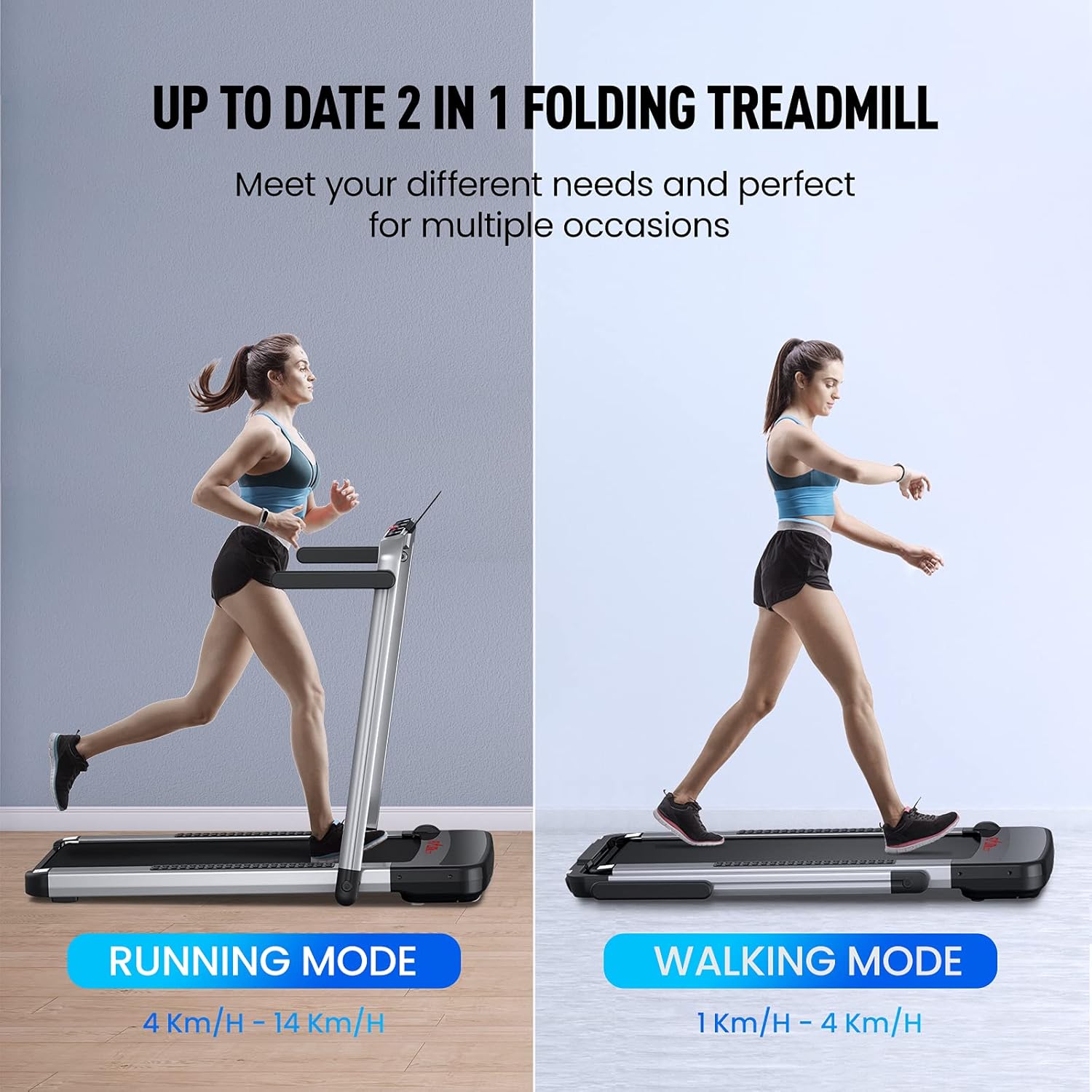
Image: Comparison of the treadmill in running mode (upright handles, higher speed range) and walking mode (folded handles, lower speed range).

Image: A person using the treadmill in walking mode positioned under a standing desk, illustrating its use for exercising while working.
4.2. Control Panel and Display
The LED display tracks your workout metrics in real-time.
- LED Digital Monitor: Displays Speed, Time, Distance, and Calories burned.
- Touch Screen Buttons: For controlling various functions.
- Device Holder: A convenient holder is integrated for your tablet or mobile phone.

Image: Detailed view of the treadmill's LED digital monitor, showing indicators for speed, time, distance, and calories, along with touch screen buttons and the device holder.
4.3. Smart Control: App and Remote
Control your treadmill conveniently using the dedicated app or the included remote control.
- "FS" Exercise App: Scan the QR code in the manual (or on the product packaging) to install the "FS" app. Connect via Bluetooth to control the treadmill and track your exercise data.
- Remote Control: Use the provided remote control for immediate adjustments to speed and other settings.
- Preset Programs: The treadmill features 12 exercise modes, allowing you to choose training programs based on your preferences.

Image: The treadmill's remote control alongside a smartphone displaying the "FS" fitness application, highlighting the smart control features.
5. Maintenance
Regular maintenance ensures the longevity and optimal performance of your treadmill.
- Lubrication: Periodically lubricate the running belt according to the instructions in the full user manual to ensure smooth operation and reduce wear.
- Cleaning: Regularly clean the treadmill, especially around the motor area, to prevent dust buildup. Use a soft, damp cloth for cleaning surfaces.
- Belt Alignment: Check the running belt for proper alignment and adjust if necessary to prevent friction and damage.
- Storage: When not in use, the treadmill can be easily folded and stored under a sofa or bed, thanks to its transport wheels and compact design.
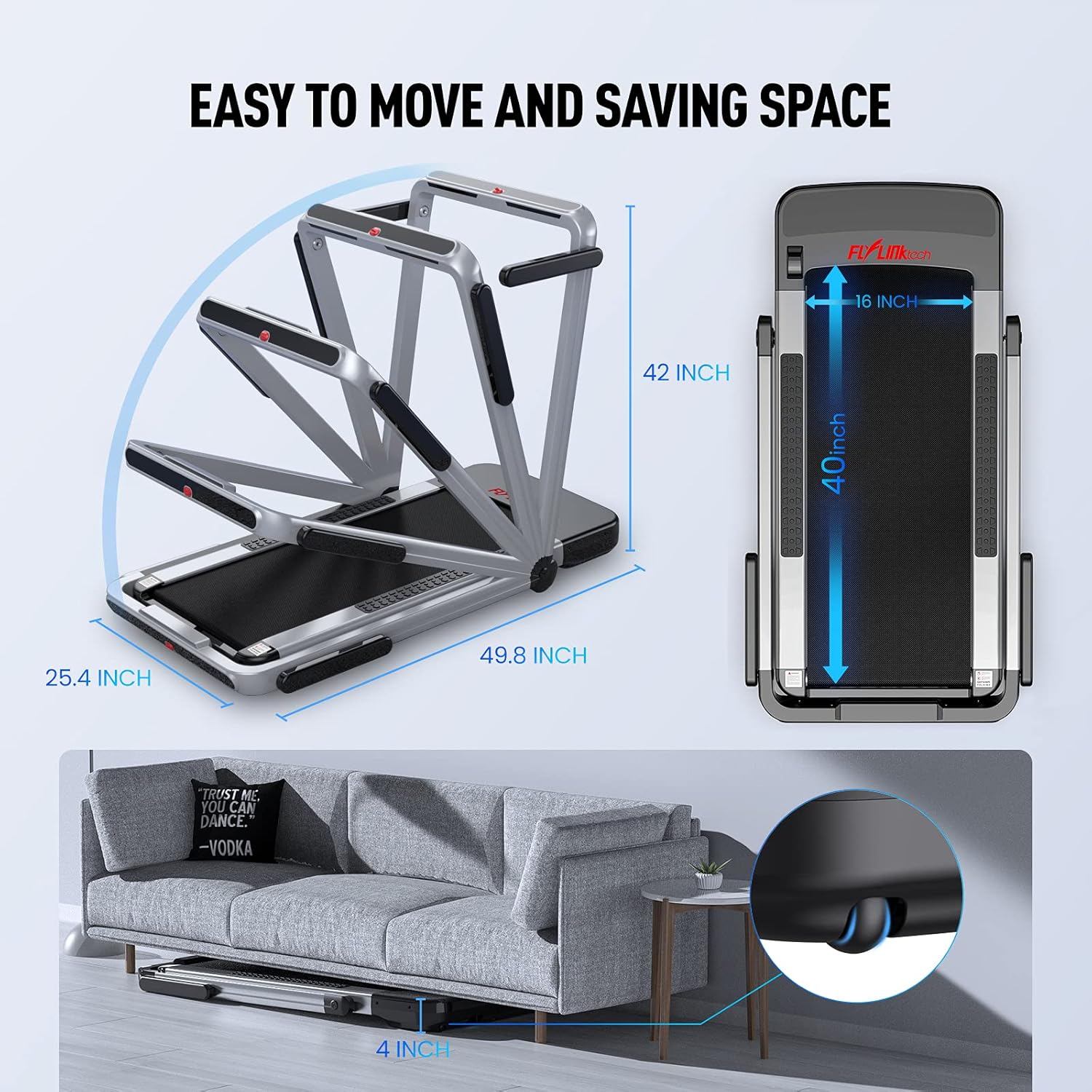
Image: The treadmill folded and stored compactly under a sofa, illustrating its space-saving design and ease of movement with transport wheels.
6. Troubleshooting
This section addresses common issues you might encounter. For more complex problems, please contact customer support.
- Treadmill Not Starting:
- Ensure the power cord is securely plugged into a working outlet.
- Verify the safety key is correctly inserted into its slot.
- Check the main power switch on the treadmill.
- Unusual Noise:
- Check for any loose parts or foreign objects on or under the belt.
- Ensure the running belt is properly lubricated.
- Verify the belt is centered and not rubbing against the sides.
- App Connectivity Issues:
- Ensure Bluetooth is enabled on your device.
- Make sure the treadmill is powered on.
- Try restarting the app and your device.
7. Specifications
| Feature | Detail |
|---|---|
| Product Dimensions | 126.5 x 107 x 64.5 cm |
| Product Weight | 32.45 kg |
| Material | Stainless Steel |
| Maximum Speed | 14 km/h |
| Maximum Horsepower | 2.25 Kilowatts (equivalent to 2.25 HP) |
| Special Features | Shock Absorption, Foldable |
| Display Type | LCD |
| Running Area | 40 x 100 cm (approx. 16 x 40 inches) |
| Weight Capacity | 180 kg |
| Noise Level | <60 dB (Low Noise Motor) |
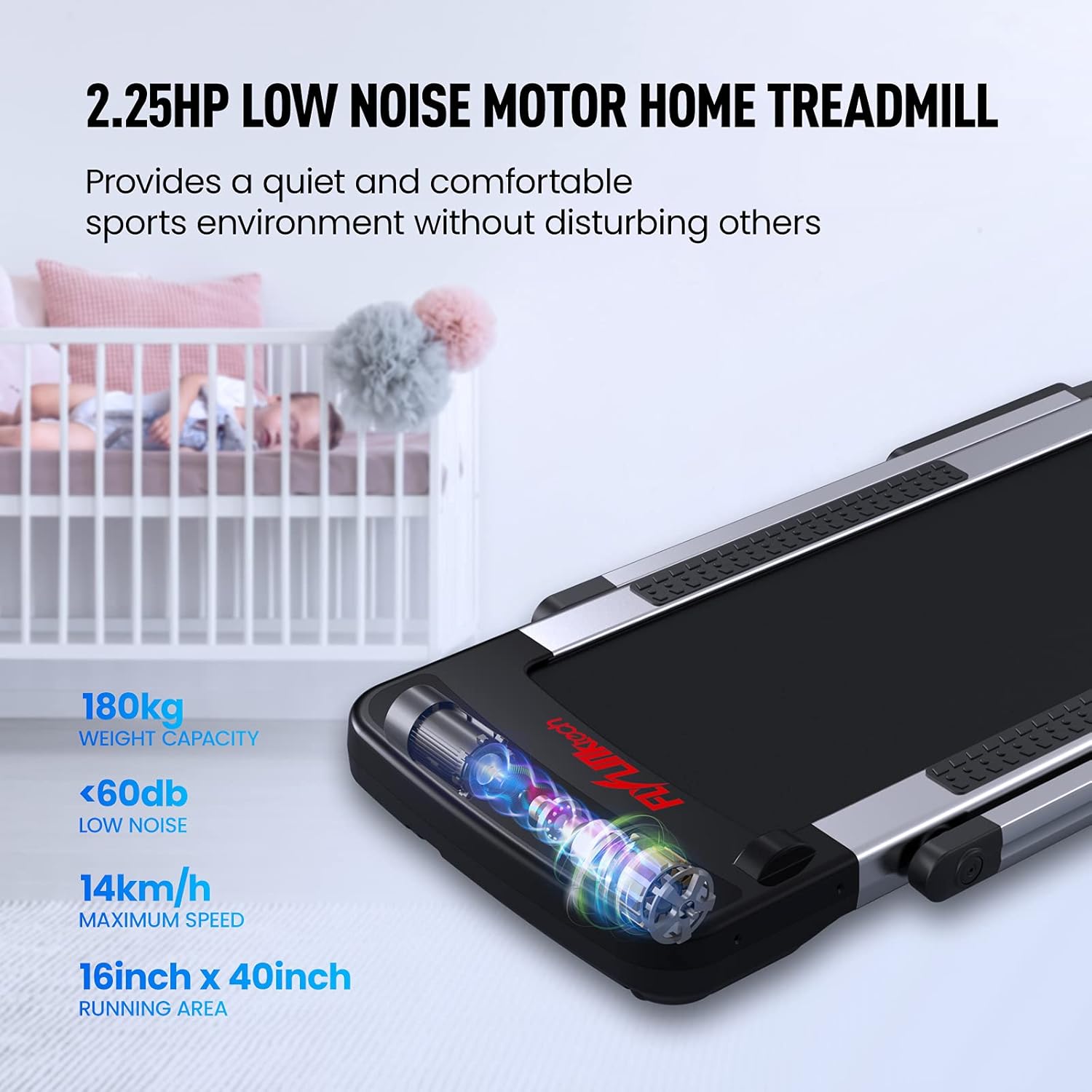
Image: Visual representation of the treadmill's 2.25HP low noise motor, highlighting its 180kg weight capacity, less than 60dB noise level, 14km/h maximum speed, and 16x40 inch running area.

Image: Cross-section diagram illustrating the five layers of the treadmill's non-slip and shock-absorbing running belt, designed to protect knees.

Image: An overhead view of the treadmill's running surface, indicating its generous dimensions of 400mm by 1000mm.
8. Warranty and Support
Your FLYLINKTECH treadmill comes with a 2-year warranty.
If you have any questions or encounter issues with your product, please do not hesitate to contact FLYLINKTECH customer service.
- Customer Service: Refer to the contact information provided in your product packaging or the official FLYLINKTECH website for support.
- Returns/Exchanges: Amazon handles shipping for returns and exchanges.
Ask a question about this manual
Ask about setup, troubleshooting, compatibility, parts, safety, or missing instructions. Manuals+ will review the question and use this page’s manual context to help answer it.