
DATOUBOSS DN-03-2000W24V
DATOUBOSS 24V to 230V Pure Sine Wave Power Inverter User Manual
Model: DN-03-2000W24V
1. Introduction
This manual provides detailed instructions for the safe and efficient operation of your DATOUBOSS 24V to 230V Pure Sine Wave Power Inverter. This device converts 24V DC power from batteries or vehicles into stable 230V AC power, suitable for a wide range of household and outdoor appliances. Please read this manual thoroughly before use and retain it for future reference.
2. Safety Instructions
WARNING: Failure to follow these safety instructions may result in electric shock, fire, serious injury, or death.
- Ensure the inverter is connected to a 24V DC power source only. Connecting to an incorrect voltage may damage the unit and connected devices.
- Do not expose the inverter to water, rain, snow, or spray.
- Do not operate the inverter if it has been dropped or damaged.
- Ensure proper ventilation around the inverter. Do not block cooling vents.
- Keep children away from the inverter.
- Do not open the inverter casing. There are no user-serviceable parts inside.
- Always connect the ground wire properly before operation.
- Disconnect the inverter from the power source before performing any maintenance or cleaning.
The inverter is equipped with multiple protection functions for your safety and equipment protection:
- Low Voltage Protection
- High Voltage Protection
- Short Circuit Protection
- Overheating Protection
- Overload Protection
- Reverse Connection Protection
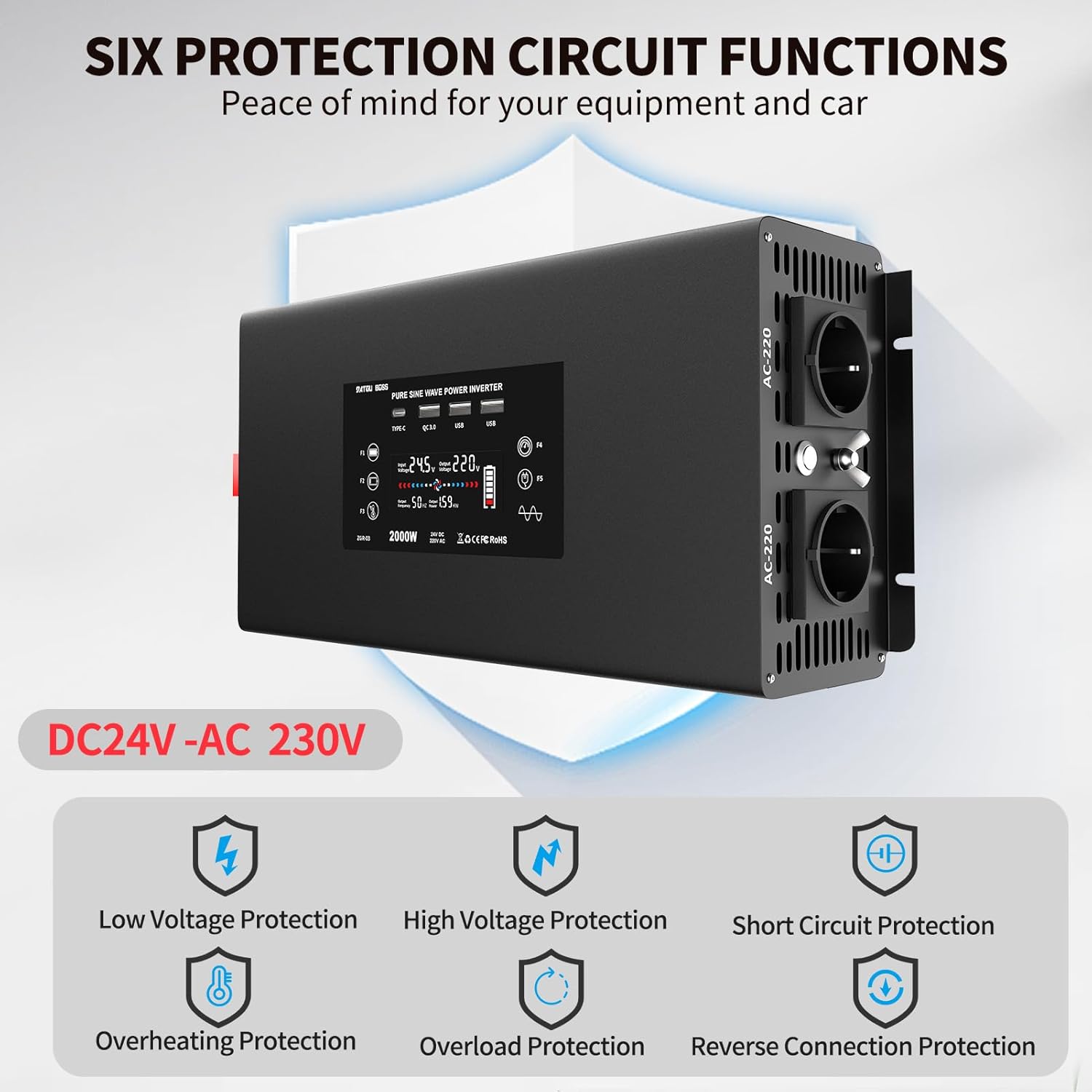
Figure 2.1: Visual representation of the six protection circuit functions.
3. What's in the Box
Upon opening the package, please verify that all components are present and undamaged:
- 1 x 2000W Pure Sine Wave Inverter
- 2 x Connection Cables (Red for Positive, Black for Negative)
- 1 x Remote Control
- 1 x User Manual (this document)

Figure 3.1: The DATOUBOSS Pure Sine Wave Power Inverter and its included accessories.
4. Product Overview
The DATOUBOSS Pure Sine Wave Power Inverter is designed for efficient and stable power conversion. Key features include:
- Pure Sine Wave Output: Provides clean and stable AC power, suitable for sensitive electronics.
- High Power Output: Converts 24V DC to 230V AC with a continuous output of 2000W and a peak power of 4000W.
- Multiple Output Ports: Equipped with 2 EU AC outlets, 2 USB 5V/2.1A ports, 1 QC3.0 fast charging port, and 1 Type-C port.
- Smart Cooling System: Features two intelligent fans that activate based on temperature and load, ensuring efficient heat dissipation and improved performance.
- Remote Control: Bluetooth-enabled remote control for convenient operation from a distance.
- Comprehensive Protection: Built-in safeguards against overload, short circuit, high temperature, low voltage, high voltage, and reverse connection.
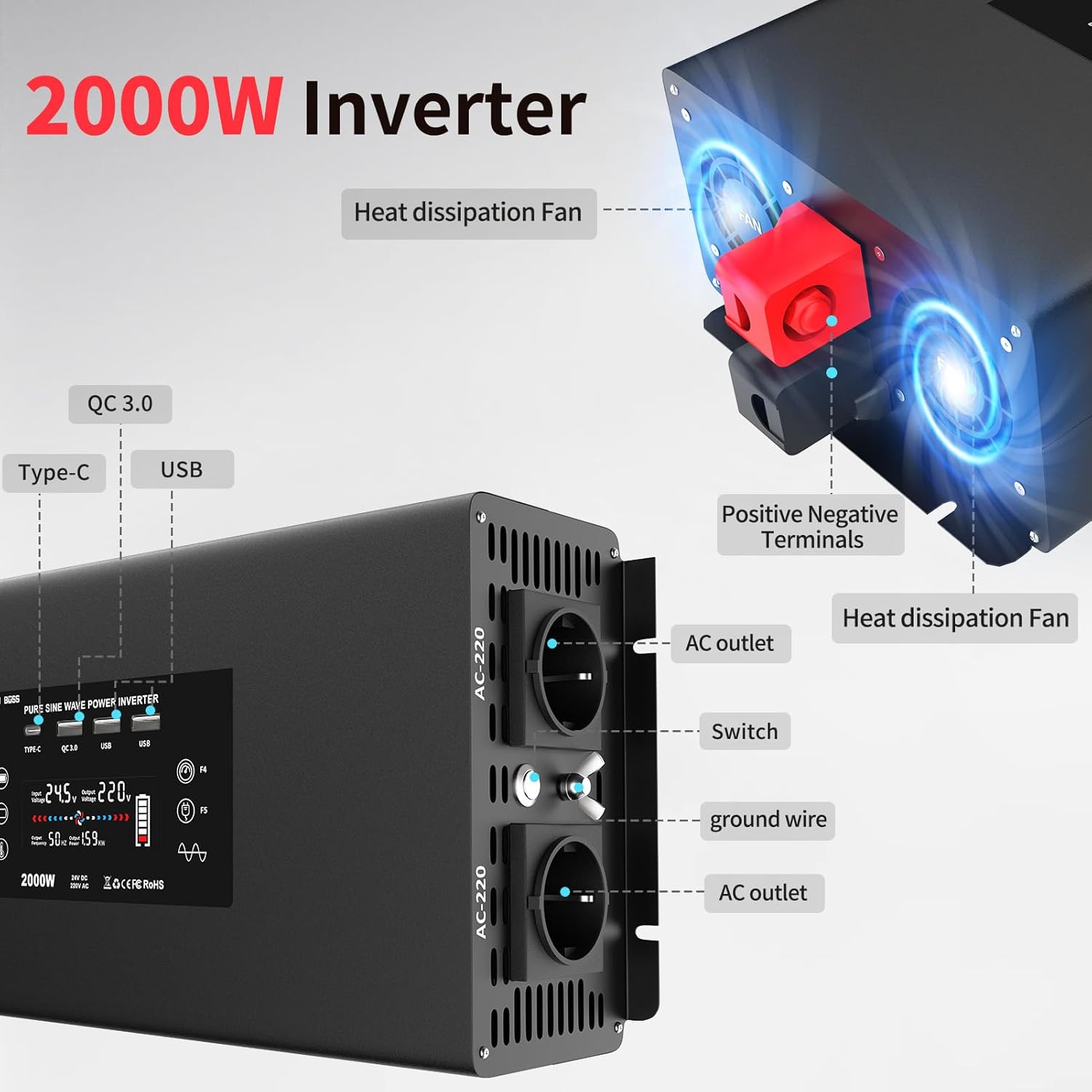
Figure 4.1: Front and side view highlighting AC outlets, USB ports, and cooling fans.

Figure 4.2: Illustration of the efficient heat dissipation system with dual fans.
The inverter's display provides real-time information on input voltage, output voltage, power consumption, and battery status.
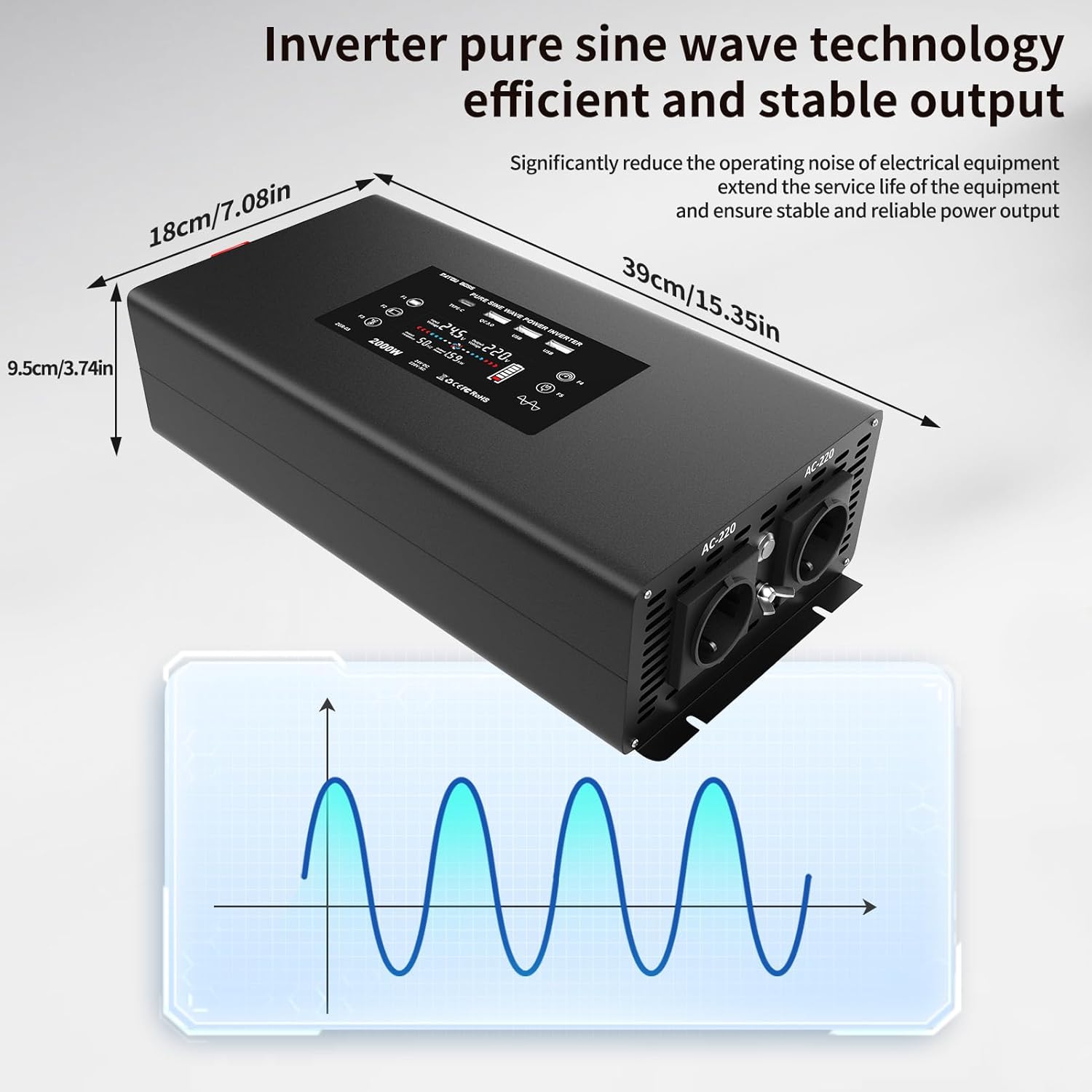
Figure 4.3: Inverter dimensions and a visual representation of pure sine wave output.
5. Setup and Connection
Follow these steps to properly set up and connect your DATOUBOSS Power Inverter:
- Prepare the Inverter: Place the inverter on a stable, flat surface in a well-ventilated area, away from direct sunlight, heat sources, and moisture.
- Connect DC Cables to Inverter:
- Unscrew the nuts on the positive (+) and negative (-) terminals of the inverter.
- Connect the red cable lug to the positive (+) terminal and the black cable lug to the negative (-) terminal.
- Tighten the nuts securely with a wrench to ensure a firm connection.
Video 5.1: Demonstration of connecting the DC cables to the inverter terminals.
- Connect DC Cables to Battery:
- Ensure the battery is a 24V DC battery.
- Connect the other end of the red cable to the positive (+) terminal of the battery.
- Connect the other end of the black cable to the negative (-) terminal of the battery.
- Tighten the connections securely.
It is crucial to connect the positive to positive and negative to negative terminals correctly to avoid damage to the inverter and battery.
- Power On: Once all connections are secure, press the power button on the inverter or use the remote control to turn on the unit. The display will illuminate, showing the current status.
Video 5.2: Overview of the inverter's internal components and connection process.
6. Operating Instructions
The DATOUBOSS inverter is designed for ease of use. Here’s how to operate it:
- Connecting AC Appliances:
- Plug your 230V AC appliances into the EU outlets on the inverter.
- Ensure the total power consumption of all connected appliances does not exceed the inverter's continuous output power (2000W).

Figure 6.1: Examples of devices compatible with the inverter, including laptops, coffee machines, and more.
- Using USB and Type-C Ports:
- Connect your USB-powered devices (e.g., smartphones, tablets) to the USB 5V/2.1A ports or the QC3.0 fast charging port.
- For devices supporting Type-C charging, use the dedicated Type-C port.
Video 6.2: Demonstration of charging a smartphone using the inverter's USB port and powering a heater.
- Remote Control Operation:
- The included remote control allows you to turn the inverter ON and OFF from a distance.
- Press the "ON" button to activate the inverter.
- Press the "OFF" button to deactivate the inverter.
The Bluetooth protocol of the remote control offers better range and penetration compared to infrared remotes.
7. Maintenance
To ensure the longevity and optimal performance of your inverter, follow these maintenance guidelines:
- Cleaning: Regularly wipe the exterior of the inverter with a dry, soft cloth. Do not use liquid cleaners or solvents.
- Ventilation: Keep the cooling vents clear of dust and debris. Periodically check for any obstructions.
- Connections: Periodically check all electrical connections (DC cables to inverter and battery) to ensure they are tight and free from corrosion.
- Storage: If storing the inverter for an extended period, disconnect it from the battery and store it in a cool, dry place.
8. Troubleshooting
If you encounter issues with your inverter, refer to the following common problems and solutions:
| Problem | Possible Cause | Solution |
|---|---|---|
| Inverter does not turn on. |
|
|
| No AC output. |
|
|
| Inverter beeps or shows error code. |
|
|
If the problem persists after attempting these solutions, please contact DATOUBOSS customer support.
9. Specifications
| Feature | Detail |
|---|---|
| Model Number | DN-03-2000W24V |
| Input Voltage | 24V DC |
| Output Voltage | 230V AC |
| Continuous Power | 2000 Watts |
| Peak Power | 4000 Watts |
| Output Waveform | Pure Sine Wave |
| USB Output | 2x 5V/2.1A, 1x QC3.0 |
| Type-C Output | 1x Type-C Port |
| Product Dimensions | 39 x 18 x 9.5 cm |
| Weight | 3.89 Kilograms |
| Recommended Applications | Vehicle, Office, Home |
10. Warranty and Support
DATOUBOSS is committed to providing high-quality products and excellent customer service.
- Warranty: This product comes with a 24-month warranty from the date of purchase.
- Returns: Enjoy a 30-day unconditional return guarantee.
- Customer Support: For any questions, technical assistance, or warranty claims, please contact our 24/7 customer support.
For further information or support, please visit the official DATOUBOSS store or contact your retailer.
Related documentsDN-03-2000W24V

Ask a question about this manual
Ask about setup, troubleshooting, compatibility, parts, safety, or missing instructions. Manuals+ will review the question and use this page’s manual context to help answer it.