Introduction
This manual serves as a guide to understanding and utilizing MikroTik RouterOS scripting. It is designed for network engineers, IT professionals, and anyone interested in automating tasks and extending the functionality of MikroTik devices. The content progresses from fundamental scripting concepts to advanced applications, providing practical knowledge for real-world scenarios.
Key areas covered include:
- Automating repetitive configuration tasks.
- Scheduling administrative tasks at timed intervals.
- Developing custom functionalities for specific network environments.
- Interrogating and logging performance and status information.
Getting Started with MikroTik Scripting
This section introduces the foundational aspects of MikroTik scripting, guiding you through the initial steps of script creation and execution.
Understanding Scripting Fundamentals
Scripting in MikroTik RouterOS allows for the automation of various network management and configuration tasks. It provides a powerful tool to enhance efficiency and customize device behavior beyond standard configurations.
Creating and Running Scripts
To create and execute scripts on a MikroTik device, you will typically use the command-line interface (CLI) or WinBox. Scripts are stored directly on the device and can be run manually or scheduled.
Consider the following questions when beginning:
- What specific tasks do you aim to automate or enhance?
- What is the most suitable method for script creation and deployment in your environment?
- What workflow will ensure efficient development, testing, and deployment of your scripts?

Image 1: Front cover of the MikroTik Scripting manual. This image displays the title "MikroTik Scripting" and the subtitle "Unleash the Power of RouterOS Task Automation" along with the author's name, Nigel Bowden.
Operating Principles and Syntax
This section delves into the core commands and syntax required for effective MikroTik scripting, enabling you to write functional and robust automation scripts.
Scripting Commands and Syntax
RouterOS scripting language utilizes a specific set of commands and syntax structures. Understanding these is crucial for writing scripts that interact correctly with the MikroTik operating system. The manual provides detailed examples and explanations for common commands, variables, conditional statements, and loops.
Practical Applications
The book guides you through creating a series of scripts that demonstrate increasing complexity and utility. These examples cover a wide range of applications, from simple configuration changes to complex monitoring and reporting tasks.
- Task Automation: Automate routine configurations, such as firewall rule updates or user management.
- Scheduled Operations: Execute scripts at specific times or intervals for backups, reboots, or report generation.
- Custom Functionality: Implement unique features tailored to your network's specific requirements.
- Performance Monitoring: Collect and log device performance metrics and status information for analysis.
Maintenance and Debugging
Effective script development includes understanding how to debug and maintain your code. This section provides insights into identifying and resolving issues within your MikroTik scripts.
Debugging Techniques
Learn how to systematically troubleshoot scripts to identify errors in logic or syntax. The manual covers various debugging strategies to ensure your scripts function as intended.
Script Management and Resources
All scripts presented in this manual are available for download from a dedicated GitHub repository. This allows users to directly access, test, and adapt the examples provided.
Note: While this book covers basic programming concepts, it is primarily focused on MikroTik scripting applications rather than general software development principles.
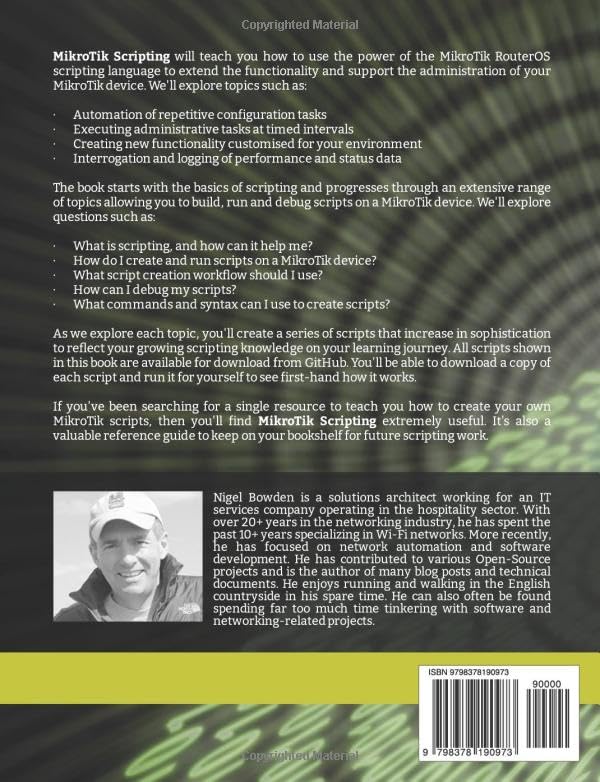
Image 2: Back cover of the MikroTik Scripting manual. This image provides a summary of the book's content and includes information about the author, Nigel Bowden.
Troubleshooting Common Scripting Issues
Encountering issues during script development is common. This section offers guidance on diagnosing and resolving typical problems:
- Syntax Errors: Double-check command spelling, variable declarations, and proper use of brackets and quotes.
- Logical Errors: Review the script's flow and conditions to ensure it performs the intended actions. Use logging to trace execution.
- Permission Issues: Ensure the user executing the script has the necessary permissions on the MikroTik device.
- Resource Constraints: For complex scripts, monitor CPU and memory usage to prevent performance degradation.
- External Dependencies: Verify that any external resources or services the script relies on are accessible and functioning.
Refer to the MikroTik documentation and community forums for additional support and specific error message interpretations.
Product Specifications
| Title | MikroTik Scripting: Unleash the Power of RouterOS Task Automation |
| Author | Nigel Bowden |
| Format | Paperback |
| Publisher | Independently published |
| Publication Date | March 7, 2023 |
| Language | English |
| Print Length | 294 pages |
| ISBN-13 | 979-8378190973 |
| Item Weight | 1.47 pounds |
| Dimensions | 7.44 x 0.67 x 9.69 inches |
| ASIN | B0BXN6NQLS |
Support and Additional Resources
For further assistance or to engage with the MikroTik scripting community, consider the following resources:
- Author's GitHub Repository: Access all script examples from the book for direct use and experimentation.
- MikroTik Official Documentation: Refer to the official MikroTik website for the latest RouterOS documentation and command references.
- MikroTik Community Forums: Engage with other MikroTik users and experts to ask questions, share knowledge, and troubleshoot complex scenarios.
As this is an instructional book, traditional product warranty does not apply. Support is primarily provided through the educational content within the book and the supplementary resources mentioned.


