
1. Safety Instructions
Please read these instructions carefully before first use and keep them for future reference. Failure to follow these instructions may result in electric shock, fire, or serious injury.
- Always plug the iron into a grounded outlet.
- Do not leave the iron unattended while it is switched on or connected to the mains.
- Keep the iron and its cord out of reach of children.
- Do not immerse the iron, power cord, or plug in water or any other liquid.
- Unplug the iron before filling with water, cleaning, or when not in use.
- Do not operate the iron with a damaged cord or plug, or if the iron has been dropped or damaged.
- Place the iron on a stable, heat-resistant surface when resting.
- The soleplate can become extremely hot. Avoid direct contact with skin.
2. Product Overview
The Tefal Ultimate Pure FV6812E0 is a powerful 2800W steam iron designed for efficient garment care. It features advanced technology for optimal steam distribution and includes an anti-calc system to maintain performance over time. The iron is equipped with a non-slip soleplate for smooth gliding.
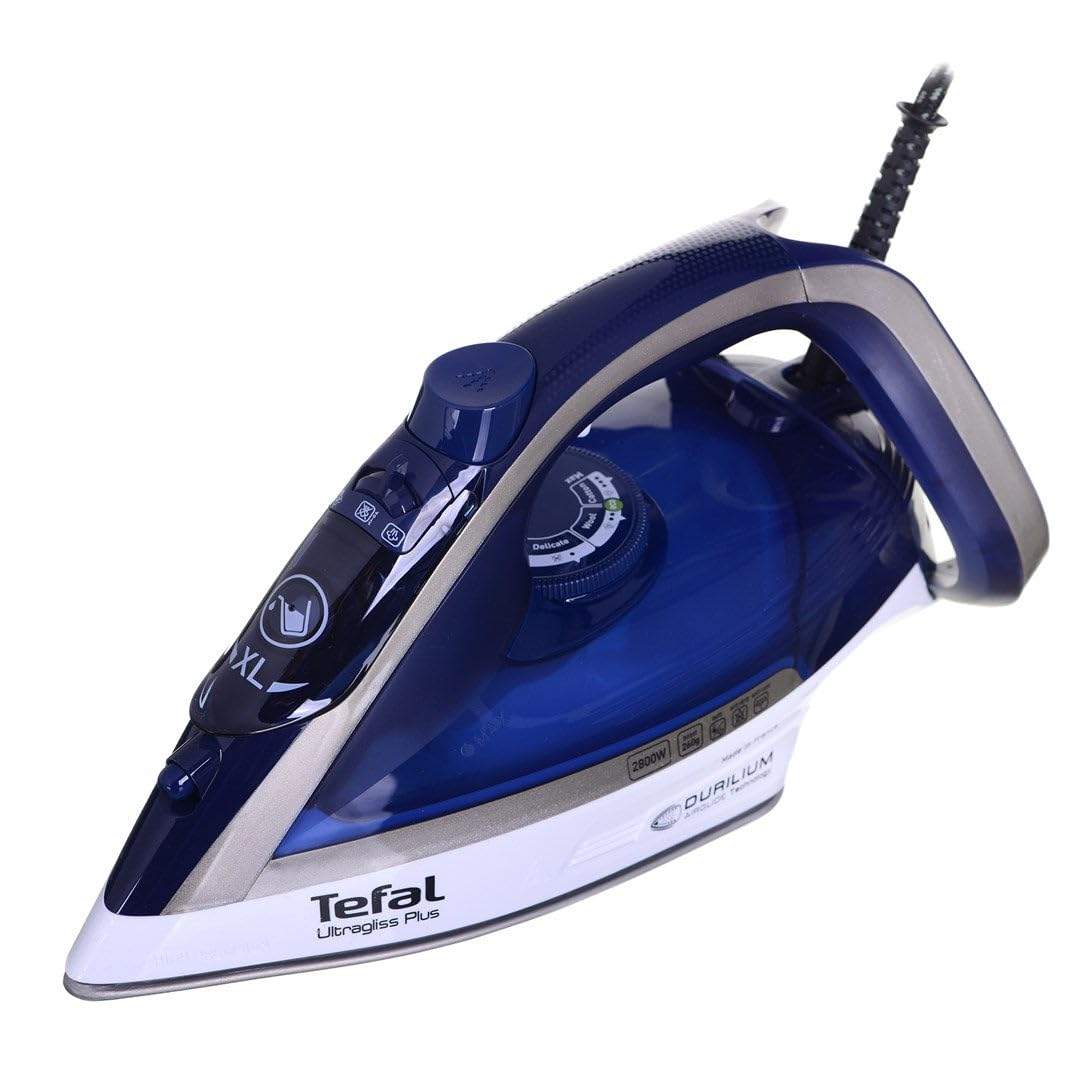
Figure 1: Tefal Ultimate Pure FV6812E0 Steam Iron. This image shows the iron from a slight angle, highlighting its blue and silver design, the handle, and the soleplate.
3. Setup
3.1 Before First Use
- Remove any labels or protective covers from the soleplate.
- Wipe the soleplate with a soft, damp cloth to remove any manufacturing residue.
- For the first use, iron an old piece of fabric to ensure no residue transfers to your garments.
3.2 Filling the Water Tank
- Ensure the iron is unplugged from the power outlet.
- Open the water tank filler cap, usually located on the top of the iron.
- Fill the water tank with tap water up to the "MAX" fill line. Do not overfill.
- Close the filler cap securely.
- Note: For optimal performance and to prolong the life of your iron, it is recommended to use a mixture of 50% tap water and 50% distilled water, especially in areas with hard water.
4. Operating Instructions
4.1 Temperature Setting
- Plug the iron into a suitable grounded power outlet.
- Turn the temperature dial to the desired setting according to the fabric type. Refer to the garment care label.
- The indicator light will illuminate, indicating the iron is heating up. It will turn off when the set temperature is reached.
4.2 Steam Ironing
- Ensure the water tank is filled.
- Set the temperature to a steam-compatible setting (usually 2 dots or higher).
- Once the iron reaches the desired temperature, adjust the steam control to the desired steam level.
- Move the iron smoothly over the fabric.
4.3 Dry Ironing
- If dry ironing, ensure the steam control is set to the "no steam" position.
- You can dry iron with or without water in the tank.
4.4 Vertical Steaming
- Hang the garment on a hanger.
- Set the iron to maximum temperature and steam.
- Hold the iron vertically a few centimeters away from the fabric and press the steam boost button repeatedly.
- Caution: Do not apply the soleplate directly to the fabric during vertical steaming.
5. Maintenance
5.1 Cleaning the Soleplate
- Ensure the iron is unplugged and completely cool.
- Wipe the soleplate with a damp cloth and a non-abrasive cleaner if necessary.
- Do not use abrasive pads, metal scourers, or harsh chemicals.
5.2 Anti-Calc System (Self-Cleaning)
Your Tefal Ultimate Pure FV6812E0 iron features an integrated anti-calc system to reduce limescale build-up. For optimal performance, perform the self-cleaning function regularly (e.g., once a month or more frequently in hard water areas).
- Fill the water tank to the MAX line.
- Plug in the iron and set the temperature to maximum.
- Once the indicator light turns off, unplug the iron.
- Hold the iron horizontally over a sink.
- Press and hold the self-clean button (refer to your iron's specific button layout if different). Hot water, steam, and scale particles will be flushed out of the soleplate.
- Gently shake the iron back and forth until the water tank is empty.
- Plug the iron back in and let it heat up to dry the soleplate.
- Unplug and let it cool completely before storing.
5.3 Storage
- Ensure the iron is unplugged and completely cool.
- Empty any remaining water from the tank.
- Wrap the power cord loosely around the cord wrap area (if available) or secure it with a tie.
- Store the iron upright on its heel rest in a safe, dry place.
6. Troubleshooting
Before contacting customer support, please check the following common issues and solutions:
| Problem | Possible Cause | Solution |
|---|---|---|
| Iron does not heat up. | Not plugged in; power outlet faulty; temperature dial set to MIN. | Check power connection; try another outlet; set temperature dial to desired heat. |
| No steam or insufficient steam. | Water tank empty; temperature too low for steam; steam control set to OFF. | Fill water tank; set temperature to steam-compatible level; adjust steam control. |
| Water leaks from soleplate. | Temperature too low for steam; water tank overfilled; iron left horizontal too long. | Increase temperature; do not overfill; store iron upright when not in use. |
| White flakes coming from soleplate. | Limescale build-up. | Perform the anti-calc (self-cleaning) procedure. |
7. Specifications
| Feature | Detail |
|---|---|
| Brand | Tefal |
| Model Number | FV6812E0 |
| Power | 2800 Watts |
| Color | Blue, Silver |
| Soleplate Material | Stainless Steel |
| Special Features | Anti-calc system, Non-slip soleplate, Cable entry |
| Product Dimensions (L x W x H) | 25.4 x 5.08 x 6.86 cm |
| Weight | 1.58 kg |
| Recommended Use | Garment ironing |
8. Warranty and Support
Tefal products are manufactured to high-quality standards. This product is covered by a manufacturer's warranty, the terms of which are detailed in the warranty card included with your purchase. Please retain your proof of purchase for warranty claims.
For technical assistance, spare parts, or warranty service, please contact Tefal customer support. Contact information can typically be found on the official Tefal website or on the product packaging.
- Online Support: Visit the official Tefal website for FAQs, product registration, and support contact details.
- Customer Service: Refer to your regional Tefal contact information for phone or email support.


