1. Introduction
The Alpena CyberGlow Automotive Interior Trim RGB LED Lights are designed to provide customizable ambient lighting for your vehicle's interior. This kit includes two flexible LED strips, a control unit, a wireless remote, and a 12V power adapter, allowing for easy installation and personalized lighting effects.
2. Package Contents
Please verify that all components are present before beginning installation:
- 2 x CyberGlow RGB LED Light Strips (7 ft each)
- 1 x Control Unit with Wiring Harness
- 1 x Wireless Remote Control
- 1 x 12V Power Adapter (Cigarette Lighter Plug)
- Adhesive Mounting Strips
- Instruction Manual
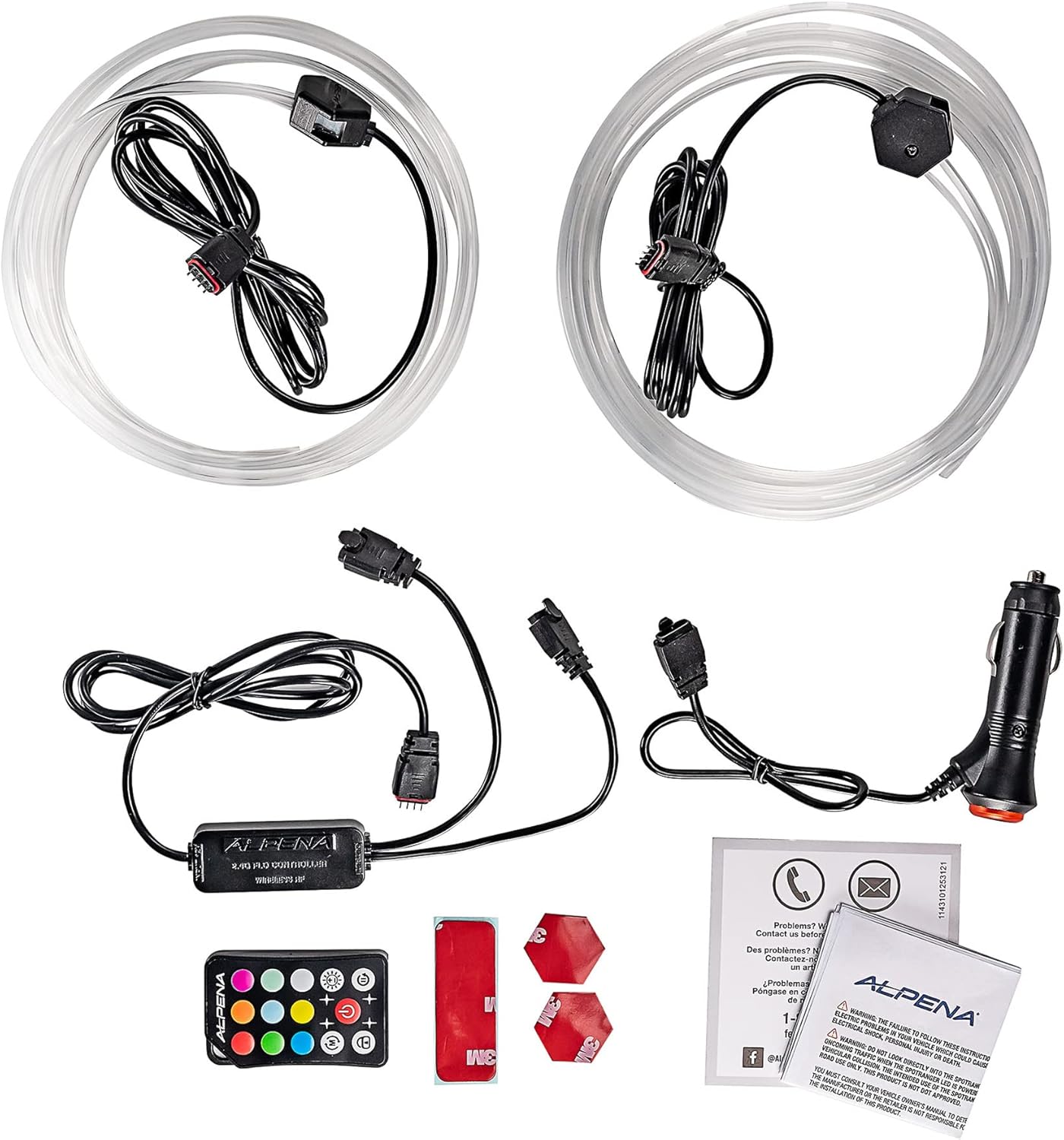
Image 2.1: All components included in the Alpena CyberGlow LED Light Kit. This includes two light strips, a control unit, a remote, a 12V power adapter, and adhesive strips.
3. Safety Information
- Ensure the vehicle's power is off before installation.
- Do not cut or modify the LED strips or wiring harness.
- This product is designed for 12V automotive systems only.
- Avoid installing in areas that obstruct driver visibility or vehicle controls.
- This product is not water resistant. Avoid exposure to moisture.
- Keep out of reach of children.
4. Setup and Installation
- Plan Placement: Determine the desired locations for the LED strips within your vehicle's interior trim. Ensure the strips can reach the control unit and the control unit can reach the 12V power adapter.
- Clean Surfaces: Thoroughly clean and dry the surfaces where the LED strips will be mounted. Use an alcohol wipe if necessary to remove any grease or dirt, ensuring optimal adhesion.
- Attach Adhesive: Peel the backing from the adhesive mounting strips and firmly press them onto the back of the LED light strips.
- Mount LED Strips: Carefully peel the remaining backing from the adhesive strips and press the LED strips firmly onto the chosen interior trim surfaces. Apply pressure for several seconds to ensure a secure bond.
- Connect to Control Unit: Connect the ends of the LED light strips to the corresponding ports on the control unit. Ensure connections are secure.
- Connect Power: Plug the 12V power adapter into your vehicle's cigarette lighter socket.
- Secure Wiring: Route and secure all wiring to prevent interference with vehicle operation and to maintain a tidy appearance. Use cable ties or clips if needed (not included).
5. Operating Instructions
The Alpena CyberGlow LED lights are operated using the included wireless remote control.
- Power Button: Press the ON/OFF button to turn the lights on or off.
- Color Selection: Use the dedicated color buttons (e.g., Red, Green, Blue, White) to select a static color.
- Brightness Adjustment: Use the Brightness Up (+) and Brightness Down (-) buttons to adjust the intensity of the selected color or mode.
- Mode Selection: Cycle through various dynamic lighting modes (e.g., flash, fade, strobe, smooth) using the MODE button or specific mode buttons if available on your remote.
- Speed Adjustment: For dynamic modes, use the Speed Up and Speed Down buttons to control the speed of the effect.
Ensure the remote control has a clear line of sight to the control unit for optimal performance.
6. Maintenance
- Cleaning: Gently wipe the LED strips and control unit with a soft, dry cloth. Do not use abrasive cleaners or solvents.
- Connection Check: Periodically inspect all connections (LED strips to control unit, control unit to power adapter) to ensure they are secure and free from corrosion.
- Remote Battery: If the remote control's range or responsiveness decreases, replace its battery (typically a CR2025 or CR2032 coin cell, refer to remote for specific type).
7. Troubleshooting
| Problem | Possible Cause | Solution |
|---|---|---|
| Lights do not turn on. |
|
|
| Remote control not responding. |
|
|
| Lights flicker or display incorrect colors. |
|
|
8. Specifications
- Brand: Alpena
- Model: CyberGlow (78192E)
- Input Voltage: 12V DC
- Light Type: RGB LED Strips
- Strip Length: 7 ft per strip (2 strips included)
- Control: Wireless Remote Control
- Fit Type: Universal Fit (Automotive Interior)
- Water Resistance: Not Water Resistant
- UPC: 084902781922
9. Warranty and Support
For warranty information or technical support, please refer to the documentation included with your product or visit the official Alpena website. Keep your proof of purchase for warranty claims.
Manufacturer: Alpena
Date First Available: March 6, 2023


