
Vailikey (2PCS)For BFT MITTO Garage Door Remote
User Manual for Vailikey BFT MITTO Garage Door Remote Control
Model: (2PCS)For BFT MITTO Garage Door Remote
1. Introduction
This manual provides comprehensive instructions for the setup, programming, operation, and maintenance of your Vailikey BFT MITTO Garage Door Remote Control. Please read this manual carefully before use to ensure proper functionality and longevity of your device.
2. Product Overview
The Vailikey BFT MITTO Garage Door Remote Control is a 2-channel, 433.92 MHz rolling code transmitter designed for use with BFT gate and garage door systems. It features two buttons for controlling your compatible BFT devices.

Figure 2.1: Front view of two Vailikey BFT MITTO remote controls.
Key Features:
- Frequency: 433.92 MHz
- Number of Channels: 2
- Coding: Rolling code
- Dimensions: Approximately 60 x 40 x 15 mm
- Battery: 12V (included)
- Ergonomic design
3. Setup and Programming
The programming process requires access to your control panel and an existing, functional transmitter. It is crucial that your control panel is enabled for remote programming by an installer. If the following process does not work, professional assistance from a BFT recommended installer may be required.
The programming sequence must be followed sequentially and in rapid succession. Any pause in the process will cause the system to time out. Please read and familiarize yourself with the entire process before commencing.
Programming Steps:
- At the Control Panel: Ensure you are at the control panel (it does not need to be open). You will need at least one existing, functional transmitter already coded on the system.
- Initiate Programming on Existing Transmitter: Press and hold the top two buttons of the existing, functional transmitter for 2 seconds.
- Activate Existing Transmitter Button: Press and hold the functioning button (e.g., the button used to open the gate) on the front of the existing transmitter for 2 seconds.
- Program New Transmitter (Step 1): Press and hold the top two buttons of the new transmitter for 2 seconds.
- Program New Transmitter (Step 2): Press and hold the desired button on the new transmitter for 2 seconds.
Important: Repeat steps 4 and 5 for any additional new transmitters you wish to add to the system. Ensure there is no pause between operations to prevent the system from timing out.
After completing the programming for all new transmitters, wait for 20 seconds before attempting to use your new transmitter(s). This allows the control board to reset. Coding is now complete.

Figure 3.1: Remote controls with internal view, illustrating components relevant to setup.
4. Operation
Once programmed, your Vailikey BFT MITTO remote control is ready for use. Simply press the programmed button to activate your BFT garage door or gate system. The maximum effective range is approximately 10 meters, though this can vary based on environmental factors and obstructions.
5. Maintenance
Battery Replacement:
The remote control is powered by a 12V battery (CR2032 type). If the remote's range decreases significantly or it stops responding, the battery may need replacement.
- Carefully open the remote control casing.
- Locate the existing 12V battery.
- Remove the old battery and insert a new CR2032 12V battery, ensuring correct polarity.
- Close the remote control casing securely.
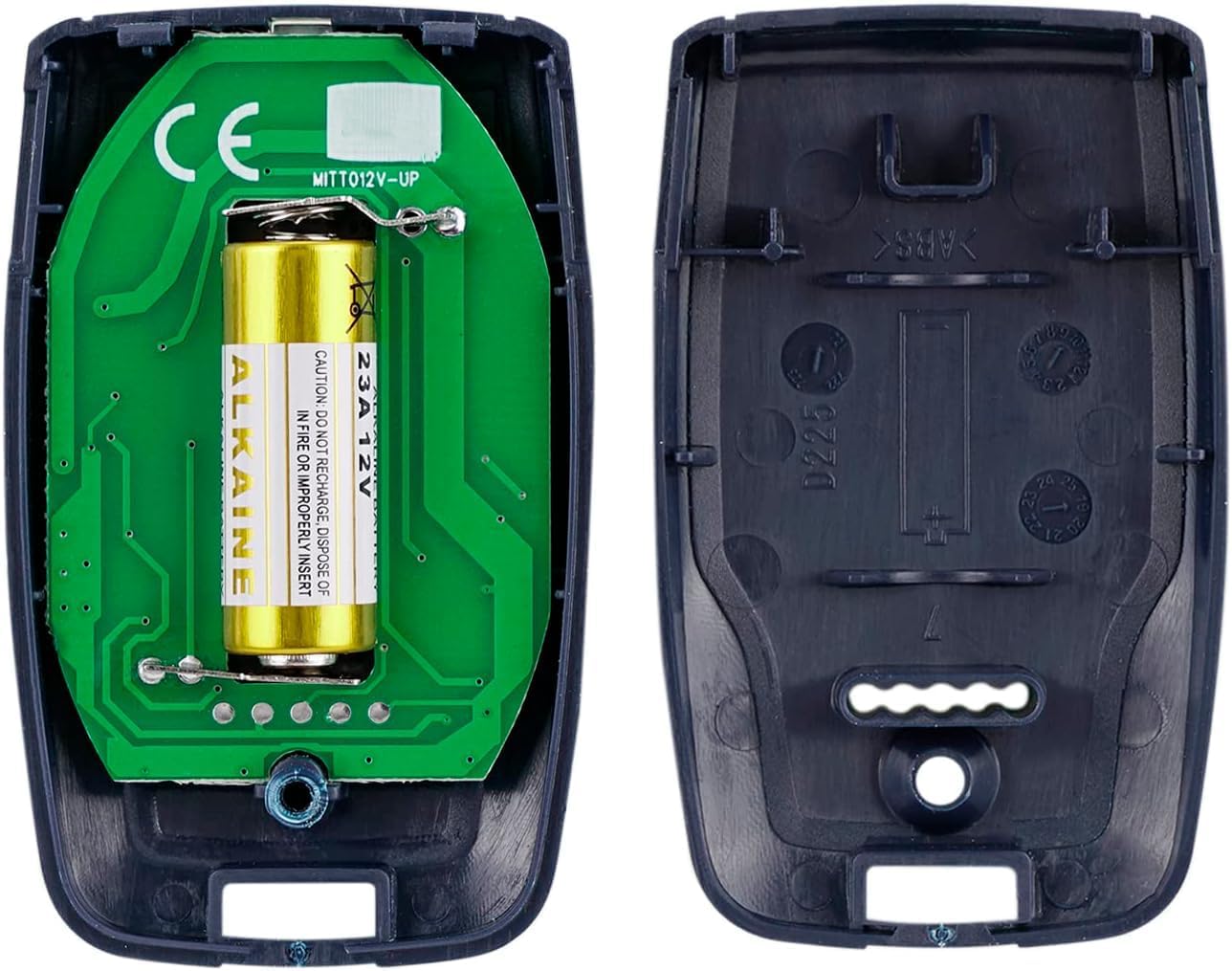
Figure 5.1: Internal view of the remote control, highlighting the battery location.
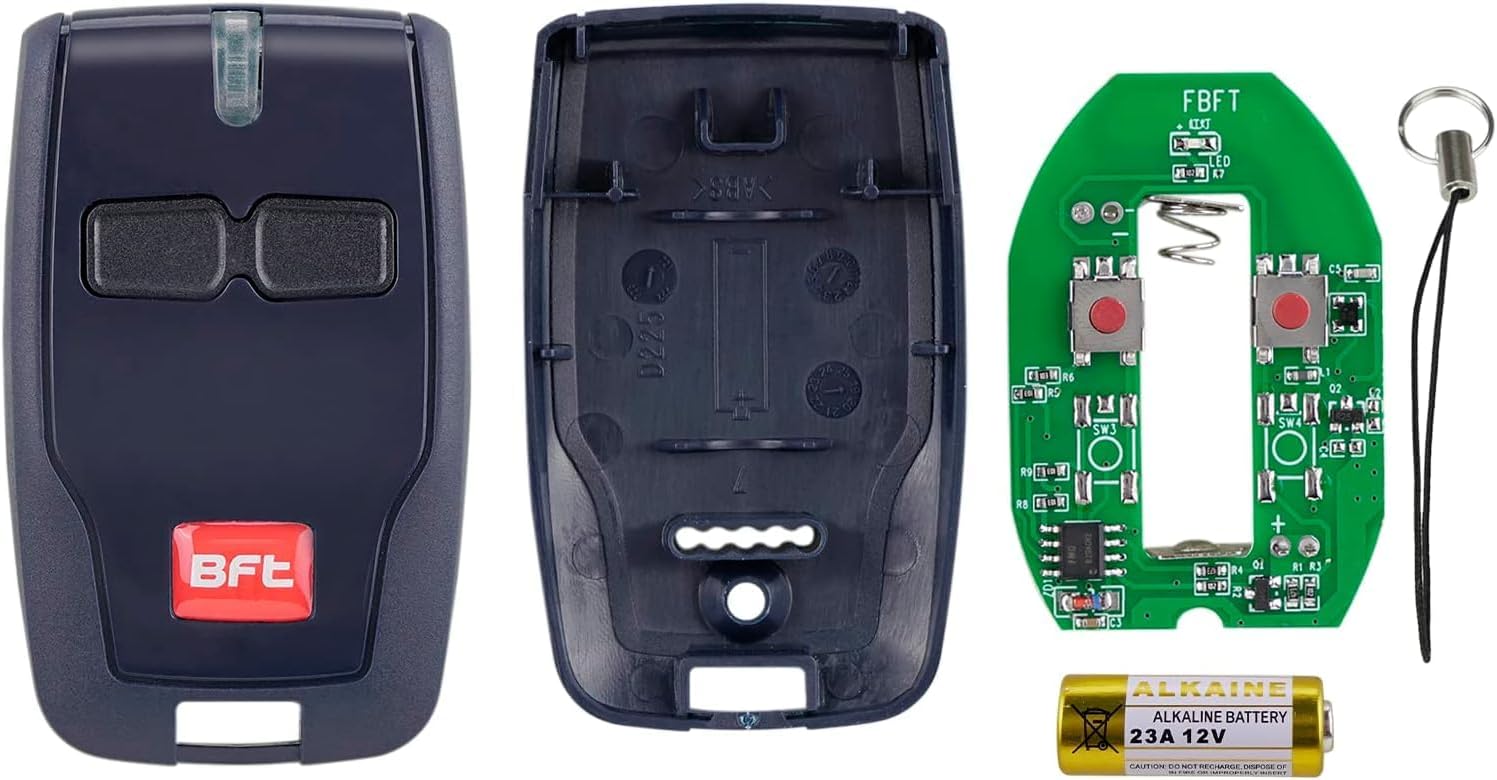
Figure 5.2: Disassembled remote control components, including the battery.
6. Troubleshooting
| Problem | Possible Cause | Solution |
|---|---|---|
| Remote does not work after programming. | Incorrect programming sequence; control panel not enabled for programming; system timed out during programming. | Review Section 3 "Setup and Programming" and repeat the steps carefully. Ensure rapid succession. Confirm with your installer that the control panel supports remote programming. |
| Reduced operating range. | Low battery; signal interference; obstructions. | Replace the battery (see Section 5 "Maintenance"). Ensure clear line of sight to the receiver. Check for other electronic devices causing interference. |
| Remote works intermittently. | Weak battery; loose battery connection; environmental factors. | Replace battery. Check battery contacts. Test in different locations to rule out local interference. |
If issues persist after following these troubleshooting steps, it is recommended to contact a qualified BFT installer or technical support for further assistance.
7. Specifications
| Feature | Detail |
|---|---|
| Brand | Vailikey |
| Model Name | (2PCS)For BFT MITTO Garage Door Remote |
| Frequency | 433.92 MHz |
| Number of Channels | 2 |
| Coding | Rolling Code |
| Maximum Range | 10 Metres |
| Battery Type | 2 CR2032 batteries (included) |
| Compatible Devices | BFT Garage Doors |
| Connectivity Technology | Radio Frequency |
| Number of Buttons | 2 |
| Controller Type | Button Control |
| Special Feature | Ergonomic |
| Package Dimensions | 15.6 x 11.5 x 1.9 cm |
| Item Weight | 40 g |
| Country of Origin | China |
8. Warranty and Support
For any questions, technical support, or warranty inquiries regarding your Vailikey BFT MITTO Garage Door Remote Control, please refer to the seller's contact information provided at the point of purchase. It is recommended to retain your proof of purchase for any warranty claims.
For complex issues or if programming difficulties persist, it is advisable to consult with a certified BFT installer or a professional specializing in garage door and gate automation systems.
Ask a question about this manual
Ask about setup, troubleshooting, compatibility, parts, safety, or missing instructions. Manuals+ will review the question and use this page’s manual context to help answer it.