
1. Introduction
This manual provides comprehensive instructions for the installation, operation, and maintenance of your Ctronics CTIPC-700C-2MPW Outdoor PTZ WiFi Security Camera. Please read this manual carefully before using the product to ensure proper setup and functionality. Keep this manual for future reference.
2. Product Overview
2.1 Key Features
- 1080P Full HD Resolution: Provides clear and detailed images and videos.
- PTZ Functionality: Pan 355° and Tilt 90° for wide area coverage.
- 30M Color Night Vision: Equipped with integrated lights for full-color night vision up to 30 meters, or infrared night vision.
- 4x Digital Zoom: Allows for closer inspection of details.
- Human Detection & Auto Tracking: Intelligent detection reduces false alarms and automatically tracks detected human movement.
- Two-Way Audio: Built-in speaker and microphone for real-time communication.
- IP66 Weatherproof: Designed to withstand extreme weather conditions for outdoor use.
- Multiple Installation Methods: Supports wall, ceiling, and pole mounting.
- TF Card Storage: Supports up to 64GB TF card (not included) for continuous or scheduled recording.
- Multi-User Sharing & Remote Access: Manage multiple cameras and share access via the mobile application.
2.2 Camera Components
The image below illustrates the main components of the Ctronics CTIPC-700C-2MPW camera.

Figure 1: Front view of the Ctronics CTIPC-700C-2MPW camera, showing the lens, infrared LEDs, and two external antennas.
2.3 Package Contents
- Ctronics CTIPC-700C-2MPW Security Camera (1 unit)
- Power Adapter (1 unit)
- Mounting Screws and Anchors (1 set)
- Waterproof Kit for Network Cable (1 set)
- User Manual (1 copy)
3. Setup
3.1 Installation Methods
The camera offers flexible installation options to suit various outdoor environments.

Figure 2: Illustration of the three primary installation methods: ceiling mounting, pole mounting, and wall mounting.
- Wall Mounting: Secure the camera to a vertical surface using the provided screws.
- Ceiling Mounting: Attach the camera to an overhead surface, such as an eave or ceiling.
- Pole Mounting: Use appropriate straps or clamps (not included) to secure the camera to a pole.
Ensure the mounting surface is strong enough to support the camera's weight and that the camera is positioned for optimal viewing angle and Wi-Fi signal reception.
3.2 Initial Configuration
- Power On: Connect the camera to the power adapter and plug it into an electrical outlet.
- Download App: Download the Ctronics app (or specified app) from your device's app store (iOS/Android).
- Account Registration: Register for an account and log in.
- Add Camera: Follow the in-app instructions to add your camera. This typically involves scanning a QR code on the camera or connecting to its temporary Wi-Fi hotspot.
- Connect to Wi-Fi: Configure the camera to connect to your home 2.4GHz Wi-Fi network.
- Set Password: Create a strong password for your camera for security.
4. Operating the Camera
4.1 Human Detection and Auto Tracking
The camera features advanced human detection to minimize false alarms and an auto-tracking function to follow detected subjects.

Figure 3: The camera's human detection and auto-tracking feature in action, showing a notification for human recognition.
- Enable/Disable: Access the camera settings in the app to enable or disable human detection and auto-tracking.
- Sensitivity: Adjust the detection sensitivity to suit your environment.
- Alerts: When a human is detected, the camera will send push notifications to your app, email alerts, or trigger an audible alarm if configured.
4.2 Color Night Vision
The camera provides clear surveillance even in low-light conditions with its advanced night vision capabilities.
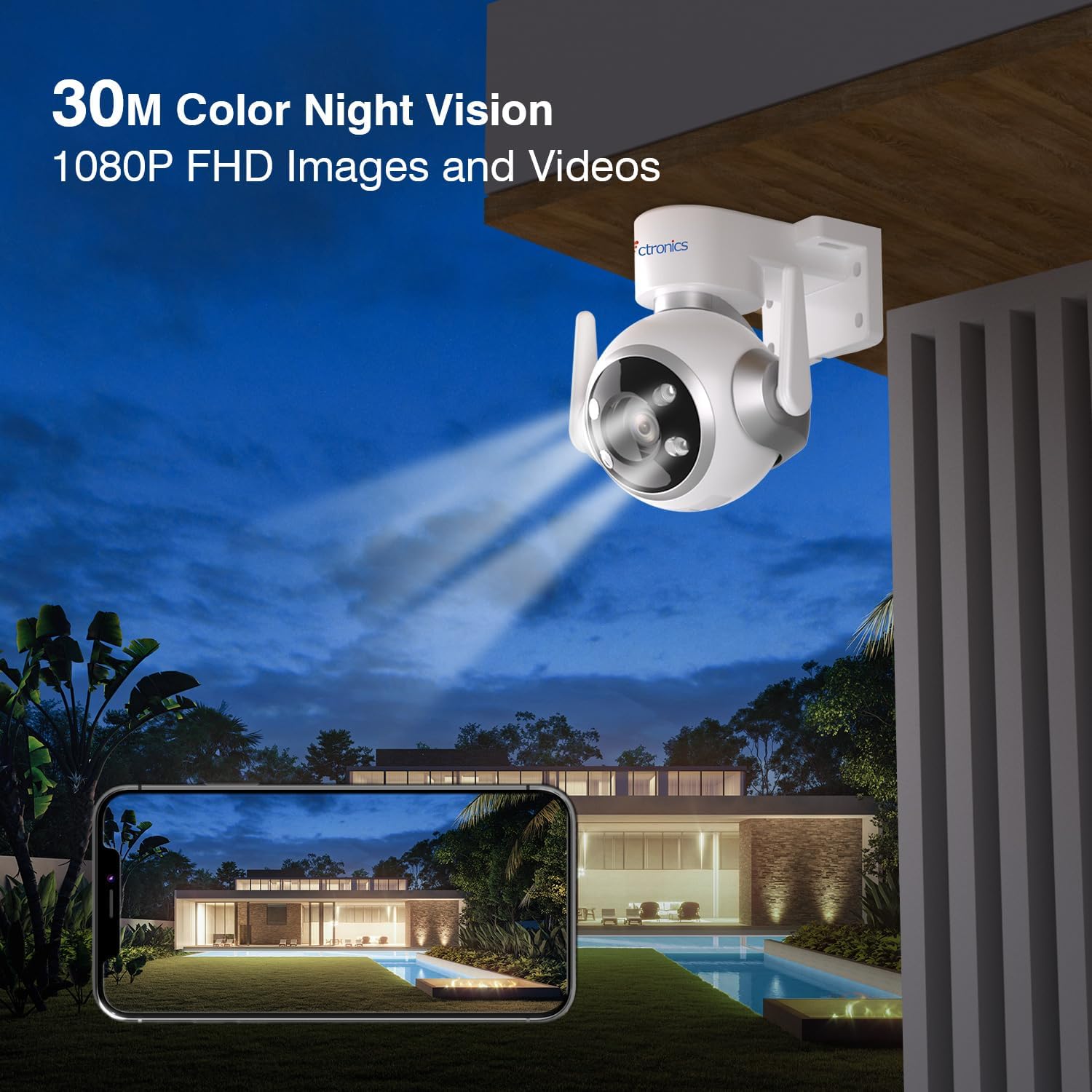
Figure 4: The camera providing clear color night vision footage of an outdoor area at night.
- Color Night Vision: The integrated spotlights activate in low light to provide full-color video.
- Infrared Night Vision: If color night vision is not desired, the camera can switch to infrared mode for black and white video.
- Smart Mode: The camera can automatically switch between IR and color night vision based on detected motion.
4.3 Two-Way Audio
Communicate directly through the camera using the two-way audio feature.
- Live View: In the live view interface of the app, tap the microphone icon to speak through the camera's speaker.
- Listen: The camera's built-in microphone allows you to hear audio from the camera's vicinity.
4.4 Multi-User Sharing and Remote Access
Share camera access with family members or friends and monitor from anywhere.
- Sharing: In the app, navigate to the camera settings and find the sharing option to invite other users.
- Remote Monitoring: Access live view and recorded footage from your smartphone or computer (iOS/Android, Mac/Windows via HIP2P).
4.5 Recording and Storage
The camera supports local storage via a TF card.

Figure 5: Visual representation of the camera's recording capabilities, including TF card storage (up to 64GB), video playback, and 24/7 recording options.
- TF Card Slot: Locate the TF card slot (usually under a protective cover) and insert a Class 10 or higher TF card (up to 64GB).
- Recording Modes: Configure recording options in the app:
- Continuous Recording: Records 24/7.
- Scheduled Recording: Records during specific times.
- Event Recording: Records only when motion or human detection is triggered.
- Playback: Access recorded videos through the app's playback feature.
5. Maintenance
5.1 Cleaning
- Regularly clean the camera lens with a soft, dry cloth to ensure clear image quality.
- Wipe the camera body with a damp cloth if necessary. Avoid using harsh chemicals or abrasive cleaners.
5.2 Weather Protection
The camera is IP66 weatherproof, designed for outdoor use in various conditions.
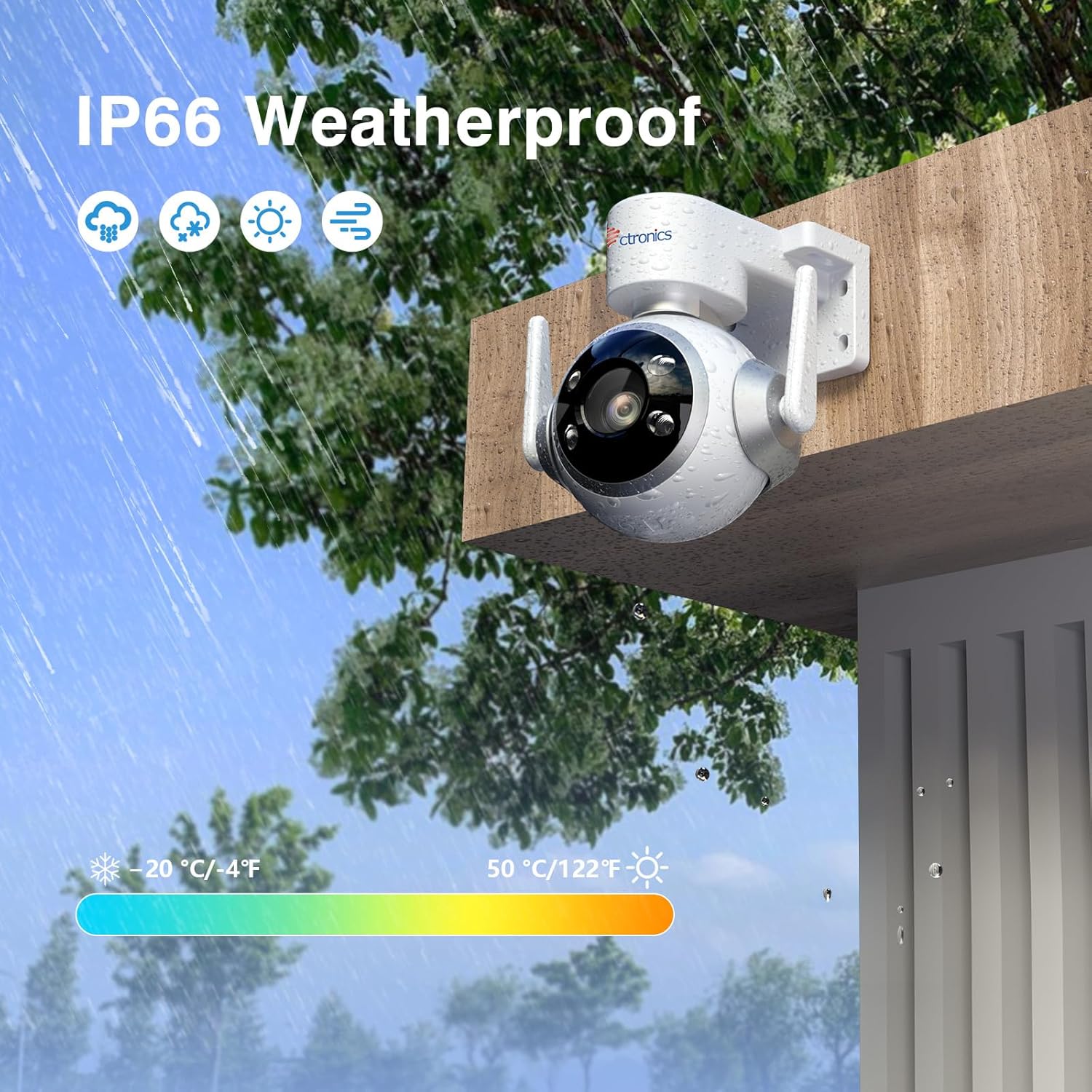
Figure 6: The camera installed outdoors, demonstrating its IP66 weatherproof rating against rain and varying temperatures (-20°C to 50°C).
- Ensure all cable connections are properly sealed using the provided waterproof kit to prevent water ingress.
- The camera operates effectively in temperatures ranging from -20°C to 50°C (-4°F to 122°F).
6. Troubleshooting
This section addresses common issues you might encounter with your camera.
| Problem | Possible Cause | Solution |
|---|---|---|
| Camera offline/Cannot connect to Wi-Fi | Weak Wi-Fi signal; Incorrect Wi-Fi password; Camera too far from router; Router settings. | Ensure camera is within Wi-Fi range. Verify Wi-Fi password. Restart camera and router. Ensure router is 2.4GHz compatible. |
| Poor image quality | Dirty lens; Insufficient lighting; Network bandwidth issues. | Clean the camera lens. Ensure adequate lighting or enable night vision. Check network speed. |
| Motion detection not working or too many false alarms | Detection sensitivity too low/high; Obstructions in detection zone; Incorrect settings. | Adjust detection sensitivity in the app. Define specific detection zones. Ensure no objects are constantly moving in the field of view. |
| TF card not recording | TF card full; TF card not formatted; Faulty TF card; Incorrect recording settings. | Check TF card status in the app. Format the TF card via the app. Replace TF card if faulty. Verify recording schedule and mode. |
| Two-way audio issues | Microphone/speaker muted; Network delay; App permissions. | Ensure microphone and speaker are enabled in the app. Check network connection. Grant necessary audio permissions to the app. |
7. Specifications
| Feature | Detail |
|---|---|
| Model Number | CTIPC-700C-2MPW |
| Resolution | 1080p (1920x1080 Pixels) |
| Pan/Tilt Angle | Pan 355°, Tilt 90° |
| Night Vision Range | Up to 30 meters (Color/IR) |
| Digital Zoom | 4x |
| Connectivity | Wi-Fi 2.4G (Wireless) |
| Storage | TF Card (Max 64GB, not included) |
| Audio | Two-Way Audio (Built-in speaker and microphone) |
| Weatherproof Rating | IP66 |
| Operating Temperature | -20°C to 50°C (-4°F to 122°F) |
| Power Supply | 12 Volts, 12 Watts (Cable electric) |
| Material | Plastic |
| Dimensions (L x W x H) | 15 x 15 x 12 cm |
| Weight | 680 grams |
| Compatible Devices | Smartphone (iOS/Android), Mac/Windows (HIP2P) |
8. Warranty and Support
Ctronics products typically come with a manufacturer's warranty. Please refer to the warranty card included in your product packaging or visit the official Ctronics website for detailed warranty terms and conditions.
For technical support, troubleshooting assistance, or any inquiries regarding your Ctronics CTIPC-700C-2MPW camera, please contact Ctronics customer service through their official website or the contact information provided in your product documentation.


