
1. Introduction
Thank you for choosing the Wicked Audio Growl Bluetooth Speaker. This manual provides essential information for the safe and optimal use of your device. The Growl speaker is designed for portability and durability, featuring IP67 waterproof and dustproof ratings, true wireless stereo pairing, and a built-in power bank function.
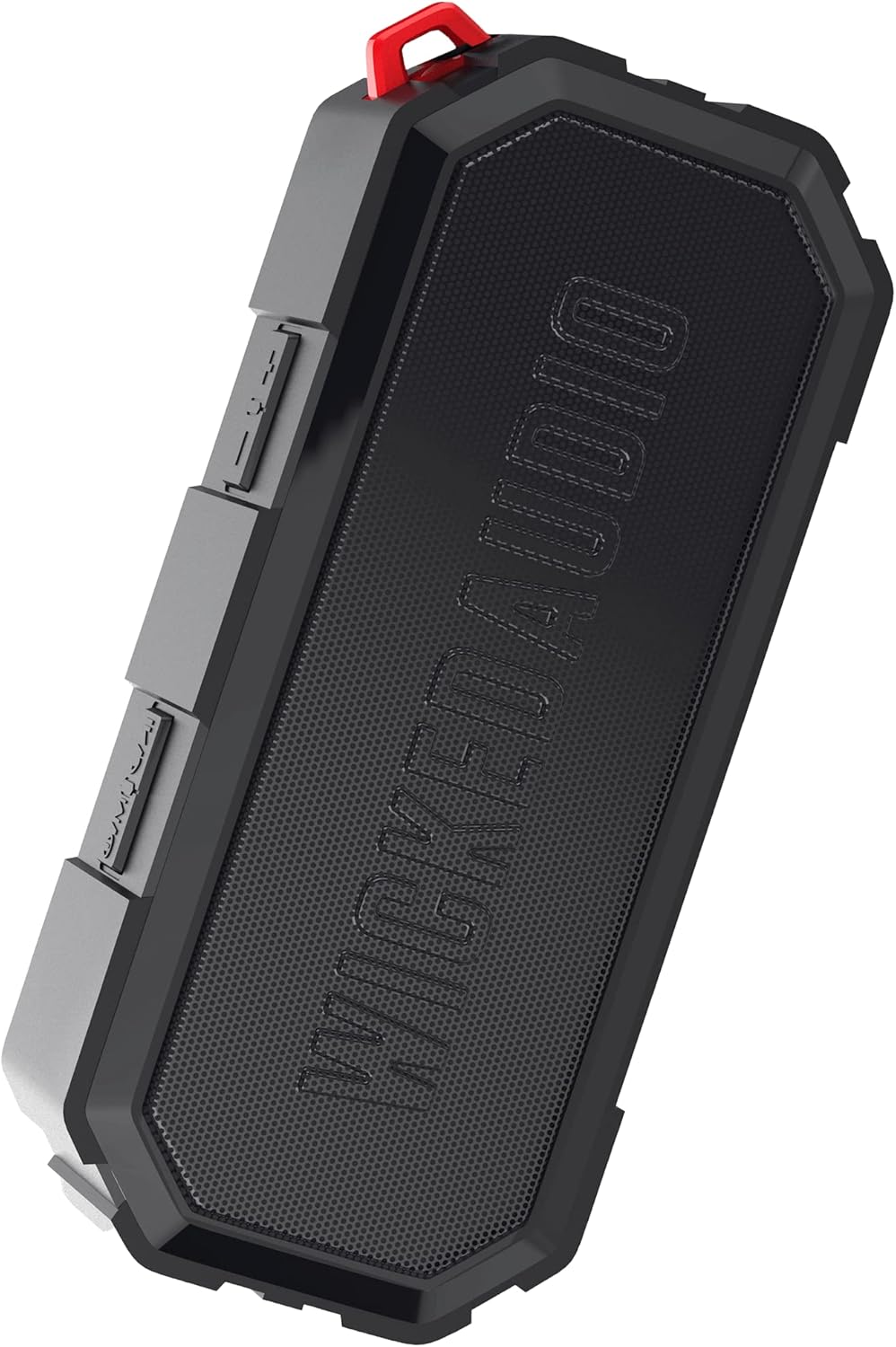
Image 1.1: The Wicked Audio Growl Bluetooth Speaker, showcasing its compact and rugged design.
2. Package Contents
Please check the box for the following items:
- Wicked Audio Growl Bluetooth Speaker
- User Manual (this document)
- USB-C Charging Cable
- Auxiliary (AUX) Audio Cable
3. Product Features
The Wicked Audio Growl speaker offers a range of features designed for an enhanced audio experience:
- IP67 Waterproof & Dustproof: Provides protection against water immersion and dust ingress, making it suitable for various environments.
- Rugged & Durable Design: Constructed with a durable silicone case and protective covers for buttons and ports.
- True Wireless Stereo (TWS) Linkable Tech: Connect two Growl speakers wirelessly for a stereo sound experience.
- Built-in Power Bank: Features a 2600mAh battery that can be used to charge other devices via its USB-A output port.
- Extended Playtime: Up to 40 hours of battery life on a single charge.
- Deep Bass & Dynamic Sound: Equipped with dual 52mm drivers for powerful audio with enhanced bass, rich mids, and clear highs.
- Bluetooth 5.0 Connectivity: Offers a stable wireless connection up to 32 feet (10 meters).

Image 3.1: Visual representation of the speaker's waterproof, dustproof, and rugged characteristics.

Image 3.2: The Growl speaker highlighting its IP67 waterproof and dustproof rating.

Image 3.3: Key features of the Growl speaker including extended battery, dual drivers, and linkable tech.

Image 3.4: Close-up emphasizing the enhanced bass and dual 52mm drivers for superior sound.
4. Setup
4.1 Charging the Speaker
Before first use, fully charge your Growl speaker. The speaker has a USB-C charging port located under a protective cover.
- Open the protective cover on the side of the speaker to access the ports.
- Connect the provided USB-C charging cable to the speaker's USB-C port.
- Connect the other end of the cable to a USB power adapter (not included) or a computer's USB port.
- The charging indicator light will illuminate. A full charge typically takes approximately 3 hours.
- Once fully charged, disconnect the cable and securely close the protective cover to maintain IP67 rating.

Image 4.1: Illustration of the speaker's 40-hour battery life and 3-hour charging time.
4.2 Powering On/Off
To power on or off the speaker, locate the power button on the control panel.
- Power On: Press and hold the Power button for a few seconds until you hear an audible indication.
- Power Off: Press and hold the Power button again for a few seconds until you hear an audible indication.
4.3 Bluetooth Pairing
Connect your Growl speaker to a Bluetooth-enabled device.
- Ensure the speaker is powered on and within 32 feet (10 meters) of your device.
- The speaker will automatically enter pairing mode, indicated by a flashing LED light.
- On your device (smartphone, tablet, etc.), go to Bluetooth settings and enable Bluetooth.
- Search for available devices and select "Wicked Growl" from the list.
- Once connected, the LED indicator will stop flashing and remain solid, and you will hear a confirmation sound.
4.4 True Wireless Stereo (TWS) Pairing
For an immersive stereo experience, you can pair two Growl speakers together.
- Ensure both Growl speakers are powered on and not connected to any other Bluetooth device.
- On one speaker (this will be your primary speaker), press and hold the TWS pairing button (refer to button layout in section 5.1).
- The primary speaker will search for the secondary speaker.
- Once connected, both speakers will emit a confirmation sound, and their LED indicators will synchronize.
- Now, connect your device to the primary speaker via Bluetooth as described in section 4.3. Audio will play through both speakers in stereo.

Image 4.2: Diagram illustrating the process of wirelessly pairing two Growl speakers for dual audio.
4.5 Auxiliary (AUX) Input
You can connect devices without Bluetooth using the 3.5mm AUX input.
- Open the protective cover on the side of the speaker.
- Connect one end of the provided 3.5mm AUX cable to the speaker's AUX port.
- Connect the other end to the headphone jack or audio output of your device.
- The speaker will automatically switch to AUX mode.
5. Operating Instructions
5.1 Button Functions
The Growl speaker features intuitive controls on its top panel:
| Button | Function (Short Press) | Function (Long Press) |
|---|---|---|
| Power Button | N/A | Power On/Off |
| Play/Pause Button | Play/Pause music; Answer/End call | Reject call |
| Volume Up (+) | Increase Volume | Next Track |
| Volume Down (-) | Decrease Volume | Previous Track |
| TWS Button | N/A | Initiate TWS Pairing |
5.2 Using as a Power Bank
The Growl speaker can provide a power boost to your other devices.
- Open the protective cover on the side of the speaker.
- Connect your device's charging cable (USB-A end) to the speaker's USB-A output port.
- Connect the other end of your device's charging cable to your device.
- The speaker will begin charging your device. Note that using the power bank feature will reduce the speaker's playback time.
- Once charging is complete or you wish to stop, disconnect the cable and securely close the protective cover.

Image 5.1: The speaker functioning as a backup power bank for a smartphone.

Image 5.2: The Growl speaker connected via USB to charge a smartphone, demonstrating its power bank capability.
6. Maintenance
Proper care will ensure the longevity of your Wicked Audio Growl speaker.
- Cleaning: Wipe the speaker with a soft, damp cloth. Do not use abrasive cleaners or solvents. Ensure all port covers are securely closed before cleaning with water.
- Water Exposure: While IP67 rated, avoid prolonged submersion or exposure to high-pressure water jets. Always ensure port covers are sealed when near water.
- Storage: Store the speaker in a cool, dry place away from extreme temperatures and direct sunlight.
- Battery Care: For optimal battery life, avoid fully discharging the battery frequently. Charge the speaker regularly, even if not in use for extended periods.
7. Troubleshooting
If you encounter issues with your Growl speaker, refer to the following common solutions:
| Problem | Possible Solution |
|---|---|
| Speaker does not power on | Ensure the battery is charged. Connect to a power source using the USB-C cable. |
| Cannot pair via Bluetooth | Ensure the speaker is in pairing mode (flashing LED). Turn off and on Bluetooth on your device. Forget "Wicked Growl" from your device's Bluetooth list and try pairing again. Ensure no other devices are connected to the speaker. |
| No sound | Check volume levels on both the speaker and your connected device. Ensure the correct input mode (Bluetooth or AUX) is selected. If using AUX, ensure the cable is fully inserted. |
| Poor sound quality | Move the speaker closer to your Bluetooth device to reduce interference. Ensure the speaker is not obstructed. Check the audio source quality. |
| TWS pairing fails | Ensure both speakers are powered on and not connected to any other Bluetooth device. Try resetting both speakers by powering them off and on, then re-attempt TWS pairing. |
| Power bank not charging device | Ensure the speaker has sufficient charge. Check the USB cable and connection. Some devices may require more power than the speaker can provide. |
8. Specifications
Detailed technical specifications for the Wicked Audio Growl Bluetooth Speaker:
| Feature | Specification |
|---|---|
| Model Name | Growl |
| Item Model Number | WIBTS70 |
| Bluetooth Version | 5.0 |
| Wireless Range | Up to 32 feet (10 meters) |
| Speaker Size | Dual 52mm Drivers |
| Speaker Maximum Output Power | 5 Watts |
| Frequency Response | 20000 Hz |
| Impedance | 16 Ohm |
| Battery Type | 1 Lithium Ion battery |
| Battery Capacity | 2600 mAh |
| Playtime | Up to 40 hours |
| Charging Time | Approx. 3 hours |
| Charging Port | USB-C |
| Power Bank Output | USB-A |
| Waterproof Rating | IP67 |
| Product Dimensions | 20.5D x 5.5W x 15H Centimetres |
| Weight | 680 g |
| Colour | Black |

Image 8.1: Visual summary of the speaker's sleek design, durability, and key specifications.
9. Warranty and Support
Wicked Audio provides a 12-month limited warranty for the Growl Bluetooth Speaker from the date of purchase. This warranty covers manufacturing defects and ensures your product performs as expected under normal use.
For warranty claims, technical support, or any inquiries regarding your Wicked Audio Growl speaker, please contact Wicked Audio customer service through their official website or the contact information provided with your purchase documentation.
Please retain your proof of purchase for warranty service.