
VRURC T2055
VRURC Portable Charger 20000mAh User Manual
Model: T2055
Brand: VRURC
1. Introduction
Thank you for choosing the VRURC 22.5W Mini Portable Charger. This power bank is designed to provide reliable and fast charging for your electronic devices on the go. With its compact size, high capacity, and multiple output/input options, it is an ideal companion for daily use and travel. Please read this manual carefully to ensure proper use and optimal performance of your device.
2. Product Overview
The VRURC Portable Charger features a 20000mAh capacity, multiple charging ports, and an LED display for battery status. Its compact design makes it easy to carry, and it supports fast charging for a wide range of devices.
Key Features:
- Mini and Portable: Approximately 20% smaller and lighter than comparable 20000mAh power banks, measuring 4.42 x 2.73 x 1.08 inches and weighing 10.09 Oz.
- 22.5W High-Speed Charging: Equipped with high-quality chips, supporting PD QC 3.0 fast charging technology. Can charge an iPhone to 60% in 30 minutes.
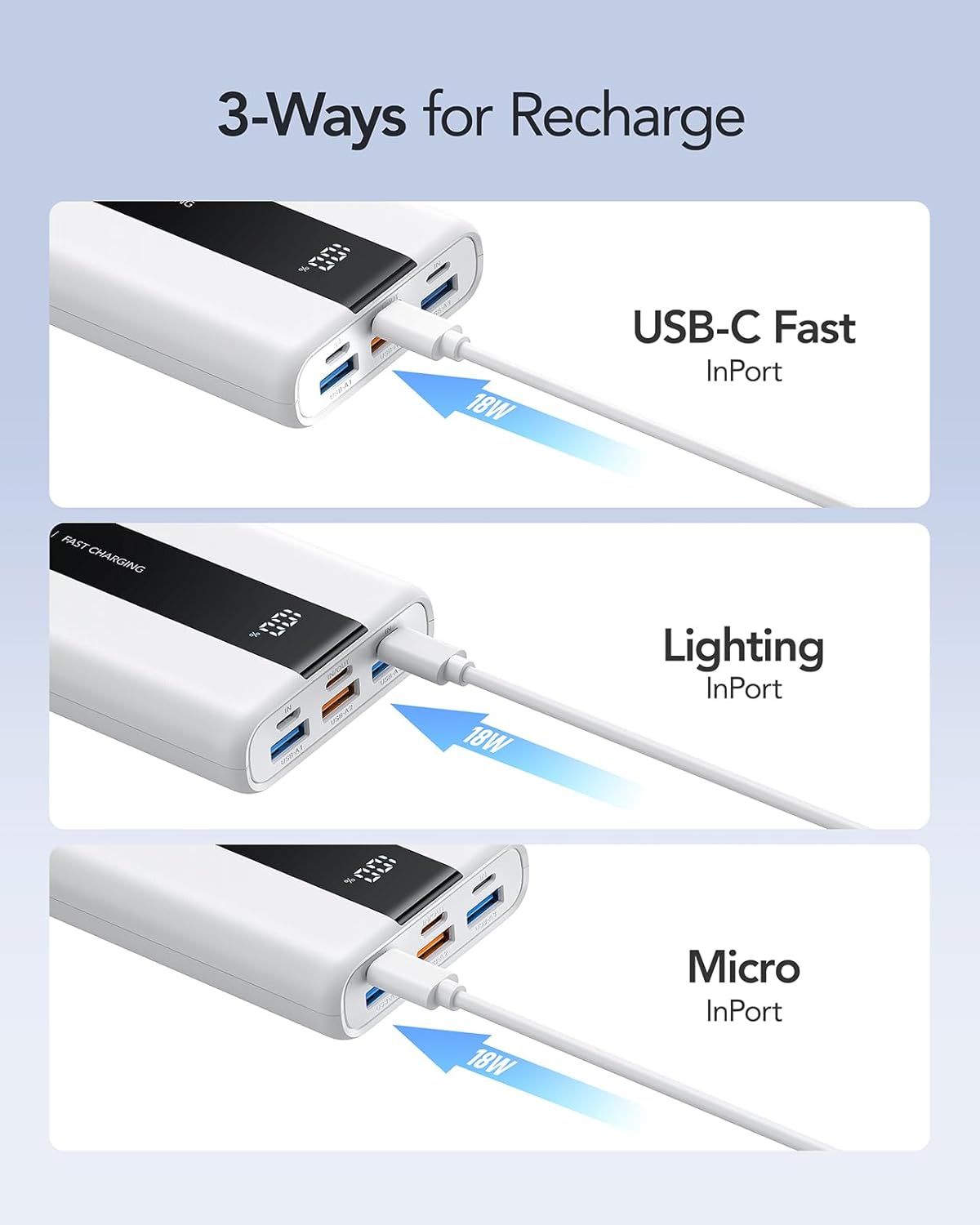
- Versatile Ports: Features 4 output ports (3 USB-A, 1 USB-C) and 3 input ports (USB-C, Micro USB, Lightning) for broad compatibility and convenient recharging.
- Simultaneous Charging: Capable of charging up to 4 devices concurrently.
- LED Digital Display: Provides a clear, real-time percentage display of the remaining battery level.
- Universal Compatibility: Compatible with over 1000 devices, including iPhone 15/14/13 series, Samsung, iPad, AirPods, and more.
- Airline Friendly: Designed to meet airline regulations for carry-on luggage.
Product Components:


3. Setup
Before using your VRURC Portable Charger for the first time, it is recommended to fully charge it.
Charging the Power Bank:
- Connect the power bank to a power source (e.g., wall adapter, computer USB port) using one of the three input ports: USB-C, Micro USB, or Lightning.
- The LED display will show the charging progress, indicating the battery percentage.
- Once the display shows '100%', the power bank is fully charged and ready for use. A full charge typically takes about 6 hours with an 18W input.
4. Operating Instructions
Charging Your Devices:
- Identify the appropriate charging cable for your device.
- Connect one end of the charging cable to your device and the other end to one of the power bank's output ports (USB-A or USB-C).
- The power bank will automatically begin charging your device. The LED display will show the power bank's remaining battery percentage.
- You can charge up to four devices simultaneously using the available output ports.


Understanding the LED Display:
The LED display shows the exact percentage of battery remaining in the power bank (0-100%). This allows you to know precisely when to recharge the power bank.
5. Maintenance
- Keep the power bank away from extreme temperatures, direct sunlight, and humid environments.
- Do not drop, disassemble, or attempt to repair the device yourself.
- Clean the power bank with a soft, dry cloth. Avoid using harsh chemicals or abrasive materials.
- For optimal battery life, fully charge and discharge the power bank at least once every three months if not in regular use.
6. Troubleshooting
Common Issues and Solutions:
| Problem | Possible Cause | Solution |
|---|---|---|
| Power bank not charging | Low battery on power bank; faulty cable; power source issue. | Ensure power bank has charge. Try a different charging cable or power adapter. Check power outlet. |
| Device not charging from power bank | Power bank low on charge; faulty cable; incompatible device. | Recharge the power bank. Try a different charging cable. Ensure your device is compatible with the power bank's output. |
| Slow charging | Using a non-fast charging port/cable; device not supporting fast charge. | Ensure you are using the 22.5W USB-A or 20W USB-C output port and a compatible fast-charging cable. Verify your device supports fast charging. |
| LED display not working | Device malfunction. | Contact customer support if the issue persists after recharging. |
7. Specifications
- Model Number: T2055
- Battery Capacity: 20000 Milliamp Hours (mAh)
- Product Dimensions: 4.21 x 2.74 x 0.99 inches
- Item Weight: 10.9 ounces
- Input (USB-C): 18W Max
- Input (Micro USB): 18W Max
- Input (Lightning): 18W Max
- Output (USB-C): 20W Max
- Output (USB-A 1/2): 12W Max (5V-2.4A)
- Output (USB-A 3): 22.5W Max (4.5V-5A/9V-2A/12V-1.5A)
- Battery Type: Lithium Polymer
- Color: White
8. Warranty and Support
Your VRURC Portable Charger comes with a 12-month replacement service from the date of purchase. This warranty covers manufacturing defects and ensures that you receive a functional product.
For any questions, technical support, or warranty claims, please contact VRURC customer service through the retailer where you purchased the product or visit the official VRURC website for contact information.

Related documentsT2055


Ask a question about this manual
Ask about setup, troubleshooting, compatibility, parts, safety, or missing instructions. Manuals+ will review the question and use this page’s manual context to help answer it.