
HANMATEK LV16D
HANMATEK LV16D 4x360° Laser Level
User Manual
Product Overview
The HANMATEK LV16D is a versatile 4x360° 4D Green Laser Level designed for various leveling and alignment tasks in construction, home renovation, and DIY projects. It features multiple operating modes, including self-leveling and manual oblique line modes, and can be controlled remotely for convenience. This tool provides precise horizontal and vertical laser lines, making it ideal for tasks such as picture hanging, floor tiling, wall decoration, and more.

Image: The HANMATEK LV16D 4x360° Laser Level, showcasing its green laser beams and included accessories.
Safety Information
This device utilizes a Class 2 laser. Adhere to the following safety guidelines to prevent injury:
- Do not stare directly into the laser beam.
- Avoid direct eye exposure to the laser beam.
- Do not disassemble the laser level. Repairs should only be performed by authorized personnel.
- Keep the device out of reach of children.
- Use the device only for its intended purpose.
Package Contents
Verify that all items are present in the package:
- 1 x HANMATEK LV16D 4*360° (3D) Laser Level
- 2 x 2600MA Lithium Batteries
- 1 x Charger
- 1 x 360° Rotating Frame
- 1 x Suspension Bracket
- 1 x 10cm Platform Lift
- 1 x Ruler Target
- 1 x Remote Control
- 1 x Cloth Bag
- 1 x Instruction Manual (this document)

Image: A complete set of the HANMATEK LV16D Laser Level and its accompanying accessories, including batteries, charger, remote, and various mounts.
Setup
Battery Installation and Charging
The device comes with two 2600MA lithium batteries. Ensure batteries are fully charged before first use.
- Locate the battery compartment on the side of the laser level.
- Insert the charged lithium battery, ensuring correct polarity.
- To charge, connect the provided charger to the USB Type-C port on the device or directly charge the batteries externally if the charger supports it. The battery level is visualized on the device.

Image: Illustration of the USB Type-C charging method for the HANMATEK LV16D, highlighting the removable batteries and visible battery level indicator.
Mounting and Placement
The LV16D offers multiple placement options for various applications:
- Magnetic Bracket: Use the included magnetic bracket to attach the laser level to metal surfaces. This allows for flexible height adjustment.
- Tripod Compatibility: The device can be mounted on a standard tripod using its 1/4" threaded mount (tripod sold separately).
- Lifting Base Stand: The included 10cm platform lift allows for fine height adjustments when placing the unit on a flat surface.
- Suspension Bracket: For specific applications, the suspension bracket can be used to hang the device.
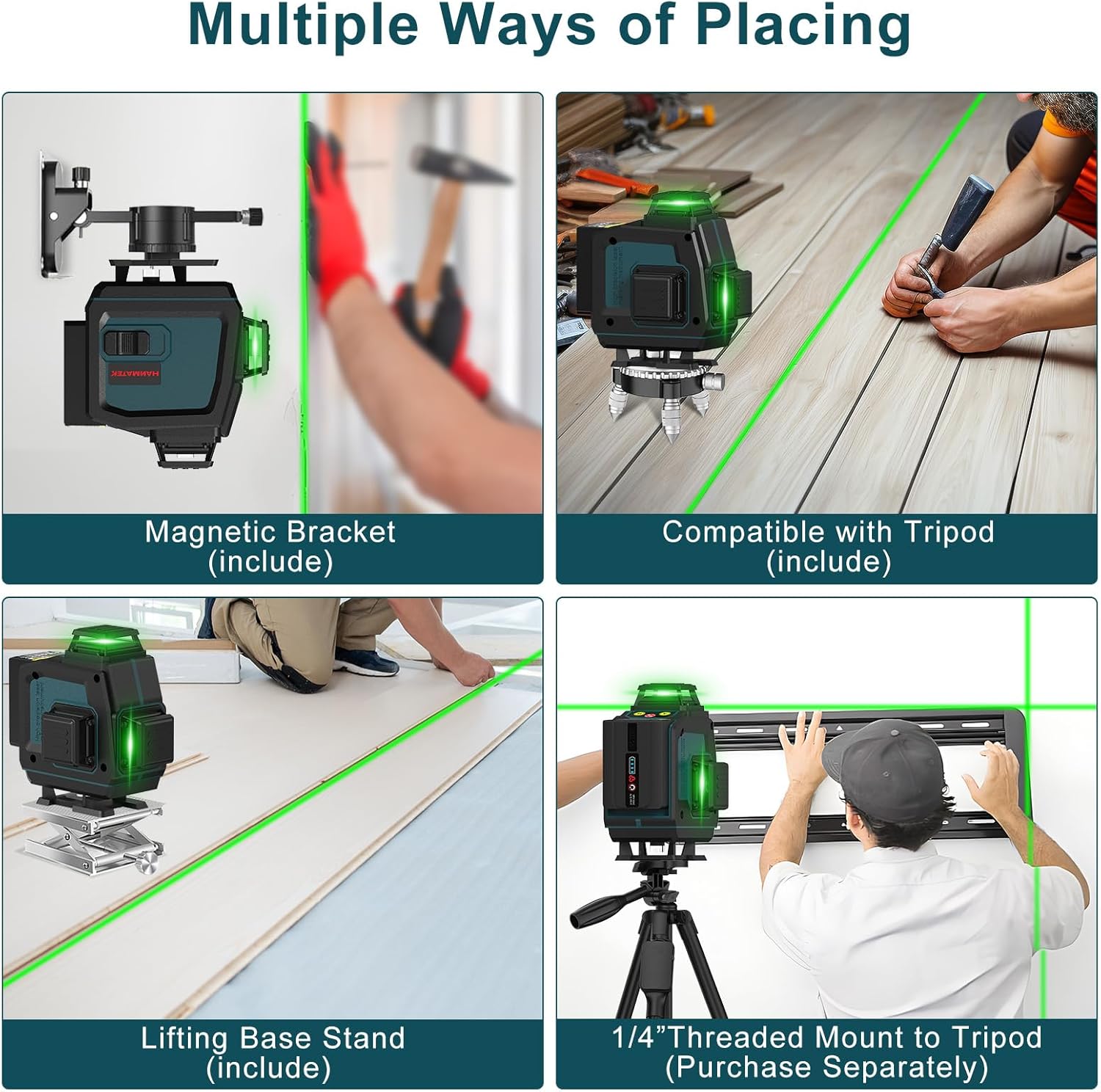
Image: Demonstrates the different ways to position the laser level, such as using the magnetic bracket, a compatible tripod, or the lifting base stand.
Operating Modes
The HANMATEK LV16D features four primary operating modes:
- Self-Leveling Mode:
This mode automatically levels the laser within a range of ±3 degrees. If the device is placed on a surface exceeding this range, it will emit an audible warning to indicate it is out of level. This mode is ideal for quick and accurate horizontal and vertical alignment.

Image: Illustrates the self-leveling function, where the laser automatically adjusts to create a level line, and contrasts it with the manual mode for angled lines.
- Oblique Line Mode (Manual Mode):
To activate this mode, lock the pendulum by sliding the lock switch. This allows the laser tool to be placed at any angle, projecting inclined lines. This is useful for tasks requiring non-level lines, such as staircase installations or custom designs.
- Pulse Mode:
This mode enables the use of the laser level with a compatible laser detector (receiver) for brighter environments or longer working distances. Consult your detector's manual for pairing instructions.
- Remote Operation:
The included remote control allows for convenient operation from a distance of 5-7 meters, freeing your hands during setup or adjustments. The remote can control vertical lines, horizontal lines, and power ON/OFF.
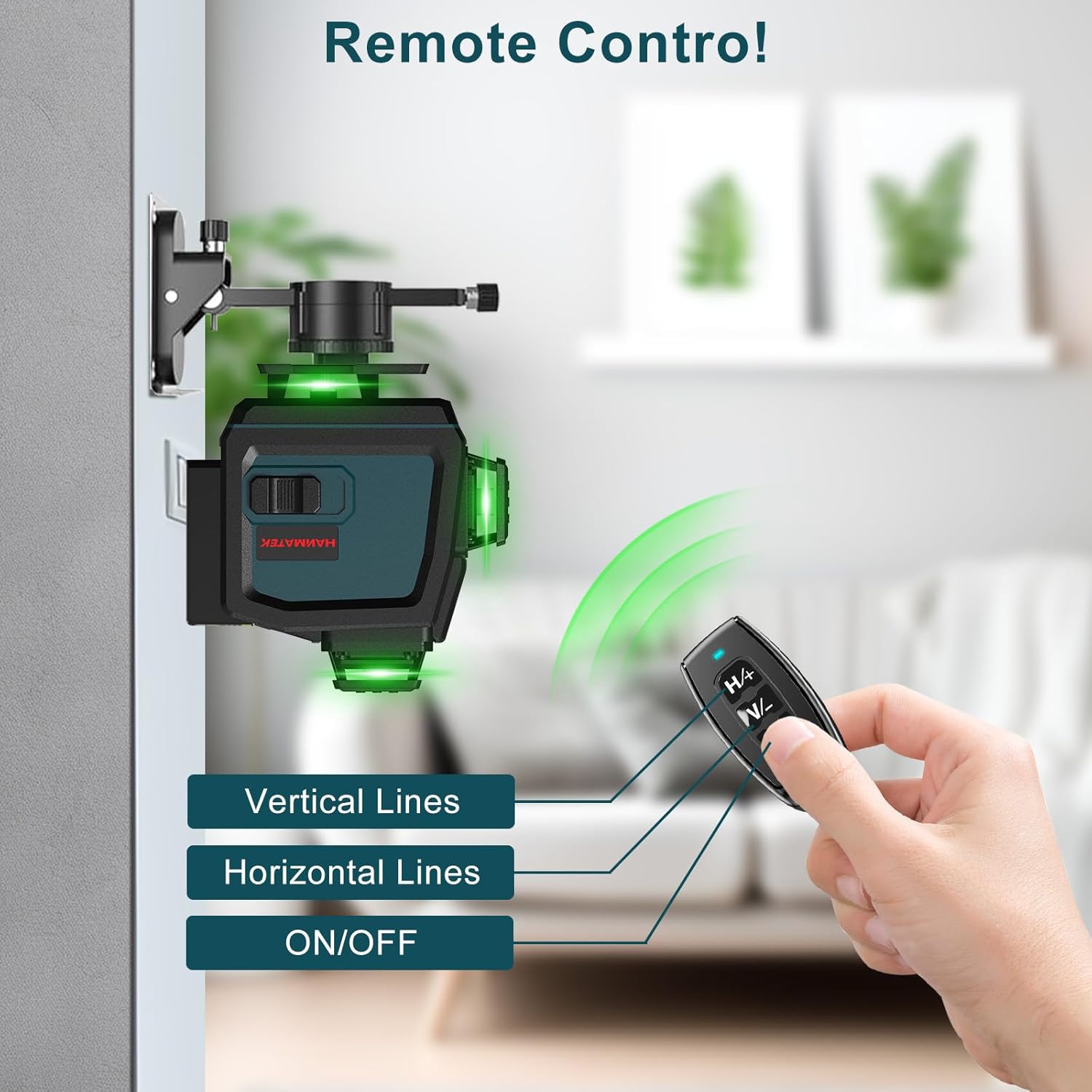
Image: A hand holding the remote control, demonstrating its ability to switch vertical lines, horizontal lines, and power the laser level on or off from a distance.
Line Configuration
The 4x360° design provides comprehensive coverage with multiple horizontal and vertical lines. You can select specific lines or combinations based on your project needs.

Image: A visual representation of the different vertical and horizontal laser line patterns that can be projected by the 4x360° laser level.
Applications
The HANMATEK LV16D is suitable for a wide range of indoor and outdoor applications:
- Laying tiles on floors and walls.
- Installing photo frames and artwork.
- Assisting with wood cutting and carpentry.
- Precise ladder installation.
- Aligning painted walls and decorative elements.
- Ensuring accurate door and window installation.
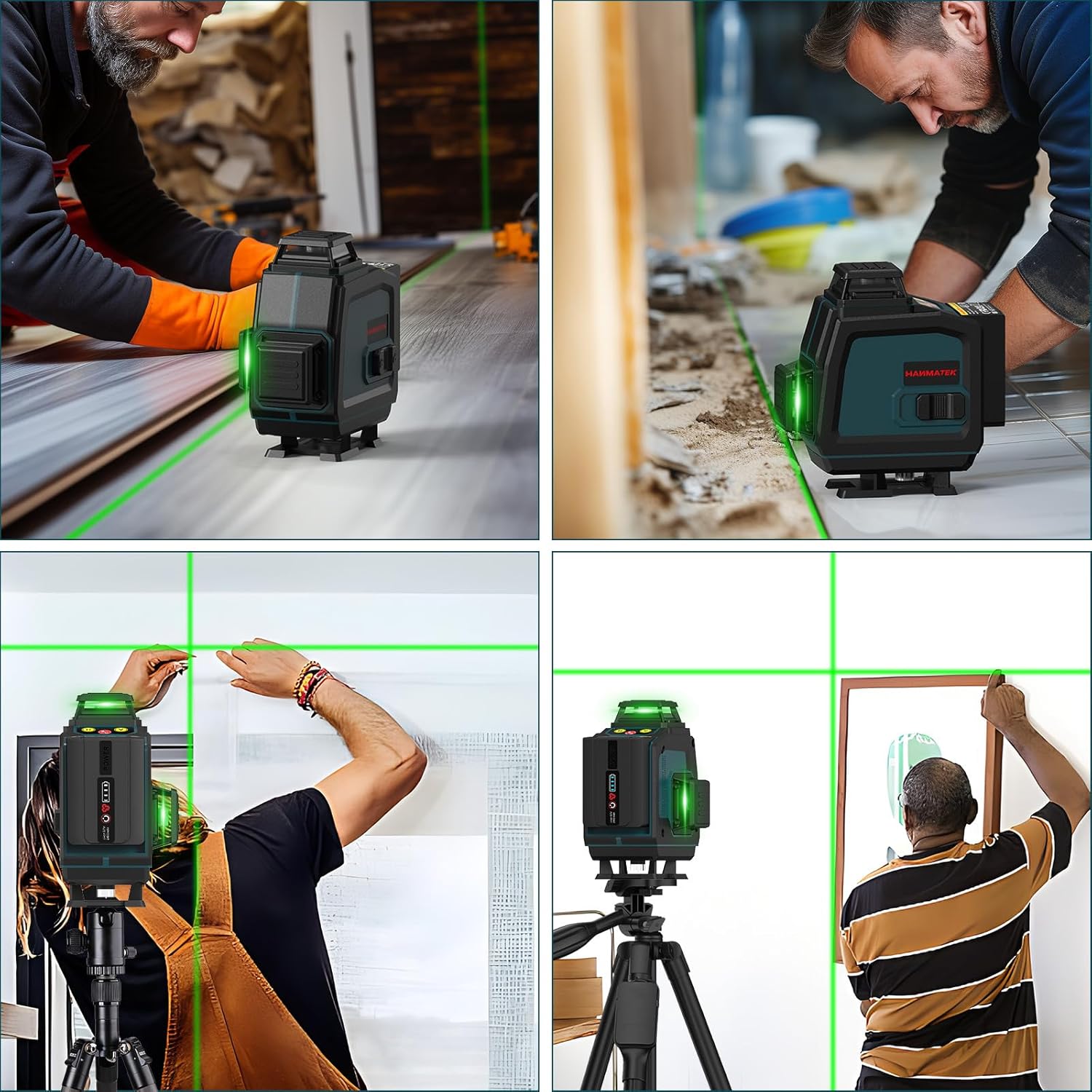
Image: Collage showing the laser level being used for tasks such as tile laying, picture hanging, wood cutting, staircase alignment, and door/window installation.
Maintenance
Proper maintenance ensures the longevity and accuracy of your laser level:
- Cleaning: Wipe the device with a soft, damp cloth. Do not use harsh chemicals or abrasive cleaners. Keep the laser windows clean for optimal performance.
- Storage: Store the laser level in its cloth bag or a protective case when not in use. Store in a dry place, away from direct sunlight and extreme temperatures.
- Battery Care: Remove batteries if the device will not be used for an extended period. Recharge batteries regularly to maintain their capacity.
- Calibration: While the device is self-leveling, periodic checks of its accuracy are recommended, especially after drops or impacts. Refer to the troubleshooting section for basic accuracy checks.
Troubleshooting
Common issues and their solutions:
| Problem | Possible Cause | Solution |
|---|---|---|
| Laser lines are not stable or flashing. | Device is out of self-leveling range (±3°). | Place the device on a more level surface. If in manual mode, ensure the pendulum is locked. |
| Laser does not turn on. | Low battery or no battery installed. | Charge or replace batteries. Ensure batteries are correctly inserted. |
| Laser lines are dim or not visible outdoors. | Bright ambient light. | Use Pulse Mode with a compatible laser detector for outdoor or bright conditions. |
| Remote control not working. | Remote battery low or out of range. | Replace remote battery. Ensure you are within the 5-7m operating range. |
Specifications
| Parameter | Value |
|---|---|
| Brand | HANMATEK |
| Model | LV16D |
| Laser Class | Class 2, <1mW power output |
| Laser Type | 505~520nm (Green) |
| Self-Leveling Range | ±2.5° (Auto leveling range: ±4°) |
| Leveling Accuracy | ±0.2mm/m |
| Measuring Range | 40m |
| Leveling Time | <4s |
| Power Source | Battery Powered (2 x 2600MA Lithium Metal batteries) |
| Operating Time | Up to 300 minutes |
| IP Protection Level | IP54 (dustproof and splashproof) |
| Item Weight | 4.31 pounds |
| Material | Plastic |
Warranty and Support
HANMATEK is committed to providing high-quality products and satisfactory after-sales service. For warranty information, technical support, or service inquiries, please refer to the contact information provided with your purchase or visit the official HANMATEK website.
You can visit the HANMATEK Store on Amazon for more information: HANMATEK Store
Ask a question about this manual
Ask about setup, troubleshooting, compatibility, parts, safety, or missing instructions. Manuals+ will review the question and use this page’s manual context to help answer it.