
1. Introduction
Thank you for choosing the JALL Slim LED Digital Alarm Clock, Model CH-08. This device combines a clear digital time display with a mirror surface, dual alarm functions, adjustable brightness, and convenient USB charging ports. This manual provides detailed instructions for setup, operation, and maintenance to ensure optimal performance and longevity of your alarm clock.

Image 1.1: Front view of the JALL Slim LED Digital Alarm Clock.
2. Package Contents
Please verify that all items are present in the package:
- JALL Slim LED Digital Alarm Clock (CH-08)
- Power Adapter
- Owner's Manual (this document)
3. Product Overview
The JALL CH-08 alarm clock features a sleek, slim design with a reflective mirror surface that can also be used for grooming. Its large LED display ensures time is easily visible.
3.1 Key Features
- Mirror Surface: Approximately 6.7 inches (L 6.4 inches * W 3 inches) HD mirror screen.
- Slim Design: Only 0.4 inches thick.
- Large Digital Display: For enhanced visibility.
- Dual Alarms: Two independent alarms with customizable work modes.
- Adjustable Brightness: 4 levels (L0-L3) for display.
- Adjustable Alarm Volume: 5 levels (V01-V05).
- Snooze Function: Provides an extra 9 minutes of sleep.
- Dual USB Charging Ports: For charging external devices.
3.2 Component Identification

Image 3.1: Side and back view of the alarm clock with dimensions and button labels.
The alarm clock features five control buttons on the top for easy access to settings. The back panel includes two USB charging ports and a Type-C power input.

Image 3.2: The mirror surface of the alarm clock in use.
4. Setup
4.1 Initial Power Connection
- Connect the provided power adapter to the Type-C power input port on the back of the alarm clock.
- Plug the power adapter into a standard electrical outlet. The display will illuminate.
4.2 Removing Protective Film
A protective film is applied to the mirror surface to prevent scratches during shipping. For optimal clarity, gently peel off this film before first use.

Image 4.1: Illustration of removing the protective film from the display.
5. Operating Instructions
5.1 Setting the Time
- Press and hold the 'SET' button (usually located on the top) until the hour digits begin to flash.
- Use the 'UP' or 'DOWN' buttons to adjust the hour.
- Press 'SET' again to move to minute adjustment. Use 'UP' or 'DOWN' to adjust the minutes.
- Press 'SET' a third time to confirm the time.
- To switch between 12-hour and 24-hour format, press the 'UP' button while the time is displayed (not in setting mode). An 'AM' or 'PM' indicator will appear for 12-hour format.
5.2 Setting Alarms
The clock supports two independent alarms (Alarm 1 and Alarm 2).

Image 5.1: Alarm clock showing dual alarm icons.
- To Set Alarm 1: Press and hold the 'ALARM 1' button until the alarm hour digits flash. Adjust the hour using 'UP' or 'DOWN'. Press 'ALARM 1' again to set minutes, then adjust. Press 'ALARM 1' a third time to select the alarm mode (1-7 for Mon-Sun, 1-5 for Mon-Fri, 6-7 for Sat-Sun). Press 'ALARM 1' again to confirm.
- To Set Alarm 2: Follow the same steps as Alarm 1, using the 'ALARM 2' button.
- To Activate/Deactivate Alarms: Briefly press the 'ALARM 1' or 'ALARM 2' button. The corresponding alarm icon will appear/disappear on the display.
- Adjusting Alarm Volume: While an alarm is sounding, press the 'Volume Up' or 'Volume Down' buttons to cycle through 5 volume levels (V01-V05).
5.3 Adjusting Display Brightness
The display has 4 brightness levels: Bright (L3), Natural (L2), Dark (L1), and Completely Off (L0).

Image 5.2: Examples of the four display brightness levels.
- Press the 'DIMMER' button (or equivalent brightness control button) repeatedly to cycle through the brightness levels (L3 > L2 > L1 > L0 > L3).
- Select the desired brightness level for your environment.
5.4 Using the Snooze Function
When an alarm sounds, press the 'SNOOZE' button (often a large central button) to temporarily silence the alarm for 9 minutes. The alarm will sound again after 9 minutes. To turn off the alarm completely, press any other button.
5.5 Using USB Charging Ports
The alarm clock is equipped with two independent USB ports on the back, allowing you to charge compatible electronic devices such as smartphones or tablets.
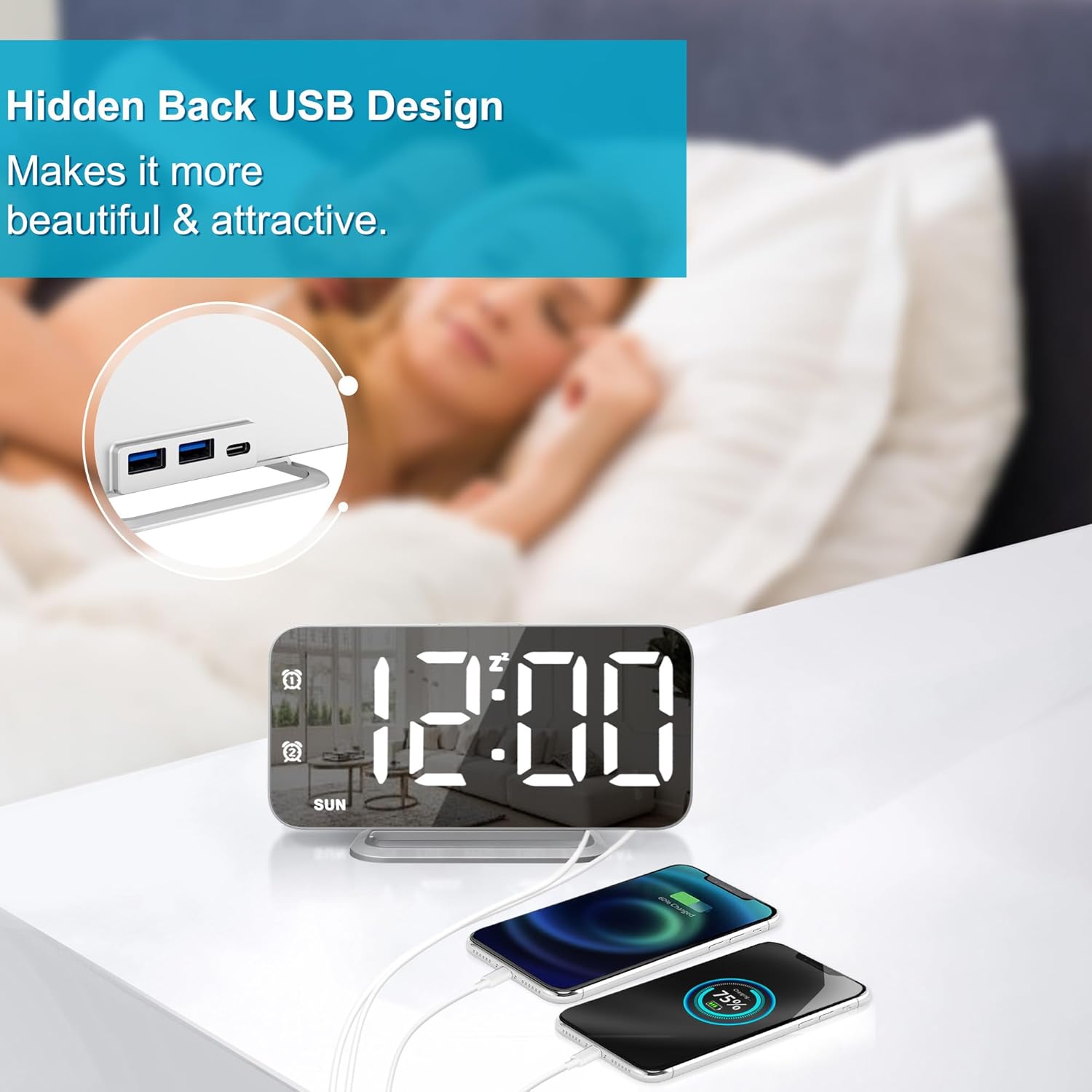
Image 5.3: Two devices connected to the alarm clock's USB charging ports.
- Connect your device's USB charging cable to one of the USB ports on the back of the alarm clock.
- Ensure the alarm clock is powered on. Your device should begin charging automatically.
6. Maintenance
To maintain the appearance and functionality of your alarm clock:
- Cleaning: Use a soft, dry cloth to wipe the mirror surface and body. Avoid abrasive cleaners or solvents that may damage the finish.
- Power: Always use the provided power adapter. Disconnect from power during extended periods of non-use.
- Placement: Place the clock on a stable, flat surface away from direct sunlight, excessive heat, or moisture.
7. Troubleshooting
If you encounter issues with your JALL Slim LED Digital Alarm Clock, refer to the following common problems and solutions:
| Problem | Possible Cause | Solution |
|---|---|---|
| Display is blank or not lighting up. | Not connected to power; power outage; brightness set to L0 (Off). | Ensure power adapter is securely plugged in. Check power outlet. Press the 'DIMMER' button to increase brightness. |
| Alarm does not sound. | Alarm not activated; alarm volume too low; incorrect alarm time/mode. | Verify alarm icon is displayed. Adjust alarm volume. Re-check alarm time and work mode settings. |
| USB charging ports not working. | Alarm clock not powered; device cable faulty; device not compatible. | Ensure the alarm clock is powered. Try a different USB cable. Confirm your device is compatible with standard USB charging. |
| Time is incorrect after power loss. | No battery backup for timekeeping during power interruptions. | The clock requires continuous power. Reset the time manually after a power outage. |
8. Specifications
| Feature | Detail |
|---|---|
| Brand | JALL |
| Model Number | CH-08 |
| Color | Silver |
| Display Type | Digital LED |
| Product Dimensions | 6.4"W x 6.7"H (approx. 0.4" thickness) |
| Power Source | Corded Electric |
| Material | Acrylonitrile Butadiene Styrene (Plastic) |
| Item Weight | 4.3 Ounces |
| Special Features | Mirror Surface, Dimming, Dual Alarms, USB Charging Ports |
| Included Components | Owner's Manual, Power Adapter |
9. Warranty and Support
9.1 Product Warranty
This JALL Slim LED Digital Alarm Clock (Model CH-08) comes with a 1-year limited warranty from the date of purchase. This warranty covers manufacturing defects and malfunctions under normal use. It does not cover damage caused by misuse, accidents, unauthorized modifications, or improper installation.
9.2 Customer Support
For technical assistance, warranty claims, or any questions regarding your product, please contact JALL customer support through the retailer's platform where the product was purchased. Please have your purchase receipt and product model number (CH-08) ready when contacting support.