
1. Important Safety Instructions
Please read these instructions carefully before using the appliance and keep them for future reference. Always follow basic safety precautions when using electrical appliances to reduce the risk of fire, electric shock, and injury.
- Do not touch hot surfaces. Use handles or knobs.
- To protect against electrical shock, do not immerse cord, plugs, or the appliance in water or other liquid.
- Close supervision is necessary when any appliance is used by or near children.
- Unplug from outlet when not in use and before cleaning. Allow to cool before putting on or taking off parts, and before cleaning the appliance.
- Do not operate any appliance with a damaged cord or plug or after the appliance malfunctions or has been damaged in any manner.
- The use of accessory attachments not recommended by the appliance manufacturer may cause injuries.
- Do not use outdoors.
- Do not let cord hang over edge of table or counter, or touch hot surfaces.
- Do not place on or near a hot gas or electric burner, or in a heated oven.
- Extreme caution must be used when moving an appliance containing hot oil or other hot liquids.
- Always attach plug to appliance first, then plug cord into the wall outlet. To disconnect, turn any control to "off", then remove plug from wall outlet.
- Do not use appliance for other than intended use.
- This appliance is equipped with overheat protection. If the appliance overheats, it will automatically shut off.
2. Product Overview
The Clatronic EKP 3788 is a portable electric hot plate designed for versatile cooking needs. Its compact design and robust construction make it suitable for various environments.

Image 1: Overview of the Clatronic EKP 3788 Electric Hot Plate, highlighting its dimensions (36 cm length, 28.5 cm width, 18 cm cooking plate diameter) and key features such as stepless temperature control, LED indicator light, non-slip feet, and overheat protection.
- Cooking Plate: Approximately 180 mm (7 inches) in diameter.
- Power: 1500 Watts for efficient heating.
- Temperature Control: Continuously adjustable thermostat for precise heat settings.
- Indicator Light: Illuminates when the appliance is operating.
- Housing: High-quality stainless steel construction.
- Handles: Includes 2 mountable Cool Touch handles for safe and flexible use.
- Stability: Designed for high stability during operation.
- Overheat Protection: Integrated safety feature to prevent overheating.
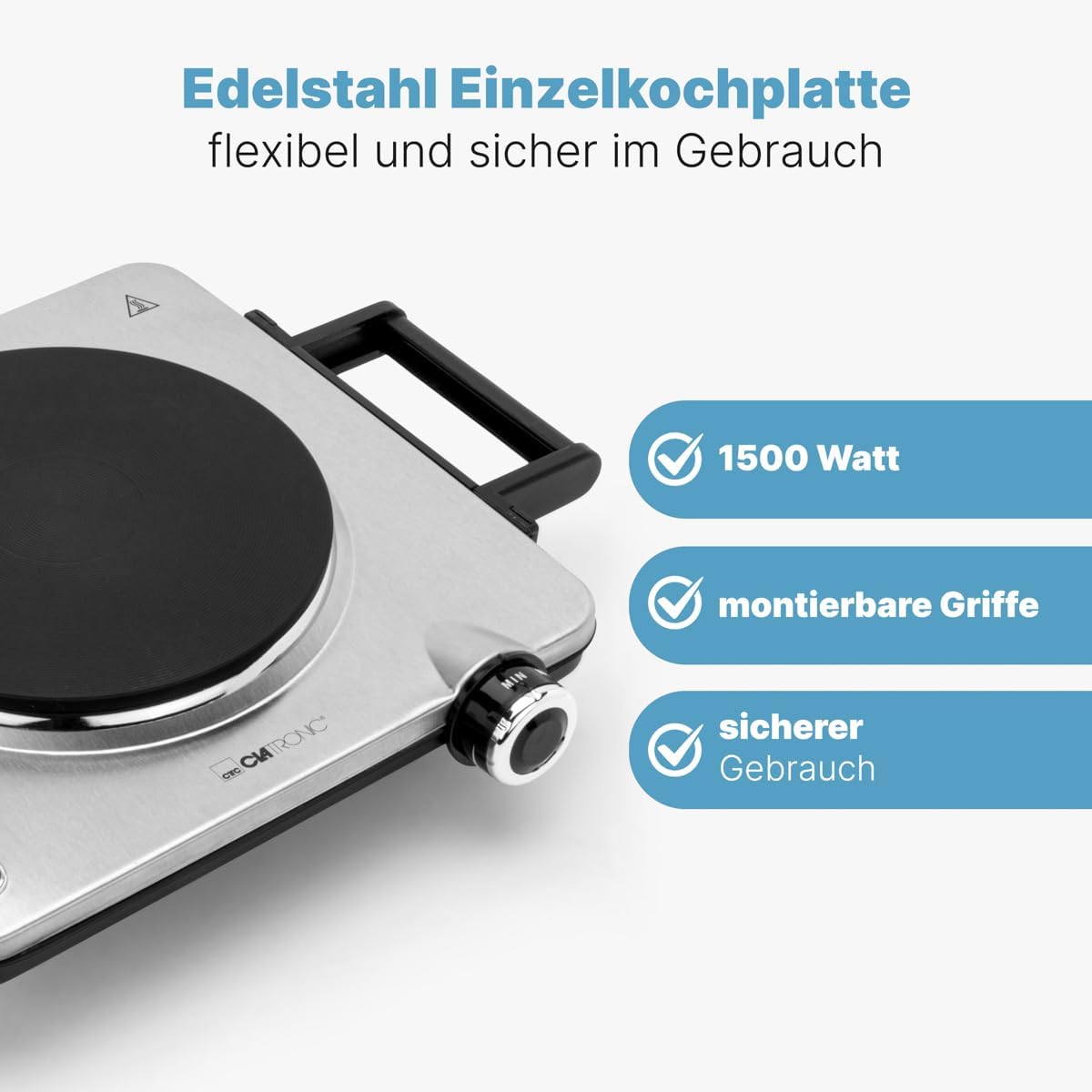
Image 2: A close-up view of the hot plate, emphasizing its 1500 Watt power, the presence of mountable handles, and its overall safe design for user operation.
3. Setup
Before first use, ensure the hot plate is properly set up for safe and efficient operation.
- Unpacking: Carefully remove the hot plate and all accessories from the packaging. Retain packaging for future storage or disposal.
- Handle Installation: Attach the two Cool Touch handles to the sides of the hot plate. Ensure they are securely fastened for safe handling.
- Placement: Place the hot plate on a stable, heat-resistant, and level surface. Ensure there is adequate clearance around the appliance for ventilation. Avoid placing it near flammable materials. This appliance is suitable for use in kitchens, offices, camping, or other areas where space is limited.
- Power Connection: Ensure the voltage indicated on the appliance matches your local power supply (230 V, 50 Hz). Plug the power cord into a grounded wall outlet.

Image 3: The Clatronic EKP 3788 hot plate with its Cool Touch handles already mounted, showcasing the stepless temperature control knob on the front. This image illustrates the appliance ready for use after setup.
4. Operating Instructions
Follow these steps to operate your Clatronic EKP 3788 Electric Hot Plate:
- Preparation: Place your cookware (pot or pan) onto the center of the hot plate. Ensure the cookware is suitable for electric hobs and has a flat bottom for optimal heat transfer.
- Power On: Plug the hot plate's power cable into a suitable electrical outlet.
- Temperature Adjustment: Turn the rotary knob to your desired temperature setting. The knob allows for continuous temperature adjustment from minimum (MIN) to maximum (MAX).
- Indicator Light: The indicator light will illuminate, signaling that the hot plate is heating up. The light may cycle on and off as the thermostat maintains the set temperature.
- Cooking: Allow the hot plate to heat up to the desired temperature before placing food in the cookware.
- Power Off: After cooking, turn the rotary knob to the "OFF" or minimum position. Unplug the appliance from the wall outlet.
- Cool Down: Allow the hot plate to cool down completely before cleaning or storing. The hot plate surface will remain hot for some time after use.

Image 4: A hand demonstrating the adjustment of the stepless temperature control knob on the Clatronic EKP 3788 hot plate, illustrating how to set the desired heat level for cooking.
5. Maintenance and Cleaning
Regular cleaning and proper maintenance will ensure the longevity and optimal performance of your hot plate.
- Before Cleaning: Always unplug the appliance from the power outlet and allow it to cool down completely before cleaning.
- Exterior Cleaning: The stainless steel housing and surface are easy to clean. Wipe the exterior surfaces with a soft, damp cloth. For stubborn stains, a mild detergent can be used.
- Cooking Plate Cleaning: For the cooking plate, gently scrape off any food residue with a plastic or wooden spatula once cooled. Wipe with a damp cloth. Do not use abrasive cleaners or scouring pads, as these can damage the surface.
- Do Not Immerse: Never immerse the hot plate, power cord, or plug in water or any other liquid.
- Drying: Ensure all parts are thoroughly dry before storing or reusing the appliance.

Image 5: A hand wiping the surface of the Clatronic EKP 3788 hot plate with a soft cloth, demonstrating the ease of cleaning its stainless steel surface.
6. Troubleshooting
If you encounter issues with your Clatronic EKP 3788 Electric Hot Plate, refer to the following common problems and solutions:
| Problem | Possible Cause | Solution |
|---|---|---|
| Appliance does not turn on. | Not plugged in; power outlet malfunction; temperature knob set to "OFF". | Ensure the power cord is securely plugged into a working outlet. Turn the temperature knob to a desired setting. Check the circuit breaker. |
| Hot plate is not heating up. | Temperature setting too low; overheat protection activated. | Increase the temperature setting. If overheat protection was activated, unplug the unit, let it cool down completely, then plug it back in and try again. |
| Indicator light is off during operation. | Thermostat cycling to maintain temperature; bulb malfunction. | This is normal operation as the thermostat regulates heat. If the plate is not heating at all, refer to "Hot plate is not heating up" solution. |
| Uneven heating. | Cookware not flat or too small/large for the plate. | Use cookware with a flat bottom that matches the diameter of the hot plate as closely as possible. |
If the problem persists after trying these solutions, please contact customer support.
7. Specifications
| Model Number: | 263986 |
| Product Name: | Clatronic EKP 3788 Electric Hot Plate |
| Power: | 1500 Watts |
| Voltage: | 230 Volts |
| Frequency: | 50 Hz |
| Cooking Plate Diameter: | Approx. 180 mm |
| Dimensions (L x W x H): | 28.5 cm x 36 cm x 7.5 cm |
| Weight: | 2.12 Kilograms |
| Material: | Stainless Steel |
| Color: | Stainless Steel |
| Control Type: | Rotary Knob |
| Special Features: | Continuously adjustable thermostat, indicator light, overheat protection, 2 mountable Cool Touch handles. |
| Recommended Uses: | Camping, Indoor, Outdoor |
| Country of Origin: | China |

Image 6: A side profile of the hot plate, illustrating its compact height of 7 cm. The image also highlights key features such as overheat protection, the LED indicator light, and its ideal use for camping and travel due to its portability.
8. Warranty and Support
Warranty: The manufacturer provides a 1-year availability for spare parts. For specific warranty terms and conditions, please refer to the documentation included with your purchase or contact the retailer.
Customer Support: For technical assistance, troubleshooting beyond this manual, or warranty claims, please contact your retailer or the official Clatronic customer service. Contact information can typically be found on the product packaging or the manufacturer's official website.

