
Introduction
This manual provides essential instructions for the safe and effective use of your Fujifilm Instax Mini 12 Instant Camera. Please read this manual thoroughly before using the camera and keep it in a safe place for future reference. The Instax Mini 12 is designed for capturing and printing instant photos on high-quality mini-films.

Image: The Fujifilm Instax Mini 12 Instant Camera in green, viewed from a slight angle.
Package Contents
Verify that all items are present in your package:
- Fujifilm Instax Mini 12 Camera Body
- AA Batteries (x2)
- Hand Strap
- User Manual (this document)
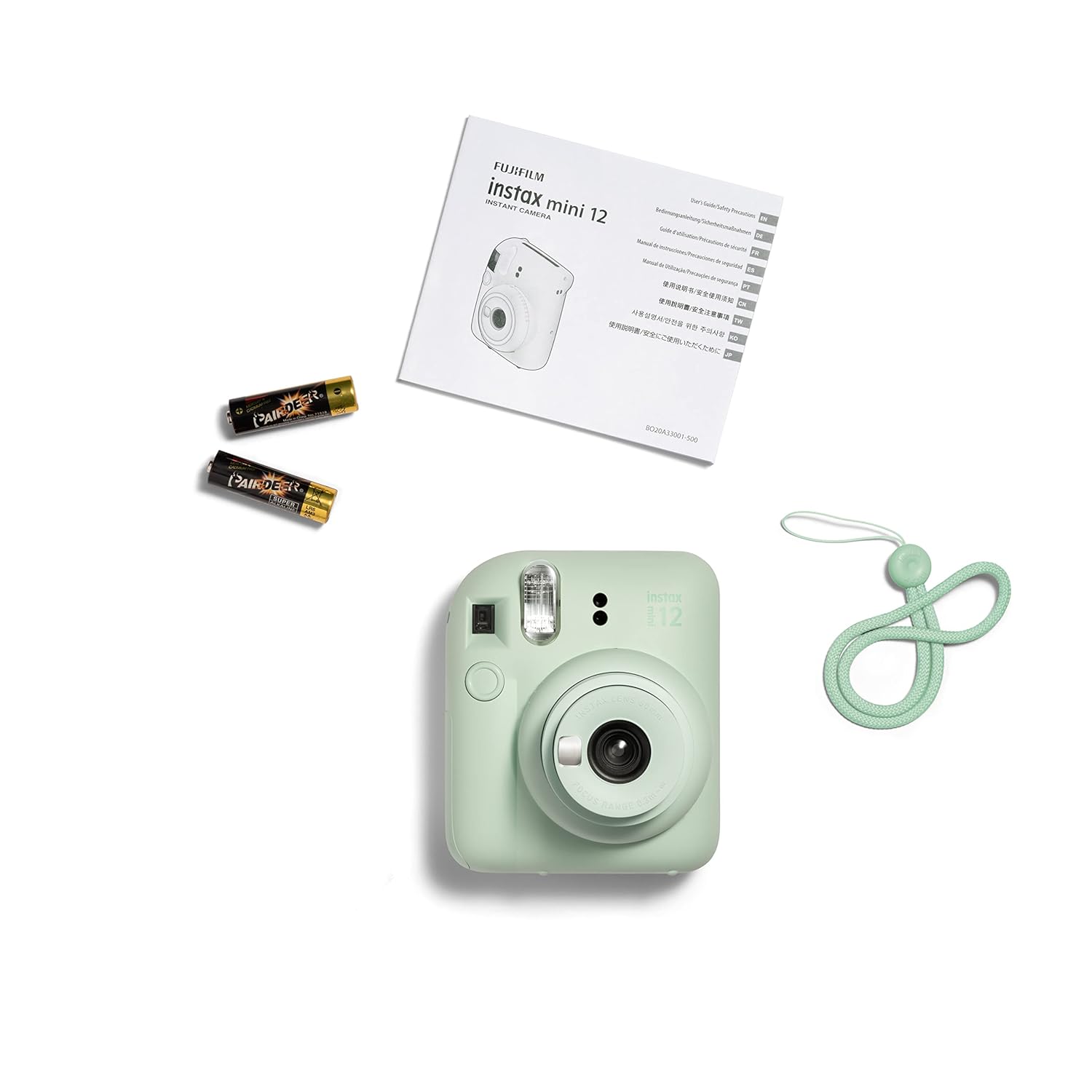
Image: The camera, two AA batteries, a hand strap, and the user manual laid out on a white surface.
Setup
1. Inserting Batteries
- Open the battery compartment cover located on the side of the camera.
- Insert two AA batteries, ensuring correct polarity (+/-) as indicated inside the compartment.
- Close the battery compartment cover securely.
2. Loading Instax Mini Film
- Open the film compartment cover on the back of the camera.
- Align the yellow mark on the film pack with the yellow mark on the camera.
- Insert the film pack straight into the compartment. Do not press on the two rectangular holes on the back of the film pack.
- Close the film compartment cover. The film counter will display 'S' (Start).
- Turn the camera on and press the shutter button once to eject the black film cover. The film counter will then show '10'.
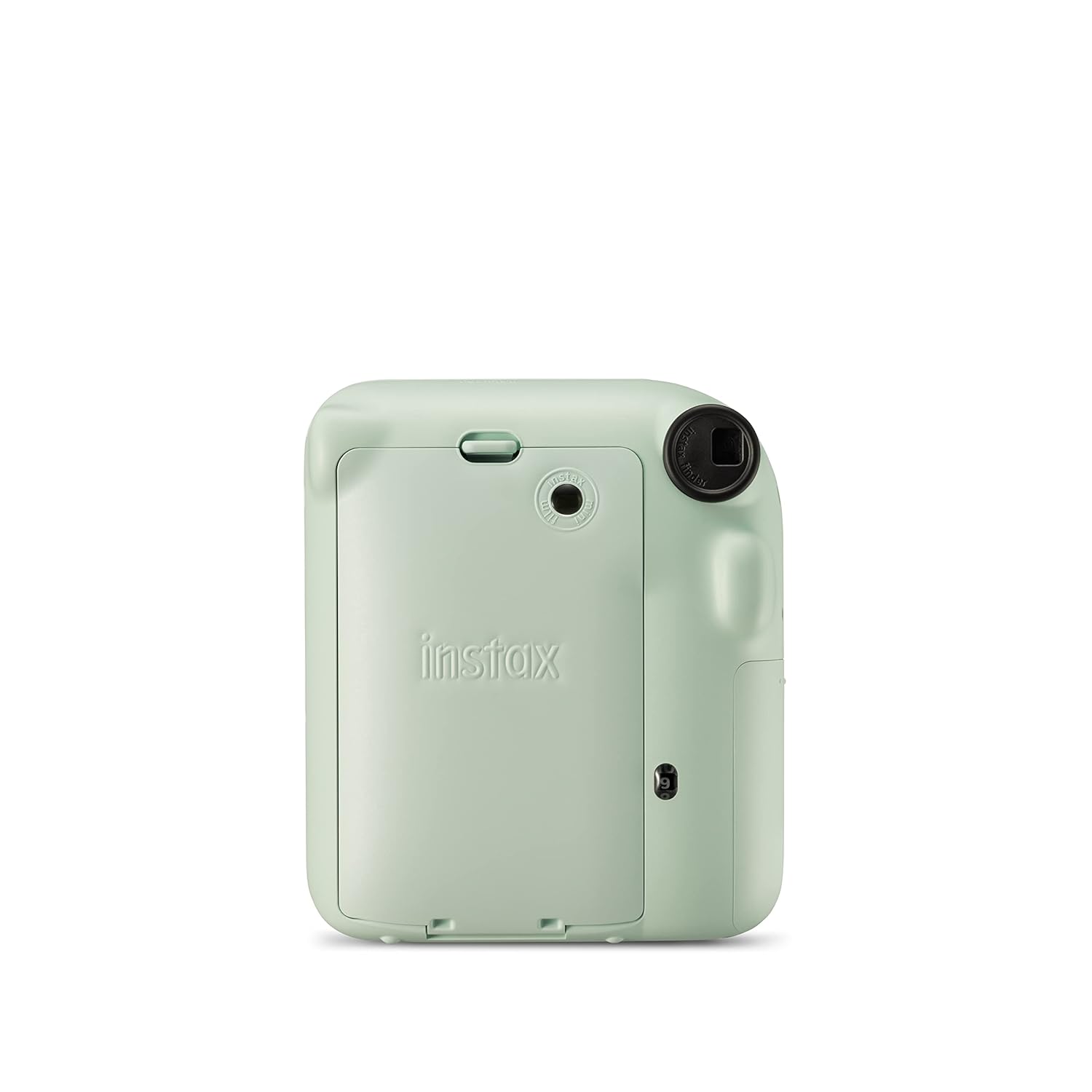
Image: Rear view of the Instax Mini 12 camera, highlighting the film compartment door and battery cover.
Operating Instructions
1. Powering On/Off
- To turn on the camera, twist the lens barrel clockwise from the 'OFF' position to the 'ON' position.
- To turn off the camera, twist the lens barrel counter-clockwise back to the 'OFF' position.

Image: A visual guide demonstrating the twist mechanism of the lens barrel to switch the camera between 'On', 'Close-up', and 'Off' modes.
2. Taking a Photo
- Hold the camera firmly.
- Frame your shot using the viewfinder.
- Press the shutter button gently to take the picture. The film will automatically eject from the top of the camera.
- Allow the ejected film to develop naturally. Do not shake or bend the film.

Image: A hand holding the Instax Mini 12 camera, with a newly ejected instant photo emerging from the top slot.
3. Using Close-up Mode and Selfie Lens
- To activate Close-up mode, twist the lens barrel further clockwise from the 'ON' position to the 'CLOSE-UP' position.
- This mode is ideal for subjects between 30 cm and 50 cm away.
- For selfies, use the small mirror located next to the lens to frame your shot.

Image: A detailed view of the Instax Mini 12 camera's lens area, highlighting the small mirror used for framing selfies and close-up shots.
4. Automatic Exposure
The Instax Mini 12 features automatic exposure control, which adjusts shutter speed and flash output according to ambient light conditions. This ensures optimal brightness for your photos without manual adjustments.

Image: An Instax Mini 12 camera with graphics indicating how auto exposure and auto flash automatically handle settings for perfect prints in various lighting conditions.
Maintenance
- Keep the camera clean by wiping it with a soft, dry cloth.
- Avoid exposing the camera to extreme temperatures, humidity, or direct sunlight.
- Do not attempt to disassemble or modify the camera.
- Remove batteries if the camera will not be used for an extended period.
- Store film packs in a cool, dry place away from direct light.
Troubleshooting
Camera Does Not Turn On
- Check if the batteries are inserted correctly with the correct polarity.
- Replace old or depleted batteries with new AA batteries.
- Ensure the lens barrel is twisted fully to the 'ON' position.
Film Does Not Eject
- Verify that a film pack is loaded correctly and that the film counter is not 'S' (meaning no film or film cover not ejected).
- Ensure the camera is powered on.
- If the film counter shows '0', the film pack is empty and needs to be replaced.
Photos Are Too Dark/Light
- The Instax Mini 12 has automatic exposure. Ensure the flash is not obstructed.
- Avoid shooting in extremely dark environments beyond the camera's capabilities.
- Ensure the lens is clean and free from smudges.
Photo Quality Issues (e.g., blurry)
- Ensure you are holding the camera steady when pressing the shutter.
- For close-up shots (30-50 cm), ensure the lens barrel is set to 'CLOSE-UP' mode.
- Avoid shooting subjects closer than 30 cm, as this is outside the camera's focus range.
Specifications
| Brand | Fujifilm |
| Model Name | Fujifilm Instax Mini 12 |
| Model Number | 85365 |
| Film Format Type | Instax Mini |
| Item Weight | 306 Grams |
| Item Dimensions (L x W x H) | 6.7 x 10.4 x 12.2 Centimeters |
| Exposure Control | Automatic |
| Maximum Shutter Speed | 1/2 to 1/250s (Programmed Electronic Shutter) |
| Shooting Modes | Close-up |
| Viewfinder Type | Optical viewfinder |
| Country of Origin | Japan |
Warranty and Support
Warranty Information
The Fujifilm Instax Mini 12 Instant Camera comes with a 1-year limited warranty from the date of purchase. Please retain your proof of purchase for warranty claims. This warranty covers manufacturing defects but does not cover damage caused by misuse, accidents, or unauthorized repairs.
Customer Support
For technical assistance, service, or warranty inquiries, please contact Fujifilm customer support.
Manufacturer: Fujifilm India Private Limited
Address: Unit No 521, Level V, Caddie Commercial Tower, Hospitality District Aerocity, IGI Airport, New Delhi - 110037 (India)
Please visit the official Fujifilm website for the most current contact information and support resources.


