
SuperFire HL25
SuperFire HL25 Rechargeable Headlamp User Manual
Model: HL25 | Brand: SuperFire
1. Product Overview
The SuperFire HL25 is a versatile and powerful rechargeable headlamp designed for various outdoor and professional activities. It features high lumens output, adjustable and zoomable light, and a convenient motion sensor for hands-free operation. Its robust construction ensures durability and water resistance, making it suitable for challenging environments.
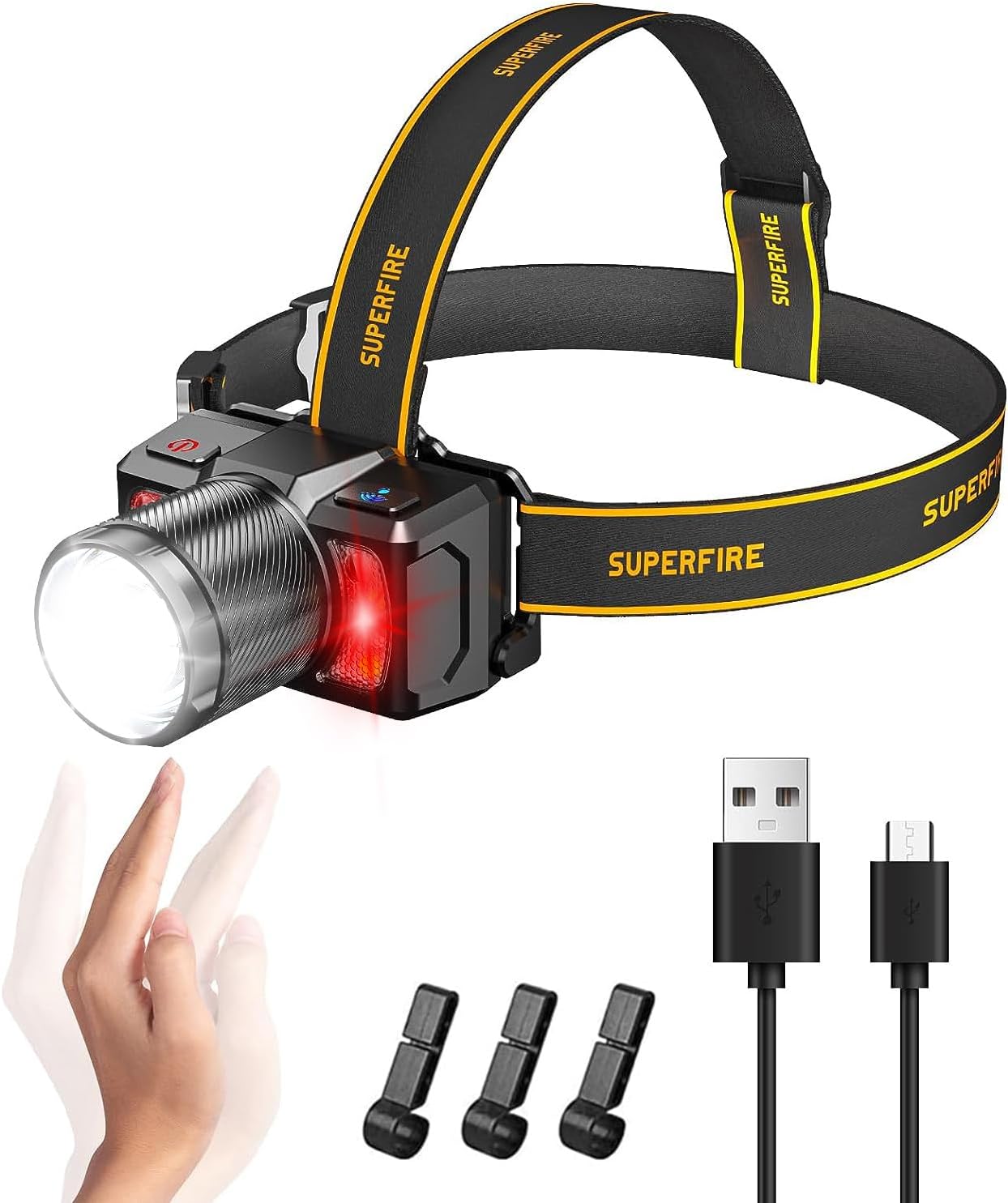
Image 1.1: SuperFire HL25 Headlamp and its accessories.
What's in the Box:
- SuperFire HL25 Headlamp
- USB Cable
- User Manual (this document)
- Headlamp Belt
2. Setup and Charging
Initial Charging:
Before first use, fully charge the headlamp. Connect the provided USB cable to the headlamp's USB-C input port and to a compatible USB power source (e.g., wall adapter, computer USB port). The charging indicator light will be red while charging and will turn green once fully charged. Ensure the headlamp is turned on to observe the charging indicator light, which is located near the switch.
Wearing and Adjustment:
The HL25 headlamp comes with a high-elastic headlamp belt designed for comfortable and secure fit. Adjust the straps to fit your head snugly. The headlamp also features a third strap over the top of the head for added stability, preventing it from sliding down during active use.
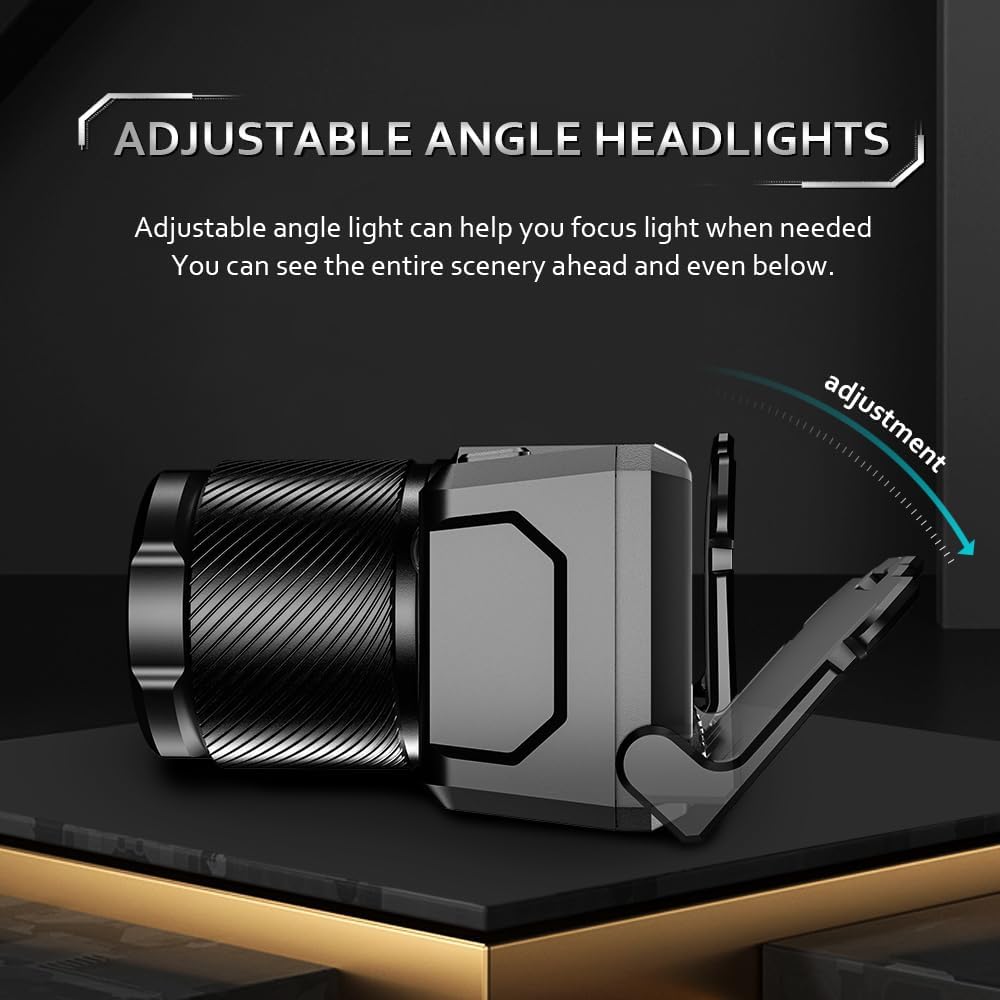
Image 2.1: The headlamp's adjustable angle allows for precise light direction.
The headlamp can be rotated up to 60 degrees to direct the light precisely where needed. This adjustable angle helps in focusing light for specific tasks or viewing the scenery ahead and below.

Image 2.2: Optional helmet clips can be used to secure the headlamp to a hard hat.
3. Operating Instructions
Power On/Off and Mode Cycling:
To turn the headlamp on, press the main power button (typically located on the right side of the unit). Subsequent presses will cycle through the 8 available lighting modes:
- High Brightness
- Medium Brightness
- Low Brightness
- Strobe Mode
- SOS Mode
- Main Beam (Spotlight)
- Side Beam (Floodlight)
- Red Strobe
To turn the headlamp off from any mode, press and hold the main power button for several seconds.

Image 3.1: The headlamp features three light sources and eight distinct lighting modes for multi-scenario use.
Red Light Activation:
To activate the red light (either steady or strobe), perform a quick double-press of the main power button. The red light is soft and eye-friendly, ideal for preserving night vision or for activities like fishing where minimal disturbance is desired.
Zoom Function (Floodlight & Spotlight):
The HL25 headlamp features a mechanical zoom function. Rotate the barrel of the light to adjust the beam from a wide floodlight to a focused spotlight.
- Rotate Left: Illuminates a wide floodlight, suitable for lighting up large areas (e.g., over 60 square meters).
- Rotate Right: Illuminates a focused spotlight, capable of beaming light over 700 feet for long-range visibility.

Image 3.2: The mechanical zoom allows seamless transition between floodlight and spotlight.

Image 3.3: Key features of the HL25 headlamp, including its zoom capability.
Motion Sensor Mode:
The HL25 headlamp is equipped with a motion sensor for hands-free operation. This feature is particularly useful when your hands are occupied or dirty.
- Activation: Press the motion sensor button (typically located on the left side of the unit) for 3 seconds. A small indicator light will illuminate to confirm the motion sensor mode is active.
- Operation: Once activated, simply wave your hand in front of the headlamp to turn it on or off. The headlamp will retain its last brightness setting when toggled via the motion sensor.
- Deactivation: Press the motion sensor button again for 3 seconds to exit motion sensor mode.

Image 3.4: The motion sensor allows for convenient hands-free control.
4. Maintenance
Cleaning:
To clean the headlamp, gently wipe the exterior with a soft, damp cloth. Avoid using abrasive cleaners or solvents, as these may damage the surface or internal components. Ensure the charging port cover is securely closed before cleaning to prevent water ingress.
Battery Care:
The HL25 headlamp uses two integrated Lithium Polymer batteries. To prolong battery life:
- Charge the headlamp regularly, even if not in frequent use, to maintain battery health.
- Avoid completely draining the battery before recharging.
- Store the headlamp in a cool, dry place when not in use for extended periods.
Water Resistance:
The SuperFire HL25 headlamp is rated IP43 waterproof, meaning it is protected against water spray from any direction. This makes it suitable for use in various weather conditions, including rain and snow. However, it is not designed for submersion in water.

Image 4.1: The headlamp's IP43 rating ensures reliable performance in wet conditions.

Image 4.2: The HL25 is built for outdoor durability, resistant to dirt, water, snow, and shocks.
5. Troubleshooting
Light Not Turning On:
- Check Battery: Ensure the headlamp is sufficiently charged. Connect it to a power source and observe the charging indicator light.
- Power Button: Confirm you are pressing the correct power button firmly. Try holding it down for a few seconds to ensure it's not in a standby mode.
- Motion Sensor Mode: If the motion sensor mode was previously activated, try waving your hand in front of the sensor. If it turns on, deactivate the motion sensor mode by holding its button for 3 seconds.
Charging Issues:
- Cable Connection: Ensure the USB cable is securely connected to both the headlamp and the power source.
- Power Source: Try a different USB power adapter or USB port to rule out issues with the power source.
- Cable Integrity: Inspect the USB cable for any signs of damage. Try using a different USB-C cable if available.
Motion Sensor Not Responding:
- Activation: Ensure the motion sensor mode is properly activated (indicator light should be on). Press and hold the motion sensor button for 3 seconds to activate it.
- Obstructions: Ensure there are no obstructions in front of the motion sensor.
- Distance: Wave your hand within a reasonable distance (typically a few inches) from the sensor.
If issues persist after following these steps, please refer to the support information in Section 7.
6. Specifications
| Feature | Specification |
|---|---|
| Model | HL25 |
| Brand | SuperFire |
| Light Source Type | LED |
| Brightness | Up to 2000 Lumens (White Light) |
| Lighting Modes | 8 (High, Medium, Low, Strobe, SOS, Main Beam, Side Beam, Red Strobe) |
| Special Features | High Lumens, Long Range, Motion Sensor, Shock Resistant, Weatherproof, Zoomable, Adjustable Angle |
| Power Source | Battery Powered |
| Battery Type | 2 Lithium Polymer batteries (included) |
| Voltage | 7.4 Volts (DC) |
| Wattage | 15 Watts |
| Material | ABS |
| Product Dimensions | 2.9"D x 3.2"W x 1.8"H (approx.) |
| Item Weight | 220 Grams / 7.8 ounces |
| Water Resistance Level | IP43 Waterproof |
| Included Components | Headlamp, USB Cable, User Manual, Headlamp Belt |
7. Warranty and Support
Warranty Information:
Specific warranty details for the SuperFire HL25 headlamp are typically provided with your purchase documentation or can be found on the official SuperFire website. Please retain your proof of purchase for warranty claims.
Customer Support:
For technical assistance, troubleshooting beyond this manual, or warranty inquiries, please contact SuperFire customer support through their official website or the retailer from whom you purchased the product. Always provide your product model (HL25) and purchase date when seeking support.
8. Additional Information
No official product videos from the seller were found to be relevant for embedding in this manual.
Related documentsHL25


Ask a question about this manual
Ask about setup, troubleshooting, compatibility, parts, safety, or missing instructions. Manuals+ will review the question and use this page’s manual context to help answer it.