
Arbortech PCH.FG.900.20
ARBORTECH Power Chisel Kit User Manual
Model: PCH.FG.900.20 | Brand: Arbortech
1. Introduction
The ARBORTECH Power Chisel Kit is an electric wood carving tool designed for efficient timber removal and detailed carving. It features a powerful 8 Amp (960W) motor and a quick-change system for its 7 included chisels, making it suitable for various woodworking tasks.
2. Safety Information
Always wear appropriate personal protective equipment (PPE) including safety glasses, hearing protection, and gloves when operating the Power Chisel. Ensure your work area is well-lit and clear of obstructions. Disconnect the tool from the power source before changing accessories or performing maintenance. Read all instructions thoroughly before use.
3. Package Contents
- 1 x ARBORTECH Power Chisel Unit
- 7 x Chisels with Pouch
- 1 x 15ml High Pressure Lubricant
- 1 x Extra Brush Set
- 1 x Spare Felt Pad
- 1 x Arbortech Carry Bag

Image: The ARBORTECH Power Chisel Kit, showing the main unit, chisel set in a pouch, lubricant, and other accessories.
4. Setup
4.1 Attaching a Chisel
- Ensure the Power Chisel is unplugged from the power source.
- Press the quick-change button located on the chisel head.
- Insert the desired chisel into the opening until it clicks securely into place.
- To remove, press the quick-change button and pull the chisel out.
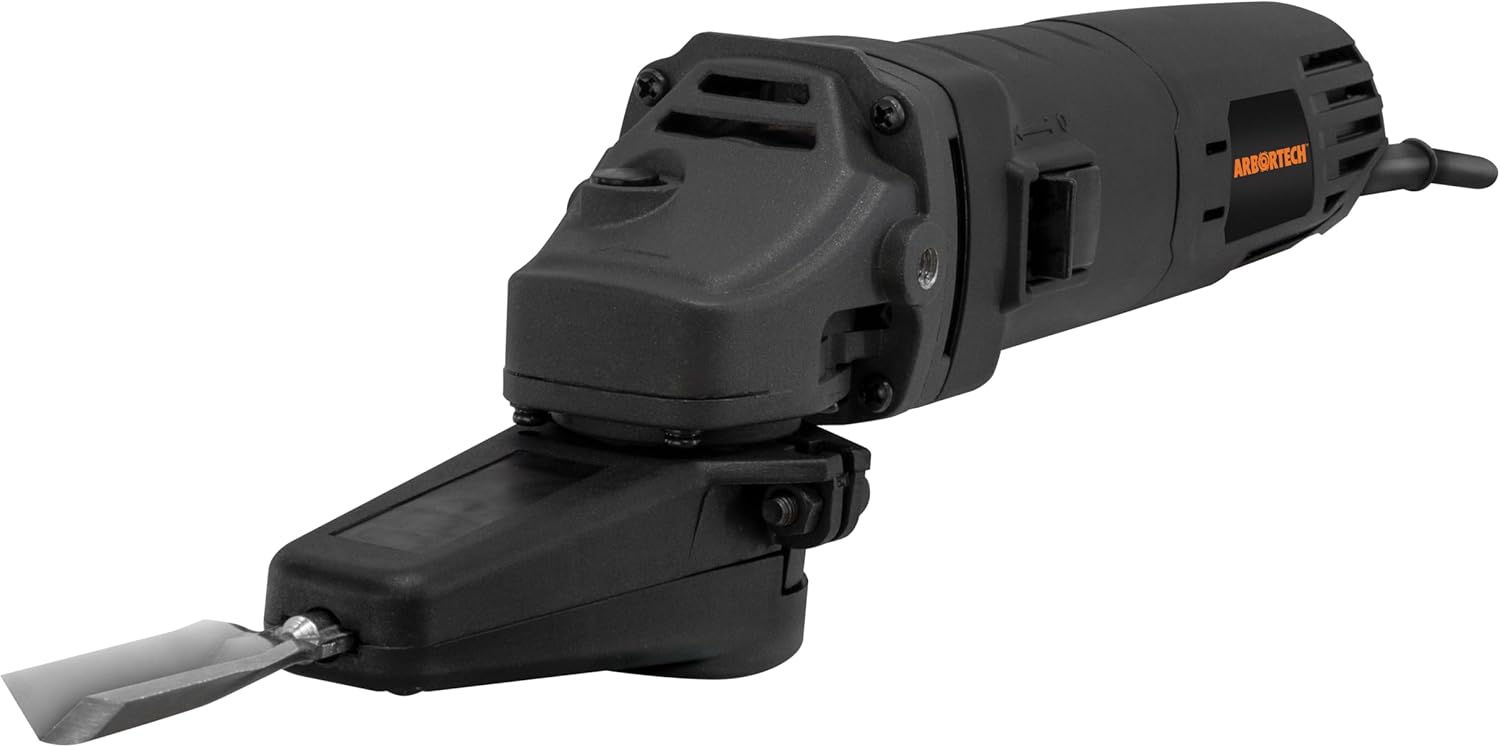
Image: The Power Chisel with a chisel securely attached, ready for use.
5. Operating Instructions
5.1 General Operation
The Power Chisel operates with a unique 'Safe Touch Technology' where the chiseling action only engages when pressure is applied to the chisel tip. This provides enhanced control and safety during operation. The tool delivers up to 11,000 strokes per minute for smooth and consistent carving.
Video: An overview of the Arbortech Power Chisel, demonstrating its features and various applications in wood carving.
5.2 Applications
The ARBORTECH Power Chisel is versatile and can be used for a variety of wood carving and shaping tasks:
- Effortless Chiseling: Easily remove timber from hard and soft woods. The tool's power allows for quick material removal without excessive force.
- Sculpting and Shaping: Ideal for shaping and sculpting intricate designs on various wood pieces, from small carvings to larger sculptures.
- Detailed Carving: The precise control offered by the tool makes it excellent for detailed work, including lettering, fine lines, and intricate patterns.
- Creating Texture: Achieve various textures and finishes on wood surfaces, adding depth and character to your projects.

Image: Demonstrating effortless chiseling on a flat wooden surface, showing wood chips being removed.
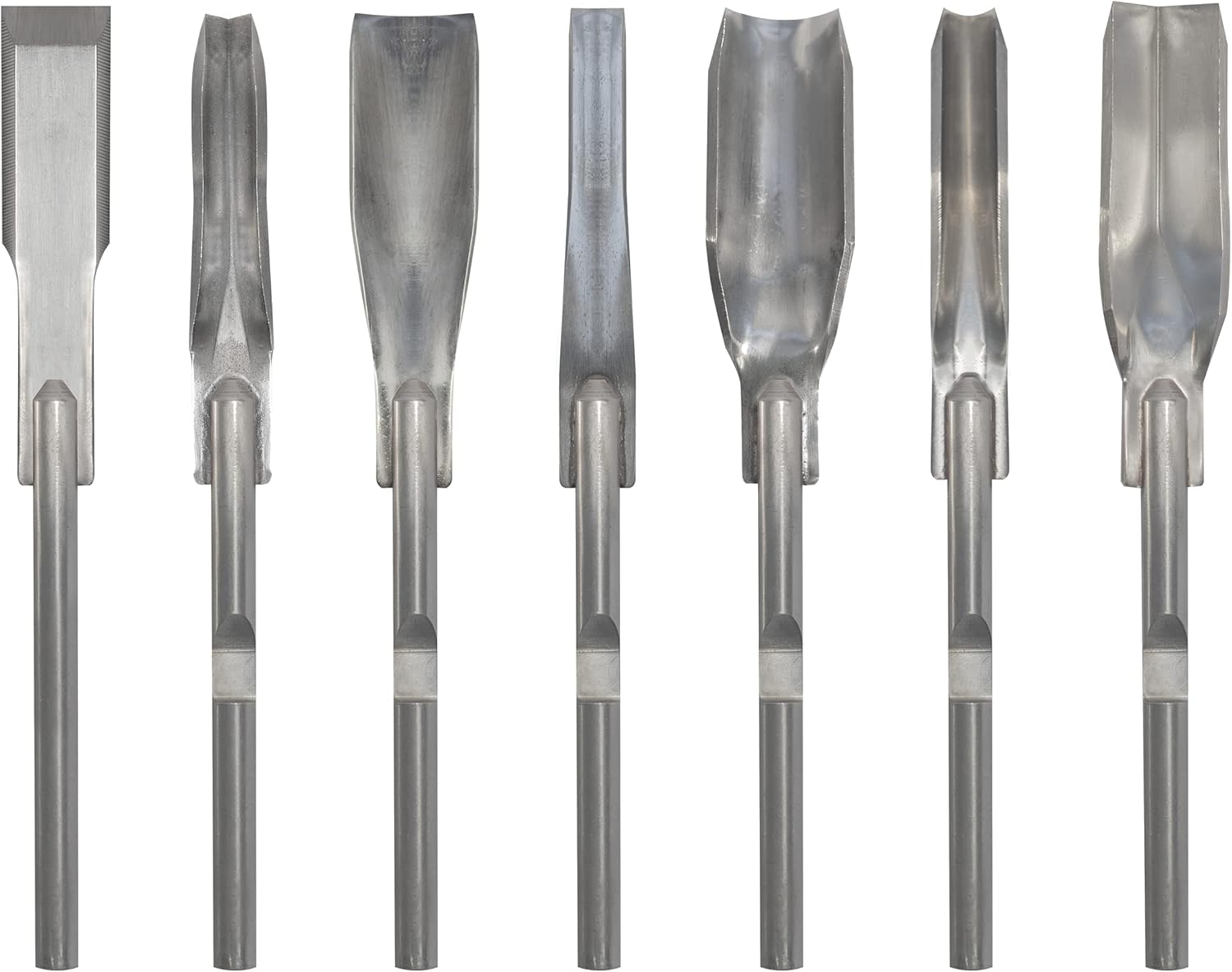
Image: A user sculpting a detailed wooden owl figure with the Power Chisel.

Image: Close-up view of the Power Chisel creating fine details on a wooden surface.

Image: The Power Chisel creating a textured pattern on a wooden shark fin sculpture.
6. Maintenance
6.1 Lubrication
Regular lubrication of the chisel mechanism is crucial for optimal performance and longevity. Apply a few drops of the provided high-pressure lubricant to the chisel shaft before and after extended use.
6.2 Cleaning
After each use, disconnect the tool from power and clean any wood dust or debris from the chisel head and ventilation slots using a brush or compressed air. Do not use solvents or abrasive cleaners.
6.3 Chisel Sharpening
Keep your chisels sharp for best results. Sharpening instructions can be found on the Arbortech website or through their support channels.
7. Troubleshooting
| Problem | Possible Cause | Solution |
|---|---|---|
| Tool does not start | No power supply; Faulty power cord; Safety switch not engaged. | Check power outlet and cord; Ensure safety switch is fully engaged. |
| Chisel not moving | Chisel not properly inserted; Insufficient pressure applied; Worn internal components. | Re-insert chisel securely; Apply firm pressure to the workpiece; Contact support if issue persists. |
| Reduced carving performance | Dull chisel; Lack of lubrication; Overheating. | Sharpen or replace chisel; Apply lubricant; Allow tool to cool down. |
8. Specifications
- Brand: Arbortech
- Model Number: PCH.FG.900.20
- Voltage: 120 Volts
- Wattage: 1000 watts (8 Amp)
- Maximum Rotational Speed: 11,000 RPM (strokes per minute)
- Item Weight: 6.98 pounds
- Package Dimensions: 19 x 8.3 x 3.25 inches
- Material: Wood (for chiseling)
- Special Features: Keyless Chuck, Variable Speed
- Included Components: 1 x 15ml High pressure lubricant, 1 x Extra brush set, 1 x Spare felt pad, 7 x Chisels with pouch, Arbortech carry bag
9. Warranty & Support
For warranty information, product registration, or technical support, please visit the official Arbortech website or contact their customer service. Keep your purchase receipt as proof of purchase.
Arbortech Store: Visit the Arbortech Store on Amazon
Related documentsPCH.FG.900.20


Ask a question about this manual
Ask about setup, troubleshooting, compatibility, parts, safety, or missing instructions. Manuals+ will review the question and use this page’s manual context to help answer it.