
Salter EK5196GW
Salter Dual Air Fryer Instruction Manual
Model: EK5196GW
Introduction
Thank you for choosing the Salter Dual Air Fryer. This appliance is designed to provide a healthier alternative to traditional frying, using rapid air circulation to cook your favorite foods with little to no oil. Its dual-drawer design allows for simultaneous cooking of different items, enhancing convenience and efficiency in your kitchen.

Image: The Salter Dual Air Fryer highlighting its clear viewing windows, 10 cooking functions, extra large capacity, energy efficiency, and easy-clean baskets.
Important Safety Information
Please read all instructions carefully before using the appliance and retain them for future reference. Incorrect operation may cause damage to the appliance or personal injury.
- Always ensure the appliance is placed on a stable, heat-resistant surface.
- Do not immerse the main unit, cord, or plug in water or any other liquid.
- Keep the appliance out of reach of children and pets.
- Do not block any air vents during operation.
- Unplug the appliance from the mains supply when not in use and before cleaning.
- Do not operate the appliance if the power cord or plug is damaged.
- Allow the appliance to cool completely before cleaning or storing.
Product Overview and Components
Familiarize yourself with the various parts of your Salter Dual Air Fryer.

Image: The Salter Dual Air Fryer, showing its main body, digital control panel, and two independent cooking drawers with clear viewing windows.
- 1. Control Panel: Digital display with touch controls for settings and programs.
- 2. Air Inlet: Located at the top/rear of the unit for air circulation.
- 3. Air Outlet: Located at the rear of the unit for hot air exhaust.
- 4. Cooking Drawers (x2): Removable baskets for food placement.
- 5. Viewing Windows: Clear panels on each drawer to monitor cooking progress.
- 6. Handles: For safely pulling out and inserting cooking drawers.
- 7. Non-stick Cooking Trays: Removable inserts for the bottom of each drawer.
Setup and First Use
- Unpacking: Carefully remove the air fryer and all accessories from the packaging.
- Initial Cleaning: Before first use, wash the cooking drawers and non-stick trays with warm, soapy water. Rinse thoroughly and dry completely. Wipe the main unit with a damp cloth.
- Placement: Place the air fryer on a stable, level, heat-resistant surface, ensuring there is adequate space (at least 10cm) around the back and sides for proper air circulation. Do not place it directly against a wall or under cabinets.
- Power Connection: Plug the power cord into a grounded electrical outlet.
- Pre-heating (Optional): For best results, pre-heat the air fryer for 3-5 minutes before adding food.
Operating Instructions
Control Panel Overview

Image: A detailed view of the digital control panel, showing temperature, time, and function icons for both cooking zones.
The digital touch display allows you to control each cooking zone independently. The main functions include:
- Power Button: Turns the unit on/off.
- Zone Select (1/2): Toggles between controlling the left (1) or right (2) cooking drawer.
- Temperature Controls (+/-): Adjusts cooking temperature.
- Time Controls (+/-): Adjusts cooking time.
- Pre-set Programs: Icons representing various food types (e.g., fries, chicken, steak, vegetables).
- SYNC Function: Synchronizes the finish time of both cooking zones.
- MATCH Function: Applies the same cooking settings (time and temperature) to both zones.
- WATCH COOK: Activates the internal light for viewing food through the window.
Basic Cooking Operation
- Prepare Food: Place your food in the cooking drawer, ensuring not to overfill. For best results, food should be in a single layer or shaken periodically.
- Insert Drawer: Slide the cooking drawer firmly back into the main unit.
- Select Zone: Press the '1' or '2' button to select the desired cooking zone.
- Set Temperature and Time: Use the temperature and time controls to set your desired cooking parameters. Alternatively, select a pre-set program.
- Start Cooking: Press the Play/Pause button to begin cooking.
- Monitor Progress: Use the clear viewing windows to check on your food without opening the drawer. Press the 'WATCH COOK' button to illuminate the interior.
- Shake/Flip (Optional): For even cooking, especially with smaller items, pull out the drawer and shake or flip the food halfway through the cooking cycle. The air fryer will pause automatically when the drawer is removed and resume when reinserted.
- Completion: The air fryer will beep when the cooking cycle is complete. Carefully remove the drawer and transfer food to a serving dish.
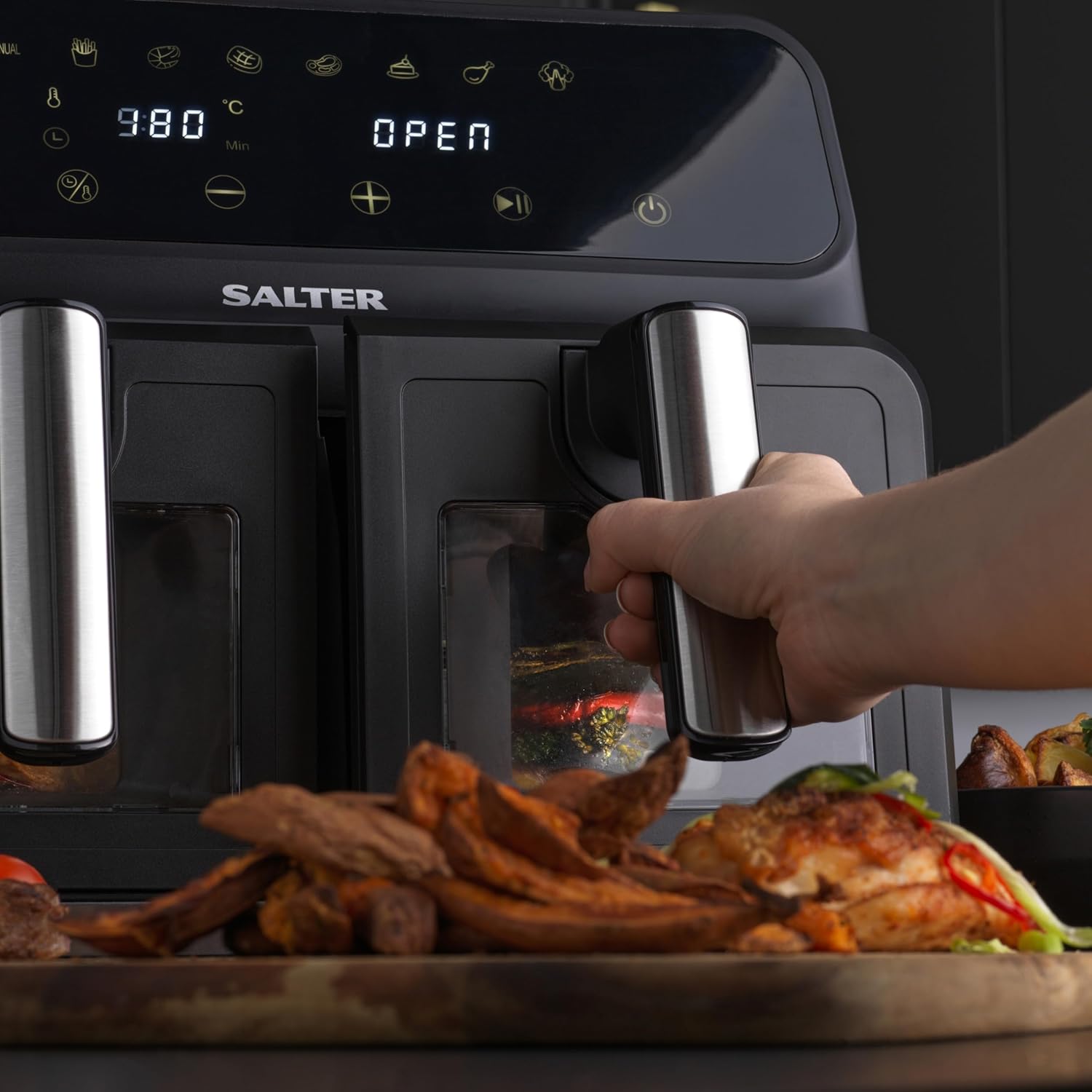
Image: A user demonstrating how to pull out one of the cooking drawers, revealing cooked food inside.
Using SYNC and MATCH Functions

Image: The Salter Dual Air Fryer showcasing the Sync cook feature (different foods finishing together) and Match cook feature (same settings for both drawers).
- SYNC Cook:
- Set desired time and temperature for Zone 1.
- Set desired time and temperature for Zone 2.
- Press the 'SYNC' button. The air fryer will automatically adjust the start times so both zones finish cooking simultaneously.
- MATCH Cook:
- Set desired time and temperature for Zone 1.
- Press the 'MATCH' button. The settings from Zone 1 will be automatically applied to Zone 2.
- Press the Play/Pause button to start cooking both zones with identical settings.
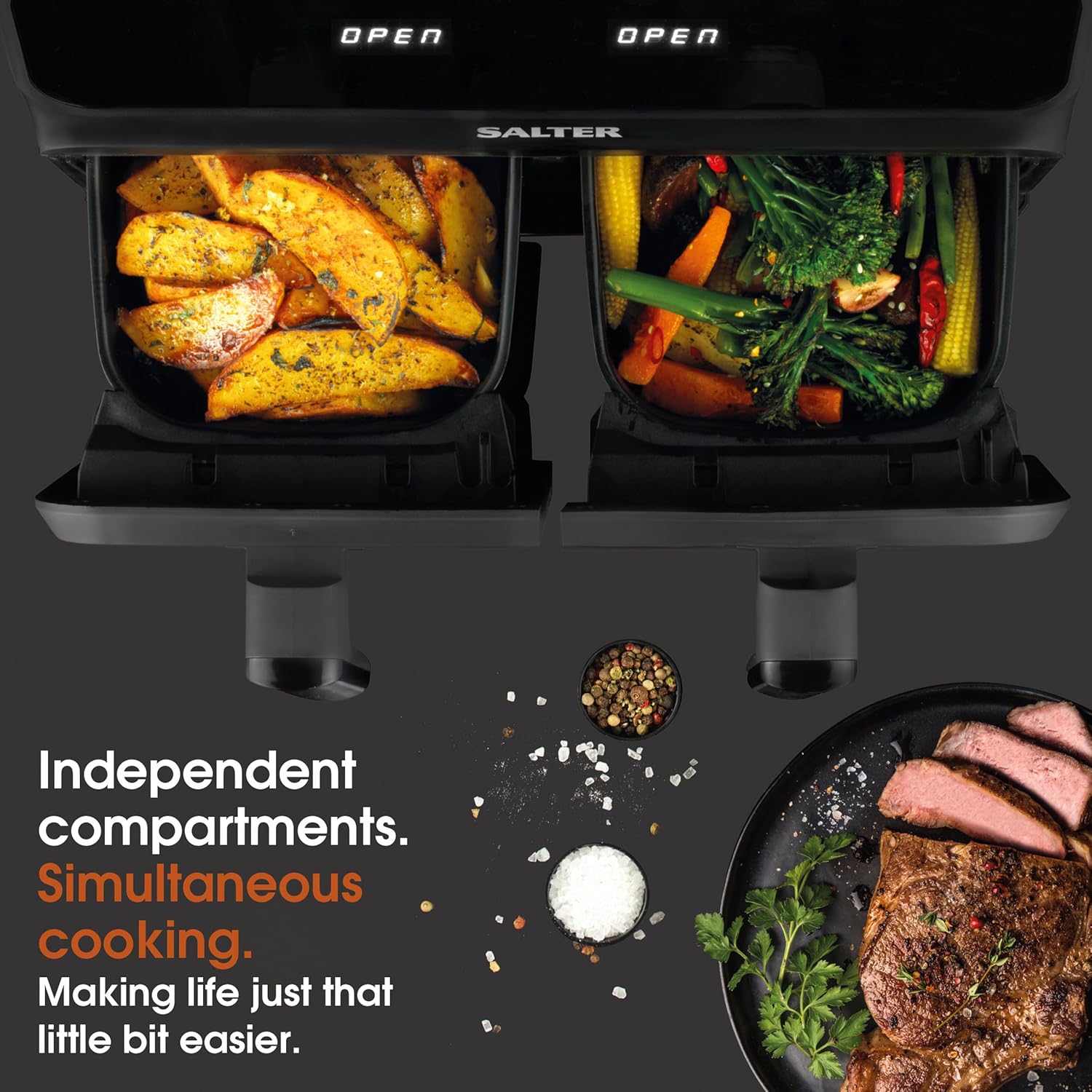
Image: An overhead view illustrating the independent compartments of the air fryer, emphasizing its capability for simultaneous cooking of different items.
Maintenance and Cleaning
Regular cleaning will ensure the longevity and optimal performance of your air fryer.
- Before Cleaning: Always unplug the air fryer and allow it to cool completely before cleaning.
- Cooking Drawers and Trays: Wash the removable cooking drawers and non-stick trays with warm, soapy water using a non-abrasive sponge. Rinse thoroughly and dry completely. These parts are not dishwasher safe.
- Main Unit: Wipe the exterior of the air fryer with a damp cloth. Do not use harsh abrasive cleaners or scouring pads, as they may damage the surface.
- Interior: If necessary, wipe the interior of the appliance with a damp cloth. For stubborn residue, a small amount of mild detergent can be used.
- Storage: Ensure all parts are clean and dry before storing the air fryer in a cool, dry place.
Troubleshooting
If you encounter any issues with your Salter Dual Air Fryer, please refer to the following common problems and solutions:
| Problem | Possible Cause | Solution |
|---|---|---|
| Air fryer does not turn on. | Not plugged in; power outlet not working; drawer not fully inserted. | Ensure the power cord is securely plugged into a working outlet. Push the cooking drawer in completely until it clicks into place. |
| Food is not cooked evenly. | Overfilled basket; food not shaken/flipped. | Do not overfill the basket. Shake or flip food halfway through cooking for even results. |
| White smoke coming from the appliance. | Grease residue from previous use; high-fat food. | Clean the cooking drawers and trays thoroughly after each use. For high-fat foods, drain excess fat during cooking. |
| Air fryer smells during first use. | New appliance smell. | This is normal and will dissipate after a few uses. Ensure good ventilation. |
Specifications
Technical details for the Salter Dual Air Fryer, Model EK5196GW.
| Feature | Detail |
|---|---|
| Model Number | EK5196GW |
| Capacity | 7.6 litres (total) |
| Power / Wattage | 1700 watts |
| Voltage | 230 Volts (AC) |
| Product Dimensions (L x W x H) | 37.8 x 36.4 x 31.9 cm |
| Item Weight | 9.65 kg |
| Material | Plastic, Aluminium |
| Special Features | Dual Zone, Temperature Control, Timer, Glass Viewing Windows, 10 Cooking Programs, Automatic Shut-Off, Non-Stick Cooking Capacity, 2 Removable Trays, Programmable |

Image: A visual representation of the Salter Dual Air Fryer with its key dimensions labeled for reference.
Warranty and Support
Salter products are designed for durability and performance. For information regarding warranty coverage, product registration, or technical support, please visit the official Salter website or contact their customer service department.
You can find more information and support resources on the Salter Store on Amazon.
Related documentsEK5196GW


Ask a question about this manual
Ask about setup, troubleshooting, compatibility, parts, safety, or missing instructions. Manuals+ will review the question and use this page’s manual context to help answer it.