
1. Product Overview
The Linsoul 7Hz Salnotes Zero is a high-fidelity in-ear earphone designed for accurate audio reproduction. It features a 10mm dynamic driver with a metallic composite diaphragm, engineered for precise sound wave resonance. The earphones are housed in an ergonomic, environment-friendly plastic chassis with a durable stainless steel faceplate, ensuring comfort and longevity. A detachable 4-core high-purity Oxygen Free Copper (OFC) cable with gold-plated 0.78mm 2-pin connectors is included to minimize signal loss and ensure high-fidelity audio transmission.

Image: Linsoul 7Hz Salnotes Zero earphones in orange, highlighting the stainless steel faceplate and the detachable cable connection point.
Key Features:
- 10mm Dynamic Driver: Equipped with a metal composite diaphragm for clear and accurate sound.
- Ergonomic Design: Environment-friendly plastic chassis with a stainless steel faceplate for comfort and durability.
- Detachable OFC Cable: High-purity Oxygen Free Copper cable with gold-plated 0.78mm 2-pin connectors for reliable signal transmission.
- N52 Magnet: Utilizes an N52 magnet for efficient audio signal transmission.
- Fine-Tuning: Engineered for smooth and accurate sound reproduction across the frequency spectrum.
2. Package Contents
Verify that all items are present in your package:
- 7Hz Salnotes Zero In-Ear Earphones (Left and Right units)
- Detachable 2-Pin OFC Cable (3.5mm termination)
- Multiple pairs of Silicone Ear Tips (various sizes and colors)
- User Manual

Image: The complete package contents of the 7Hz Salnotes Zero, showing the earphones, cable, and various ear tips.
3. Setup Instructions
3.1 Attaching the Cable
- Identify the left (L) and right (R) earphone units. These are typically marked on the inner side of the earphone housing.
- Identify the left and right connectors on the detachable cable. The cable connectors are 0.78mm 2-pin type.
- Align the 2-pin connector from the cable with the corresponding port on the earphone unit. Ensure the pins are correctly oriented.
- Gently push the connector into the earphone port until it is securely seated. Do not force the connection.
- Repeat for the other earphone unit.
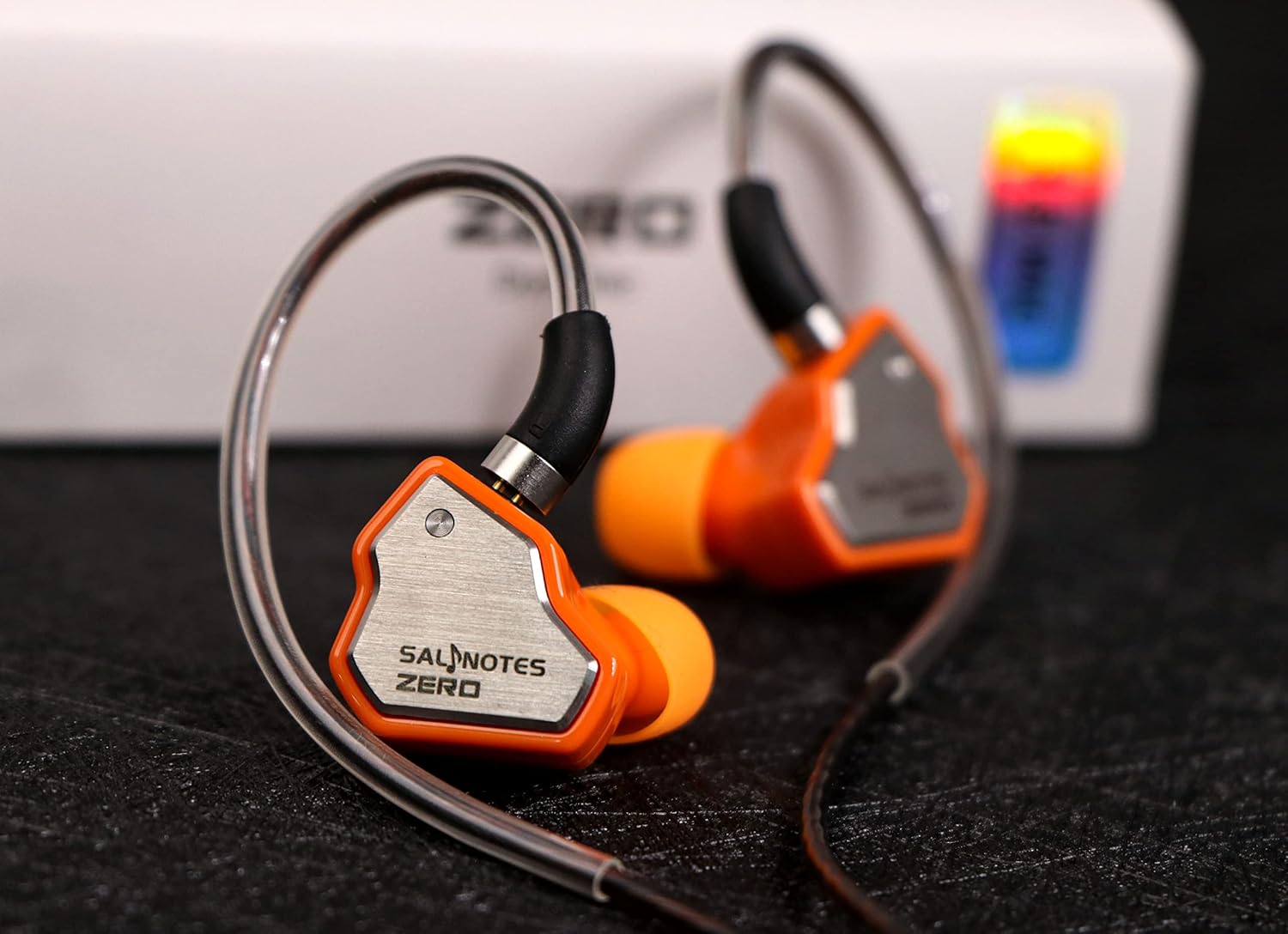
Image: A detailed view of the earphone with the detachable cable connected, showing the 2-pin connector.
3.2 Selecting and Installing Ear Tips
Proper ear tip selection is crucial for sound quality and comfort. Experiment with the included silicone ear tips to find the best fit for your ears.
- Gently remove any pre-installed ear tips from the earphone nozzle.
- Choose a pair of ear tips that feel comfortable and create a good seal in your ear canal. A good seal is essential for optimal bass response and passive noise isolation.
- Carefully push the chosen ear tip onto the earphone nozzle until it is firmly attached.

Image: A selection of silicone ear tips in different colors and sizes, provided for a customized fit.
4. Operating Instructions
4.1 Wearing the Earphones
- Insert the earphone units into your ear canals, ensuring a snug and comfortable fit.
- Route the cable over and behind your ears. The pre-formed ear guides on the cable are designed to help secure the earphones in place.

Image: The earphones being worn, demonstrating the over-ear cable routing for a secure fit.
4.2 Connecting to an Audio Source
The 7Hz Salnotes Zero earphones are compatible with a wide range of devices:
- Mobile devices (smartphones, tablets)
- Laptops
- Desktop computers
- Digital Audio Players (DAPs)
Plug the 3.5mm jack of the cable into the headphone output port of your audio source. Adjust the volume on your device to a comfortable listening level before placing the earphones in your ears.

Image: The earphones connected to a portable audio device, ready for use.
5. Maintenance and Care
- Cleaning: Regularly clean the ear tips with a soft, damp cloth. For the earphone nozzles, gently wipe away any earwax or debris using a small brush or cotton swab. Ensure the nozzles are dry before reattaching ear tips.
- Cable Care: Avoid sharp bends or excessive pulling on the cable to prevent damage. When not in use, coil the cable loosely and store it in a protective pouch or case.
- Storage: Store your earphones in a clean, dry place away from extreme temperatures and direct sunlight.
- Detachable Cable: If you need to detach the cable, pull directly on the connector housing, not the cable itself, to avoid damaging the pins.
6. Troubleshooting
- No Sound or Low Volume:
- Ensure the 3.5mm jack is fully inserted into the audio source.
- Check the volume level on your audio source.
- Verify that the detachable 2-pin cable connectors are securely attached to the earphones.
- Test with a different audio source or cable if possible to rule out component failure.
- Unbalanced Sound (One side quieter):
- Check the ear tip fit on both earphones. An improper seal can affect sound balance.
- Inspect the earphone nozzles for any blockages (e.g., earwax). Clean if necessary.
- Ensure the cable is correctly connected to the left and right units.
- Poor Fit or Discomfort:
- Experiment with different sizes and types of ear tips provided to find the most comfortable and secure fit.
- Adjust the cable routing over your ears to optimize comfort.
7. Specifications
| Feature | Detail |
|---|---|
| Model Name | 7Hz Salnotes Zero |
| Driver Type | 10mm Dynamic Driver with Metal Composite Diaphragm |
| Impedance | 32 Ohms |
| Connectivity | Wired, 3.5mm Jack |
| Cable | Detachable 4-core High Purity OFC Cable, 0.78mm 2-Pin Connectors |
| Ear Placement | In Ear |
| Material | Plastic, Stainless Steel |
| Control Type | Media Control (if cable with mic is used, this model is without mic) |
| Product Dimensions | 3.15 x 3.15 x 1.18 inches |
| Item Weight | 180.4 pounds (Note: This weight seems incorrect for earphones and might be a data error. Actual weight is much lower.) |
8. Official Product Video
Video: An official overview of the Linsoul 7Hz Salnotes Zero Earphones, showcasing their design and key features.
9. Warranty and Support
For warranty information and customer support, please refer to the documentation included with your product or visit the official Linsoul website. You can also contact the seller, Linsoul Audio, directly through the platform where you purchased the product.
For additional product information and support, visit the Linsoul Store on Amazon.