1. Introduction
Thank you for choosing the Lecoo DS102 Wireless Bluetooth + AUX 6W Stereo Soundbar Portable Speaker. This device is designed to provide a high-quality audio experience with versatile connectivity options. Please read this manual carefully before use to ensure proper operation and to maximize the lifespan of your speaker.

Image 1: Front view of the Lecoo DS102 Soundbar Speaker.
2. Package Contents
The package for your Lecoo DS102 speaker includes the following items:
- 1x Lecoo DS102 Wireless Bluetooth AUX Soundbar Speaker
- 1x User Manual
Video 1: Unboxing the Lecoo DS102 Soundbar Speaker, showing the speaker and included manual.
3. Setup
The Lecoo DS102 speaker is designed for easy setup. It receives power via a USB connection and offers both AUX and Bluetooth for audio input.
3.1 Power Connection
- Connect the USB cable from the speaker to a powered USB port (e.g., computer, USB wall adapter).
- The speaker will power on automatically.
3.2 Audio Connection Options
The DS102 offers two primary ways to connect for audio playback:
Bluetooth Connection
- Ensure the speaker is powered on.
- On your device (smartphone, tablet, computer), enable Bluetooth and search for available devices.
- Select "Lecoo DS102" from the list to pair. A confirmation sound will indicate successful pairing.
AUX Connection
- Connect one end of a 3.5mm audio cable (not included) to the AUX input port on the speaker.
- Connect the other end of the 3.5mm audio cable to the audio output jack of your device.
- The speaker will automatically switch to AUX mode when a cable is detected.

Image 2: The Lecoo DS102 speaker showing Bluetooth and wired AUX connectivity.
Video 2: Demonstration of connecting the Lecoo DS102 speaker via USB for power and AUX for audio input.
4. Operating Instructions
4.1 Volume Control
The Lecoo DS102 features a rotary control knob for easy volume adjustment. Rotate the knob clockwise to increase the volume and counter-clockwise to decrease it.

Image 3: Close-up of the rotary volume control knob.
Video 3: A hand adjusting the rotary volume control knob on the Lecoo DS102 speaker.
4.2 Audio Playback
Once connected via Bluetooth or AUX, simply start playing audio from your connected device. The soundbar will output the audio.
Video 4: The Lecoo DS102 speaker playing music, demonstrating its audio output.
5. Features
- Exceptional Audio Performance: The Lecoo DS102 Bluetooth + Wired V5.0 Stereo 6W Soundbar Portable Speaker delivers a high-quality audio experience with 6W output power, filling your room with sound. Bluetooth 5.0 technology ensures seamless connectivity within 10 to 30 meters, allowing you to enjoy wireless music sharing.
- Versatile Connectivity Options: In addition to Bluetooth, the Lecoo DS102 is equipped with AUX and USB connections. This allows for easy connection to various devices, including wired connections. The rotary control knob provides convenient volume adjustment.
- Compact and Elegant Design: With its stylish and compact dimensions (380mm x 75mm x 60mm), the Lecoo speaker seamlessly fits into any environment. Enjoy excellent sound quality whether at home or during outdoor activities.
- Durable and Environmentally Adaptable: A wide operating temperature range of -20°C to +45°C makes the Lecoo DS102 suitable for use in various environments, from indoor spaces to outdoor events. Its durable construction ensures long-lasting use.
- Ideal for Home and Outdoor Use: The Lecoo DS102 is an excellent choice for those looking to create a home theater system or a high-quality audio system. It offers a rich sound experience with various audio outputs, ensuring impressive sound quality at all times.
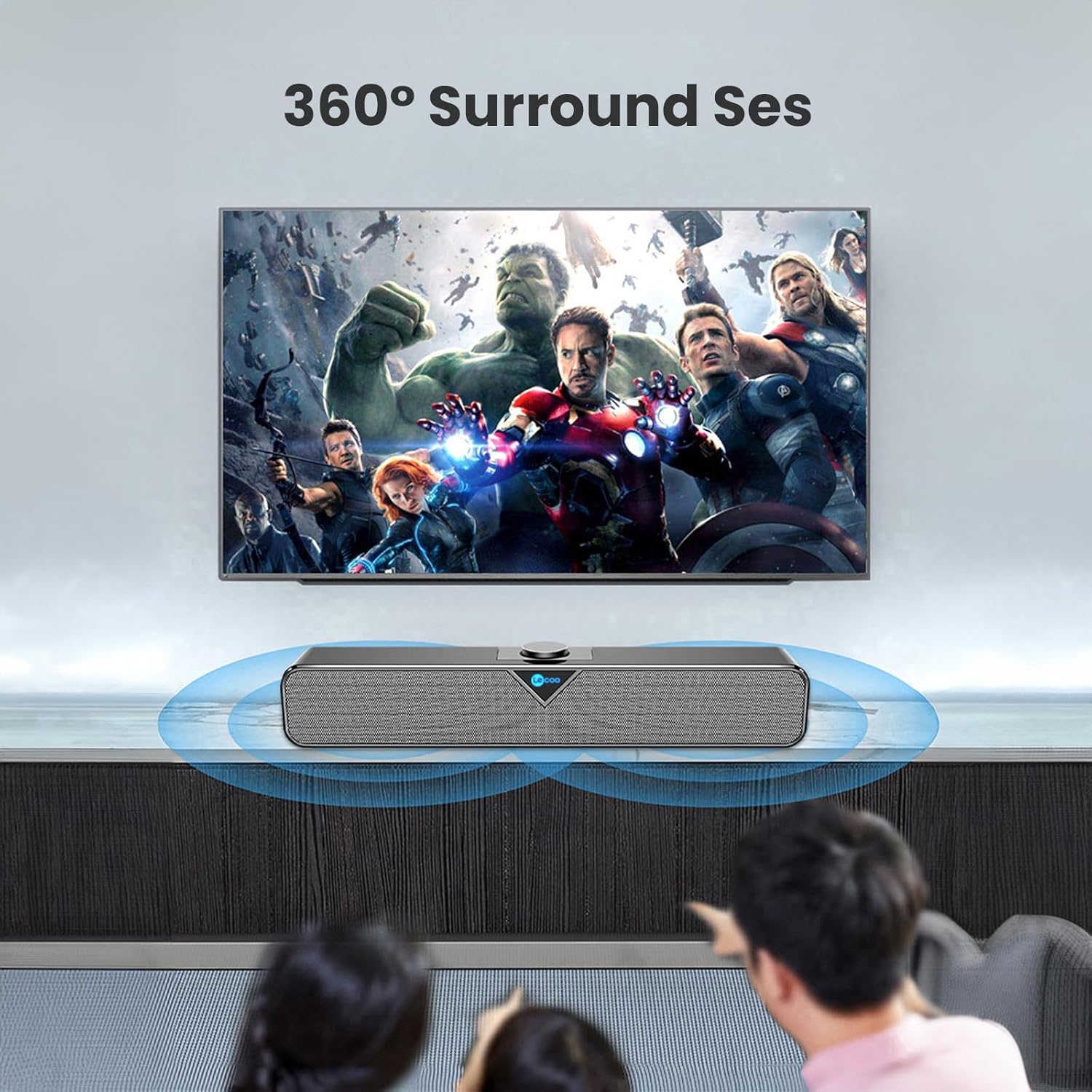
Image 4: The Lecoo DS102 speaker illustrating its sound projection.

Image 5: The Lecoo DS102 speaker integrated into a home entertainment setup.

Image 6: Internal diagram highlighting the dual speaker design.
6. Specifications
| Specification | Value |
|---|---|
| Model Name | DS102 |
| Speaker Type | Soundbar |
| Key Features | Bass Boost, Shock Resistant, Lightweight, High-Resolution Audio |
| Recommended Uses | Smartphones or Tablets, Computers, DVD Players, Music Players, Gaming Consoles, Surround Sound Systems, Televisions |
| Compatible Devices | Monster, Samsung, Vestel, Xiaomi, iPhone |
| Color | Black |
| Included Components | 1x User Manual, 1x Lecoo DS102 Wireless Bluetooth AUX Soundbar Speaker |
| Product Dimensions (D x W x H) | 6D x 38W x 7.5H cm |
| Product Weight | 1200 Grams |
| Impedance | 4 Ohm |
| Waterproof | No |
| Warranty Type | Official Distributor Warranty |
| Maximum Range (Bluetooth) | 10 meters (393.7 inches) |
| Quantity | 1 |
| Control Method | Rotary Knob |
| Wireless Communication Technology | Bluetooth |
| Power Source | Wired Electric (USB) |
| Manufacturer | Lecoo |
| First Available Date | March 1, 2023 |
| Speaker Maximum Output Power | 6 Watt |
| Connectivity Technology | Bluetooth+Wired (AUX) |
| Audio Output Mode | Mono |
| Mounting Type | Desktop Mount |
7. Maintenance
To ensure the longevity and optimal performance of your Lecoo DS102 speaker, follow these maintenance guidelines:
- Cleaning: Use a soft, dry cloth to clean the speaker's surface. Do not use liquid cleaners or abrasive materials.
- Storage: Store the speaker in a cool, dry place away from direct sunlight and extreme temperatures.
- Handling: Avoid dropping the speaker or subjecting it to strong impacts.
- Water Exposure: This product is not waterproof. Avoid exposure to water or high humidity.
8. Troubleshooting
If you encounter any issues with your Lecoo DS102 speaker, please refer to the following common problems and solutions:
- No Sound:
- Ensure the speaker is powered on and the USB cable is securely connected.
- Check the volume level on both the speaker and your connected device.
- If using Bluetooth, ensure the speaker is paired correctly and within range. Try re-pairing.
- If using AUX, ensure the 3.5mm audio cable is fully inserted into both the speaker and your device.
- Verify that the correct audio output is selected on your source device.
- Bluetooth Connection Issues:
- Ensure the speaker is not already connected to another device.
- Move your device closer to the speaker to ensure it is within the 10-30 meter range.
- Turn off and on Bluetooth on your device, then try pairing again.
- Some users have noted that the Bluetooth feature is always active. Ensure no unintended devices are connected.
- Sound Distortion at High Volume:
- Reduce the volume level on both the speaker and your source device.
- For optimal sound quality, it is recommended to use the speaker at around 80% of its maximum volume.
- No Power On/Off Button:
- The Lecoo DS102 does not feature a dedicated power on/off button. To power off the device, disconnect the USB power cable.
9. Warranty and Support
The Lecoo DS102 speaker comes with an Official Distributor Warranty in Turkey. For warranty claims, technical support, or further assistance, please contact your local Lecoo distributor or authorized service center.
Please retain your proof of purchase for warranty purposes.


