
1. Introduction
The eppfun SK001 MAX is a versatile Bluetooth speakerphone designed for home office, remote work, and conference calls. It features 360° voice coverage with two omnidirectional microphones, intelligent noise cancellation, and echo elimination for clear audio. This device supports both USB and Bluetooth connectivity, offering broad compatibility with various operating systems and popular online meeting applications such as Zoom, Skype, Microsoft Teams, Google Meet, Webex, and Facetime.
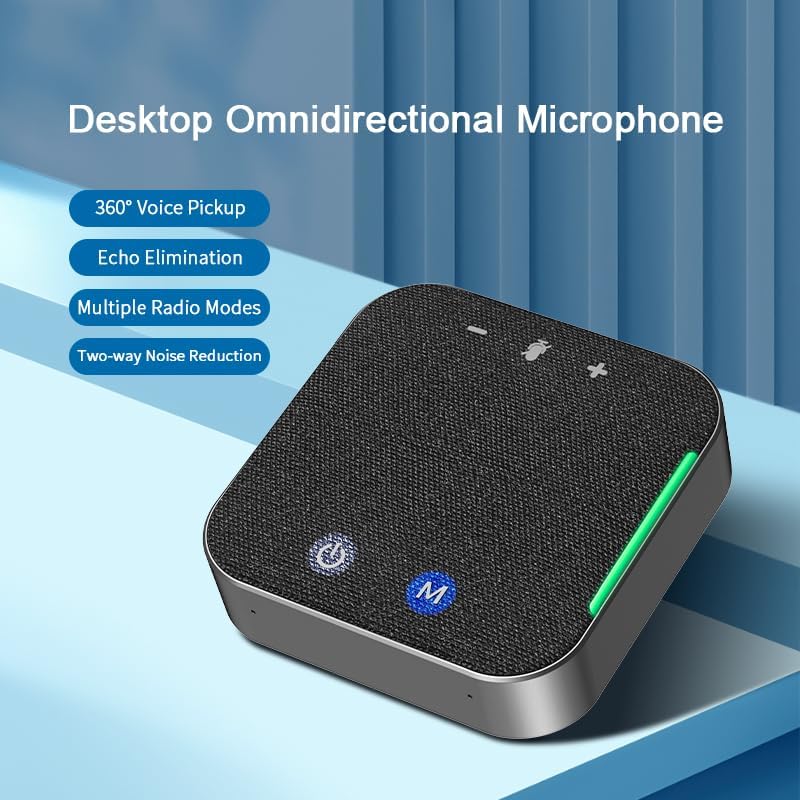
Figure 1: eppfun SK001 MAX Desktop Omnidirectional Microphone. This image shows the compact, square-shaped speakerphone with its fabric top and control buttons, highlighting its 360° voice pickup, echo elimination, multiple radio modes, and two-way noise reduction capabilities.
2. Package Contents
Verify that all items are present in the package:
- eppfun SK001 MAX Speakerphone
- USB-A to USB-C Cable
- Instruction Manual
- Warranty Card
3. Product Overview
The SK001 MAX features an intuitive design with easily accessible controls and ports.
3.1 Controls and Indicators
- Power Button: Press and hold to turn the device on or off.
- M Button (Mode/Mute): Used for switching modes or muting the microphone.
- Volume Up/Down Buttons: Adjust the speaker volume.
- LED Indicators: Provide status information for power, Bluetooth connection, and microphone mute.
3.2 Ports
- USB-C Port: For wired connection to a computer and charging.
- 3.5mm AUX Port: For auxiliary audio input/output.

Figure 2: USB-C Port for connection. This image shows a close-up of the speakerphone's side, highlighting the USB-C port and a USB-C cable being inserted, emphasizing its plug-and-play, drive-free design for easy PC connection.
4. Setup
4.1 Charging the Device
Before initial use, fully charge the SK001 MAX. Connect the provided USB-C cable to the speakerphone's USB-C port and the other end to a USB power adapter (not included) or a computer's USB port. The LED indicator will show charging status and turn off when fully charged. A full charge provides up to 12 hours of continuous use.
4.2 Wired Connection (USB)
- Connect the provided USB-C cable to the SK001 MAX.
- Connect the USB-A or USB-C end of the cable to an available port on your computer (PC or Mac).
- The device is plug-and-play and does not require driver installation. It will be automatically recognized by your operating system.
- Select "eppfun SK001 MAX" as your audio input and output device in your computer's sound settings and conferencing application.
4.3 Wireless Connection (Bluetooth)
- Press and hold the Power button on the SK001 MAX to turn it on.
- The Bluetooth indicator light will flash, indicating it is in pairing mode.
- On your device (smartphone, tablet, laptop), go to Bluetooth settings and enable Bluetooth.
- Search for available devices and select "eppfun SK001 MAX" from the list.
- Once connected, the Bluetooth indicator light will become solid.
- Select "eppfun SK001 MAX" as your audio input and output device in your device's sound settings and conferencing application.

Figure 3: Wireless and Wired Connection Options. This image illustrates the flexibility of the speakerphone, showing it connected wirelessly via Bluetooth to a smartphone displaying a live broadcast, and implying wired connectivity for stable transmission.
5. Operating the Speakerphone
5.1 Making/Receiving Calls
Once connected via USB or Bluetooth, the SK001 MAX will function as your primary audio device for calls and meetings. Use your connected device or conferencing application to initiate or answer calls.
5.2 Adjusting Volume
Use the Volume Up (+) and Volume Down (-) buttons on the speakerphone to adjust the playback volume. You can also control the volume from your connected device.
5.3 Muting the Microphone
Press the 'M' button to mute or unmute the microphone. The LED indicator will change to show the microphone's status (e.g., red for muted).
5.4 Noise Reduction and Echo Cancellation
The SK001 MAX features an integrated DSP processor for intelligent noise canceling and echo elimination. This technology works automatically to reduce background noise and prevent echoes, ensuring clear communication. The device supports single or two-way noise reduction, which can be freely switched to optimize voice clarity for all participants.
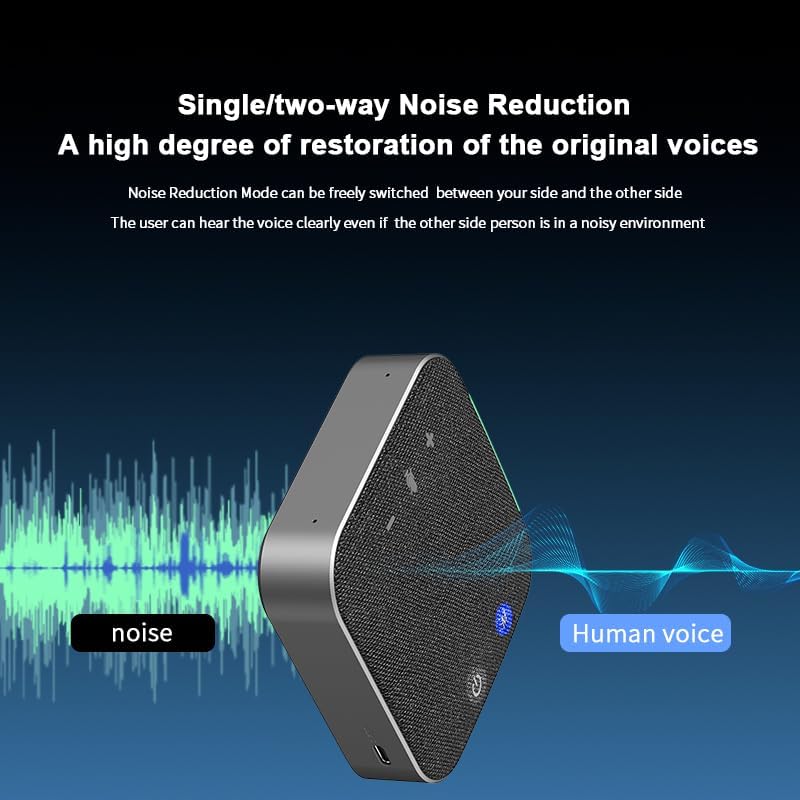
Figure 4: Single/Two-way Noise Reduction. This image visually represents the speakerphone's noise reduction capability, showing how it filters out ambient noise to deliver clear human voice, ensuring participants can hear clearly even in noisy environments.
5.5 360° Voice Pickup
Equipped with two omnidirectional microphones, the SK001 MAX captures sound from all directions within a 4-meter radius. This ensures that all participants in a meeting, even in a multi-person setting, are heard clearly.

Figure 5: Multi-person Meeting Scenario. This image depicts the speakerphone in use during a conference, illustrating its 4-meter voice pickup radius coverage, making it suitable for small and medium-sized meeting rooms.
6. Maintenance
- Cleaning: Use a soft, dry cloth to clean the speakerphone. Do not use liquid cleaners or aerosols.
- Storage: Store the device in a cool, dry place away from direct sunlight and extreme temperatures.
- Battery Care: To prolong battery life, avoid fully discharging the battery frequently. Charge the device regularly, even if not in use for extended periods.
- Water Resistance: The SK001 MAX is NOT waterproof. Avoid exposure to liquids.
7. Troubleshooting
| Problem | Possible Solution |
|---|---|
| Device does not power on. | Ensure the device is charged. Connect it to a power source using the USB-C cable. |
| No sound or poor sound quality. |
|
| Microphone not working. |
|
| Bluetooth connection issues. |
|
8. Specifications
| Feature | Detail |
|---|---|
| Brand | eppfun |
| Model Number | SK001 |
| Connectivity Technology | Auxiliary, Bluetooth, USB |
| Wireless Technology | Bluetooth |
| Bluetooth Range | 10 Meters |
| Number of Microphones | 2 (Omnidirectional) |
| Speaker Maximum Output Power | 5 Watts |
| Audio Output Mode | Mono |
| Speaker Size | 40 Millimeters |
| Battery Average Life | 12 Hours |
| Power Source | Battery Powered (1 Lithium Ion battery included) |
| Control Method | Push Button |
| Color | Black |
| Item Weight | 0.5 Pounds |
| Waterproof | No |
| Compatible Devices | Desktop, Laptop, Smartphone, Tablet, Television |
| Specific Uses | Conference calls, web meetings, remote work, home office |
9. Warranty & Support
9.1 Warranty Information
The eppfun SK001 MAX comes with a limited warranty of up to 12 months. Please refer to the included Warranty Card for detailed terms and conditions. Keep your proof of purchase for warranty claims.
9.2 Customer Support
For further assistance, technical support, or warranty inquiries, please visit the official eppfun store or contact their customer service. You can find more information and contact details on the eppfun Amazon Store.