
IKIFLY HU9056
IKIFLY LED Floating TV Stand User Manual
Model: HU9056
Brand: IKIFLY
1. Introduction
Thank you for purchasing the IKIFLY LED Floating TV Stand. This manual provides essential information for the safe assembly, operation, and maintenance of your new entertainment center. Please read these instructions carefully before beginning assembly and retain them for future reference.
1.1 Safety Warnings
WARNING: This product is designed to be wall-mounted. Always follow the assembly instructions carefully to ensure safe and secure installation. Do not overload the stand; the maximum weight capacity is 100 lbs (45 kg). Keep the stand away from children and pets to prevent tip-over risks. Always unplug the stand and any connected devices before performing any maintenance or cleaning.
Ensure all components are present and undamaged before assembly. If any parts are missing or damaged, do not proceed with assembly. Contact customer support immediately.
2. Product Overview
The IKIFLY LED Floating TV Stand is a modern, wall-mounted entertainment console designed to complement various home decors. It features a high-gloss finish, integrated LED lighting, and ample storage space.
2.1 Key Features
- Floating Design: A sleek, wall-mounted design that saves floor space and adds a contemporary aesthetic.
- Large Storage Space: Equipped with two spacious cabinets and open shelving for organizing media devices, accessories, and decorative items.
- Adjustable LED Lights: Features an integrated LED lighting system with 16 color choices, 6 brightness settings, and 4 lighting patterns, controllable via remote.
- Durable Construction: Made from high-grade MDF with a high-gloss acrylic finish, offering water resistance and scratch resistance.
- High Weight Capacity: Supports up to 100 lbs (45 kg), suitable for TVs ranging from 65 to 85 inches.
2.2 Product Components and Dimensions
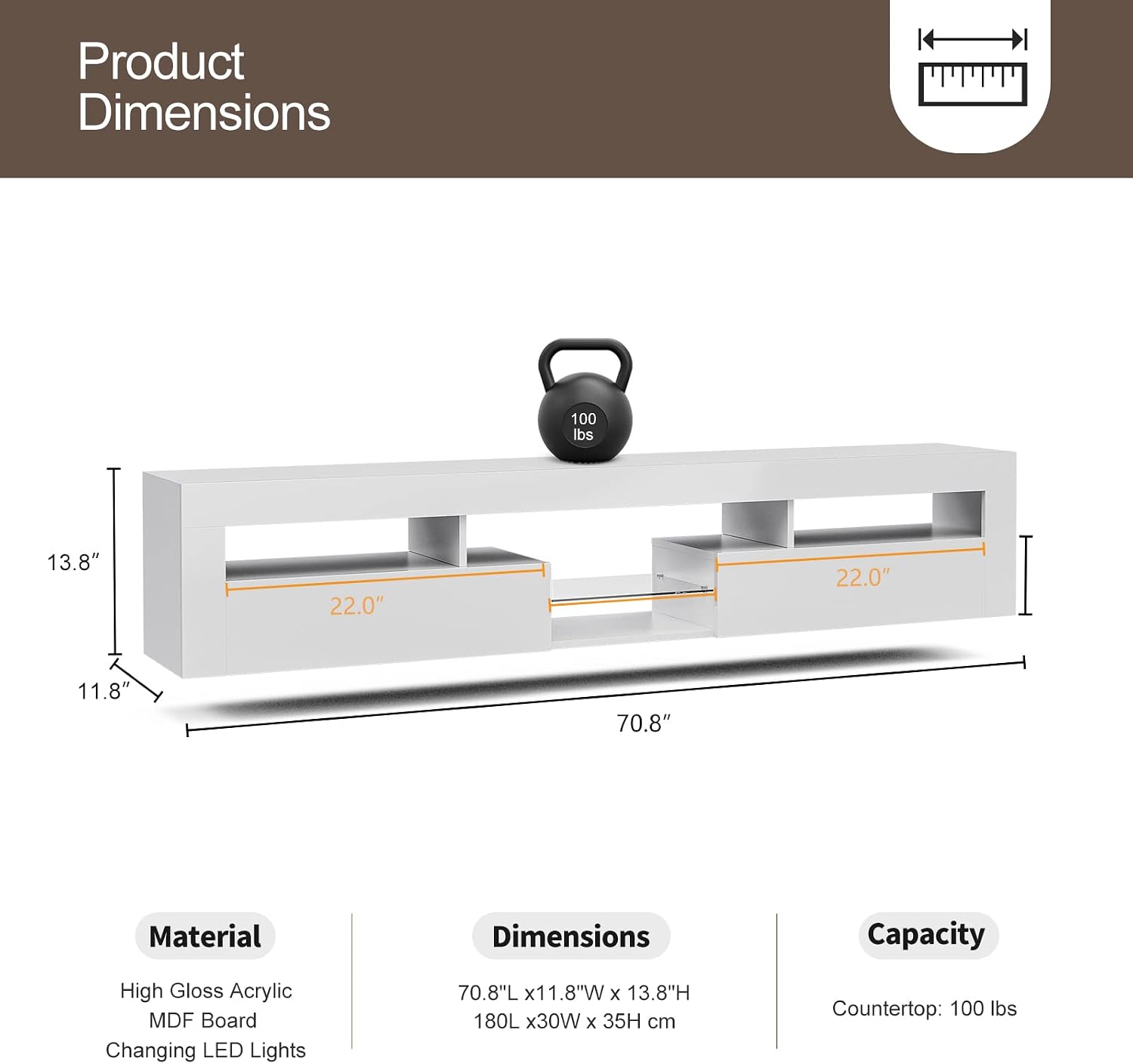
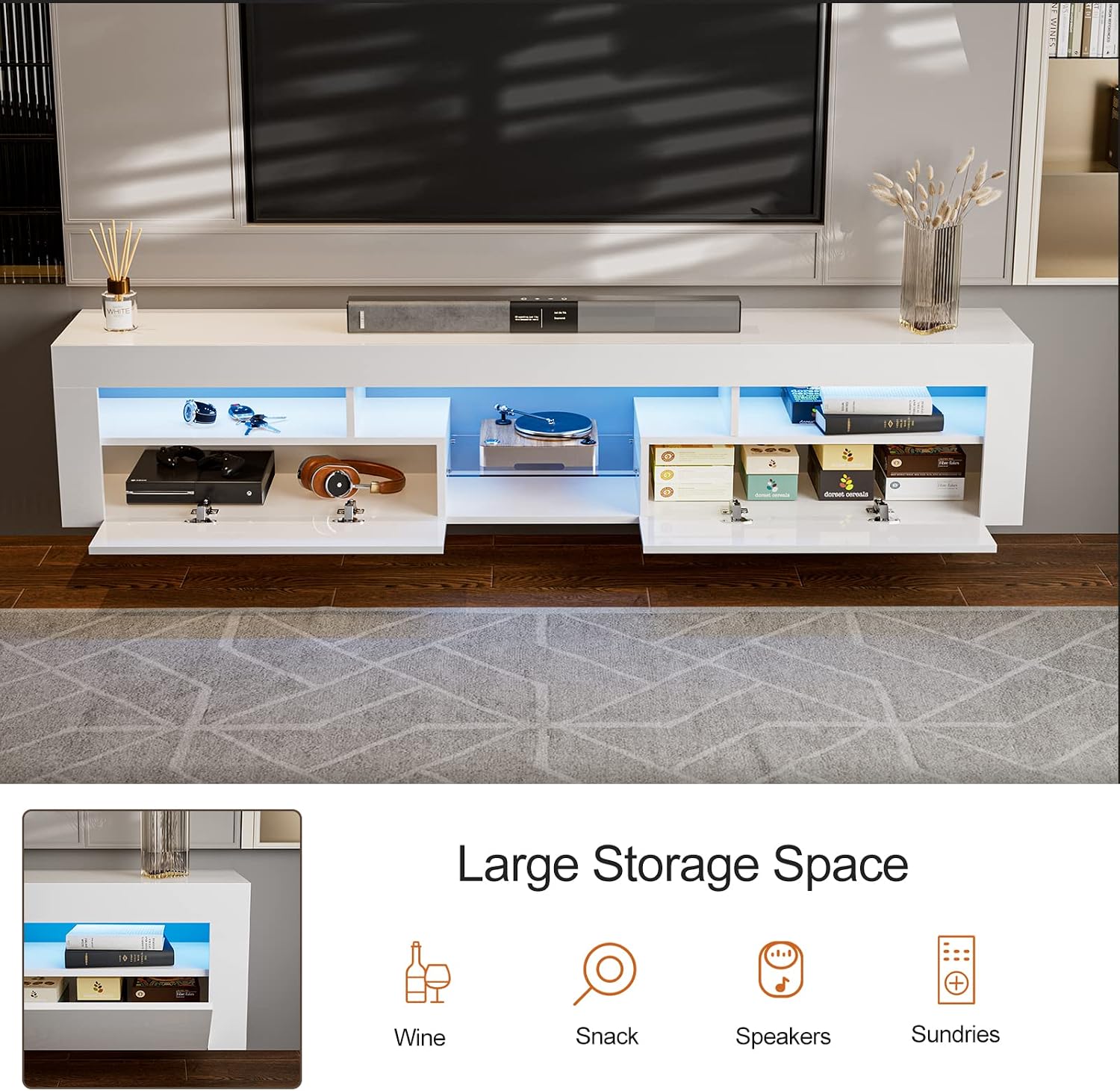


3. Specifications
| Attribute | Detail |
|---|---|
| Brand | IKIFLY |
| Model Number | HU9056 |
| Color | White With Glass Shelf |
| Material | High Gloss Acrylic MDF Board + LED Lights |
| Product Dimensions (L x W x H) | 70.8 x 11.8 x 13.8 inches (180 x 30 x 35 cm) |
| Item Weight | 30 pounds (13.6 kg) |
| Maximum Weight Capacity | 100 lbs (45 kg) |
| Recommended TV Size | 65-85 inches |
| Country of Origin | China |
4. Setup and Assembly
The IKIFLY LED Floating TV Stand requires assembly and wall-mounting. All necessary hardware and accessories are provided in the package. For detailed, step-by-step instructions, please refer to the included assembly manual.
4.1 Before You Begin
- Unpack all components and verify against the parts list in the assembly manual.
- Ensure you have the necessary tools (e.g., screwdriver, drill for wall mounting).
- Choose a suitable wall location, considering stud placement for secure mounting.
- Have at least two adults for assembly and mounting for safety.
4.2 Assembly Steps (General)
- Assemble the main frame of the TV stand according to the diagrams in the assembly manual.
- Install the cabinet doors and internal shelving.
- Attach the wall mounting brackets to the TV stand.
- Mark and drill pilot holes on your wall, ensuring they align with the stand's mounting points and are secured into wall studs or appropriate anchors.
- Carefully lift and mount the TV stand onto the wall brackets. Ensure it is level and securely fastened.
- Connect the LED light strips and power adapter.
Refer to the specific assembly manual for detailed illustrations and hardware identification.
5. Operating Instructions
The primary operational feature of this TV stand is its integrated LED lighting system.
5.1 LED Light Operation


- Power On/Off: Use the power button on the remote control to turn the LED lights on or off.
- Color Selection: Press the color buttons on the remote to choose from 16 different static colors.
- Brightness Adjustment: Use the brightness up/down buttons to increase or decrease the light intensity (6 settings available).
- Lighting Patterns: Select from 4 pre-programmed lighting patterns (e.g., flash, strobe, fade, smooth) to create dynamic effects.
- Remote Control Battery: Ensure the remote control has a working battery (typically a CR2025 coin cell, not included).
6. Maintenance and Care
Proper care will help maintain the appearance and longevity of your TV stand.
- Cleaning: Wipe the surfaces with a soft, damp cloth. Avoid using harsh chemicals, abrasive cleaners, or polishes that may damage the high-gloss finish.
- Spills: Immediately wipe up any spills to prevent staining or damage to the material.
- Heat and Moisture: Avoid placing hot items directly on the surface. Keep the stand away from excessive moisture or direct sunlight to prevent warping or discoloration.
- LED Lights: If the LED lights malfunction, first check the power connection and the remote control battery. If issues persist, contact customer support.
- Hardware Check: Periodically check all screws and fasteners to ensure they remain tight, especially the wall mounting hardware, to maintain stability and safety.

7. Troubleshooting
This section addresses common issues you might encounter with your TV stand.
| Problem | Possible Cause | Solution |
|---|---|---|
| LED lights do not turn on. | Power adapter unplugged; Remote control battery dead; Loose connection. | Ensure power adapter is securely plugged into both the stand and a working outlet. Replace remote control battery. Check all LED strip connections. |
| LED lights flicker or change colors erratically. | Loose connection; Faulty LED strip or controller. | Check all connections. If problem persists, contact customer support for replacement parts. |
| Stand feels unstable or wobbly after mounting. | Improper wall mounting; Loose fasteners. | Ensure the stand is securely mounted into wall studs or appropriate heavy-duty anchors. Tighten all assembly and mounting fasteners. Consult a professional if unsure about wall mounting. |
| Cabinet doors do not close properly. | Hinges misaligned; Obstruction. | Adjust hinges as per assembly manual. Remove any obstructions. |
8. Warranty and Support
IKIFLY is committed to providing high-quality products. While specific warranty details are not provided in this manual, please retain your proof of purchase. For any questions, missing parts, or issues not covered in this troubleshooting guide, please contact IKIFLY customer support through the retailer where you purchased the product or visit the official IKIFLY store online.
Ask a question about this manual
Ask about setup, troubleshooting, compatibility, parts, safety, or missing instructions. Manuals+ will review the question and use this page’s manual context to help answer it.