
ANENG A3005
ANENG Pen Type Digital Multimeter A3005
Instruction Manual
1. Product Overview
The ANENG A3005 Pen Type Digital Multimeter is a compact, multi-functional testing instrument designed for electricians, technicians, and DIY enthusiasts. It combines the capabilities of a traditional multimeter with the convenience of a pen-style design, offering a comprehensive suite of testing functions for various electrical applications.
Key Features:
- AC/DC Voltage Testing
- Resistance, Continuity, Capacitance, and Diode Testing
- Non-Contact Voltage (NCV) Detection
- Live Wire Detection
- VA Reverse Display Screen with Backlight
- Built-in Flashlight for low-light conditions
- Automatic Shutdown Function
- Portable Pen-Shaped Design with Pen Clip

Figure 1: Overview of ANENG A3005 Pen Multimeter functions.
2. Package Contents
Upon opening the package, please verify that all items listed below are present and in good condition:
- 1 x ANENG Pen Multimeter (Model A3005)
- 1 x Test Lead
- 2 x 1.5V AAA Batteries
- 1 x User Manual

Figure 2: ANENG A3005 Pen Multimeter and its accessories.
3. Safety Information
WARNING: Always exercise extreme caution when working with electricity. Failure to follow safety guidelines can result in serious injury or death.
- Do not use the multimeter if it appears damaged or is not operating properly.
- Ensure the test leads are properly connected and in good condition before each use.
- Do not exceed the maximum input values specified in the specifications section.
- Always disconnect power to the circuit before making resistance, continuity, or capacitance measurements.
- Use appropriate personal protective equipment (PPE), such as insulated gloves and safety glasses.
- Keep the device dry and clean.
4. Setup
4.1 Battery Installation
- Locate the battery compartment on the back of the multimeter.
- Use a screwdriver to loosen the screw securing the battery cover.
- Remove the battery cover.
- Insert two 1.5V AAA batteries, ensuring correct polarity (+/-).
- Replace the battery cover and tighten the screw.
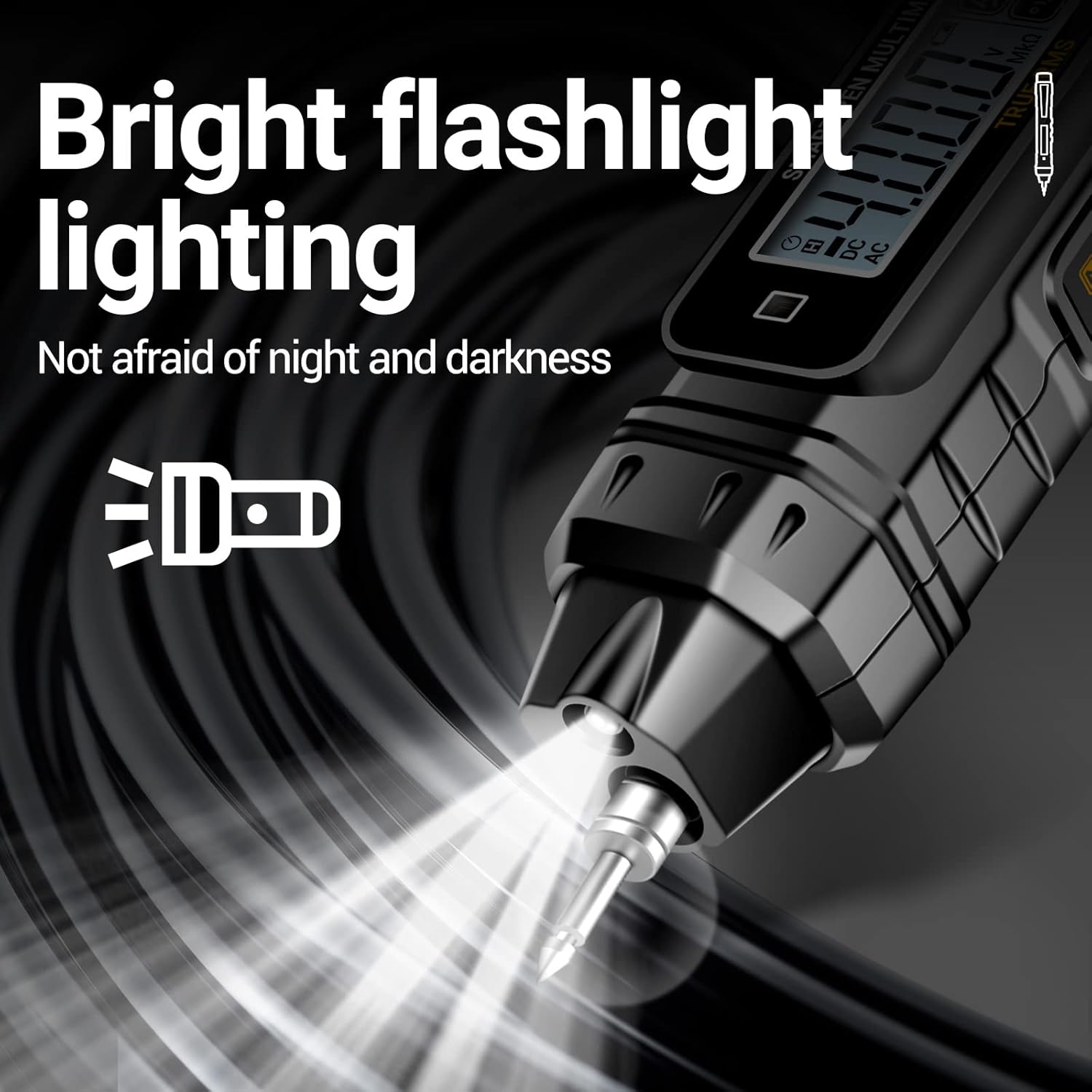
Figure 3: Battery installation for the ANENG A3005.
4.2 Connecting Test Leads
The multimeter comes with a detachable test lead. Insert the plug of the test lead into the black COM port at the bottom of the multimeter. The main probe is integrated into the pen body.

Figure 4: ANENG A3005 Pen Multimeter with test lead.
4.3 Initial Power On
Press the power button to turn on the multimeter. The device will automatically enter auto-recognition mode, simplifying operation.
Video 1: Unboxing, Battery Installation, and Basic Operation of the ANENG A3005 Pen Multimeter. This video demonstrates how to set up the device and its initial functions.
5. Operating Instructions
The ANENG A3005 features intelligent auto-recognition, simplifying most measurements. For specific functions, use the mode button.
5.1 Automatic Recognition Mode (AUTO)
When powered on, the multimeter defaults to AUTO mode. In this mode, it automatically identifies and measures AC/DC voltage, resistance, and continuity without manual range selection.
5.2 Specific Measurement Functions
Press the 'MODE' button to cycle through different measurement functions if not automatically detected or for specific tests.
- AC/DC Voltage Measurement:
In AUTO mode, simply touch the probes to the circuit points. The multimeter will automatically detect AC or DC voltage and display the reading. For example, when measuring household AC voltage, it will display approximately 220V (or 120V depending on region).
Figure 5: Demonstrating various measurement capabilities.
- Resistance Measurement:
In AUTO mode, touch the probes to the ends of the resistor. The multimeter will automatically recognize the resistance value and display it. - Continuity/Buzzer Test:
In AUTO mode, if continuity is detected (low resistance), the multimeter will flash a red light and emit a beep, indicating a continuous circuit. - Non-Contact Voltage (NCV) Detection:
Switch to NCV mode. Place the tip of the multimeter near a live wire or electrical outlet. If voltage is sensed, the indicator light will flash red and the device will beep, with the frequency of beeps increasing as it gets closer to the voltage source.
Figure 6: NCV voltage sensing in action.
- Live Wire Detection:
Switch to LIVE mode. Touch the main probe to the live wire. The red light will turn on and a beep will sound for the live line. No sound or light will indicate a zero line. - Capacitance and Diode Testing:
These functions are also available and can be selected via the MODE button. Refer to the on-screen indicators for specific measurement procedures.
5.3 Special Features
- Flashlight:
Long press the flashlight button to activate the built-in flashlight, useful for working in dimly lit areas.
Figure 7: Built-in flashlight for improved visibility.
- Data Retention (HOLD):
Single press the 'HOLD' button to freeze the current reading on the display. Press again to release. - Auto Power Off:
The multimeter will automatically shut down after approximately 5 minutes of inactivity to conserve battery life.
Video 2: Detailed demonstration of the ANENG A3005 Pen Multimeter's various testing modes, including battery testing, AC voltage measurement, resistance, continuity, live wire detection, and NCV.
6. Maintenance
- Cleaning: Regularly wipe the multimeter with a dry, clean cloth. Do not use abrasive cleaners or solvents.
- Battery Replacement: Replace batteries promptly when the low battery indicator appears on the display to ensure accurate readings and proper operation. Refer to Section 4.1 for battery installation instructions.
- Storage: When not in use for extended periods, remove the batteries to prevent leakage and store the multimeter in a cool, dry place away from direct sunlight and extreme temperatures.
7. Troubleshooting
If you encounter issues with your ANENG A3005 Multimeter, please refer to the following common troubleshooting steps:
- No Power/Display: Check if the batteries are correctly installed and have sufficient charge. Replace batteries if necessary.
- Inaccurate Readings: Ensure test leads are securely connected. Verify that the correct measurement mode is selected (if not in AUTO mode). Clean the probe tips if they appear dirty.
- No Continuity Beep: Ensure the circuit is de-energized. Check for open circuits or high resistance.
- NCV Not Detecting: Ensure the NCV mode is active. The NCV function requires a sufficient electrical field to detect voltage; it may not detect deeply embedded wires or shielded cables.
If the problem persists after attempting these steps, please contact ANENG customer support for assistance.
8. Specifications

Figure 8: ANENG A3005 Product Specifications.
| Specification | Value |
|---|---|
| Model Number | A3005 |
| Package Dimensions | 7.76 x 2.36 x 1.26 inches |
| Item Weight | 4.59 ounces |
| Batteries | 2 AAA batteries (included) |
| Manufacturer | ANENG |
| Country of Origin | China |
| Power Source | Battery Powered |
| Min. Operating Voltage | 1.5V |
9. Warranty and Support
ANENG provides service and technical support for the A3005 Pen Type Digital Multimeter. For any inquiries, troubleshooting assistance, or warranty claims, please contact ANENG customer service through the official channels provided at the point of purchase or on the ANENG brand website.
Please retain your purchase receipt as proof of purchase for warranty purposes.
Related documentsA3005


Ask a question about this manual
Ask about setup, troubleshooting, compatibility, parts, safety, or missing instructions. Manuals+ will review the question and use this page’s manual context to help answer it.