
Hocazor HZ07
Hocazor HZ07 Bluetooth 5.3 Hearing Protection Earmuffs User Manual
Model: HZ07 | Brand: Hocazor
Introduction
Thank you for choosing the Hocazor HZ07 Bluetooth 5.3 Hearing Protection Earmuffs. These earmuffs are designed to provide effective noise reduction while allowing you to enjoy audio wirelessly via Bluetooth. With a Noise Reduction Rating (NRR) of 25dB, a built-in 1500 mAh rechargeable battery, and advanced Bluetooth 5.3 technology, the HZ07 offers superior sound quality, extended playtime, and reliable connectivity for various noisy environments.
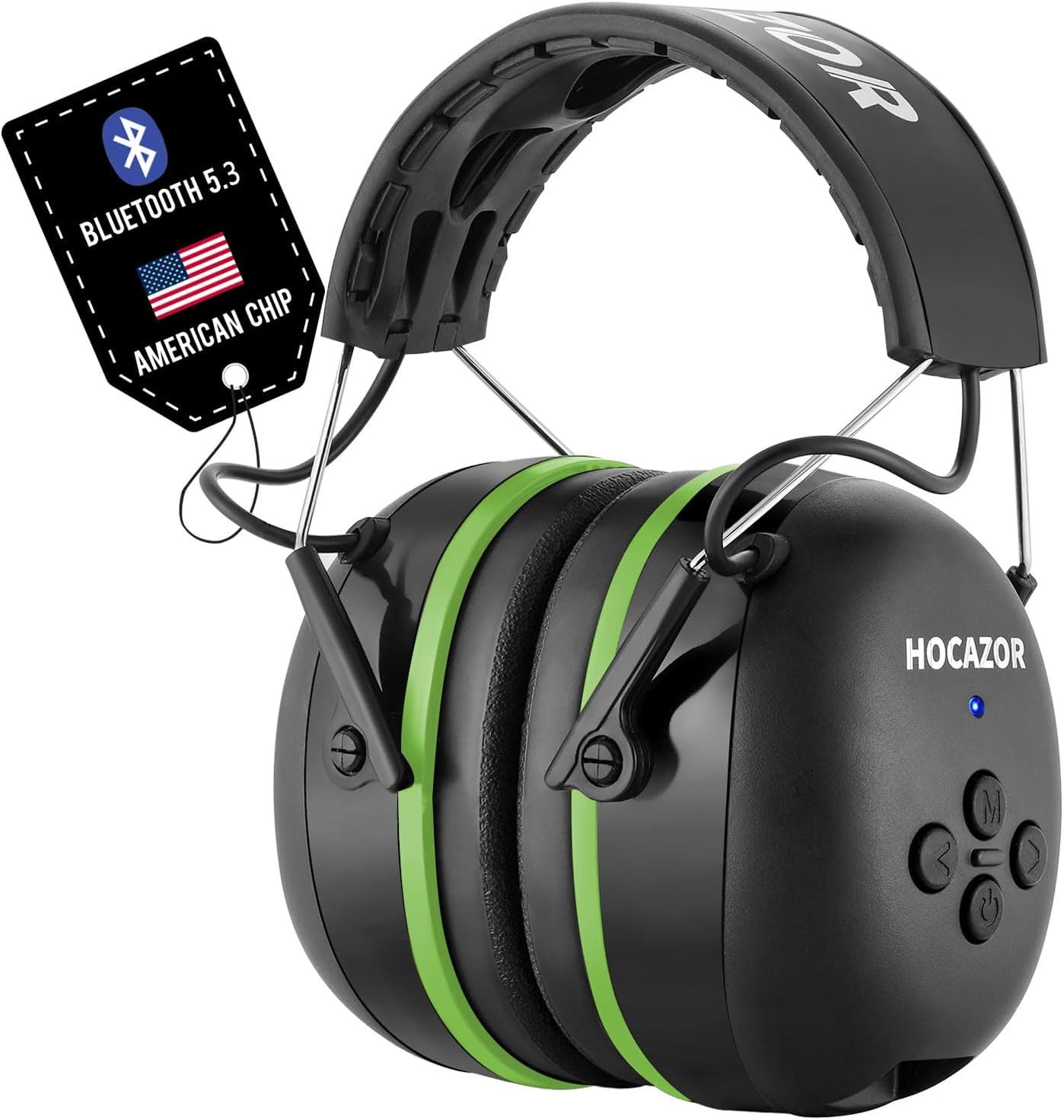
Image: The Hocazor HZ07 Bluetooth Hearing Protection Earmuffs, showcasing their sleek design and integrated Bluetooth 5.3 tag.

Image: A banner highlighting the Hocazor HZ07 as wireless Bluetooth hearing protection, emphasizing Bluetooth 5.3, 25dB NRR, rechargeable battery, and IPX3 sweat and water resistance.
Safety Information
Please read all safety warnings and instructions carefully before using this product to ensure safe and optimal performance.
- Proper Fit: For effective noise reduction (NRR 25dB), ensure the earmuffs fit snugly over your ears, creating a complete seal. Adjust the headband for a comfortable yet firm fit.
- Charging: Use only the provided charging cable. Do not attempt to charge the device with damaged cables or in wet conditions.
- Battery Safety: Do not expose the battery to extreme temperatures, direct sunlight, or dispose of it in fire. Do not disassemble or puncture the battery.
- Cleaning: Clean the earmuffs with a soft, damp cloth. Do not immerse in water or use harsh chemicals.
- Storage: Store the earmuffs in a cool, dry place away from direct sunlight and extreme temperatures.
- Hearing Protection: While these earmuffs provide significant noise reduction, they may not protect against all types of noise. Always assess your environment and take additional precautions if necessary.
Product Overview
Familiarize yourself with the components and controls of your Hocazor HZ07 earmuffs.
Components:
- Adjustable Headband
- Ear Cups with Soft Foam Cushions
- Control Panel (on right ear cup)
- Charging Port (USB)
- AUX Input Port
- Built-in Microphones
Control Panel Buttons:
- Power Button (⏻): Power On/Off, Voice Assistant activation.
- Multi-function Button (M): Play/Pause, Answer/End Call, Mute Call.
- Volume Up (>): Increase volume, Next track (double press).
- Volume Down (<): Decrease volume, Previous track (triple press).

Image: Close-up of the Hocazor HZ07 control panel, illustrating the buttons for call management, music control, and voice assistant activation.
Setup
1. Charging the Battery
Before first use, fully charge your earmuffs. A full charge provides up to 40 hours of playing time.
- Connect the provided USB charging cable to the charging port on the earmuffs.
- Connect the other end of the cable to a USB power source (e.g., computer USB port, USB wall adapter).
- The LED indicator will show charging status. It typically takes approximately 4 hours for a full charge.

Image: An illustration depicting the 1500mAh rechargeable battery, highlighting its capacity and the 40+ hours of playing time on Bluetooth mode.

Image: A graphic emphasizing the 40 hours of playing time provided by the rechargeable battery, equivalent to 600 songs or 20 movies.
2. Adjusting the Fit
A proper fit is crucial for both comfort and effective noise reduction.
- Extend the headband by pulling the ear cups downwards until they fit over your ears.
- Position the ear cups so they completely cover your ears and create a tight seal against your head.
- The adjustable pressure-distributing headband is designed to reduce pressure for enhanced comfort.
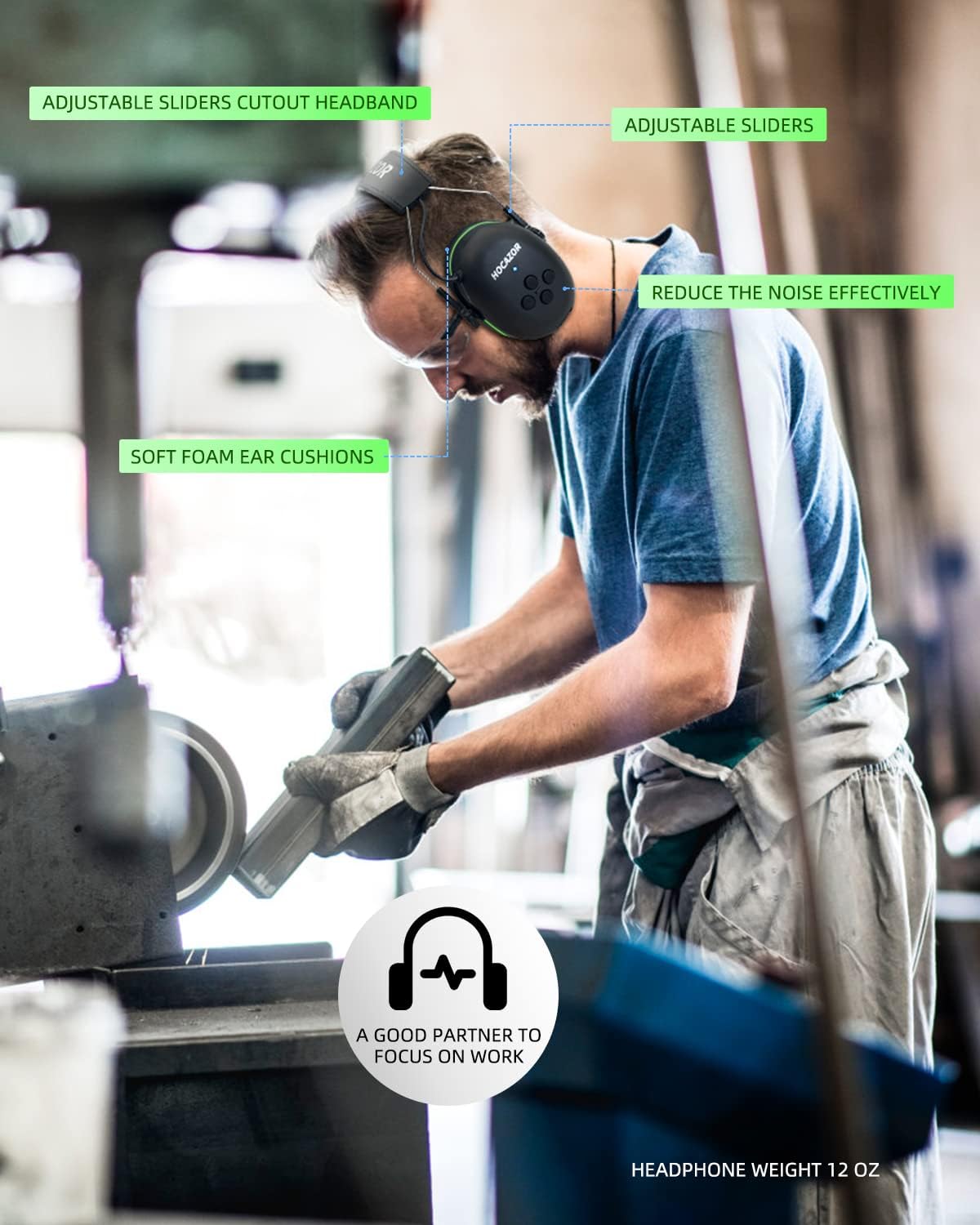
Image: A user wearing the Hocazor HZ07 earmuffs, demonstrating the adjustable sliders and soft foam ear cushions for a comfortable and effective fit.
3. Bluetooth Pairing
Connect your earmuffs to your Bluetooth-enabled device.
- Turn On: Press and hold the Power Button (⏻) on the earmuffs until the LED indicator flashes, indicating pairing mode.
- Enable Bluetooth: On your smartphone or audio device, go to Bluetooth settings and ensure Bluetooth is enabled.
- Select Device: Look for "HZ07" in the list of available devices and select it to pair.
- Connected: Once successfully paired, the LED indicator will change, and you will hear an audible confirmation.

Image: A visual guide showing four steps to quickly connect the Hocazor HZ07 earmuffs via Bluetooth 5.3: Turn On Headphone, Turn On Phone Bluetooth, Add Device, and Start to Use.
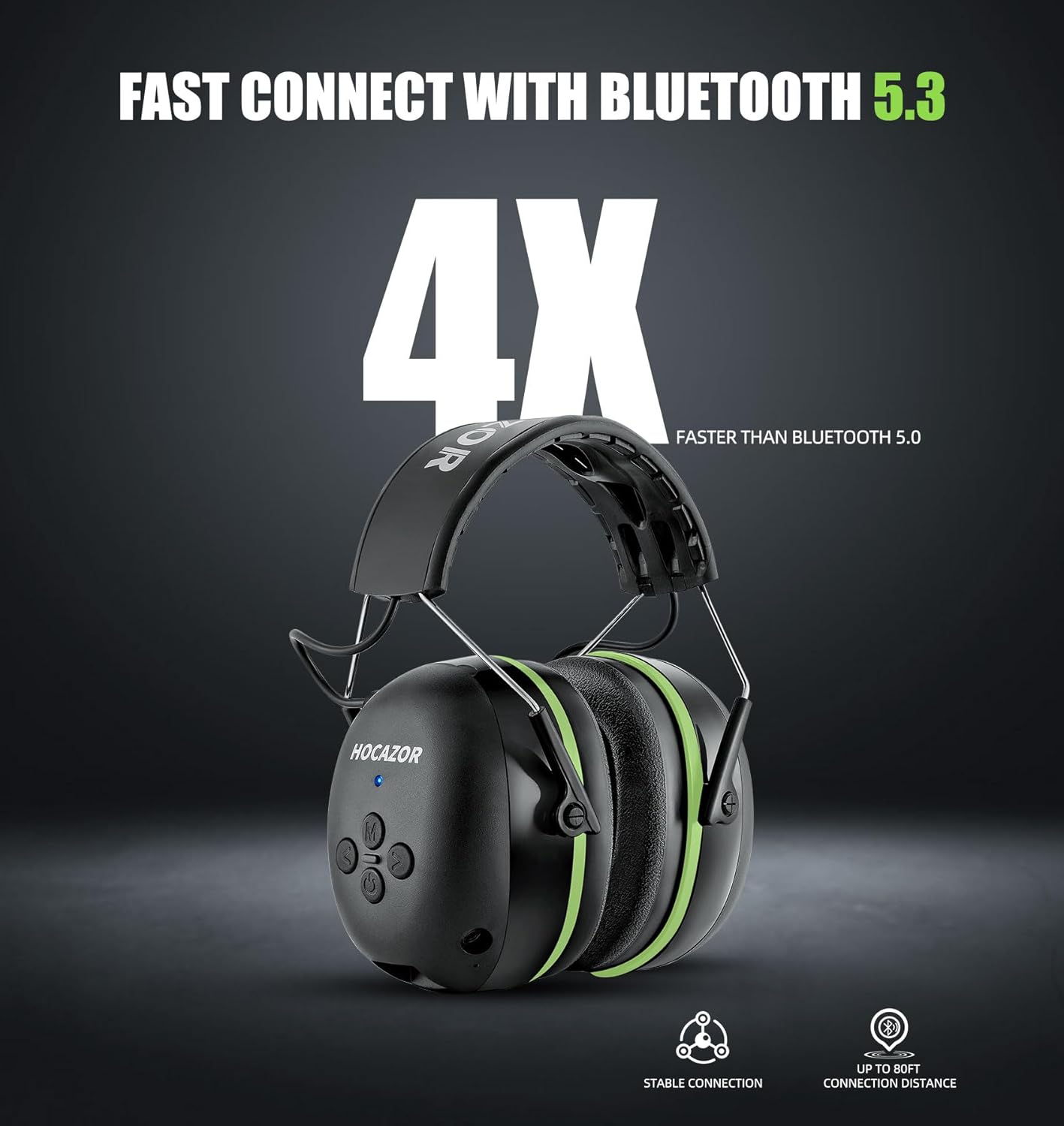
Image: A graphic emphasizing the fast connection speed of Bluetooth 5.3, stating it is 4X faster than Bluetooth 5.0, with stable connection and up to 80ft connection distance.
Operating Instructions
Power On/Off
- Power On: Press and hold the Power Button (⏻) for approximately 3 seconds until the LED indicator lights up.
- Power Off: Press and hold the Power Button (⏻) for approximately 5 seconds until the LED indicator turns off.
Music Playback
- Play/Pause: Single press the Multi-function Button (M).
- Increase Volume: Single press the Volume Up (>) button.
- Decrease Volume: Single press the Volume Down (<) button.
- Next Track: Double press the Volume Up (>) button.
- Previous Track: Triple press the Volume Down (<) button.

Image: A diagram illustrating how to control music with one hand using the earmuff buttons: Increase Volume, Decrease Volume, Next Track (double press), and Previous Track (triple press).
Call Management
Manage phone calls directly from your earmuffs.
- Answer/Mute Call: Single press the Multi-function Button (M) to answer an incoming call or mute an ongoing call.
- End/Reject Call: Long press the Multi-function Button (M) to end an ongoing call or reject an incoming call.

Image: A visual guide demonstrating phone call controls: Single Press (M) to answer or mute a call, and Long Press (M) to end or reject a call.
Voice Assistant
Activate your device's voice assistant.
- Wake Up Voice Assistant: Single press the Power Button (⏻) after connecting to your phone.

Image: A graphic showing how to wake up the voice assistant with a single press of the power button after connecting to a phone.
AUX Mode
For unlimited playtime or connecting to non-Bluetooth devices, use the AUX audio cable.
- Connect one end of a 3.5mm AUX audio cable (not included) to the AUX input port on the earmuffs.
- Connect the other end to your audio device's headphone jack.
- The earmuffs will automatically switch to AUX mode.
Maintenance
Proper maintenance ensures the longevity and performance of your earmuffs.
Cleaning
- Wipe the exterior of the earmuffs with a soft, slightly damp cloth.
- Do not use abrasive cleaners, solvents, or immerse the earmuffs in water.
Ear Pad Replacement
The snap-in ear pad design allows for easy cleaning and replacement.
- Gently pull the ear pads away from the ear cups to detach them.
- Clean the ear pads separately or replace them with new ones.
- Align the new ear pads with the ear cups and press firmly until they snap into place.
Storage
- When not in use, store the earmuffs in a clean, dry environment.
- Avoid storing in direct sunlight or areas with extreme temperatures.
Troubleshooting
If you encounter any issues, refer to the following common problems and solutions.
| Problem | Possible Cause | Solution |
|---|---|---|
| Earmuffs do not power on. | Low battery. | Charge the earmuffs fully. |
| Cannot pair with Bluetooth device. | Earmuffs not in pairing mode; Bluetooth off on device; device too far. | Ensure earmuffs are in pairing mode (flashing LED). Turn on Bluetooth on your device. Move device closer to earmuffs (within 80ft). |
| No sound or low volume. | Volume too low on earmuffs or device; earmuffs not connected. | Increase volume on both earmuffs and connected device. Re-pair the earmuffs. |
| Poor sound quality. | Interference; device too far; low battery. | Move closer to the device. Avoid strong electromagnetic interference. Charge the earmuffs. |
| Call quality is poor. | Microphone obstructed; weak signal. | Ensure microphone is clear. Move to an area with better signal. |
Specifications
Detailed technical specifications for the Hocazor HZ07 earmuffs.
| Feature | Specification |
|---|---|
| Model Number | HZ07 |
| Noise Reduction Rating (NRR) | 25dB |
| Bluetooth Version | 5.3 |
| Battery Capacity | 1500 mAh Lithium Ion |
| Playing Time | Up to 40 hours (Bluetooth mode) |
| Charging Time | Approx. 4 hours |
| Wireless Range | Up to 80 feet |
| Item Weight | 12 ounces |
| Material | Composite sound-absorbing materials |
| Color | Green |
| Package Dimensions | 8.15 x 6.42 x 4.21 inches |
Warranty and Support
Hocazor products are manufactured to high quality standards. For any warranty claims, technical support, or inquiries regarding your HZ07 earmuffs, please contact the seller or manufacturer directly through your purchase platform. Please retain your proof of purchase for warranty service.
Related documentsHZ07


Ask a question about this manual
Ask about setup, troubleshooting, compatibility, parts, safety, or missing instructions. Manuals+ will review the question and use this page’s manual context to help answer it.