1. Introduction
The SCS Sentinel MBA0103 OpenGate 2 is a 24V articulated arm gate opener designed for swing gates. This reliable and robust system is suitable for gates up to 5 meters wide and weighing a maximum of 500 kg (2.5 meters and 250 kg per leaf). It offers a range of functions to enhance convenience and security for your home.

Figure 1: The SCS Sentinel OpenGate 2 articulated arm gate opener kit, including two motors, a flashing light, and remote controls.
Key Features:
- Easy 3-Step Installation: Mechanical setup, electrical connection, and programming/synchronization.
- Powerful 24V System: Motorizes swing gates up to 5 meters wide and 500 kg (2.5m/250kg per leaf) reliably and quietly.
- Versatile Operation Modes: Full or partial inward opening (pedestrian access), slowdown at end of travel, obstacle detection stop, automatic closing, manual release, and travel learning.
- Comprehensive Kit: Includes 2 articulated arm motors, 2 four-channel remote controls, 1 flashing light with integrated antenna, 2 infrared photocells, 1 mounting template, screws, fastening tabs, stops, and a release key.
2. Safety Instructions
Please read all safety instructions carefully before installation and operation. Failure to follow these instructions may result in serious injury or damage to the product.
- Installation must be performed by qualified personnel in accordance with local electrical and safety regulations.
- Disconnect power before performing any maintenance or installation procedures.
- Ensure the gate area is clear of obstructions before operating the gate opener.
- Do not allow children to play with or near the gate opener or its controls.
- Regularly inspect the system for signs of wear, damage, or misalignment.
- The manual release key should be kept in a safe, accessible location for emergency use.
3. Package Contents
Verify that all components listed below are present in your package:
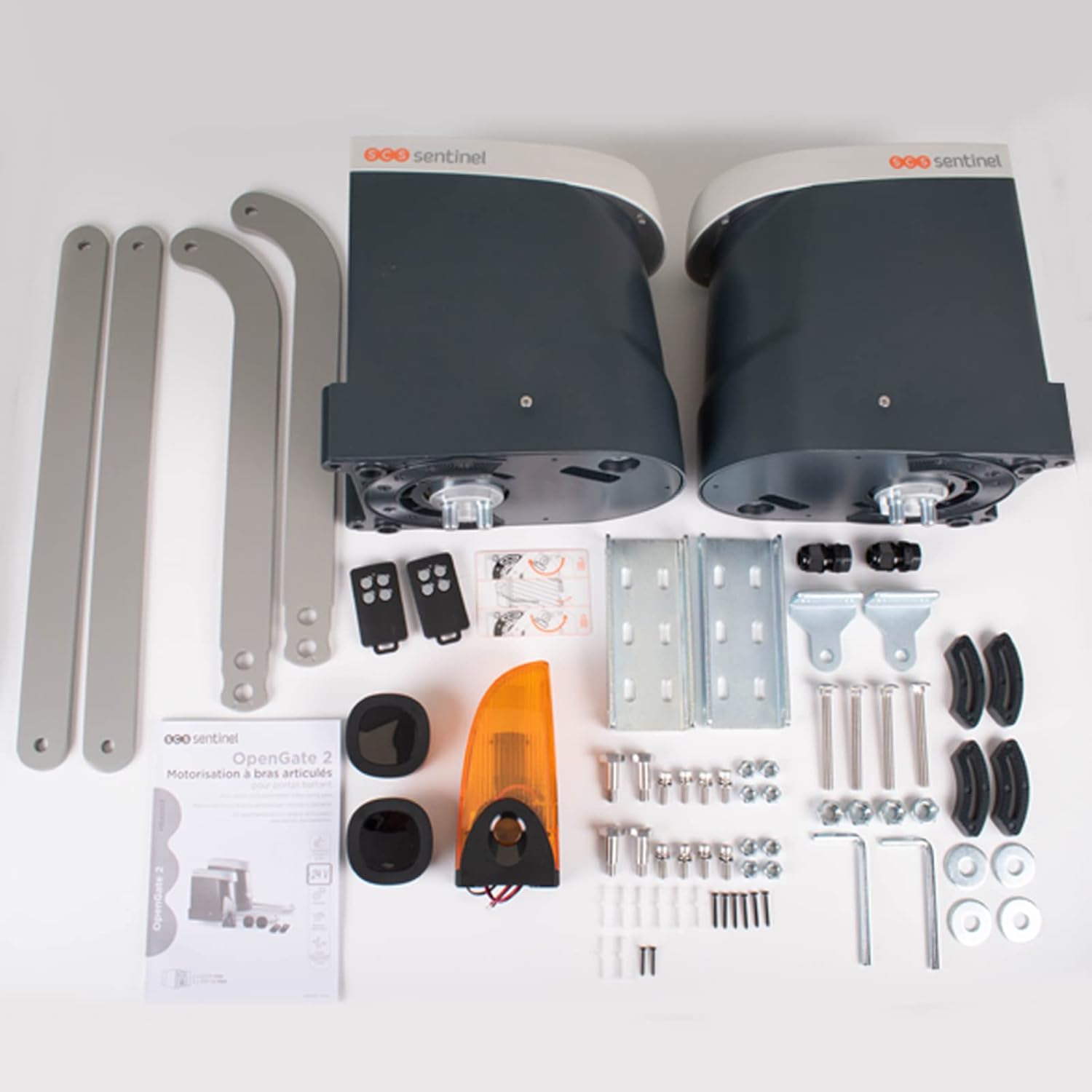
Figure 2: All components included in the OpenGate 2 kit, neatly arranged for inspection.
- 2 x Articulated Arm Motors
- 2 x 4-Channel Remote Controls
- 1 x Flashing Light with Integrated Antenna
- 2 x Infrared Photocell Sensors
- 1 x Mounting Template
- Screws and Fastening Tabs
- Mechanical Stops
- 1 x Manual Release Key
- 1 x User Manual (this document)

Figure 3: The 4-channel remote control for operating the gate.
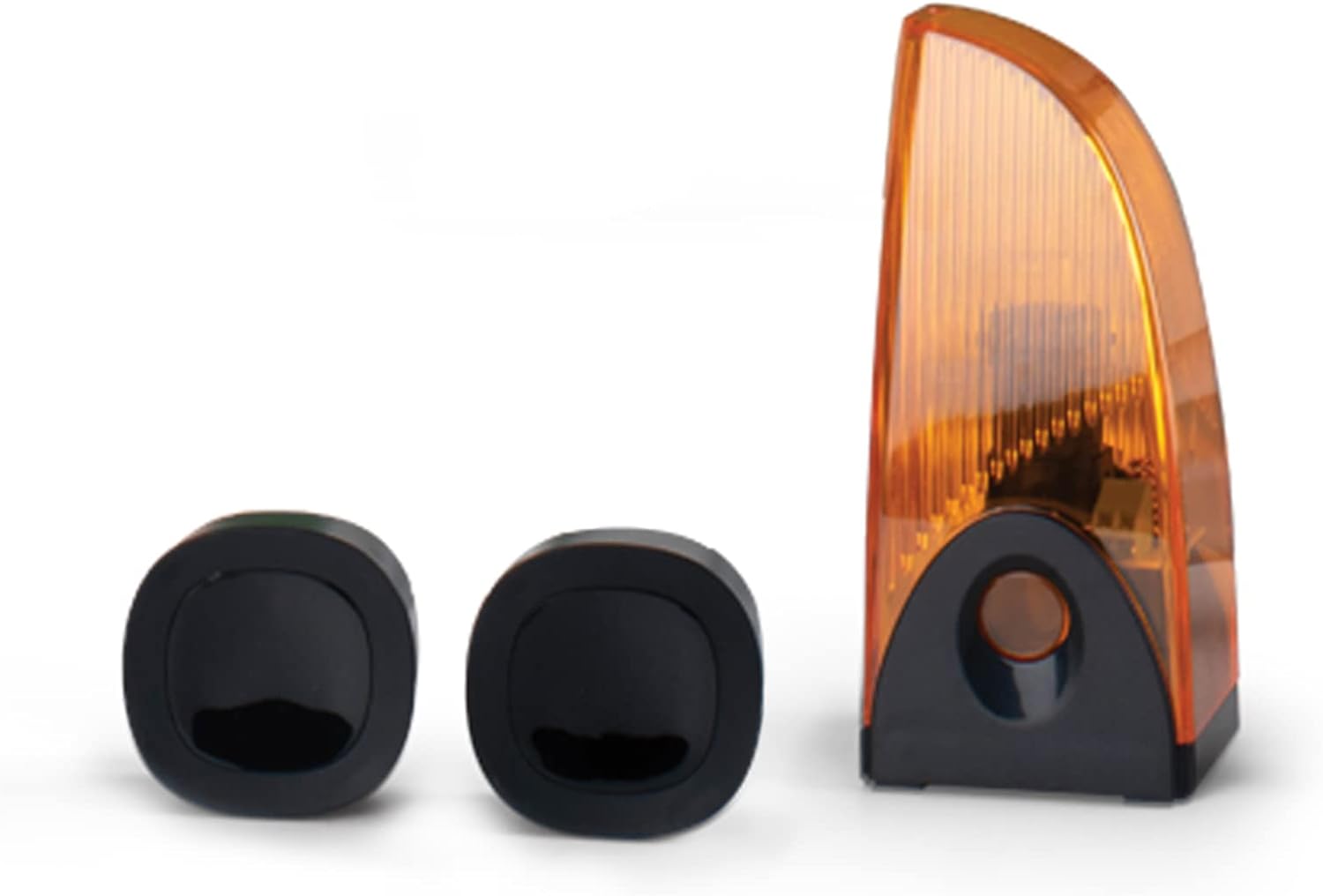
Figure 4: The flashing light and infrared photocell sensors for safety and signaling.
4. Setup & Installation
The installation of the OpenGate 2 system involves three main steps: mechanical installation, electrical connection, and programming. It is recommended to consult the detailed diagrams provided in the printed manual for precise measurements and wiring.
4.1 Mechanical Installation:
- Determine the optimal mounting points for the motors on your gate pillars, ensuring proper clearance for the articulated arms.
- Use the provided mounting template to mark drilling locations.
- Securely fasten the motor units to the gate pillars using appropriate screws and fastening tabs.
- Attach the articulated arms to the gate leaves and the motor units, ensuring smooth movement.
- Install the mechanical stops to define the open and closed positions of the gate.
- Mount the photocell sensors at the recommended height and distance to ensure proper alignment and safety detection.
- Install the flashing light in a visible location.
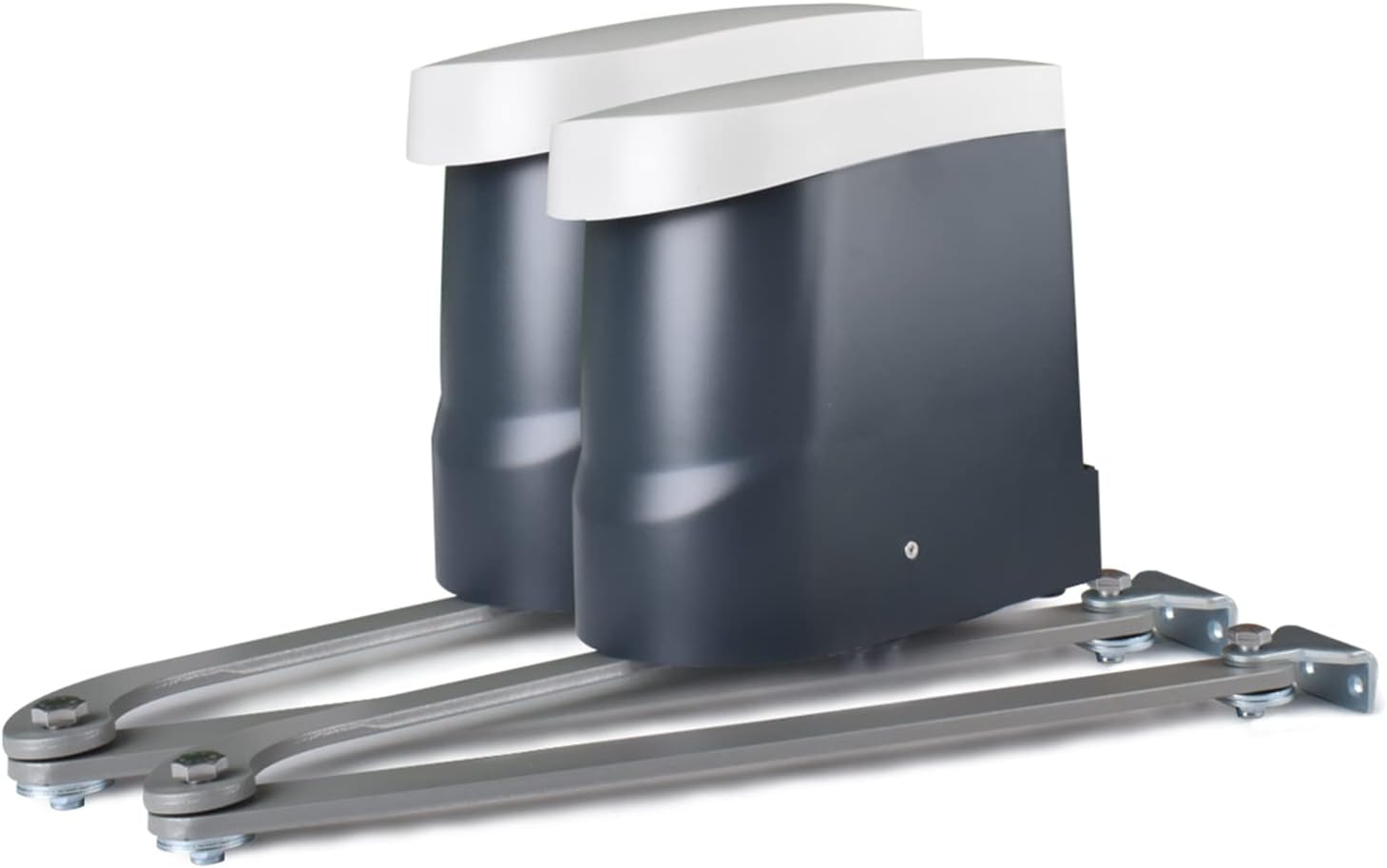
Figure 5: The articulated arm motors ready for installation on gate pillars.
4.2 Electrical Connection:
- Connect the 24V power supply to the control unit.
- Wire the two motors to the control unit according to the wiring diagram.
- Connect the photocell sensors and the flashing light to the designated terminals on the control unit.
- Ensure all connections are secure and properly insulated.
4.3 Programming and Synchronization:
- Follow the instructions in the detailed manual to program the control unit. This typically involves setting the travel limits and learning the gate's opening and closing cycles.
- Synchronize the remote controls with the control unit to enable wireless operation.
- Test all functions, including full opening, partial opening, obstacle detection, and automatic closing, to ensure correct operation.
5. Operating Instructions
The OpenGate 2 system offers various operating modes for convenience and security.
5.1 Remote Control Operation:
- Press the designated button on the 4-channel remote control to initiate full gate opening or closing.
- A separate button can be programmed for partial opening (pedestrian access).
- Pressing the button during gate movement will stop the gate. Pressing again will reverse its direction.
5.2 Automatic Closing:
The system can be configured for automatic closing after a set delay. Refer to the programming section of the detailed manual to enable and adjust this feature.
5.3 Obstacle Detection:
The integrated photocell sensors detect obstacles in the gate's path. If an obstacle is detected during closing, the gate will stop or reverse to prevent damage or injury.
5.4 Manual Release:
In case of power failure or system malfunction, the gate can be manually opened or closed using the provided release key.

Figure 6: Inserting the manual release key into the motor unit to disengage the drive.
To engage manual release: Insert the key into the designated lock on the motor unit and turn it to disengage the motor. This allows you to move the gate leaves by hand. Remember to re-engage the motor after restoring power or resolving the issue.
6. Maintenance
Regular maintenance ensures the longevity and optimal performance of your gate opener system.
- Monthly: Inspect the gate's mechanical components (hinges, wheels, tracks) for smooth operation. Clean the photocell lenses to ensure proper detection.
- Quarterly: Check all electrical connections for tightness and signs of corrosion. Verify the functionality of the obstacle detection system by placing an object in the gate's path during closing.
- Annually: Lubricate moving parts of the gate and the articulated arms as recommended by the gate manufacturer. Check the battery in the remote controls and replace if necessary.
- Keep the area around the gate and the motor units clear of debris, vegetation, and water.
7. Troubleshooting
This section addresses common issues you might encounter. For more complex problems, contact technical support.
| Problem | Possible Cause | Solution |
|---|---|---|
| Gate does not respond to remote control. |
|
|
| Gate stops unexpectedly during operation. |
|
|
| Gate opens partially or not fully. |
|
|
8. Specifications
Technical specifications for the SCS Sentinel MBA0103 OpenGate 2 system:
| Model Number | MBA0103 |
| Motor Voltage | 24V |
| Max. Gate Width | 5 meters (2.5 meters per leaf) |
| Max. Gate Weight | 500 kg (250 kg per leaf) |
| Opening Angle | Up to 120° |
| Opening Time | Approx. 15 seconds |
| Mechanism Type | Articulated Arms |
| Special Features | End-of-travel slowdown, full/partial opening, obstacle stop, automatic closing, manual release. |
| Material | ABS, Polyoxymethylen Delrin, Polycarbonate, Metal |
| Product Dimensions | 28.5 x 16 x 29.8 cm (per motor unit) |
| Item Weight | 1 Kilogram (per motor unit) |
9. Warranty & Support
SCS Sentinel is committed to providing high-quality products and excellent customer service.
9.1 Warranty:
This product comes with a 5-year warranty, ensuring reliability and peace of mind. Please retain your proof of purchase for warranty claims.
9.2 Technical Support:
Our technical support team, based in France, is available to assist you with installation and any questions you may have. They provide informed and personalized advice to ensure your satisfaction.
For support, please refer to the contact information provided in your product packaging or visit the official SCS Sentinel website.
10. Official Product Videos
No official product videos from the seller were provided in the product data for this manual.


