
ANCEL AD410 PRO
ANCEL AD410 PRO OBD2 Scanner and Battery Tester User Manual
Model: AD410 PRO
Introduction
The ANCEL AD410 PRO is a versatile 2-in-1 diagnostic tool designed for both professional technicians and DIY enthusiasts. It combines comprehensive OBD2 scanner functionalities with a robust 6V/12V battery tester, offering a complete solution for vehicle health monitoring. This manual provides detailed instructions for setup, operation, and maintenance of your AD410 PRO device.

Image: The ANCEL AD410 PRO device, showcasing its screen and connection cables.
What's in the Box

Image: A visual representation of all items included in the product packaging.
- AD410 Pro OBD2 Scanner
- USB Mini Cable
- Battery Clamp Cable
- User's Guide
Setup
Setting up your ANCEL AD410 PRO is a straightforward process. Follow these steps to begin diagnostics or battery testing.

Image: A step-by-step guide illustrating the initial setup and usage of the AD410 PRO.
- Locate & Plug In: Connect the AD410 PRO to your vehicle's OBD-II port. This port is typically located under the dashboard on the driver's side. For battery testing, connect the battery clamp cable to the vehicle's battery terminals (red to positive, black to negative).
- Turn On the Ignition: Ensure your vehicle's ignition is in the "ON" position (engine can be off or running depending on the test).
- Power Up the Scanner: The device will power on automatically once connected to the OBD-II port or battery.
- Scan for Trouble Codes / Select Test: Navigate the menu using the device's buttons to select the desired function (e.g., OBDII for engine diagnostics or BAT for battery testing).
- Check Results & Fix Issues: Review the displayed data and diagnostic trouble codes (DTCs).
Operating Instructions
OBD2 Diagnostics
The AD410 PRO supports all 10 OBD2 diagnostic modes, allowing you to quickly identify and understand vehicle issues.

Image: Dashboard view illustrating the diagnostic capabilities, including reading and clearing codes.
- Read & Clear Codes: Retrieve Diagnostic Trouble Codes (DTCs) and clear the Check Engine Light.
- Live Data Stream: View real-time data parameters such as RPM, coolant temperature, O2 sensor voltage, and fuel trim. This data can be displayed graphically for easier analysis.
- I/M Readiness: Check the status of emission-related monitors to determine if your vehicle is ready for a smog test.
- Freeze Frame Data: View a snapshot of vehicle operating conditions at the moment a fault code was set.
- O2 Sensor Test: Retrieve O2 sensor monitor test results.
- EVAP System Test: Initiate a test of the vehicle's evaporative emission system.
- Vehicle Information: Retrieve vehicle identification number (VIN), calibration ID (CIN), and calibration verification number (CVN).
- DTC Lookup: Access a built-in library of over 42,000 SAE-standard DTCs with clear descriptions.

Image: A graphical representation of live data streams, showing engine parameters over time.
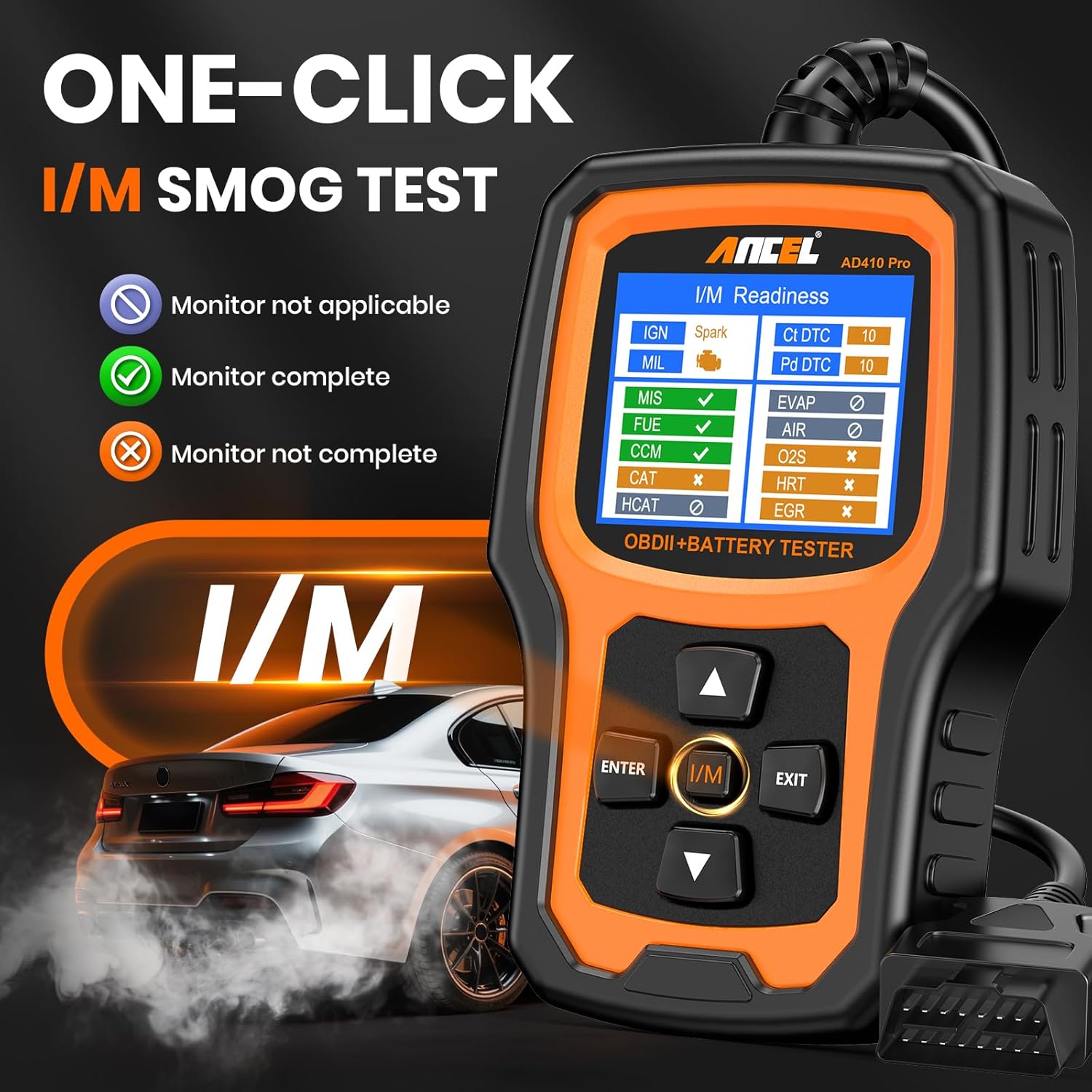
Image: The I/M Readiness screen, indicating monitor completion status for emission tests.

Image: The DTC lookup feature displaying a fault code (P0010) and its possible causes.
Battery Testing
The AD410 PRO provides comprehensive battery analysis for 6V/12V lead-acid batteries, including AGM, GEL, and regular flooded types.

Image: The battery test results screen, showing battery health, charge, and alternator status with color-coded indicators.
- Battery Health Test: Assesses the overall health of the battery, including State of Health (SOH) and State of Charge (SOC).
- Cranking Test: Analyzes the actual starting voltage and helps identify the condition of the starting system.
- Charging System Test: Evaluates the alternator and charging system to ensure stable charging voltage and identify potential rectifier problems.
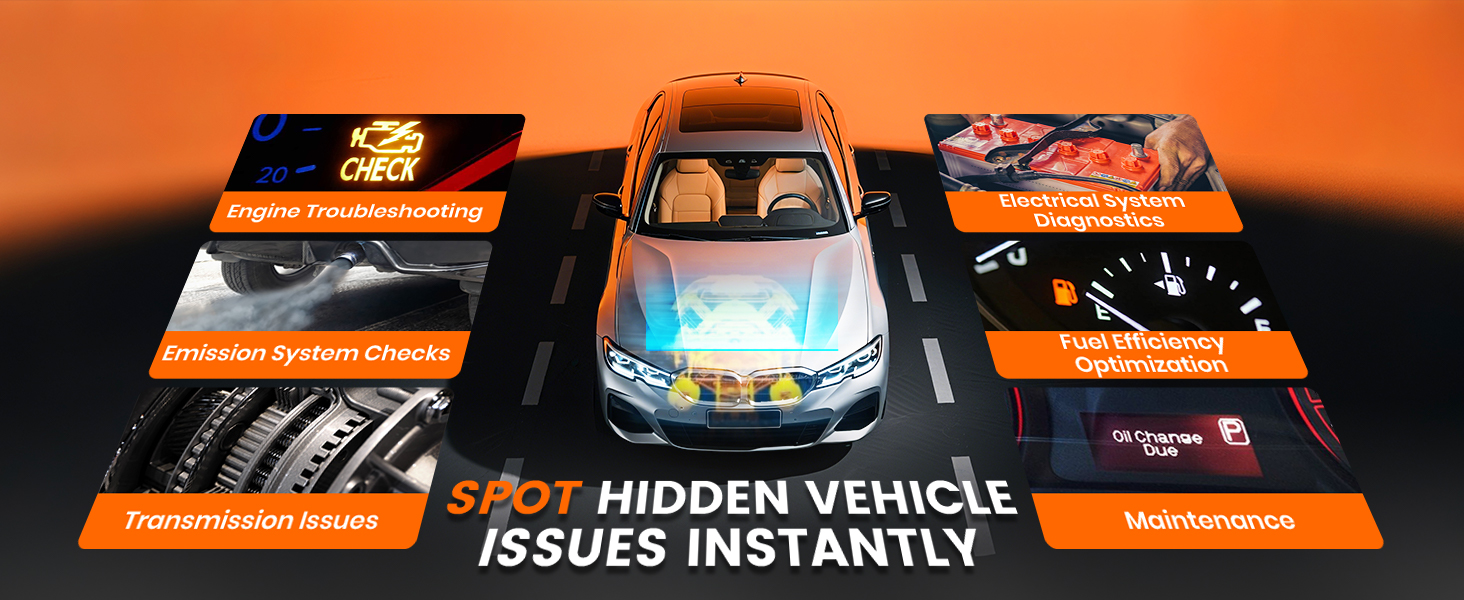
Image: An overview of battery testing features, including SOH, SOC, Cranking Test, and Charging Test.
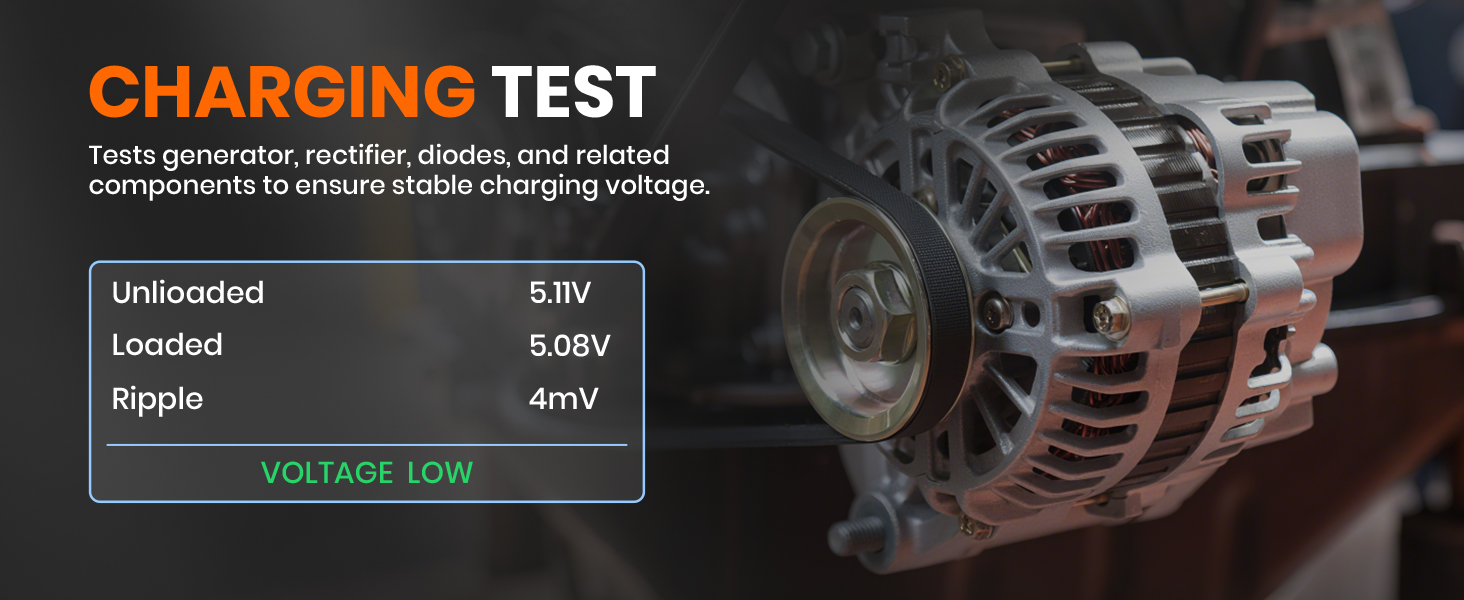
Image: A graph showing cranking voltage over time during a starting test.

Image: Display of charging test parameters, including unloaded, loaded, and ripple voltage.
Official Product Videos
Watch these official videos from ANCEL for further guidance on using your AD410 PRO.
Video: ANCEL AD410 Pro 2 in 1 OBD2 Scanner & 6V 12V Battery Tester. This video demonstrates the core functionalities of the device, including both OBD2 diagnostics and battery testing.
Video: Why choose the ANCEL AD410 Pro 2 in 1 OBD2 Scanner? This video highlights the key benefits and features that make the AD410 Pro a valuable diagnostic tool.
Video: OBD2 Scanner Battery Tester Advanced Diagnostic Tool for Car. This video provides a detailed look at the advanced diagnostic capabilities for both OBD2 and battery functions.
Video: The best 2 in 1 obd scanner and battery tester. This video showcases the combined utility of the AD410 Pro as both an OBD2 scanner and a battery tester.
Maintenance
To ensure the longevity and optimal performance of your ANCEL AD410 PRO, follow these maintenance guidelines:
- Software Updates: The AD410 PRO offers lifetime free software updates. Regularly update the device to ensure compatibility with new vehicle models and access the latest features and bug fixes.
- Cleaning: Use a soft, damp cloth to clean the device. Avoid using abrasive cleaners or solvents.
- Storage: Store the device in a dry, cool place away from direct sunlight and extreme temperatures.
- Cable Care: Handle the OBD-II cable and battery clamp cable with care. Avoid sharp bends or excessive pulling that could damage the wires.

Image: A visual guide detailing the process for performing lifetime free software updates on the device.
Troubleshooting
If you encounter issues with your ANCEL AD410 PRO, refer to the following common troubleshooting tips:
- Device Not Powering On:
- Ensure the OBD-II cable is securely connected to both the vehicle's port and the device.
- Verify the vehicle's ignition is on.
- If using battery clamps, ensure they are correctly connected to the battery terminals (red to positive, black to negative).
- "Check Engine Light" Remains On After Clearing Codes:
- Clearing codes only turns off the light; it does not fix the underlying issue. The light will reappear if the fault persists.
- Diagnose and repair the root cause of the DTCs before attempting to clear them again.
- No Communication with Vehicle:
- Check the vehicle's OBD-II port for any damage or loose connections.
- Verify the vehicle supports the OBD-II protocol (most vehicles from 1996 onwards in the US, 2001 in Europe, and 2005 in Asia).
- Ensure the vehicle's battery has sufficient charge.
- Inaccurate Battery Test Results:
- Ensure battery clamps are clean and have a solid connection to the battery terminals.
- Verify the battery type and CCA (Cold Cranking Amps) input are correct in the device settings.
For persistent issues, please refer to the "Warranty and Support" section for contact information.
Specifications
| Feature | Detail |
|---|---|
| Brand | ANCEL |
| Model | AD410 Pro+ |
| Item Weight | 10.2 ounces |
| Product Dimensions | 3.2 x 1.18 x 5 inches |
| Country of Origin | China |
| Operating System | 6V 12V Battery Test Battery Health; Cranking Test; Charging Test; Plug and Play & Easy to Use |
| Display Resolution | 2.8'' TFT color screen |
| Supported Battery Types | AGM, GEL, Regular Flooded (6V/12V, CCA 100-2000A) |
| Vehicle Compatibility | 99% of global models (American 1996+, European 2001+, Asian 2005+) |
| Languages | English, Italian, French, German, Spanish, Russian, Portuguese, Finnish, Polish, Dutch |
Warranty and Support
ANCEL is committed to providing high-quality products and excellent customer service.
- Warranty: The ANCEL AD410 PRO comes with a one-year warranty from the date of purchase.
- Return Policy: A 30-day money-back guarantee is offered.
- Technical Support: The ANCEL team provides 24/7 technical support. For assistance, please contact ANCEL customer service via Amazon message or through their official website.
- Legal Disclaimer: Kindly note that any car brand logos or names appearing in product descriptions are solely to indicate compatibility and do not imply that the product is manufactured or sold by those car brands.
Related documentsAD410 PRO


Ask a question about this manual
Ask about setup, troubleshooting, compatibility, parts, safety, or missing instructions. Manuals+ will review the question and use this page’s manual context to help answer it.