
Introduction
The HEXGAMING ULTRA ONE Wireless Controller is designed for tactical eSports gamers, offering advanced customization and precision for Xbox Series X|S, Xbox One, and Windows 7/8/10. This manual provides detailed instructions for setting up, operating, and maintaining your controller to optimize your gaming experience.
Package Contents
Upon opening your HEXGAMING ULTRA ONE Controller package, you should find the following items:
- 1 x HEXGAMING ULTRA ONE Wireless Controller
- 6 x Interchangeable Thumbsticks (3 different heights, 2 ergonomic designs: domed and concave)
- 1 x User Manual
Note: The controller does not come with a charging cable or any other accessories.
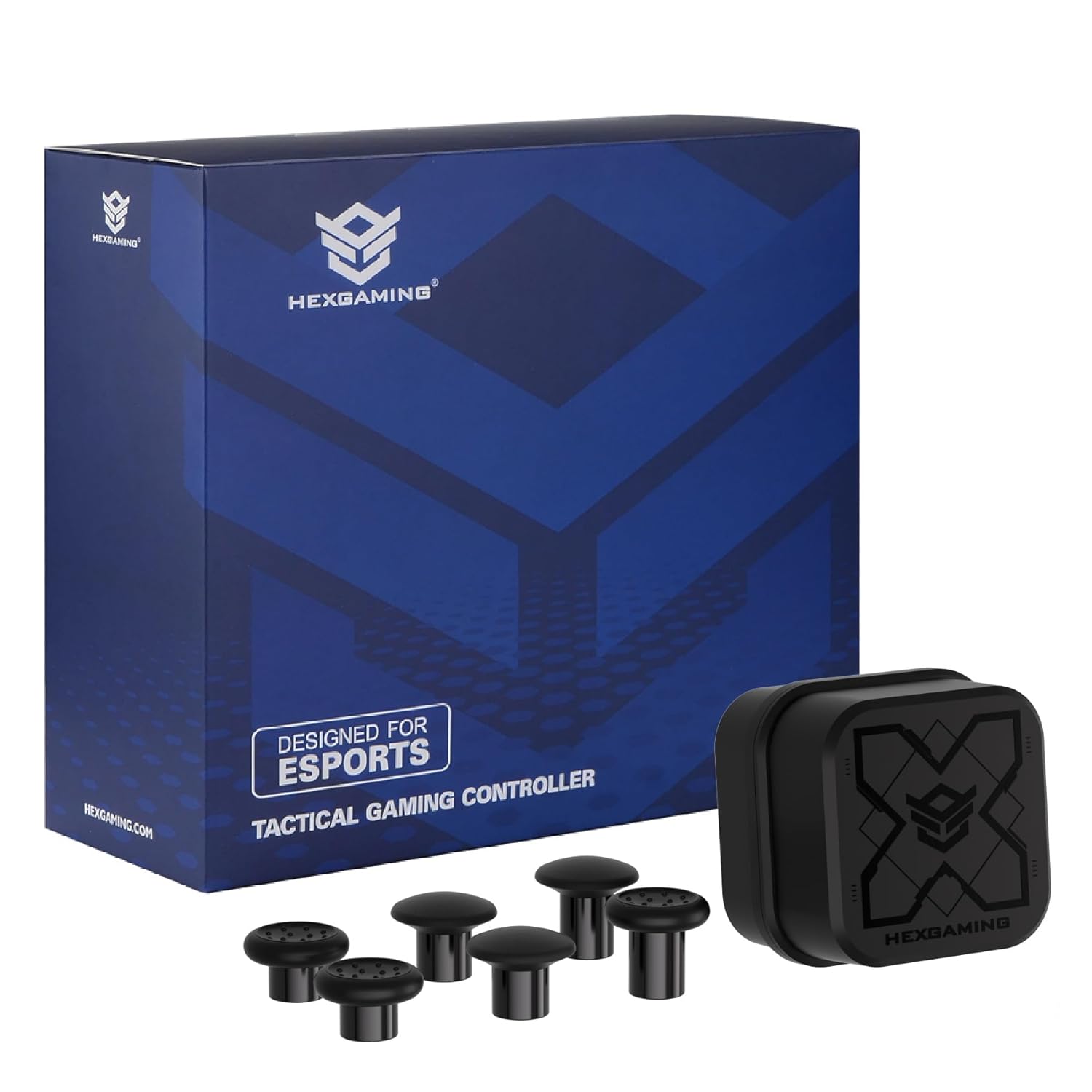
Image: The HEXGAMING ULTRA ONE Controller, its box, and the included interchangeable thumbsticks.
Product Features
- 4 Remappable Back Buttons: Assign up to 14 buttons (A, B, X, Y, R3, L3, UP, DOWN, LEFT, RIGHT, LB, RB, LT, RT) to the rear buttons for enhanced control.
- 6 Customizable Profiles: Save and switch between up to 6 different paddle remapping profiles on-the-fly.
- Hair Triggers: Digital trigger mechanisms reduce the active distance to just 1.5mm for faster response times.
- Interchangeable Thumbsticks: Customize your control with 6 different thumbsticks, offering various heights and ergonomic designs (domed or concave) for optimal precision and movement.
- Wired or Wireless Play: Enjoy flexible connectivity options.
Setup
1. Installing Batteries
The HEXGAMING ULTRA ONE controller is battery-powered. Insert two AA batteries (not included) into the battery compartment located on the back of the controller. Ensure correct polarity.
2. Connecting to Your Device
The controller supports wireless connectivity.
- For Xbox Consoles (Series X|S, Xbox One): Press and hold the Xbox button on the controller to turn it on. Press the Pair button on the top of the controller until the Xbox button flashes rapidly. Then, press the Pair button on your Xbox console. The Xbox button on the controller will glow solid when connected.
- For Windows PC (7/8/10): Connect the controller via a USB-C cable (not included) for wired play, or use an Xbox Wireless Adapter for Windows (sold separately) for wireless connection. Follow the on-screen instructions for driver installation if prompted.

Image: Rear view of the controller, highlighting the battery compartment and the pair button.
Operating Instructions
1. Button Remapping
The ULTRA ONE controller allows you to remap up to 14 buttons to the 4 rear paddles and save up to 6 profiles.
- Enter Remap Mode: Press and hold the Profile button (small circular button on the back) for 3 seconds until the indicator light flashes.
- Select Button to Remap: Press the button on the front of the controller (e.g., A, B, X, Y, LB, RB, LT, RT, L3, R3, D-pad directions) that you wish to remap.
- Assign to Paddle: Press the desired rear paddle (P1, P2, P3, P4) to assign the selected button's function to it.
- Exit Remap Mode: Press the Profile button again to save the changes and exit remap mode. The indicator light will stop flashing.
- Switch Profiles: Briefly press the Profile button to cycle through your saved profiles. The indicator light will change to show the active profile.

Image: Illustration of the controller's rear paddles and the indicator light for remapping profiles.
2. Changing Interchangeable Thumbsticks
The controller features magnetic interchangeable thumbsticks. To change them:
- Gently pull the existing thumbstick upwards to remove it from its base.
- Select your desired thumbstick from the included set.
- Align the new thumbstick with the magnetic base and gently push it down until it clicks into place.

Image: Various thumbstick shapes and heights, demonstrating the interchangeable feature.
3. Hair Triggers
The digital hair triggers reduce the travel distance of the LT and RT buttons to 1.5mm, allowing for quicker actuation in games. This feature is ideal for shooter games but may not be suitable for racing games that require variable trigger input.

Image: Close-up of the controller's trigger, indicating the 1.5mm short trip for faster response.
Maintenance
Proper maintenance ensures the longevity and performance of your controller.
Cleaning the Controller
It is recommended to clean the plastic surfaces of the controller with a wipe dampened with less than 70% alcohol. After cleaning, place it in a well-ventilated area to dry completely.
- Do not spray water or alcohol directly onto the product surface.
- Do not use any other organic solvents for cleaning.

Image: Visual guide for cleaning the controller, emphasizing safe practices.
Troubleshooting
If you encounter issues with your HEXGAMING ULTRA ONE controller, please refer to the following common solutions:
- Controller Not Connecting: Ensure batteries are correctly installed and charged. Re-attempt the pairing process with your console or PC. If using a wired connection, try a different USB-C cable or port.
- Buttons Not Responding: Check if the controller is properly connected. If remapping has been used, ensure you are on the correct profile. Reset the controller by removing and reinserting the batteries.
- Input Lag: Ensure there are no obstructions between the controller and your console/PC. If playing wirelessly, try connecting via a USB-C cable to rule out wireless interference.
- Hair Triggers Not Working as Expected: Confirm the game you are playing is compatible with digital triggers. Some games, especially racing titles, may require full trigger travel.
For further assistance, please visit the HEXGAMING support resources listed in the Warranty and Support section.
Specifications
| Feature | Detail |
|---|---|
| Brand Name | HEXGAMING |
| Model Name | ULTRA ONE |
| Manufacturer Part Number | ULTN33 |
| Compatible Devices | Xbox One, Xbox Series X, Xbox Series S, Windows 7/8/10 |
| Controller Type | Gamepad |
| Connectivity Technology | Wireless |
| Additional Features | Wireless, 4 Remap Back Buttons, Hair Triggers, Interchangeable Thumbsticks, 6 Profiles |
| Button Quantity | 18 |
| Power Source | Battery Powered |
| Item Weight | 350 Grams |
| Item Dimensions (L x W x H) | 6.3 x 4.13 x 2.56 inches |
Official Product Videos
HEXGAMING ULTRA ONE Wireless Controller Overview (0:06)
Video: A short overview showcasing the HEXGAMING ULTRA ONE Wireless Controller in its 'Waves' design, highlighting its aesthetic appeal and key features.
HEXGAMING Modded Pro Controller for Xbox Series X & S (0:14)
Video: This video provides a general overview of HEXGAMING's modded pro controllers for Xbox Series X and S, demonstrating various designs and features.
HEXGAMING ULTRA ONE Modded Controller for Xbox Series X & S (0:30)
Video: A detailed look at the HEXGAMING ULTRA ONE modded controller for Xbox Series X and S, showcasing its customizable aspects and performance benefits.
Warranty and Support
For detailed warranty information, frequently asked questions, and additional support resources, please visit the official HEXGAMING website:
- Instruction Guides and Video Guides: hexgaming.com/guide
- Frequently Asked Questions (FAQ): hexgaming.com/faq
HEXGAMING is committed to providing support to enhance your gaming experience.