
1. Introduction
Thank you for choosing the VGR V-971 Professional Rechargeable Digital Display Cordless Beard Hair Trimmer Kit. This manual provides important information regarding the safe operation, maintenance, and care of your new trimmer. Please read these instructions carefully before first use and keep them for future reference.
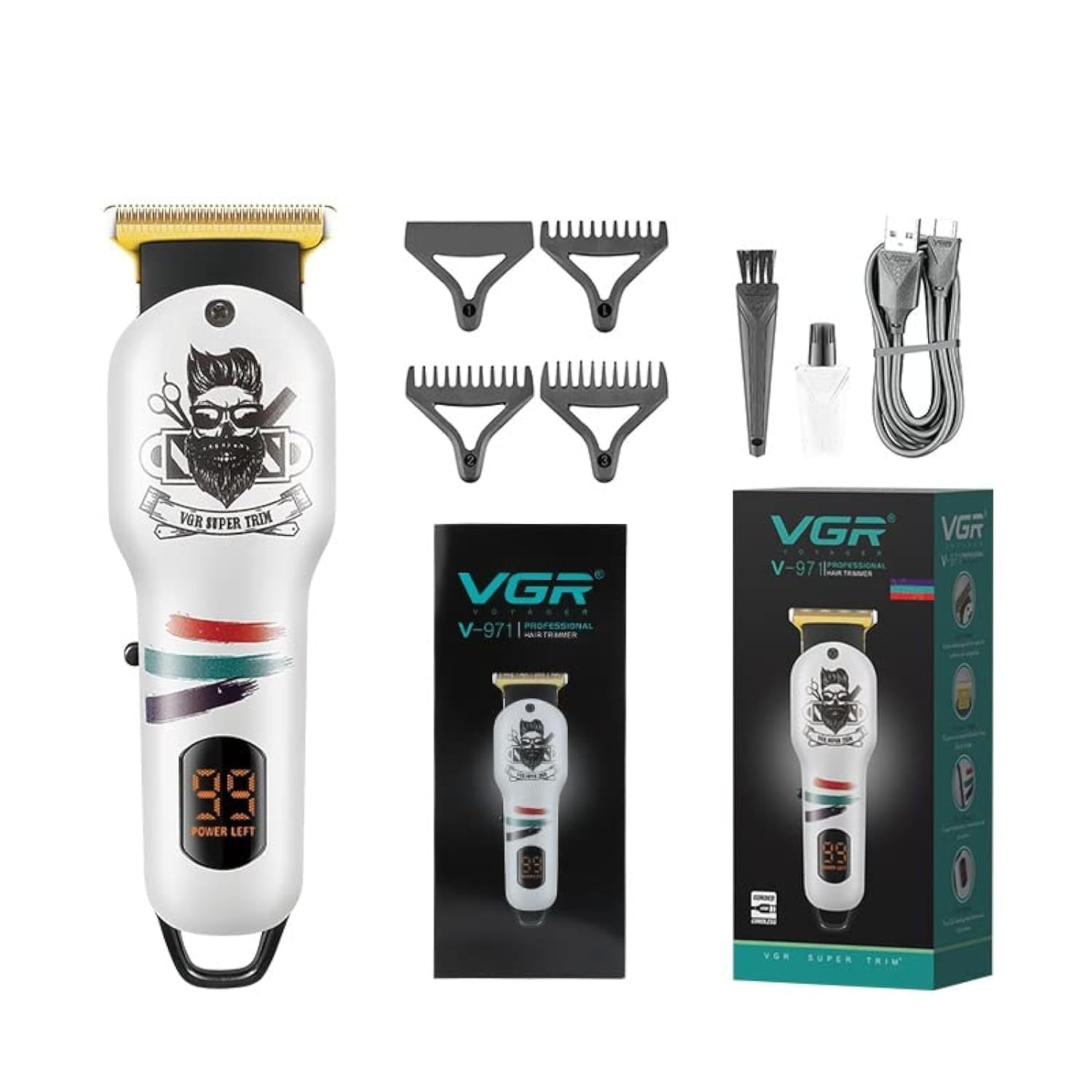
Image 1: VGR V-971 Professional Trimmer (White)
2. Safety Information
- Read all instructions before using this appliance.
- Keep the appliance dry. Do not use it near water or in wet conditions.
- Do not disassemble the appliance. For repairs, contact authorized service personnel.
- Keep out of reach of children.
- Use only the charging cable and accessories provided by the manufacturer.
- Unplug the appliance before cleaning.
- Avoid using the trimmer if the blades are damaged, as this may cause injury.
- If the trimmer feels excessively hot during use, discontinue use and allow it to cool.
3. Package Contents
Verify that all items are present in your package:
- VGR V-971 Trimmer
- 3 Guide Combs (1mm, 2mm, 3mm)
- Cleaning Brush
- USB Charging Cable
- Lubricating Oil

Image 2: Included accessories with the VGR V-971 Trimmer
4. Product Overview and Features
The VGR V-971 trimmer is designed for precise hair and beard trimming. Key features include:
- Precise & Sharp Blades: Self-sharpening stainless steel blades ensure a smooth cut. The R-shaped design helps protect the skin during trimming.
- LED Digital Display: Clearly shows the remaining battery charge status.
- Cordless/Corded Operation: Can be used wirelessly for up to 120 minutes after a 1.5-hour charge, or directly connected to power.
- Multiple Cutting Lengths: Includes 1mm, 2mm, and 3mm guide combs for various trimming styles. Can also be used without a comb for a 0mm close trim.
- Low Noise: Engineered for quieter operation compared to many other trimmers.

Image 3: Key features of the VGR V-971 Trimmer
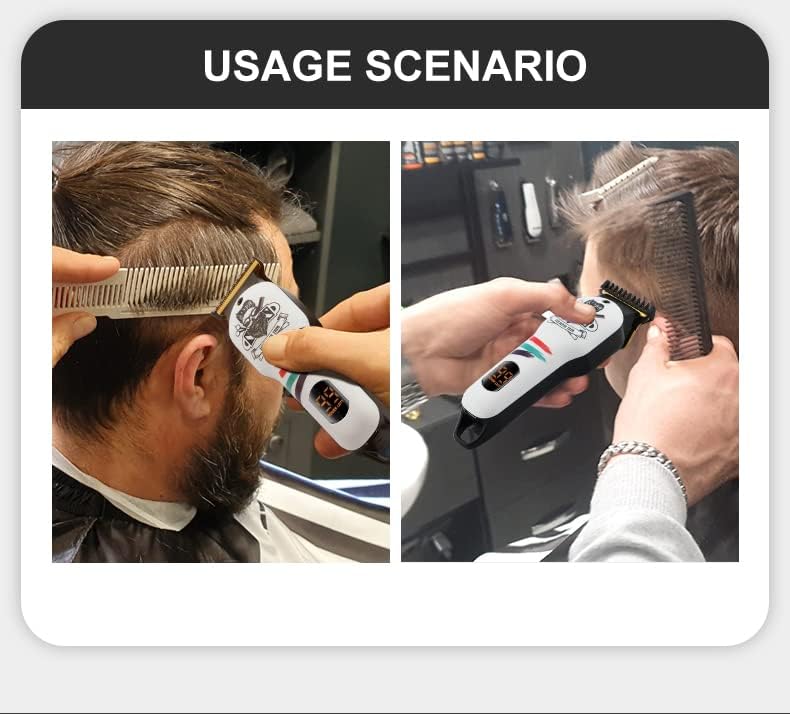
Image 4: Stainless steel blade and R-angle processing for skin protection, with 1mm, 2mm, 3mm guide combs
5. Setup
5.1 Initial Charging
- Before first use, fully charge the trimmer.
- Connect the USB charging cable to the trimmer's charging port and plug the other end into a compatible USB power source (e.g., computer, laptop, USB charger, power bank).
- The LED digital display will indicate the charging status. A full charge takes approximately 1.5 hours.
- Once fully charged, the trimmer provides up to 120 minutes of cordless operation.

Image 5: Charging time (1.5 hours) and work time (120 minutes)
5.2 Attaching Guide Combs
- Ensure the trimmer is turned off before attaching or removing guide combs.
- Select the desired guide comb (1mm, 2mm, or 3mm).
- Align the comb with the trimmer blade and gently push it down until it clicks securely into place.
- To remove, gently lift the comb from the back and slide it off.
6. Operating Instructions
6.1 Basic Operation
- Press the power button to turn the trimmer on. The LED display will illuminate.
- Select the appropriate guide comb for your desired hair length. For a very close trim (0mm), use the trimmer without a comb.
- Hold the trimmer firmly and move it against the direction of hair growth. Use slow, controlled strokes.
- For beard trimming, start with a longer comb setting and gradually reduce the length if needed.
- Press the power button again to turn the trimmer off after use.

Image 6: Usage scenario for the VGR V-971 Trimmer
7. Maintenance
7.1 Cleaning the Trimmer
- Ensure the trimmer is turned off and unplugged before cleaning.
- Remove any attached guide comb.
- Use the provided cleaning brush to remove loose hairs from the blades and the trimmer body.
- Do not rinse the trimmer under water as it is not waterproof.
- Wipe the body of the trimmer with a clean, dry cloth.
7.2 Blade Lubrication
- After cleaning, apply a small drop of the provided lubricating oil to the blades.
- Turn the trimmer on for a few seconds to allow the oil to distribute evenly across the blades.
- Wipe off any excess oil with a soft cloth. Regular lubrication helps maintain blade sharpness and prolongs the life of the trimmer.
7.3 Storage
Store the trimmer in a cool, dry place, away from direct sunlight and moisture, when not in use.
8. Troubleshooting
| Problem | Possible Cause | Solution |
|---|---|---|
| Trimmer does not turn on. | Battery is depleted. | Charge the trimmer for 1.5 hours. Check the LED display for battery status. |
| Poor cutting performance or pulling hair. | Blades are dirty or not lubricated. Guide comb is incorrectly attached. | Clean the blades thoroughly with the brush. Apply lubricating oil. Ensure the guide comb is securely attached. |
| Trimmer becomes hot during use. | Extended continuous use. Blades may need cleaning/lubrication. | Stop use and allow the trimmer to cool down. Clean and lubricate the blades. |
9. Specifications
| Feature | Detail |
|---|---|
| Model Name | VGR V-971 |
| Power Source | Battery Powered (Cordless/Corded) |
| Battery Type | 1 Lithium Ion (600 mAh) |
| Charging Time | 1.5 Hours |
| Work Time | 120 Minutes |
| Blade Material | Stainless Steel |
| Cutting Lengths | 0mm (without comb), 1mm, 2mm, 3mm (with combs) |
| Product Dimensions (LxWxH) | 18 x 8 x 5.3 Centimeters |
| Item Weight | 290 Grams |
| Waterproof | No |
10. Warranty and Support
The VGR V-971 Trimmer comes with a 12-month quality warranty from the date of original purchase (invoice required). This warranty covers defects in materials and workmanship.
The warranty does not cover intentional or unintentional damage caused by the user.
Initiating a Warranty Claim:
To initiate a warranty claim, please contact VGR INDIA at WARRANTY@VGRINDIA.CO.IN. Provide a clear description of the problem, associated pictures, and a copy of your original purchase invoice.
Upon verification, the company will, at its discretion, either repair or exchange the product. Customers are responsible for the cost of transporting the product to the service center, while VGR INDIA will cover the cost of returning the repaired or exchanged product.
Manufacturer and Importer Information:
- Manufacturer: Ningbo VGR Electric Appliance Co., Ltd., Yiwu Gemei Electric Appliance Co. Ltd
- Importer: VGR INDIA MUMBAI - 401104 INDIA