
1. Product Overview
The VGR V-699 Professional Digital Display Cordless Hair Clipper is designed for precise and efficient hair cutting. It features durable titanium-coated blades for a smooth trimming experience. This clipper operates on a powerful 2000mAh Li-ion battery, providing up to 180 minutes of cordless use after a full 3-hour charge. For continuous operation, it can also be used while connected to a power source. An integrated LED digital display clearly shows the remaining battery charge.
The clipper includes an adjustable taper lever, allowing for fine-tuning of cutting lengths from 0.8mm to 2mm without the need for guide combs. Additionally, four attachment guide combs are provided for various cutting lengths: 3mm, 6mm, 9mm, and 12mm.

Image: VGR V-699 Hair Clipper highlighting its key components such as titanium blades, taper lever, and LED display.
2. Important Safety Instructions
To ensure safe operation and prevent injury or damage, please read and follow these instructions carefully:
- Always read all instructions before using the appliance.
- Keep the appliance dry. Do not use it near water, in a bathroom, or in any wet environment.
- Do not immerse the appliance in water or any other liquid.
- Keep the appliance out of reach of children.
- Do not use the appliance if the power cord or the appliance itself is damaged. Contact customer support for assistance.
- Use only the charging cable provided with the appliance.
- Unplug the appliance from the power source before cleaning or performing any maintenance.
- Avoid placing the appliance on soft surfaces during operation, as this may block ventilation openings.
3. Package Contents
Verify that all items are present in the package:
- VGR V-699 Hair Clipper
- 4 Guide Combs (3mm, 6mm, 9mm, 12mm)
- USB Charging Cable
- Cleaning Brush
- Blade Oil
- User Manual

Image: The VGR V-699 Hair Clipper kit, showing the clipper, various guide combs, USB charging cable, and the product box.
4. Getting Started: Charging Your Clipper
Before first use, fully charge the clipper. Ensure the clipper is turned off during charging.
- Connect the small end of the USB charging cable to the charging port at the bottom of the clipper.
- Connect the larger end of the USB cable to a compatible USB power source, such as a laptop, USB wall adapter, car charger, or power bank.
- The LED display on the clipper will illuminate, indicating the charging status.
- A full charge typically takes approximately 3 hours and provides up to 180 minutes of cordless operation.
- Once fully charged, disconnect the charging cable. Avoid overcharging to prolong battery life.

Image: Illustration of the clipper's USB charging capability, showing various compatible power sources and the 3-hour charge time for 180 minutes of work time.
5. Attaching and Removing Guide Combs
Guide combs help achieve desired hair lengths. Ensure the clipper is turned off before attaching or removing combs.
- To Attach: Select the desired guide comb. Align the comb with the clipper blade and push it firmly until it securely clicks into place.
- To Remove: Gently pull the guide comb away from the clipper blade.

Image: Detailed view of the four guide combs (3mm, 6mm, 9mm, 12mm) and how they attach to the clipper blade.
6. Operating Your Hair Clipper
6.1 Power On/Off
To turn the clipper on or off, simply press the ON/OFF switch located on the side of the appliance.
6.2 Adjusting Cutting Length
- Taper Lever: The integrated taper lever on the side of the clipper allows for precise adjustment of the blade length from 0.8mm to 2mm. This is useful for blending and achieving specific short lengths without a guide comb.
- Guide Combs: For longer and consistent cutting lengths, attach one of the four provided guide combs (3mm, 6mm, 9mm, 12mm) as described in Section 5.
6.3 Corded and Cordless Use
The VGR V-699 clipper offers flexibility in use:
- Cordless Operation: After a full charge, the clipper can be used wirelessly for up to 180 minutes, providing freedom of movement.
- Corded Operation: If the battery is low or for extended use, connect the clipper directly to a power source using the USB charging cable. The clipper will operate while charging.
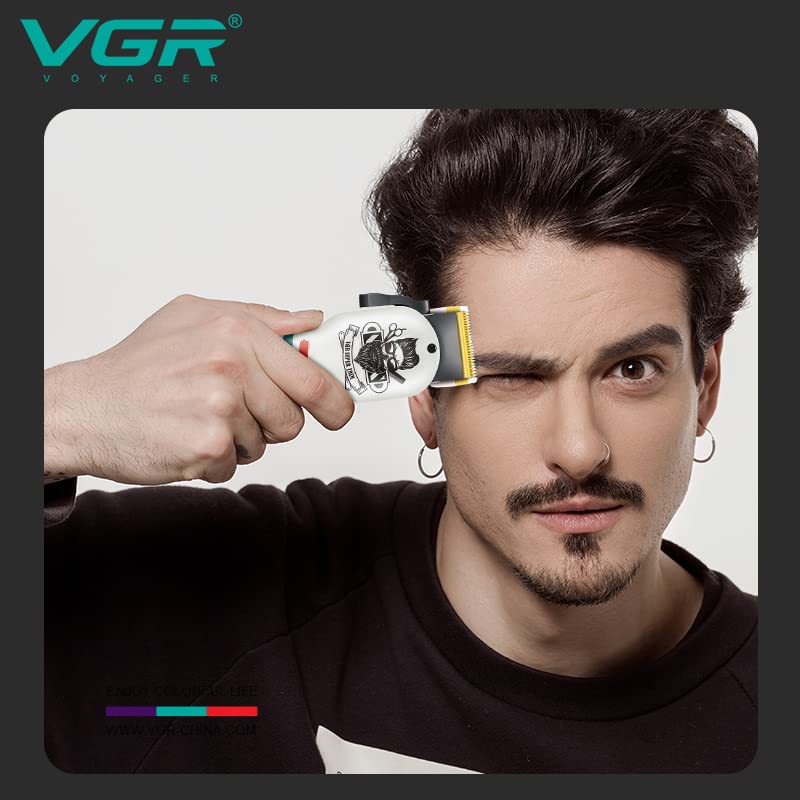
Image: A user demonstrating the VGR V-699 Hair Clipper in use for hair trimming.
7. Maintenance and Care
Regular maintenance ensures optimal performance and extends the lifespan of your clipper.
7.1 Cleaning the Blades
- After each use, turn off the clipper and disconnect it from any power source.
- Remove any attached guide comb.
- Use the provided cleaning brush to gently brush away loose hair from the blades and the clipper head.
- Do not rinse the blades or the clipper under water unless explicitly stated as waterproof (this model is not specified as fully waterproof).
7.2 Oiling the Blades
To maintain cutting efficiency and prevent blade wear, oil the blades regularly.
- After cleaning the blades, apply one or two small drops of the provided blade oil onto the teeth of the blades.
- Turn the clipper on for a few seconds to allow the oil to distribute evenly across the blades.
- Wipe off any excess oil with a soft cloth.
7.3 Storage
Store the clipper in a dry, cool place, away from direct sunlight and moisture. Keep it out of reach of children.

Image: A detailed view of the titanium-coated blades, emphasizing their design for superior cutting performance.
8. Troubleshooting
If you encounter any issues with your VGR V-699 Hair Clipper, refer to the table below for common problems and solutions.
| Problem | Possible Cause | Solution |
|---|---|---|
| Clipper does not turn on. | Battery is depleted. ON/OFF switch not fully engaged. | Recharge the clipper. Ensure the ON/OFF switch is pressed firmly. |
| Poor cutting performance or pulling hair. | Blades are dirty or clogged with hair. Blades are not oiled. Blades may be dull or damaged. | Clean the blades thoroughly with the brush. Apply blade oil. If blades are dull, consider professional sharpening or replacement. |
| Clipper gets hot during use. | Extended continuous use. Blades are not properly lubricated. | Allow the clipper to cool down. Ensure blades are clean and regularly oiled. |
| Battery not charging. | Loose USB cable connection. Faulty USB cable or power source. | Check that the USB cable is securely connected to both the clipper and the power source. Try a different USB cable or power adapter. |
9. Specifications
- Model Number: V 699
- Power Source: Battery Powered (Li-ion)
- Battery Capacity: 2000mAh
- Charging Time: Approximately 3 hours
- Operating Time: Up to 180 minutes (cordless)
- Voltage: 110-220V (dual-voltage)
- Motor Speed: 5500rpm
- Blade Material: Titanium Coated Stainless Steel
- Minimum Cutting Length (without comb): 0.8mm
- Maximum Cutting Length (without comb): 2mm
- Guide Comb Lengths: 3mm, 6mm, 9mm, 12mm
- Noise Level: < 60 dB
- Dimensions (LxWxH): 23.3 x 13.3 x 7 Centimeters
- Item Weight: 680 Grams
- Connectivity: USB charging
10. Warranty and Support
VGR provides a 12-month quality warranty for the VGR V-699 Hair Clipper, covering defects in materials and workmanship from the date of original purchase (as per invoice). This warranty does not cover damage caused by intentional or unintentional misuse by the user.
10.1 Initiating a Warranty Claim
To initiate a warranty claim, please contact VGR customer support via email:
- Email: WARRANTY@VGRINDIA.CO.IN
In your email, provide a clear description of the problem, include associated pictures if possible, and attach a copy of your original purchase invoice.
10.2 Warranty Resolution
Once your claim has been verified, the company will, at its discretion, either repair the product or, if a repair is not feasible, exchange it. The customer is responsible for the cost of transporting the product to the service center. VGR will cover the cost of transporting the repaired or exchanged product back to the customer.
10.3 Customer Support
Our customer service team aims to respond to all inquiries within 24 hours.


